Table of contents
Table of contents
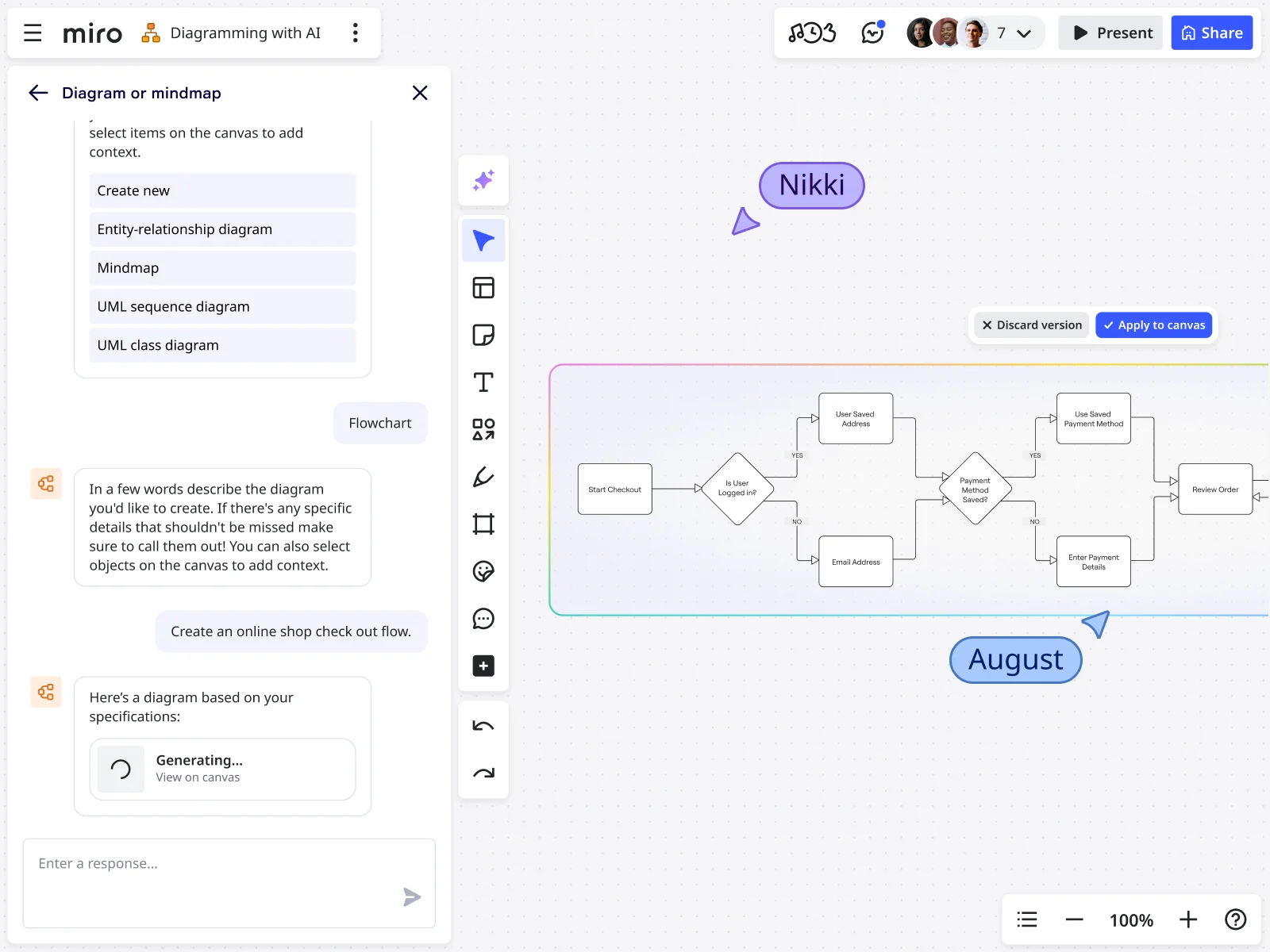
Key Integration Features of Miro’s AI Flowchart Generator
The last thing any team wants is more software to juggle. Miro’s AI flowchart creator connects with the tools you already use, with over 160 available integrations.
Miro helps you create flowcharts online, then transforms them into comprehensive written specifications. Updates flow automatically across connected apps through two-way sync and live data embeds. This means less manual data transfer, more accurate documentation, and improved team coordination. Instead of adding complexity, Miro enhances efficiency and helps reduce tool sprawl by becoming the hub for your workflows.
The Cost of Tool Sprawl
Organizations rely on several apps to support different tasks, teams, or use cases. Some apps are for workflow-related tasks, while others focus on project management and file storage.
This fragmented approach is also known as ‘tool sprawl’. It often leads to wasted resources, higher costs, and lower productivity. Research shows that 87% of IT decision-makers say that tool sprawl has a significant financial impact. It's reported that over half of SaaS licenses are going unused.
With Miro’s integrations, organizations turn a scattered toolset into a coordinated hub. The results are measurable: a 79% boost in productivity, an 80% improvement in alignment across teams, and a 19% reduction in time to project completion.
Connectable Apps
With over 160 integration options, Miro doesn’t replace your tech stack, but instead pulls it all together. Live data and work items flow straight into your boards so you can spend less time searching and more time creating. Instead of hunting for updates across different tools, Miro gives your team the full context in one visual space.
The boards act as living documents where you can bring all your data together, making it easier to keep your flowcharts and diagrams up to date. You can pull in task statuses, adjust timelines, display live metrics, and trigger actions in your connected apps. Flowcharts stop being static diagrams and become dynamic documents that move with your projects. You can even embed live Miro boards directly into tools like Confluence, Notion, or Microsoft Teams.
Here are just a few of the apps you can connect to power up your flowcharts in Miro:
- Jira – Sync tasks and track progress in real time
- Asana – Bring project context and timelines together
- Slack – Keep all notifications in one place
- Google Workspace – Embed files and key documents
1. Project Management and Task Tracking
With our flowchart integrations, connect tools like Jira, Asana, Azure, and Confluence to your projects to keep them in sync with real data.
Two-way sync automatically updates task statuses, deadlines, and project milestones so your flowcharts always reflect current project realities without the need for manual updates. By linking flowcharts to specific projects and tasks, teams get a visual project dashboard. Granular task details and big-picture processes live in one place, making it easier to stay aligned and on track.
2. File Storage and Documentation
Connect apps like Google Drive, OneDrive, Dropbox, Coda, and Notion. This enables you to centralize all your supporting materials right alongside your flowcharts.
Attach or embed documents, specifications, and resources to specific flowchart steps. This transforms your diagrams into complete process hubs. With everything in one place, documentation stays organized, accessible, and easy to reference.
3. Design and Prototyping
Connecting to apps like Figma, InVision, and Sketch helps with process planning and execution. With these integrations, flowchart steps link to design assets, prototypes, and UI mockups. This helps keep context intact from start to finish and creates a seamless workflow. Teams can move from process mapping to design creation without losing context or duplicating effort.
Expand Miro With Custom Integrations
Miro doesn’t stop at pre-built flowchart integrations. Take it one step further and connect your own custom apps through the Miro Developer platform. Your teams aren’t limited to one-size-fits-all solutions. Instead you can add custom functionality to suit your needs.
Use our AI flowchart creator then build exactly what you need to align projects with business operations. Publish custom apps for use within your organization for tailored functionality. Get started now and publish them on the Miro Marketplace to share them with millions of users worldwide.
FAQs
Do you need technical skills to set up integrations with flowcharts?
You don’t need technical skills to bring your apps and data into Miro boards. Most integrations with popular business apps work with simple one-click connections, no coding required. Once connected, your flowcharts can sit alongside live data, making it easy to keep everything up to date in one place. For more advanced custom integrations, you can work with your IT team or use Miro's developer resources.
What happens to flowchart data if you disconnect an integration?
If you disconnect an integration, all your data on the board remains intact. Disconnecting an integration only stops the live data feed from that app, it doesn’t delete anything you’ve added to your board. You can reconnect the integration at any time, or continue to update information manually as needed.
Can integrations automatically update flowcharts when something changes in other apps?
Integrations don’t directly update flowcharts. Instead, your board can display updates from connected apps alongside your diagrams. This setup allows you to keep all your project data in one place without affecting the flowcharts themselves, while giving you control over which updates appear and how often.
What happens when processes get complicated - can Miro handle it?
Yes, Miro can handle complex processes and large teams working together on flowcharts. Our platform works great for teams of any size and supports people working together live or at different times. The workspace can handle hundreds of people working at once, so your whole team can build and give feedback together in the same place. This keeps everyone on the same page and helps teams make faster decisions as projects get bigger.
Author: Miro Team Last update: October 6, 2025
Join our 100M+ users today


