Table of contents
Table of contents
Collaborative wireframing: How cross-functional teams build better products together
Summary
Collaborative wireframing changes the equation. By bringing designers, product managers, and engineers together during the wireframing phase, teams build shared understanding before a single high-fidelity mockup exists. High-performing teams using collaborative approaches are 25% more productive than their siloed counterparts.
Key takeaways:
- The essential trio: Designer (user needs), PM (business logic), and lead developer (technical feasibility) must wireframe together to prevent costly assumptions
- Synchronous + asynchronous workflow: Live sessions for initial concepts and alignment; async refinement for detailed feedback and stakeholder review
- Canvas-based tools create psychological safety: Unlike intimidating design software, visual collaboration platforms welcome non-designer contributions through familiar elements like sticky notes and basic shapes
- Real impact: Moladin doubled their productivity (2x story points) and eliminated critical post-release bugs for two years by adopting collaborative wireframing with visual collaboration
- Multiplayer by default: Features like real-time presence, contextual commenting, guest access, and AI assistance enable true team collaboration rather than passive review
The result: Skip weeks of feedback loops, surface problems when they're cheapest to fix, and ship with confidence knowing your entire team aligned on the solution from day one.
Collaborative wireframing
According to McKinsey's 2023 research published in 2025, high-performing teams are 25% more productive than their less collaborative counterparts ResearchGate. Yet most product teams still treat wireframing as a solo activity—a designer locked away interpreting requirements, making assumptions, and creating deliverables in isolation.
This "black box" approach creates a 2-3 week feedback loop that delays product delivery and creates expensive rework. According to DORA research, software development teams rework about 26% of their code prior to release Code Climate, and much of that rework stems from miscommunication during early design phases. By the time engineering sees the wireframe, it's often too polished to question the underlying logic.
Collaborative wireframing flips this model. When product managers, designers, and engineers wireframe together in real-time, they're not just sketching screens—they're building shared understanding. Every micro-decision gets validated immediately by the people who understand business logic, user needs, and technical constraints.
The canvas-based approach turns wireframing from a solo deliverable into a team conversation. When done right, you skip weeks of feedback loops because the PM and engineer are building the logic alongside the designer from day one.
Here's what you'll learn: why designing in isolation leads to rework, who needs to be involved in collaborative wireframing (and when), how to run effective synchronous and asynchronous wireframing sessions, why visual collaboration platforms create psychological safety for non-designers, and practical workflows you can implement immediately.
The hidden cost of “black box” wireframing
Why traditional wireframing fails cross-functional teams
The solo designer trap follows a predictable pattern. A designer receives a requirements document—usually text-heavy PRD filled with user stories. They interpret these requirements alone, making hundreds of assumptions about user flows, interaction patterns, and business logic. Over 3-5 days, they create wireframes in isolation. When they finally present completed wireframes to stakeholders who weren’t part of the thinking process, they receive feedback that contradicts fundamental assumptions.
The result: rework, misalignment, and delayed timelines.
The downstream impact hits every function. Product managers see features built that don’t match original intent because nuances were lost in translation. Engineers discover technical feasibility issues too late—after the designer has invested hours in detailed mockups. Designers face constant rework and the frustration of “why didn’t anyone tell me this earlier?”
Research shows the financial impact is substantial. Poor handoffs cause miscommunication, delays, and rework, with one SaaS company reducing development rework by 35% after adopting better collaborative practices. The cost of fixing problems escalates dramatically as you move through the development lifecycle—addressing issues during wireframing costs a fraction of fixing them in production.
Consider Moladin, Indonesia’s leading mobility marketplace. As Chief Product Officer Praz Perkasa explains, “Our operational workflows were constantly evolving, with adjustments and changes often happening on a weekly basis. With multiple teams involved—especially in underwriting—keeping track of shifting processes and ensuring alignment required consistent attention.”
The core issue is this: wireframes are meant to bridge abstract requirements (text) and concrete design (visuals). When you build that bridge alone, you’re making hundreds of micro-decisions without the context only your PM and engineer can provide.
The wireframe isn’t the deliverable—shared understanding is. Wireframes are just the artifact that proves you got there together.
Who needs to be in the room (and why)
The essential trio: designer, PM, and lead developer
Collaborative wireframing requires a specific combination of perspectives to succeed. Each role brings irreplaceable context that prevents costly assumptions.
The designer brings user-centered thinking and visual problem-solving. They ensure the wireframe supports user needs and established interaction patterns. Their essential question: “How will users accomplish their goals?”
The product manager owns the business logic and feature requirements. They ensure the wireframe addresses the right problem and can clarify edge cases and business rules in real-time. Their critical question: “Does this solve the user problem we’re prioritizing?”
The lead developer (or technical lead) is the game-changer most teams miss. They surface technical constraints before the design is polished, identify data dependencies, API limitations, or performance considerations, and suggest alternative approaches that might be simpler to implement. Their vital question: “Can we actually build this, and how complex would it be?”
This last role is where traditional wireframing processes break down most severely. By the time developers see wireframes, designs are often too refined to fundamentally restructure. Early technical input prevents designing features that are difficult or impossible to implement within your tech stack.
When organizations take a human-first approach to AI and cross-functional work, employees are 1.5 times more likely to be high performers and 2.3 times more likely to be highly engaged, according to Gartner’s 2025 workplace research.
When to include others
Beyond the core trio, expand participation strategically:
- User researchers when validating assumptions about user behavior
- Stakeholders and leadership during initial concept exploration (async commenting works well)
- Customer success or sales when wireframing features for specific customer segments
- Marketing when the wireframe impacts user-facing messaging or onboarding
The timing matters critically. Too early—before you have a clear problem statement—leads to unfocused discussions. Too late—after high-fidelity mockups are created—means engineer input comes too late to be actionable. The sweet spot is during the wireframing phase, when the design is concrete enough to discuss but flexible enough to change quickly.
Include people who can answer questions or spot problems that would otherwise create rework. Exclude people who just need to be informed—they can review asynchronously.
Synchronous vs. asynchronous collaborative wireframing
Live collaboration: building together in real-time
Live wireframing sessions work best for specific scenarios: kickoffs that establish initial concepts and user flows, complex features requiring real-time edge case discussion, alignment when stakeholders have conflicting visions, and rapid iteration when speed matters more than perfection.
Here’s how to run effective live wireframing sessions:
Step 1: Pre-session prep (15 minutes before)
Create a dedicated board with the problem statement prominently displayed at the top. Add relevant context: user research findings, technical constraints, business goals. Import any existing sketches or reference examples. Set up frames for different concepts or user flows.
Step 2: Diverge first (15-20 minutes)
Use a timer to give everyone individual sketching time. Each participant creates quick wireframe sketches using sticky notes or basic shapes. This low-fidelity approach is crucial—sticky notes are accessible enough that non-designers feel comfortable contributing.
The PM might sketch the business logic flow. The engineer might sketch the data architecture visually. The designer refines the interaction patterns. Everyone thinks independently before converging.
Step 3: Converge together (20-30 minutes)
Conduct a gallery walk where everyone presents their concepts (2 minutes each). Use voting features to identify which elements resonate most strongly. As a team, synthesize the best ideas into a single wireframe direction. The designer typically drives the visual creation while others guide and provide real-time input.
Step 4: Validate assumptions (10 minutes)
Get explicit confirmation: the PM confirms “this captures the business logic correctly,” the engineer confirms “this is technically feasible with our current stack,” and the designer confirms “this maintains usability and design system consistency.”
This collaborative approach transforms outcomes. Moladin adopted this methodology and saw remarkable results. By visualizing complex workflows on a shared canvas, product managers can instantly identify all touchpoints affected by proposed changes, allowing them to provide stakeholders with quick, accurate assessments of implementation efforts.
Asynchronous collaboration: continuous refinement
Async collaboration works better for detailed feedback on specific wireframe sections, stakeholder review when live sessions aren’t practical, follow-up questions after a live session, and working across time zones with distributed teams.
The async workflow unfolds in three phases:
Phase 1: Designer posts initial wireframes
Create wireframes on the canvas, add contextual notes explaining key decisions, tag specific people for input on specific sections, and set a deadline for feedback (typically 48 hours).
Phase 2: Team members leave contextual comments
The PM comments on business logic: “Edge case: what happens if the user hasn’t completed profile setup?” The engineer flags technical considerations: “This API call will be slow—can we show a loading state?” The researcher adds user insights: “In testing, users expected this action in the top-right, not bottom-left.”
Phase 3: Designer incorporates feedback visibly
Update wireframes based on comments, resolve comments to show what’s been addressed, tag people back if their feedback requires clarification, and document decision rationale directly on the canvas.
Why visual collaboration platforms beat email or Slack for async wireframe feedback:
- Spatial context means comments appear exactly where the issue exists
- Visual thread lets you see the evolution of the wireframe over time
- Persistent workspace ensures nothing gets lost in message history
- Lower barrier to entry allows stakeholders to leave feedback without feeling like they need design expertise
The most effective approach combines both methods:
- Week 1: Live session to establish initial wireframe direction (60 min)
- Week 1-2: Async refinement as designer develops the wireframes
- Week 2: Live validation session to confirm feasibility before moving to high-fidelity (30 min)
This captures the speed of live collaboration with the depth of async feedback.
Why canvas-based tools create a “low-stakes” environment for non-designers
The design tool intimidation factor
Traditional design tools like Figma are powerful—but that power creates psychological barriers for non-designers. The intimidating interface includes layers, components, and auto-layout concepts that feel like professional design territory. Engineers and PMs worry about “breaking” things and messing up the designer’s work. The tool creates perfectionism pressure, making everything feel like it should be polished. Most critically, contribution boundaries become unclear: “Where exactly am I supposed to add my feedback?”
The result: PMs and engineers become passive reviewers instead of active collaborators.
The collaborative advantage
Canvas-based visual collaboration platforms approach the problem differently, creating psychological safety for non-designers.
Familiarity through simplicity: The canvas feels like a whiteboard, not a professional design tool. Basic shapes, sticky notes, and connectors are all you need. Everyone has used these elements before—there’s no learning curve to overcome.
Visual hierarchy of contribution: Designers can create clean wireframe structures. PMs can add business logic with sticky notes and text. Engineers can sketch data flows and technical architecture alongside wireframes. No one’s contribution looks “wrong” because the canvas accommodates all formats equally.
Low-fidelity by default: Canvas tools encourage rough sketches and quick iterations. There’s no pressure to make things pixel-perfect. Imperfection is expected and welcomed. This “roughness” actually invites more feedback: “This isn’t final, so what do you think?”
Commenting without consequences: Adding a sticky note with a question doesn’t feel like “changing the design.” Comments stay visible but don’t disrupt the wireframe itself. Non-designers can contribute without worrying about design system compliance or technical precision.
A Gartner survey found that 84% of marketers experience frustration and inefficiency from excessive meetings, redundant feedback loops, and unclear roles. Canvas-based collaboration addresses these issues by making contribution boundaries clear and feedback contextual.
The key differentiator is purpose: Design-first tools are built for making (one expert user). Canvas-based platforms are built for aligning (many collaborators).
Miro’s multiplayer features for collaborative wireframing
The collaborative wireframing toolkit
Feature 1: Sticky notes on wireframes
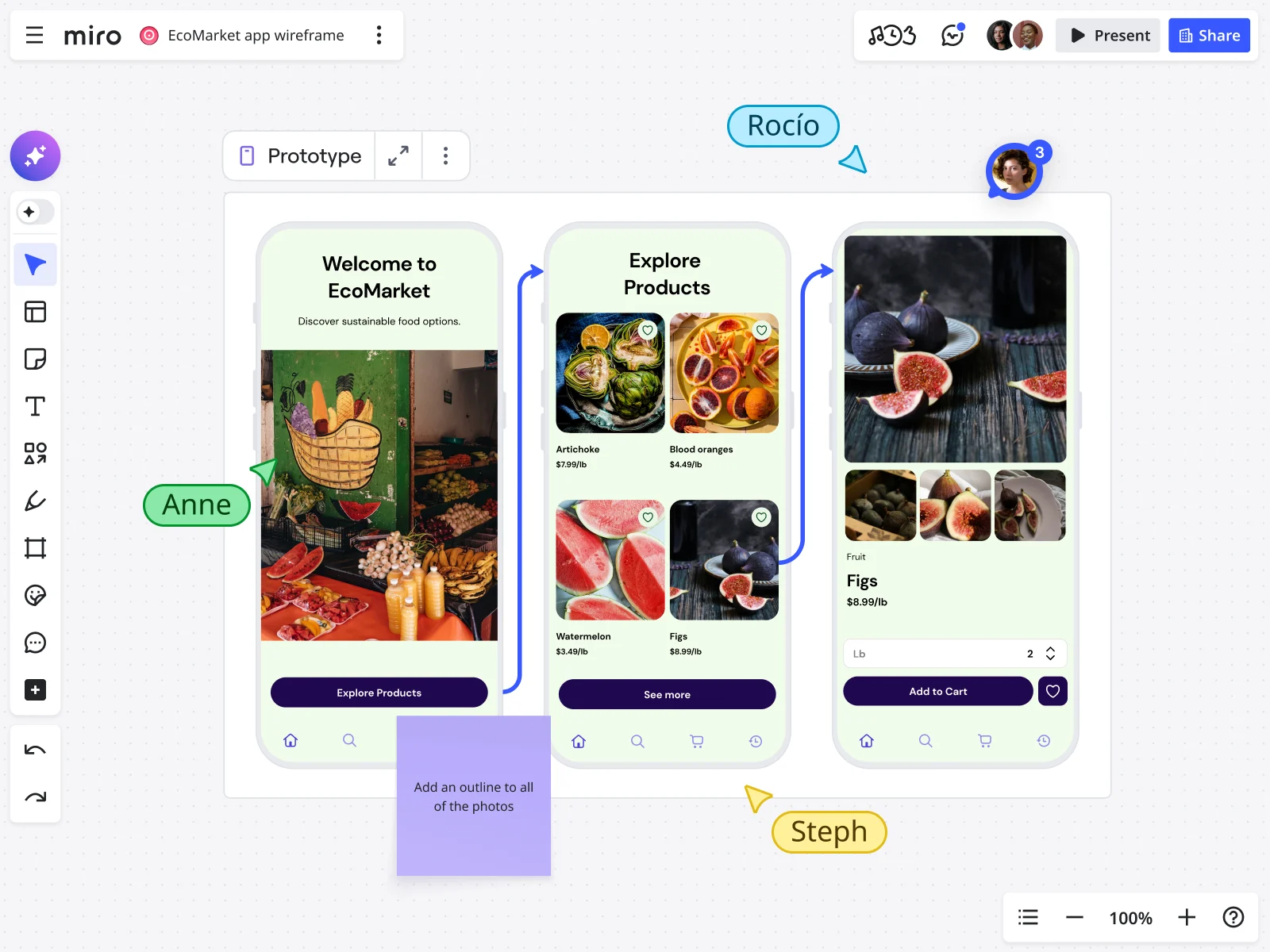
As you wireframe, questions and edge cases emerge naturally. Team members can drop sticky notes directly onto specific wireframe elements, capturing context instantly without interrupting the flow.
Example: An engineer adds a yellow sticky note: “This dropdown will need to load 10,000+ items—need pagination or search?” The PM sees it immediately and confirms the requirement should be adjusted before any high-fidelity work begins.
Feature 2: Built-in wireframing tools and template library
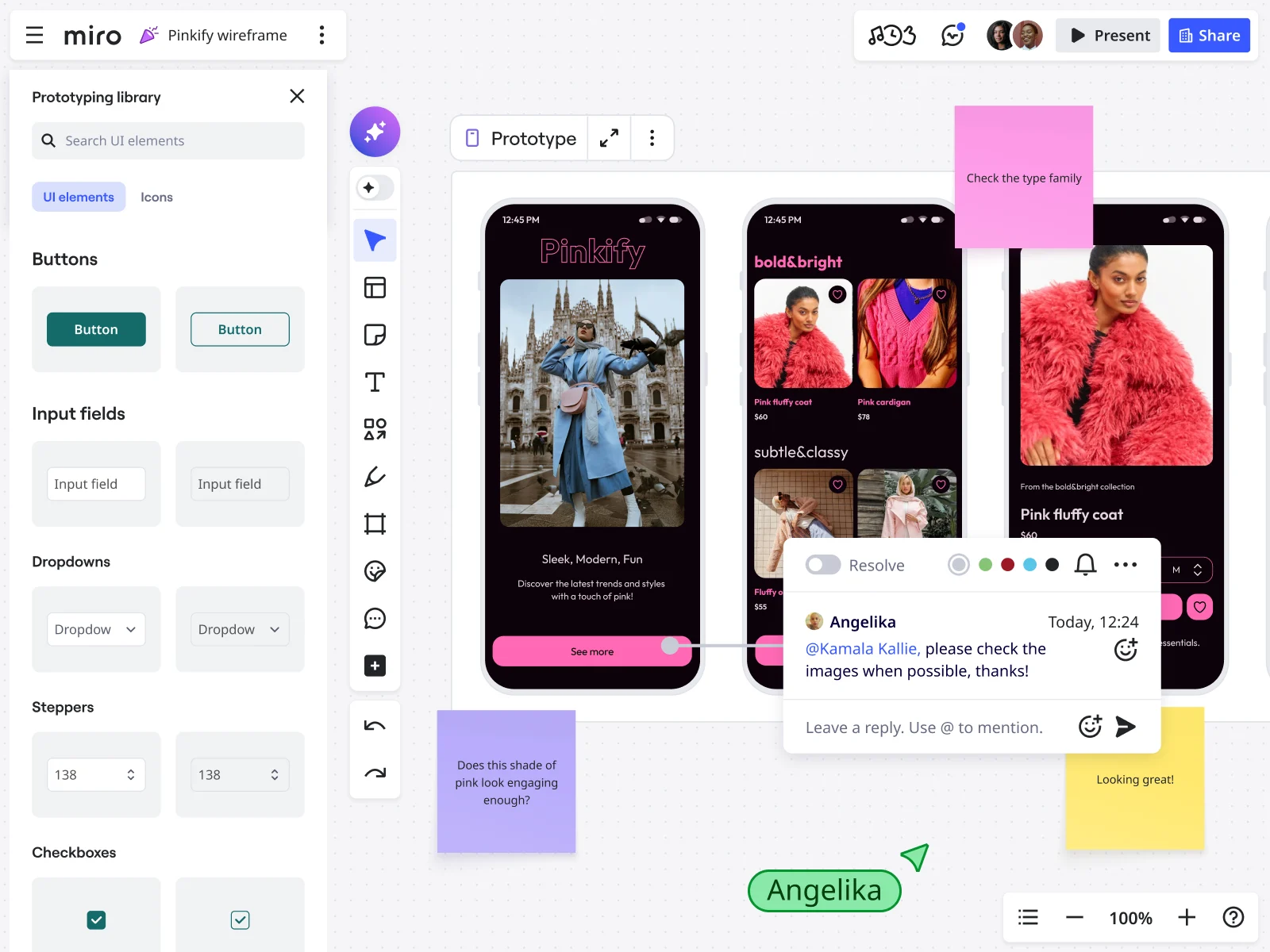
Pre-built wireframe templates let you start from proven patterns rather than blank canvas. Wireframe shape packs provide standard UI components (buttons, forms, navigation) designed for collaboration, not pixel perfection. Smart diagramming easily connects wireframes to show user flows and logic. This reduces design overhead so teams can focus on problem-solving, not tool mastery.
Feature 3: Guest access for stakeholders
Getting executive or client feedback shouldn’t require adding expensive tool seats. Send a board link with comment-only access. The workflow: designer shares board link with VP of Product, VP reviews wireframes on their own time, leaves strategic comments (“This doesn’t align with our Q2 roadmap—can we defer this section?”), and designer addresses feedback before building high-fidelity mocks. No additional licenses needed for occasional reviewers.
Feature 4: Miro AI for faster iteration
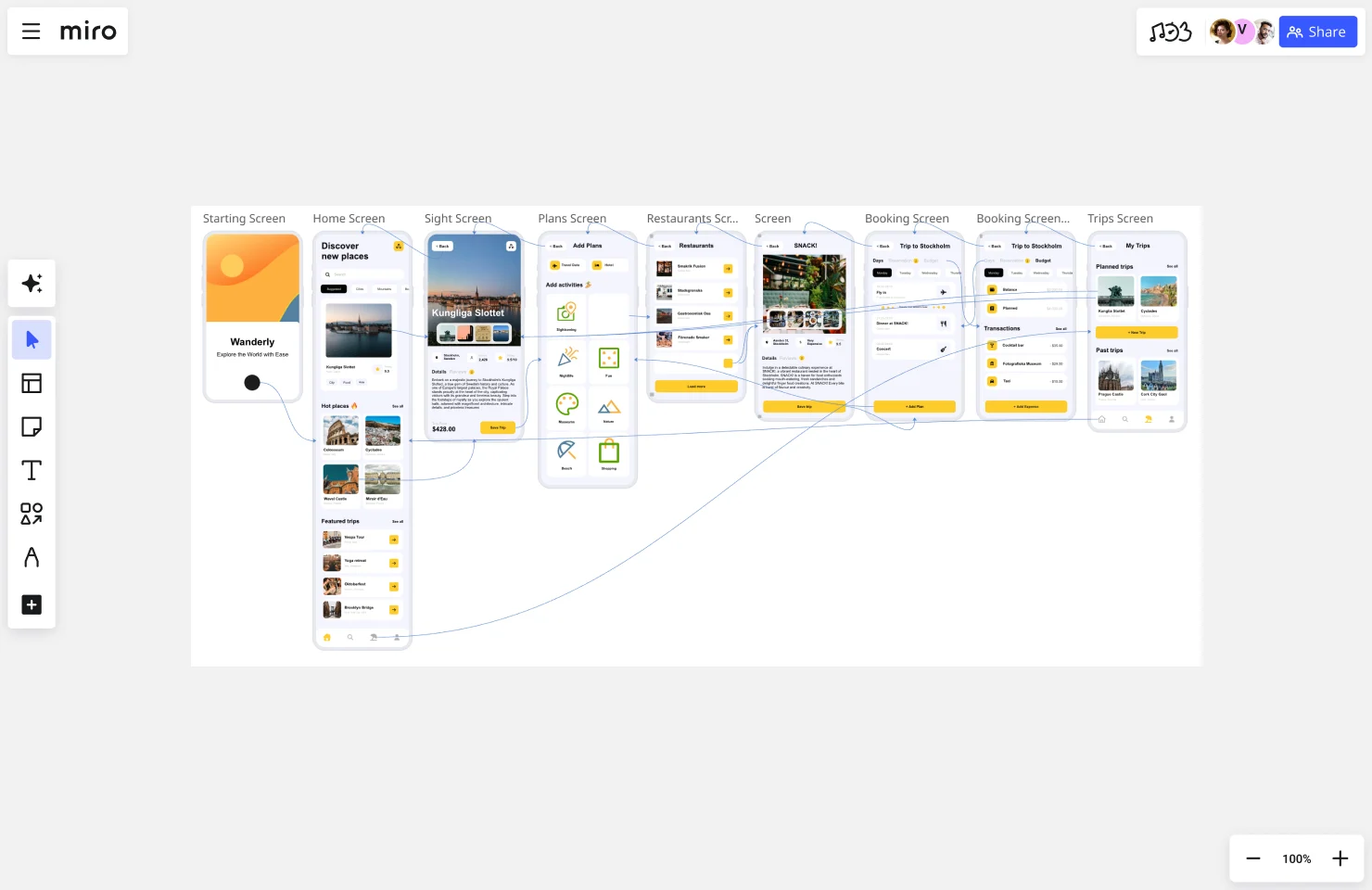
Miro AI generates wireframe concepts from text descriptions. Smart layouts suggest optimal arrangements of wireframe elements. Contextual intelligence means the canvas becomes the prompt—AI understands the full project context, not just isolated requests. This gives junior designers AI support while senior team members provide strategic direction.
Feature 5: Real-time presence and communication
Live cursors show where everyone is working in real-time. @Mentions tag specific people for input on specific wireframe sections. Integrated video lets teams discuss wireframes face-to-face while everyone sees the same canvas. Cursor chat enables quick questions without opening a separate tool.
Feature 6: Version history and iteration tracking
Full version history shows how the wireframe evolved, answering “Wait, why did we decide against that approach?” New team members can understand the decision-making process by reviewing past iterations. For regulated industries, this maintains an audit trail for compliance.
The collaborative wireframing workflow (practical implementation)
Phase 1: Discovery and initial concepts (Week 1)
- PM creates board with problem statement and user stories
- Team conducts live sketching session (60 min) using timer feature
- Everyone votes on strongest concepts
- Designer synthesizes winning ideas into initial wireframe structure
Phase 2: Asynchronous refinement (Week 1-2)
- Designer develops wireframes with proper user flows
- PM adds business logic sticky notes and edge case questions
- Engineer flags technical constraints and suggests alternatives
- Researcher adds user behavior insights from previous studies
Phase 3: Validation and handoff prep (Week 2)
- Live alignment session (30 min) to resolve open questions
- Team confirms: logic is sound, design is usable, build is feasible
- Designer exports wireframes or links board in handoff documentation
- Engineering can reference the full context (all comments, decisions, iterations) during build
Continuous loop: The board stays active during development for quick clarifications. The team adds learnings from user testing back to the wireframes. The wireframe becomes living documentation, not a static deliverable.
Common pitfalls (and how to avoid them)
Pitfall 1: Too many cooks
Inviting 10+ people to a live wireframing session creates chaos. Solution: The core trio (Designer, PM, Engineer) creates initial direction; broader team reviews async. Use comment-only access for stakeholders who need visibility but not active participation.
Pitfall 2: Skipping the “why”
Jumping straight to wireframing without establishing problem context. Solution: Always start your board with problem statement, user research, success metrics, and constraints. When new people join the board, they understand the context immediately.
Pitfall 3: Perfectionism too early
Designer spends hours perfecting wireframes before getting team input. Solution: Embrace “ugly” first drafts—use basic shapes and sticky notes before refining. Canvas aesthetics naturally discourage over-polishing.
Pitfall 4: No clear next steps
Great collaboration session, but no one knows what happens next. Solution: End every session by documenting decisions made, open questions, owners, and deadlines. Create a “Next Steps” frame on the board with assigned tasks.
Pitfall 5: Treating the wireframe as final
Team assumes wireframe can’t change once “approved.” Solution: Wireframes should evolve as you learn more—keep the board active during development. Frame wireframes as “our current best thinking” not “locked requirements.”
Real-world success: Moladin’s transformation
Moladin, Indonesia’s leading mobility marketplace platform, faced a challenge familiar to fast-growing companies. After securing $95 million in funding and pivoting to a market-driven business model, their product development processes struggled to keep pace.
“Our operational workflows were constantly evolving, with adjustments and changes often happening on a weekly basis to meet business needs,” explains Praz Perkasa, Chief Product Officer at Moladin. “With multiple teams involved—especially in underwriting—keeping track of shifting processes and ensuring alignment required consistent attention. We needed a way to document, adapt, and streamline these workflows in real time to stay efficient and avoid costly delays.”
The traditional approach of siloed wireframing wasn’t working. Prolonged response times, decision-making bottlenecks, and team misalignments led to delayed releases, quality challenges, and critical errors.
The collaborative wireframing approach
Moladin adopted Miro as their single source of truth for documenting, visualizing, and refining complex product workflows. The product team leveraged the platform in three key ways:
- Research synthesis: The research team consolidates market insights and qualitative findings, making it easier to distill key takeaways for product development
- End-to-end flow documentation: Product and design teams map entire customer journeys, ensuring clarity across all touchpoints—from mobile apps to internal dashboards and manual processes
- Retrospectives and continuous improvement: Teams conduct regular retrospectives at the end of sprints, months, and quarters to identify bottlenecks and optimize workflows
“In an environment where our flows evolve quickly to meet business needs and we manage multiple platforms, Miro gives us the flexibility to visualize complex processes instantly and collaborate in real time,” says Perkasa.
The results
The transformation was dramatic. By visualizing complex workflows, product managers can instantly identify all touchpoints affected by proposed changes, allowing them to provide stakeholders with quick, accurate assessments of implementation efforts. This clarity accelerates decision-making, enabling teams to move forward with confidence.
The platform’s flexibility empowers teams to make real-time updates during meetings, significantly reducing the feedback loop and eliminating the need for multiple follow-up sessions. Stakeholders can see and approve changes on the spot, streamlining collaboration.
Most importantly, this approach has virtually eliminated critical issues after releases. For the past two years, Moladin has experienced zero critical bugs or missed expectations in post-release deployments.
Since adopting collaborative wireframing practices in 2021, Moladin has doubled their story points—meaning teams are delivering twice as much value and completing twice as much work in the same timeframe.
“Miro has become the backbone of our product development process,” Perkasa concludes. “Having a single source of truth has been invaluable—not only for helping new team members ramp up quickly but also for ensuring seamless collaboration across teams. Everyone now has a clear view of how their work connects to the bigger picture. It’s more than just a tool; it’s an essential part of how we innovate and deliver with confidence.”
Getting started with collaborative wireframing
Your first collaborative wireframing session
Preparation (30 minutes before):
- Create your board: Use Miro’s wireframe template as a starting point. Add the problem statement in a prominent frame at the top. Include user stories or key requirements. Set up separate frames for different concepts or user flows.
- Invite the right people: Core team should include Designer (facilitator), PM (requirements), and Lead Engineer (feasibility). Optional attendees: UX Researcher (user insights) and Key Stakeholder (strategic direction). Share the board link 24 hours in advance so people can review context.
- Set expectations: Time box to 60 minutes for initial session. State that the goal is rough wireframes, not polished designs. Emphasize that everyone contributes—there’s no “observer mode.”
During the session (60 minutes):
0-10 min: Alignment Review the problem statement together. Clarify any ambiguous requirements. Establish success criteria: “What would make this wireframing session successful?”
10-30 min: Individual sketching Set a timer for 15 minutes. Everyone sketches their vision using sticky notes or basic shapes. Encourage quantity over quality: 3-5 different approaches per person. No critique during this phase—just create.
30-50 min: Synthesis Each person presents their concepts (2-3 minutes each). Vote to identify strongest elements across all concepts. The designer begins combining best ideas into a unified wireframe. PM and Engineer provide real-time input: “Move that call-to-action up” or “This API call needs to happen earlier.”
50-60 min: Validation and next steps Quick read-through: Does this address the problem? Identify open questions that need async follow-up. Assign owners for each open question. Designer commits to async refinement timeline.
Templates to accelerate your practice
Start with these templates optimized for collaborative wireframing:
- Website wireframe template: Pre-structured for web products
- Mobile app wireframe template: iOS and Android patterns
- User flow wireframe template: Connect multiple screens with logic
- Low-fidelity wireframe template: Perfect for early exploration
Building the habit
Start small: one feature, one session, one hour. Make it regular with weekly wireframing sessions for ongoing work. Celebrate wins—when collaborative wireframing prevents rework, acknowledge it publicly. Iterate on the process by asking after each session: “How could this be more effective?”
From deliverable to dialogue
Traditional wireframing treats the wireframe as the deliverable. Collaborative wireframing treats shared understanding as the deliverable—the wireframe is just proof you got there together.
What you gain
Speed: Skip weeks of feedback loops by getting the right people involved early. Quality: Surface technical constraints and business logic gaps before they become expensive. Confidence: Ship knowing that PM, Designer, and Engineer are all aligned on the solution. Team cohesion: Cross-functional respect grows when everyone contributes to the solution.
The ROI of collaborative wireframing
Moladin doubled their story points, delivering twice the value. Companies implementing better collaborative practices reduced development rework by 35% and accelerated release cycles. Research shows that 64% of employees waste at least three hours a week due to collaboration inefficiencies—collaborative wireframing recovers that time.
Why canvas-based collaboration wins
While traditional design tools optimize for solo creation, canvas-based platforms optimize for team alignment. The infinite workspace accommodates all contribution styles. The low-stakes environment welcomes non-designer input. Multiplayer functionality is built-in with real-time presence and async commenting. Context-rich collaboration keeps the full project story alongside wireframes.
Your next step
Stop treating wireframing as a solo activity done in a dark room. Start treating it as the team conversation that bridges requirements to design, abstract to concrete, idea to execution.
The teams shipping fastest aren’t the ones with the best individual designers—they’re the ones wireframing together.
Ready to transform your wireframing process?
Collaborative wireframing FAQs
What integrations does Miro support for collaborative wireframing?
Miro integrates seamlessly with the tools product teams already use daily. Connect with design handoff tools like Figma for high-fidelity transitions, project management platforms including Jira, Asana, and Monday.com for linking wireframes to development tickets, and communication tools like Slack and Microsoft Teams for real-time collaboration. Miro also integrates with development environments, documentation platforms like Confluence and Notion, and video conferencing tools including Zoom and Google Meet. These integrations ensure wireframes stay connected to your broader product development workflow, eliminating context switching and keeping all stakeholders aligned.
How does Miro keep our wireframes and product information secure?
Miro employs enterprise-grade security measures to protect your product development work. All data is encrypted in transit (TLS 1.2+) and at rest (AES-256). Miro is SOC 2 Type II certified, GDPR compliant, and meets ISO 27001 standards. For enterprise teams, Miro offers single sign-on (SSO) through providers like Okta and Azure AD, advanced admin controls for board permissions, and audit logs to track who accessed or modified wireframes. You can set granular permissions—from view-only access for stakeholders to full editing rights for core team members. Additionally, Miro offers private cloud deployment options for organizations with strict data residency requirements. Guest access features allow external stakeholders to comment on wireframes without requiring full licenses or access to your broader workspace.
Can we use Miro for collaborative wireframing if our team works across different time zones?
Yes, Miro is specifically designed for distributed teams working asynchronously across time zones. Asynchronous collaboration features include contextual commenting where team members can leave feedback directly on specific wireframe elements, @mentions to notify specific people when their input is needed, and version history so everyone can see how wireframes evolved and understand the decision-making process. The infinite canvas means multiple team members can work on different sections simultaneously without conflicts. For synchronous collaboration when schedules align, Miro offers real-time cursors showing where teammates are working, built-in video chat and screen sharing, and timers for structured diverge-converge exercises. Teams typically combine both approaches: live kickoff sessions when possible, async refinement during the week, and scheduled alignment check-ins to resolve open questions.
How does the Miro community support product teams learning collaborative wireframing?
The Miro community offers extensive resources for teams adopting collaborative wireframing practices. Miro Academy provides free courses and certifications on facilitation techniques, collaborative design methods, and product development workflows. The Miro Community forum connects you with thousands of product professionals sharing templates, best practices, and real-world implementations. Access the Miroverse for hundreds of pre-built wireframing templates created by experienced practitioners—including mobile app wireframes, web application flows, and user journey templates. Miro also hosts regular webinars and workshops featuring product leaders from companies like GitHub, Moladin, and Lufthansa sharing how they've implemented collaborative wireframing. For hands-on support, the Miro Experts Directory helps you find certified consultants who can guide your team through the transition from siloed to collaborative wireframing practices.
What's the difference between using Miro versus traditional design tools like Figma for wireframing?
Miro and traditional design tools serve different purposes in the product development process. Figma and similar tools are built for individual makers creating pixel-perfect designs—they optimize for precision, component libraries, and high-fidelity output. Miro is built for team alignment and collaborative thinking—it optimizes for multiplayer brainstorming, contextual feedback, and cross-functional participation. The key difference: Figma feels intimidating to non-designers (layers, auto-layout, design systems), while Miro's canvas-based approach uses familiar elements like sticky notes, basic shapes, and simple connectors that anyone can contribute with. For collaborative wireframing specifically, Miro excels because PMs can add business logic with sticky notes, engineers can sketch data flows and technical constraints, researchers can layer in user insights, and designers can create wireframe structures—all on the same canvas without tool-switching friction. Many teams use both: Miro for early collaborative wireframing and alignment, then transition to Figma for high-fidelity mockups once the core logic is validated. The integration between both tools ensures seamless handoff without losing context.
Read more
Join our 100M+ users today


