
0likes
10uses
This template maps two parallel mobile user journeys for a social or photo-sharing app. It focuses on managing posts and the user profile, using a consistent, numbered screen system and clear navigation.
Use this template when designing:
Social media apps and photo-sharing platforms
User profile creation and editing features
Post viewing, editing, and deletion flows
View/Edit Posts flow: Gallery → My Post → Edit Post → Post Updated/Deleted
Edit Profile flow: My Profile → Edit Profile → Edit Photo → Photo Updated
Consistent screen numbering: 4.0, 4.1, 4.1.1, 4.2, 4.2.1, 4.2.2, A.3, A.4
4.0 My Profile: Scrollable list of user posts; profile icon; “EDIT” link in blue; two action buttons; bottom nav with three circles (center highlighted blue).
4.2 Gallery: 3x3 grid of post placeholders; back arrow available.
4.2.1 My Post: Large post image; username at top with “EDIT” link; like and comment indicators below.
4.2.2 Edit Post: Thumbnail preview; tags input; description textarea; “DELETE” and “SAVE” buttons.
A.4 Post Updated: Dark notification (“POST UPDATED”) with icon and “DONE” button; indicates the post is removed and returns to Gallery.
4.1 Edit Profile: Profile icon; “EDIT PHOTO” in blue; three attribute fields; check and close icons to confirm/cancel.
4.1.1 Edit Photo: Large circular avatar with radio selector to choose the photo.
A.3 Photo Updated: Dark success notification (“PHOTO UPDATED”) with title, icon, and “DONE” button; returns to My Profile.
iPhone-style mockups across screens
Back arrow on detail/edit views
Three-circle bottom navigation; center circle highlighted blue
Action buttons use blue (#659df2) and gray (#595959)
Notification screens use dark background (#595959) with white text
Edit username on post detail
View likes and comments
Edit tags and descriptions
Delete posts with confirmation
Select and confirm new profile photo
Edit multiple profile attributes
Red connectors indicate flow direction
Loop-backs: Post update → Gallery; Photo update → My Profile
Duplicate the screens and keep numbering.
Replace placeholders with your app’s content and components.
Map connectors to match your rules for navigation and confirmations.
Customize button labels, colors, and icons to your design system.
Validate flows with users; iterate on inputs, confirmations, and loop-backs.
Cheers!
Khawaja Rizwan

Rizwan Khawaja
ICT Solution Architect @ NUST
I hold master's degrees in computer science and project management along with trainings and certifications in various technologies. All this is coupled with 25+ years of industry experience.
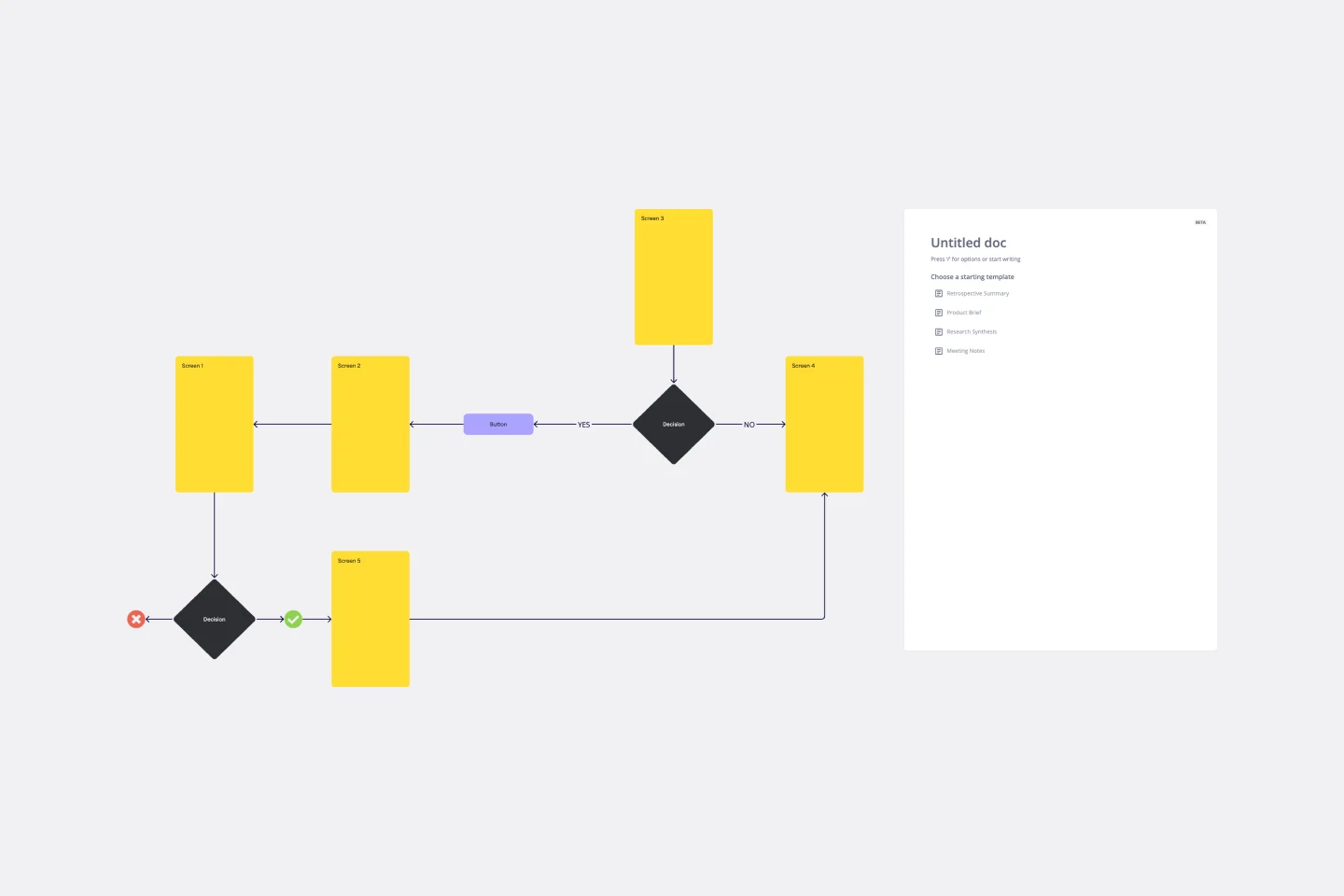
User Flow Template
User flows are diagrams that help UX and product teams map out the logical path a user should take when interacting with a system. As a visual tool, the user flow shows the relationship between a website or app’s functionality, potential actions a user could take, and the outcome of what the user decides to do. User flows help you understand what a user does to finish a task or complete a goal through your product or experience.
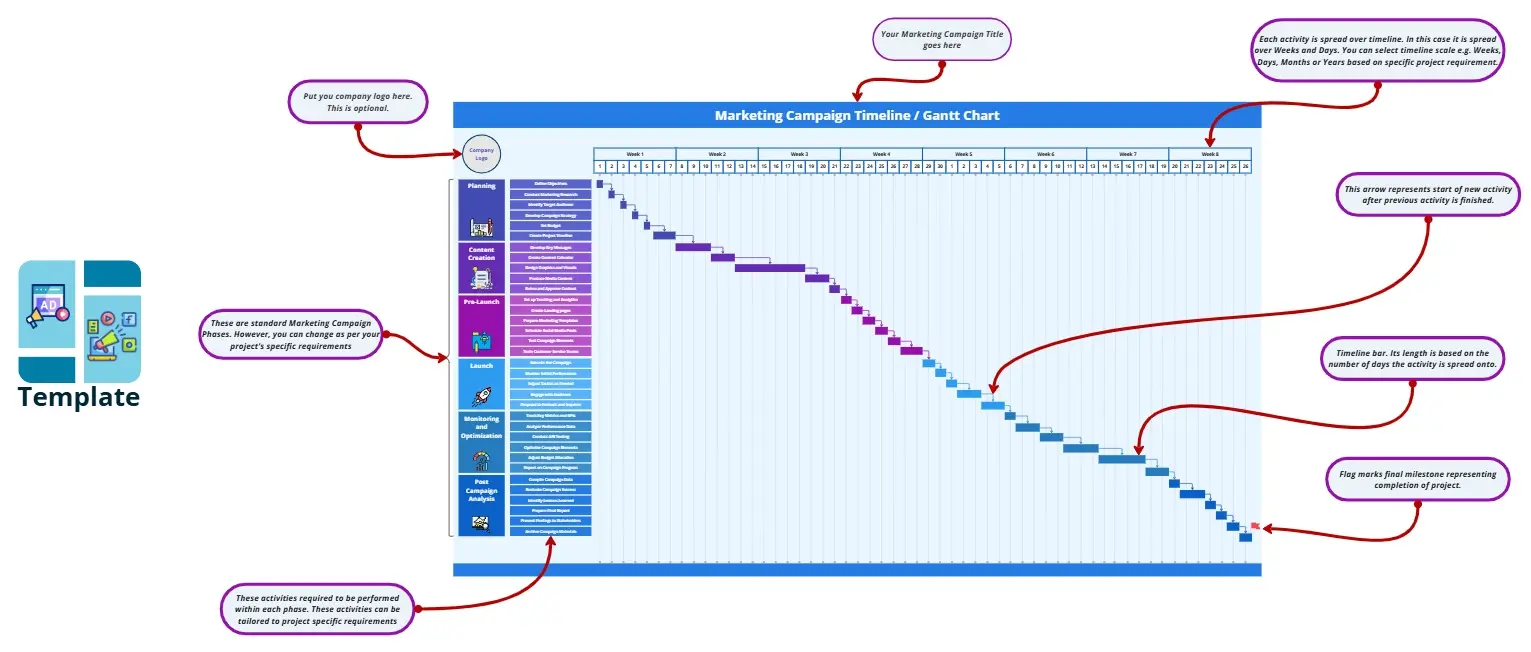
Marketing Campaign Timeline
Plan and execute your marketing strategies seamlessly with the Marketing Campaign Timeline template by Rizwan Khawaja. This tool allows you to map out every stage of your campaign, from planning to launch and analysis. Visualize key milestones, set deadlines, and track progress to ensure your marketing efforts are well-coordinated and effective. Ideal for marketing teams looking to optimize their campaign management.
User Flow Template
User flows are diagrams that help UX and product teams map out the logical path a user should take when interacting with a system. As a visual tool, the user flow shows the relationship between a website or app’s functionality, potential actions a user could take, and the outcome of what the user decides to do. User flows help you understand what a user does to finish a task or complete a goal through your product or experience.
Marketing Campaign Timeline
Plan and execute your marketing strategies seamlessly with the Marketing Campaign Timeline template by Rizwan Khawaja. This tool allows you to map out every stage of your campaign, from planning to launch and analysis. Visualize key milestones, set deadlines, and track progress to ensure your marketing efforts are well-coordinated and effective. Ideal for marketing teams looking to optimize their campaign management.
