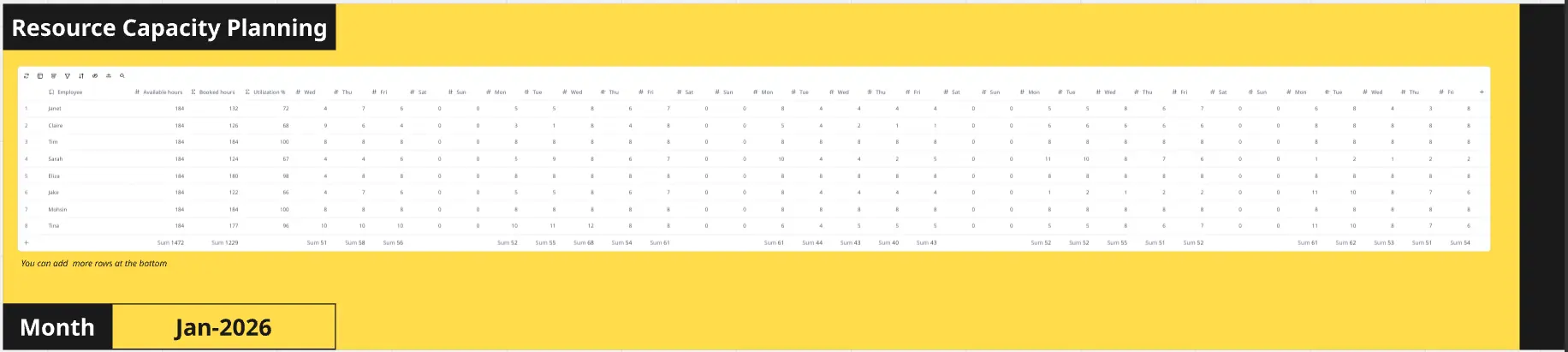
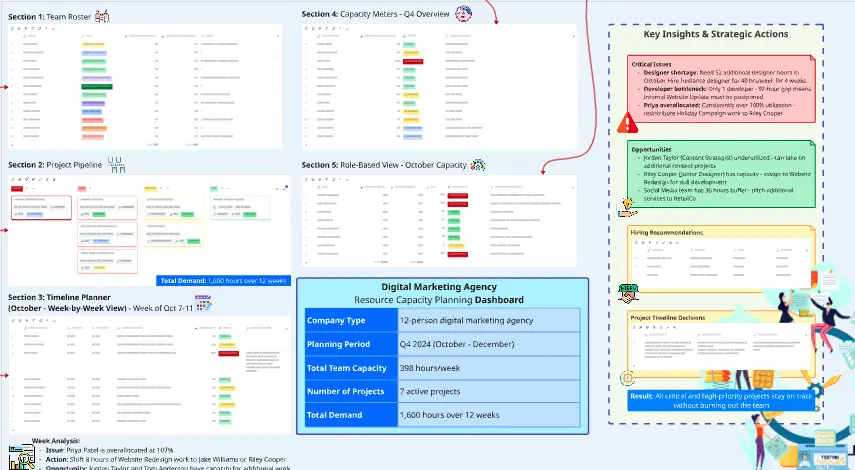
The Resource Planning: Capacity vs. Commitment template helps product managers and project teams visualize workloads, identify resource gaps, and balance priorities against available team capacity. Use this collaborative Miro template to plan resources, manage competing priorities, and make realistic delivery commitments.
How to Use Resource Planning: Capacity vs. Commitment
Define capacity: List team members, roles, and available weekly hours. Account for meetings, time off, and ongoing responsibilities.
Map commitments: Add projects, tasks, priorities, owners, and estimated effort using sticky notes.
Identify conflicts: Use the capacity heatmap to spot overloaded team members, resource shortages, and scheduling conflicts.
Rebalance workloads: Decide what to reduce, delay, or reassign. Document decisions, action owners, and target dates.
Why Use Resource Planning: Capacity vs. Commitment?
Resource planning is more than assigning people to projects. Teams need to understand whether their commitments are achievable.
This template helps teams:
Identify workload imbalances before they impact delivery.
Make informed trade-offs between competing projects.
Improve collaboration and visibility across teams.
Align project priorities with available time and resources.
Reduce burnout caused by unrealistic commitments.
Miro Features: Editable tables organize resource data, sticky notes capture commitments, frames guide the workshop, and voting helps teams prioritize adjustments.
FAQs
Who benefits from this template? Product managers, project leads, engineering teams, operations managers, and cross-functional teams managing shared resources.
Can I plan multiple projects? Yes. Duplicate planning sections to compare capacity across projects, departments, or initiatives.
How often should I update it? Review during sprint planning, weekly meetings, quarterly planning, or whenever team capacity and priorities change.