8likes
34uses
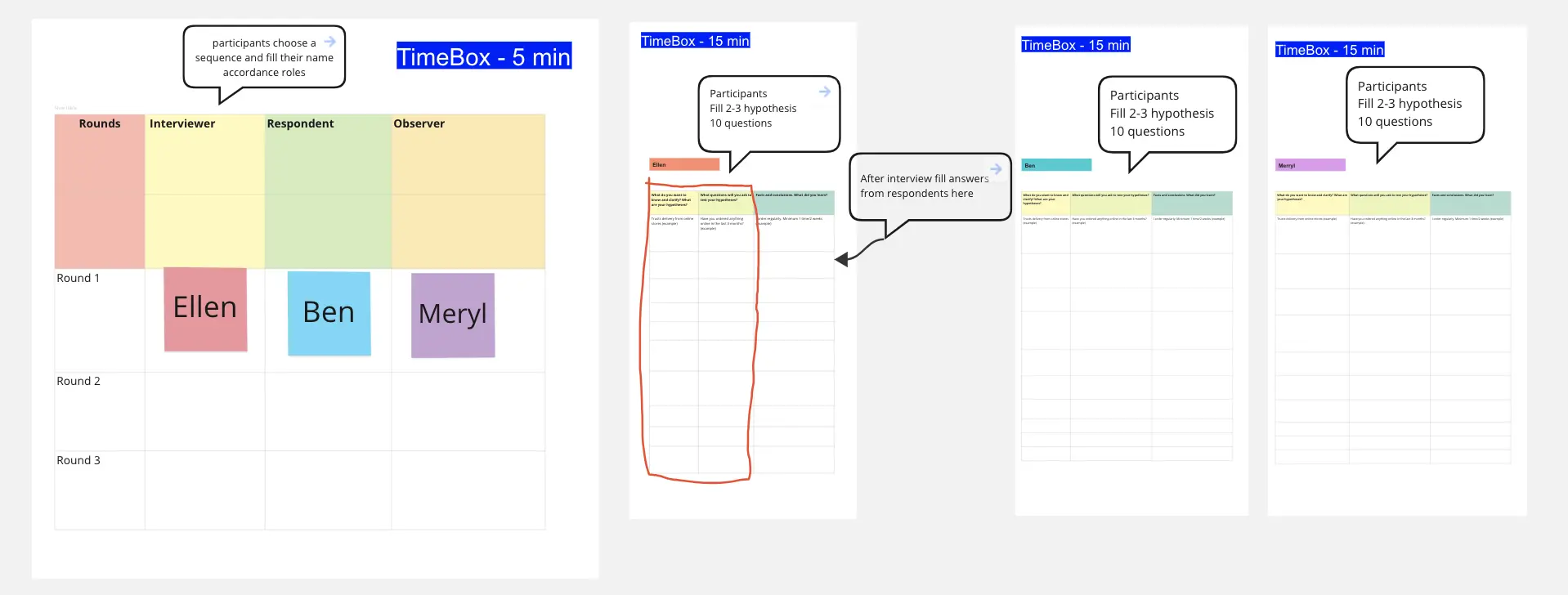
Experience your product through your customer's eyes. This interactive workshop helps startup founders and product teams simulate realistic customer scenarios, uncover usability challenges, identify moments of friction, and turn firsthand observations into actionable product improvements.
What would your team discover if they experienced your product exactly as a new customer does?
The Customer Journey Simulation template helps startup founders and product software teams step outside their everyday product knowledge and explore the experience from a customer's perspective.
Rather than creating a traditional customer journey map, this workshop places participants into realistic customer scenarios where they must complete tasks, navigate interactions, and identify potential obstacles without relying on their existing product knowledge.
Through hands-on product simulations, individual observations, experience scorecards, and collaborative problem-solving, participants uncover assumptions, identify friction points, and develop ideas for improving the customer experience.
Designed for small teams, this template works for both virtual and in-person workshops.
Startup founders looking to improve their product's customer experience
Product managers identifying onboarding and usability challenges
UX/UI designers evaluating product interactions
Software development teams uncovering unexpected usability issues
Customer success teams looking to understand customer frustrations
Workshop duration: 75 minutes
Recommended participants: 3–8
Facilitator: Product manager, UX researcher, UX designer, or workshop facilitator
Start by introducing a realistic customer persona and a specific scenario.
Describe the customer's motivation, goals, limitations, and what they need to accomplish.
Ask participants to imagine themselves in the customer's position and discuss what a successful experience would look like.
Example: "You're a first-time user of a project management platform. You have 15 minutes to create your first project, add tasks, and invite a teammate without assistance."
Output: A shared customer scenario and clearly defined task.
Ask participants to complete the assigned task independently using the product, prototype, or demonstration environment.
Encourage them to document moments of hesitation, confusion, frustration, and satisfaction without asking for assistance.
For teams using a single device, one participant can navigate the product as others observe. Rotate roles when practical.
Record observations directly on the template.
Output: Individual observations documenting the simulated customer experience.
Bring the team together to share what they discovered.
Ask each participant to identify:
One frustrating or confusing experience
One unexpected interaction
One positive experience
Use the Customer Experience Scorecard to evaluate clarity, effort, confidence, feedback, and task completion on a scale of 1–5.
Group similar observations and discuss differences between participant experiences.
Output: Completed experience scorecards and a shared collection of potential friction points.
Review the observations and select two significant usability challenges to address.
Ask participants to independently sketch, describe, or propose improvements to these interactions.
Share solutions, discuss their potential impact, and collaborate on a proposed improvement for each challenge.
Example: Replace a confusing, multi-step onboarding process with a guided experience that explains each action and displays progress.
Output: Two proposed customer experience improvements.
Review the proposed improvements and identify assumptions that require customer validation.
Decide how to evaluate each idea through usability testing, customer interviews, or product experiments.
Assign owners, define success measures, and agree on next steps.
Output: An actionable validation plan with clear responsibilities and measurable outcomes.
By completing this template, your team will have:
A realistic customer scenario to evaluate
Documented observations from a firsthand product simulation
Individual Customer Experience Scorecards
A shared understanding of potential usability challenges
Two proposed product experience improvements
A customer validation plan with owners and next steps
Encourage participants to approach each task with the mindset of a new customer. Avoid explaining product functionality or correcting misunderstandings during the simulation.
Give everyone time to capture observations independently before discussing the experience as a team. Different perspectives can reveal overlooked interactions and assumptions.
Distinguish firsthand simulation observations from validated customer research. Internal participants already know the product, so their reactions may differ from those of actual customers.
Use the workshop findings to form hypotheses, then test the most promising improvements with representative customers.
The goal isn't to prove that your product works. It's to discover where the experience could work better for your customers.

Deanne Watt
Product Strategy @ MiNDPOPGroup.com
My approach to product is to get to the heart of what drives a company. I am passionate about the entire end-to-end process and making it more efficient, collaborative as well as aligning teams and improving communication. We have built about 200 Miro boards so far that cover ideation, strategy, design, engineering, and even marketing promotion.