3likes
16uses

Evaluate AI automation opportunities, identify gaps, and plan a practical AI pilot in just 40 minutes.
Is your team considering AI automation without fully understanding the data, safeguards, and human decisions required?
The AI Automation Readiness Spider Diagram Workshop helps teams explore whether a business workflow is ready for AI. Using Miro's editable shapes, connectors, and sticky notes, participants create a six-branch spider diagram to map automation requirements, identify risks, and determine what needs to happen before launching an AI pilot.
I designed this workshop for startup founders, product managers, operations leaders, business analysts, and AI engineers who want to make informed decisions about introducing AI into existing workflows.
Duration: 40 minutes Format: Individual or collaborative, virtual or in person Best For: AI strategy, workflow automation, AI readiness assessments, business process planning, and product development
Choose one repetitive business workflow that could benefit from AI automation. Use the central circle, six connected branches, and supporting sticky notes to build your Spider Diagram.
Miro Tools: Circle Shape and Text
Write your proposed AI automation in the center of the Spider Diagram.
Describe what task AI would perform and the business problem it would address.
Keep the opportunity focused on one workflow.
Miro Tools: Rounded Rectangles and Connection Lines
Create six branches extending from the center:
Trigger: What starts the automation?
Trusted Data: What information does AI need?
AI's Task: What should AI produce or perform?
Human Approval: Where must a person review or approve?
Exceptions: When should automation stop or escalate?
Success Measures: How will results be evaluated?
Connect each branch directly to the central topic.
Miro Tools: Sticky Notes, Text, and Connection Lines
Add one requirement or practical example beneath each branch.
Discuss what information is available, what rules the AI must follow, and which actions require human involvement.
Use pink sticky notes to highlight missing information, unresolved requirements, or potential risks.
Miro Tools: Sticky Notes and Comments
Choose two situations to evaluate against your completed Spider Diagram:
Normal Scenario: The automation receives valid information and completes its assigned task.
Exception Scenario: The automation encounters incorrect information, uncertainty, or a situation requiring human intervention.
Identify missing requirements and document the expected AI behavior in both situations.
Miro Tools: Sticky Notes, Shapes, and Text
Review the Spider Diagram and unresolved requirements.
Determine whether the workflow is ready for a limited pilot, needs further preparation, or is not currently appropriate for automation.
Document the next action, responsible owner, and one measurable success criterion.
AI Tip: Ask AI to review your six Spider Diagram branches for missing requirements, operational risks, and opportunities for human oversight. Use its recommendations to refine your pilot plan.
A completed, editable AI Automation Readiness Spider Diagram containing six requirement categories, identified gaps, two test scenarios, and a recommended next step.
Use the diagram to evaluate AI opportunities, communicate automation requirements, align stakeholders, and prepare a focused AI pilot.
1. What is an AI Automation Readiness Spider Diagram?
It's a visual planning tool that organizes the requirements of an AI automation opportunity around one central workflow using connected branches.
2. Why use a spider diagram for AI automation planning?
A spider diagram helps teams explore different aspects of an automation opportunity in one visual workspace, making dependencies, gaps, and unanswered questions easier to identify.
3. How is this different from an AI risk assessment?
This workshop examines the full automation opportunity, including triggers, data, tasks, human approval, exceptions, and success measures. Risk assessment is one part of the discussion.
4. Do I need AI engineering experience?
No. The workshop focuses on business workflows, requirements, and practical AI applications rather than technical implementation.
5. What types of workflows work best?
Start with repetitive activities such as document preparation, customer-support categorization, invoice reminder drafting, data summarization, or internal reporting.
6. Why are there six branches?
The six branches cover the main considerations needed to evaluate a proposed AI workflow, from its starting trigger to how success will be measured.
7. Can I add more branches?
Yes. The diagram uses native Miro shapes and connectors, making it easy to add, edit, or reorganize branches.
8. What is the difference between AI assistance and AI automation?
AI assistance supports a person performing a task. AI automation performs one or more workflow steps with a defined level of human involvement.
9. Should every AI workflow require human approval?
Not every action requires approval. The appropriate level of oversight should reflect the potential consequences, reversibility, reliability, and risks associated with the action.
10. How do I identify workflows that aren't ready for AI?
Look for missing or unreliable data, unclear business rules, unresolved privacy concerns, limited verification options, or risks that cannot be adequately controlled.
11. Can AI help complete the Spider Diagram?
Yes. AI can suggest requirements, identify exceptions, and propose pilot scenarios. Validate its recommendations against actual business processes and available information.
12. Does this workshop require special Miro features?
No. The template uses native Miro shapes, connection lines, text, sticky notes, and frames. No external plugins or specialized charting tools are required.
13. Can I complete this workshop individually?
Yes. Create the Spider Diagram independently, then invite colleagues to review the requirements and proposed pilot.
14. What should I do after completing the workshop?
Validate unresolved requirements, assign owners, confirm access to appropriate data, and define a limited pilot with measurable outcomes and stopping conditions.
Start with a real business problem rather than a technology solution. A useful AI Automation Readiness Spider Diagram helps teams understand what AI should do, what humans should control, and what must be validated before automation begins.

Deanne Watt
Product Strategy @ MiNDPOPGroup.com
My approach to product is to get to the heart of what drives a company. I am passionate about the entire end-to-end process and making it more efficient, collaborative as well as aligning teams and improving communication. We have built about 200 Miro boards so far that cover ideation, strategy, design, engineering, and even marketing promotion.
Spider Diagram Template
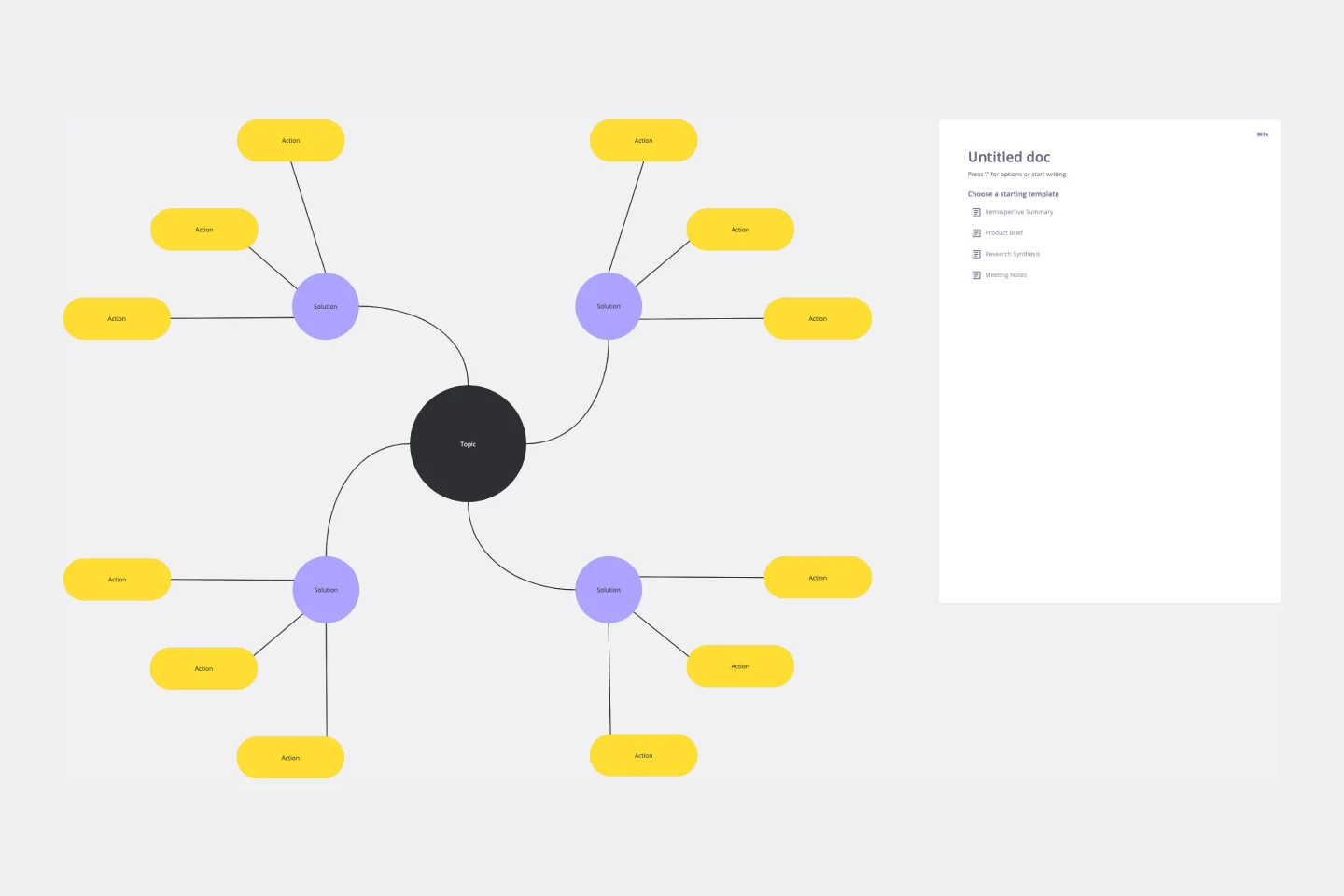
Perfect for brainstorming sessions, project planning, or simply organizing thoughts, the Spider Diagram Template allows you to create 'legs' branching out from a central idea, representing related topics or subtopics.
Spider Diagram Template
Perfect for brainstorming sessions, project planning, or simply organizing thoughts, the Spider Diagram Template allows you to create 'legs' branching out from a central idea, representing related topics or subtopics.