
Table of contents
Table of contents
Master your day with a prioritization matrix for time management
Summary
In this guide, you will learn:
- What a priority matrix is and its role in task prioritization and time management
- How to select and customize priority matrix templates in Miro
- Step-by-step instructions for defining criteria, listing tasks, plotting, and analyzing priorities
- How to use specific matrix types like the Eisenhower and Action Priority matrix
- Ways to collaborate with your team using Miro’s tools
- Best practices for reviewing, sharing, and updating your priority matrix
Collaborative AI Workflows
Join thousands of teams using Miro to build the right thing, faster.
Some days it feels like you're pulled in a dozen directions at once, doesn't it? Your to-do list seems endless, notifications constantly demand attention, and by day's end, you might feel wiped out but unsure of what you truly accomplished. Sound familiar? That common struggle to figure out what really needs your attention right now can be a major source of stress, leading to missed opportunities and a feeling of always playing catch-up. But there's a straightforward way to gain clarity and focus on what matters most.
Let's explore the prioritization matrix for time management – a simple yet powerful tool that can significantly improve how you organize your day and make decisions. We'll cover what it is, why it's so beneficial, and how you can easily create one yourself to bring order to your task list.
So, what exactly is a prioritization matrix anyway?
Think of it as a practical framework for sorting your tasks. Essentially, a prioritization matrix is a visual grid that helps you categorize everything on your plate based on specific criteria, so you can decide where to direct your energy first. When it comes to time management, the key criteria are typically Urgency (Does it require immediate action?) and Importance (Does it contribute to your key goals and values?). The goal is to achieve clarity and make thoughtful choices instead of just reacting to the next urgent thing.
Why use a matrix when you have a to-do list? The real benefits await
You might wonder, "I already keep a to-do list, why add this?" While lists are essential for capturing tasks, they often don't help you prioritize them effectively. A simple list treats "respond to critical client email" the same as "organize desktop files." That's where using a matrix makes a difference.
Implementing one helps you:
- Reduce overwhelm and stress: Seeing tasks visually categorized can instantly lessen that "where do I even start?" feeling.
- Sharpen your focus: You gain clarity on what truly requires immediate attention versus what can be planned for later.
- Boost your productivity: By concentrating on high-impact activities, you ensure your effort translates into meaningful progress.
- Make better decisions: Shift from reactive "firefighting" based on urgency to proactive planning based on importance.
- Advance your long-term goals: Ensure crucial strategic work (that might not be urgent) consistently gets the attention it deserves.
- Improve delegation: Easily identify tasks that are necessary but perhaps better suited for someone else on your team.
Meet the most common approach: The Eisenhower Matrix
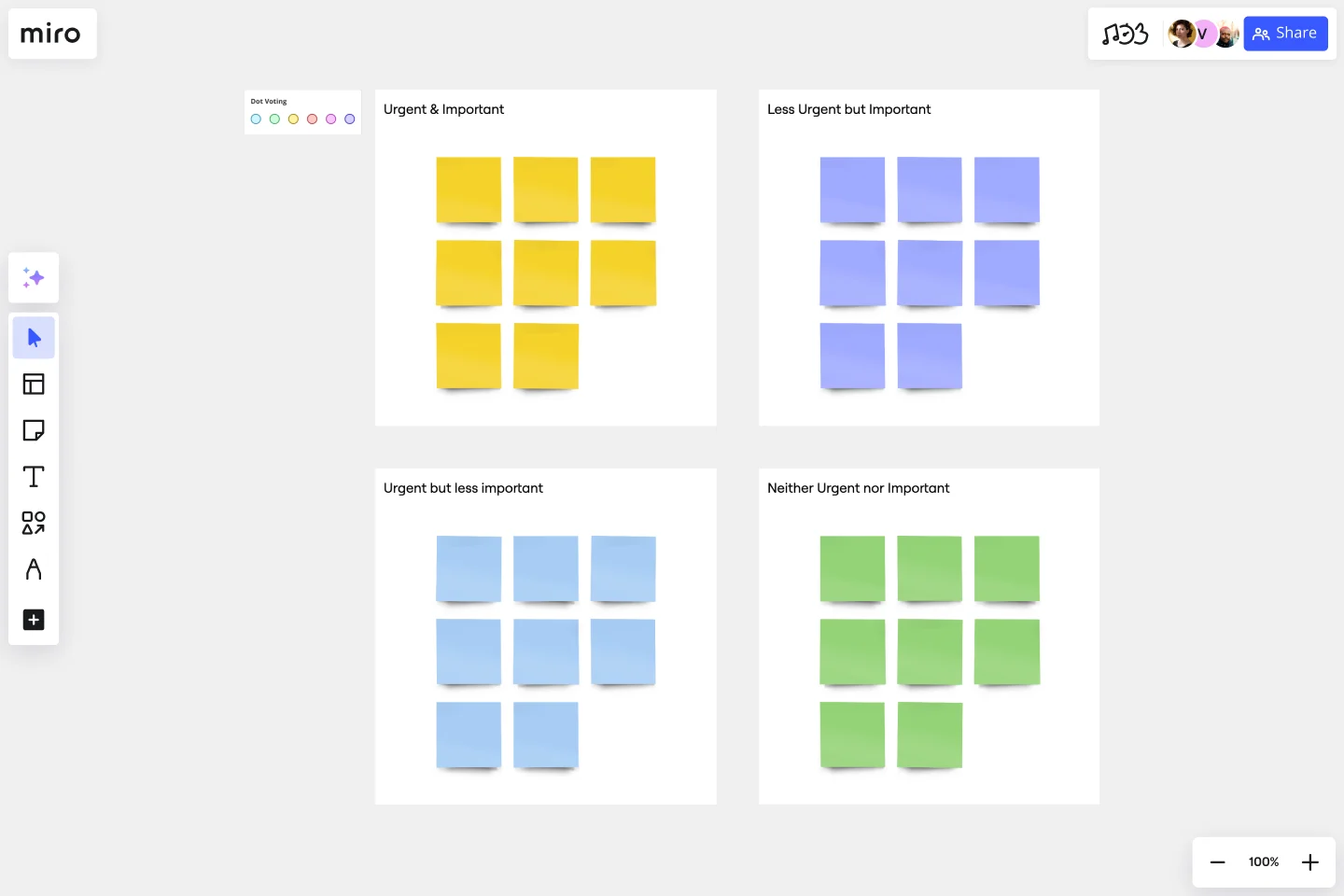
Ready to look at the most widely used prioritization framework? Let's explore the Eisenhower Matrix for time management, often linked to Dwight D. Eisenhower's methods for handling complex responsibilities. His approach centers on evaluating tasks using those two fundamental factors: Urgency and Importance.
Imagine a four-box grid, sometimes referred to as the Covey quadrants after Stephen Covey discussed it in "The 7 Habits of Highly Effective People." Here’s how it works:
Quadrant 1: Urgent & Important (Do First)
- What it is: These are tasks needing immediate attention – critical deadlines, pressing problems, crises. Think "client project due today" or "addressing a system outage."
- Your Action: Tackle these tasks promptly and personally. They are your top priority.
Quadrant 2: Not Urgent & Important (Schedule)
- What it is: This quadrant holds the key to long-term effectiveness. It includes strategic thinking, planning, relationship building, professional development, and preventative actions. Think "planning next quarter's strategy" or "working on a key presentation for next month."
- Your Action: These vital tasks require dedicated time. Schedule them proactively in your calendar and protect that time.
Quadrant 3: Urgent & Not Important (Delegate or Minimize)
- What it is: These tasks often feel urgent but don't align with your core goals. Examples include some interruptions, certain meetings, routine administrative tasks that someone else could manage.
- Your Action: Handle these efficiently. Can you delegate the task? Can you automate it? Can you spend less time on it or politely decline? Avoid letting false urgency consume your time.
Quadrant 4: Not Urgent & Not Important (Eliminate or Delay)
- What it is: These are the time-wasters or low-value activities. This might include unnecessary distractions, trivial tasks, or items that are no longer relevant.
- Your Action: Aim to eliminate these tasks. Say no when appropriate, archive outdated items, and minimize distractions to free up energy.
Okay, I'm interested. How do I actually make one?
Great! Creating your own matrix is quite straightforward, especially if you use a template.
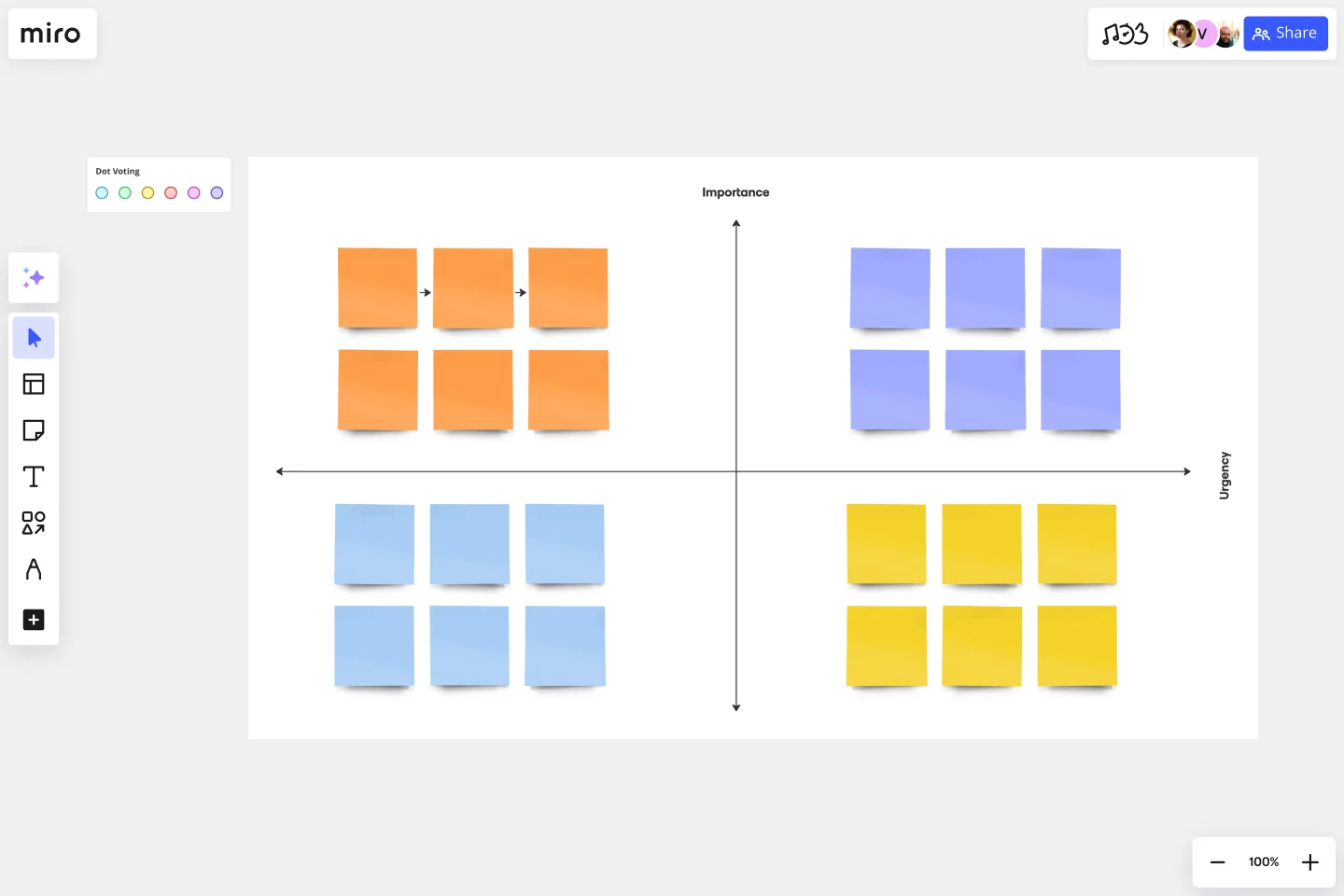
- List your tasks: Start by getting everything out of your head. Write down all the tasks competing for your attention – big and small. Don't filter yet, just capture everything.
- Define urgency and importance: Briefly remind yourself what "Urgent" (requires immediate action, time-sensitive deadline) and "Important" (aligns with your goals, values, key responsibilities) mean in your current context.
- Evaluate and plot: Go through your task list. For each item, ask: Is it Urgent? Is it Important? Based on the answers, place the task into the corresponding quadrant of your matrix.
- Use a template (the easy way!): You don't need to draw it out every time. We have the Simple Priority Matrix Template available in Miro. Clicking the link instantly sets up the four quadrants on a flexible canvas. You can use digital sticky notes for each task – just type it out, maybe color-code if you like, then drag and drop it into the right box. It provides a clear visual overview and is easy to update. Plus, if tasks involve collaboration or delegation (hello, Quadrant 3!), you can easily share the board and work together in real-time or async within our innovation workspace.
- Act strategically: With your matrix filled, follow the recommended actions: Do Q1 tasks, Schedule Q2 tasks, Delegate/Minimize Q3 tasks, and Eliminate/Delay Q4 tasks.
- Review and adapt regularly: Priorities change! Make reviewing and updating your matrix a consistent habit – perhaps daily or weekly, depending on your workflow.
Pro tips for making your prioritization matrix effective
Using the matrix is one thing; making it a reliable part of your routine requires consistency. Here are a few tips:
- Be honest with yourself: Objectively assess urgency and importance. Avoid defaulting everything to Quadrant 1.
- Break down large tasks: If a Quadrant 2 item feels overwhelming (like "Develop New Marketing Plan"), break it into smaller, manageable steps you can schedule.
- Connect with your calendar: Use time blocking to reserve specific slots for your important Quadrant 1 and Quadrant 2 tasks.
- Practice saying "no" (or "not now"): This helps you manage Quadrant 3 tasks and protect your focus.
- Question incoming requests: Consider whether someone else's urgency needs to become your immediate priority. Does it align with your important goals?
- Stay flexible: The matrix is a guide, not an unbreakable rule. Be prepared to adapt when unexpected, important tasks arise.
Ready to move from overwhelmed to organized?
Feeling constantly stretched thin by competing demands is exhausting. By implementing a prioritization matrix for time management, like the straightforward Eisenhower Matrix, you gain a clear, actionable method for navigating your workload. It helps you make conscious decisions about where to invest your time and energy, shifting your focus from simply being busy to being truly effective.
Why not try it out? Using a template can make it easy to start visualizing your priorities and bring a greater sense of calm and control to your workday.
Ready to build your own matrix in minutes? Explore Miro's Priority Matrix Templates!
Author: Miro Team
Last update: October 22, 2025
Read more
Join our 100M+ users today


