Beyond the prompt: How founders use vibe coding to ship MVPs in record time
Summary
What you’ll learn in this article:
- Vibe coding lets you build apps by describing what you want in plain language, with no coding experience required
- The term was coined by AI researcher Andrej Karpathy in February 2025 and has already reshaped how startups build products
- 25% of Y Combinator’s Winter 2025 startups had codebases that were 95% AI-generated
- The biggest risk of vibe coding isn’t bad code; it’s building without team alignment
- Miro’s visual canvas gives founders and product teams a shared space to align on intent before any AI tool sees a single prompt
- Product manager Kosta Bolgov walks through a real workflow: from collaborative spec in Miro to a live, embedded app built with Lovable
Collaborative AI Workflows
Join thousands of teams using Miro to build the right thing, faster.
If you’ve been anywhere near the tech world lately, you’ve probably heard the phrase “vibe coding.” Maybe a founder mentioned it at a meetup, or it showed up in a Slack thread from your most AI-obsessed colleague. Either way, it’s real, it’s growing fast, and it’s changing what’s possible for product owners and founders who want to build faster without waiting on engineering bandwidth.
This article breaks down what vibe coding actually is, why it matters for founders and product teams, and how pairing it with a structured, collaborative workflow in Miro can help you go from idea to working app without the chaos.
What is vibe coding?
Vibe coding is a software development approach where you describe what you want to build in plain language, and an AI model generates the code for you. Instead of writing syntax, you write intent. Instead of debugging line by line, you prompt your way to a fix.
The term was coined by AI researcher and OpenAI co-founder Andrej Karpathy in a post on X in February 2025, where he described a new way of working with AI coding tools: “There’s a new kind of coding I call ‘vibe coding’, where you fully give in to the vibes, embrace exponentials, and forget that the code even exists.” The post went viral, racking up over 4.5 million views. By the end of 2025, “vibe coding” had been named Collins Dictionary’s Word of the Year.
Karpathy’s original framing was casual, almost playful. He described barely touching his keyboard, dictating instructions with voice tools, and accepting AI-generated code without reviewing every line. For throwaway weekend projects and quick prototypes, he argued, that’s fine. And for founders trying to validate an idea before committing serious resources, it turns out, that framing is pretty liberating.
How it actually works
At its core, vibe coding is conversational. You open an AI-powered development tool like Lovable, Cursor, or Replit, and you describe your app in the same way you’d explain it to a developer over a coffee chat. “I need a dashboard that shows user signups by date, with a filter for plan type.” The AI generates the code, renders a working interface, and you iterate from there.
When something breaks, you paste the error message back in. When a feature isn’t quite right, you describe the change. You don’t need to understand the code underneath. You’re guiding the output with your product judgment, not your programming knowledge.
That’s the real shift vibe coding represents: it moves the founder’s job from “write the code” to “direct the outcome.” And for product owners who think in user flows, business logic, and customer outcomes rather than functions and variables, that’s a genuinely better way to work.
Why this matters for founders and product owners
Building an MVP used to mean one of three things: hiring developers (expensive and slow), learning to code yourself (time-consuming and steep), or using no-code tools (limited and often clunky). Vibe coding changes that equation.
According to Y Combinator, 25% of startups in their Winter 2025 cohort had codebases that were 95% AI-generated. Lovable, one of the most popular vibe coding platforms, hit $100 million in annual recurring revenue just eight months after launch. These aren’t hobbyists building weekend side projects. These are founders building real products, getting them in front of customers, and iterating fast.
The speed advantage is significant. Instead of spending weeks scoping and handing off to a development team, a founder can go from concept to clickable prototype in a day. Instead of waiting for a sprint cycle to validate a UI decision, a product owner can test three versions before lunch. That compression of time changes how you make decisions, what risks you’re willing to take, and how quickly you can find product-market fit.
There are tradeoffs, of course. Vibe-coded apps can accumulate technical debt quickly. For customer-facing production systems at scale, or in regulated industries, you’ll eventually need engineers who can own and understand the codebase. But for MVPs, internal tools, prototypes, and stakeholder demos? It’s hard to argue with the speed.
The hidden problem: Speed without alignment
Here’s where a lot of founders hit a wall. Vibe coding is fast. But fast, in isolation, is also risky.
When you can spin up a prototype in hours, it’s tempting to start building the moment an idea feels solid. But if the product brief lives in your head, the user flow is half-sketched in a Figma file nobody can find, and the engineering direction hasn’t been shared with anyone yet, you’re not building fast. You’re building alone. And alone means rework, misalignment, and iteration cycles that eat up all the time you saved.
This is the problem that tends to surface when teams adopt vibe coding without changing how they align first. You can prompt your way to a working app, but you can’t prompt your way to a shared understanding of what the app is supposed to do, who it’s for, and whether everyone involved agrees.
That alignment has to happen before you open a single AI tool. And that’s where the canvas comes in.
How Miro fits into the vibe coding workflow
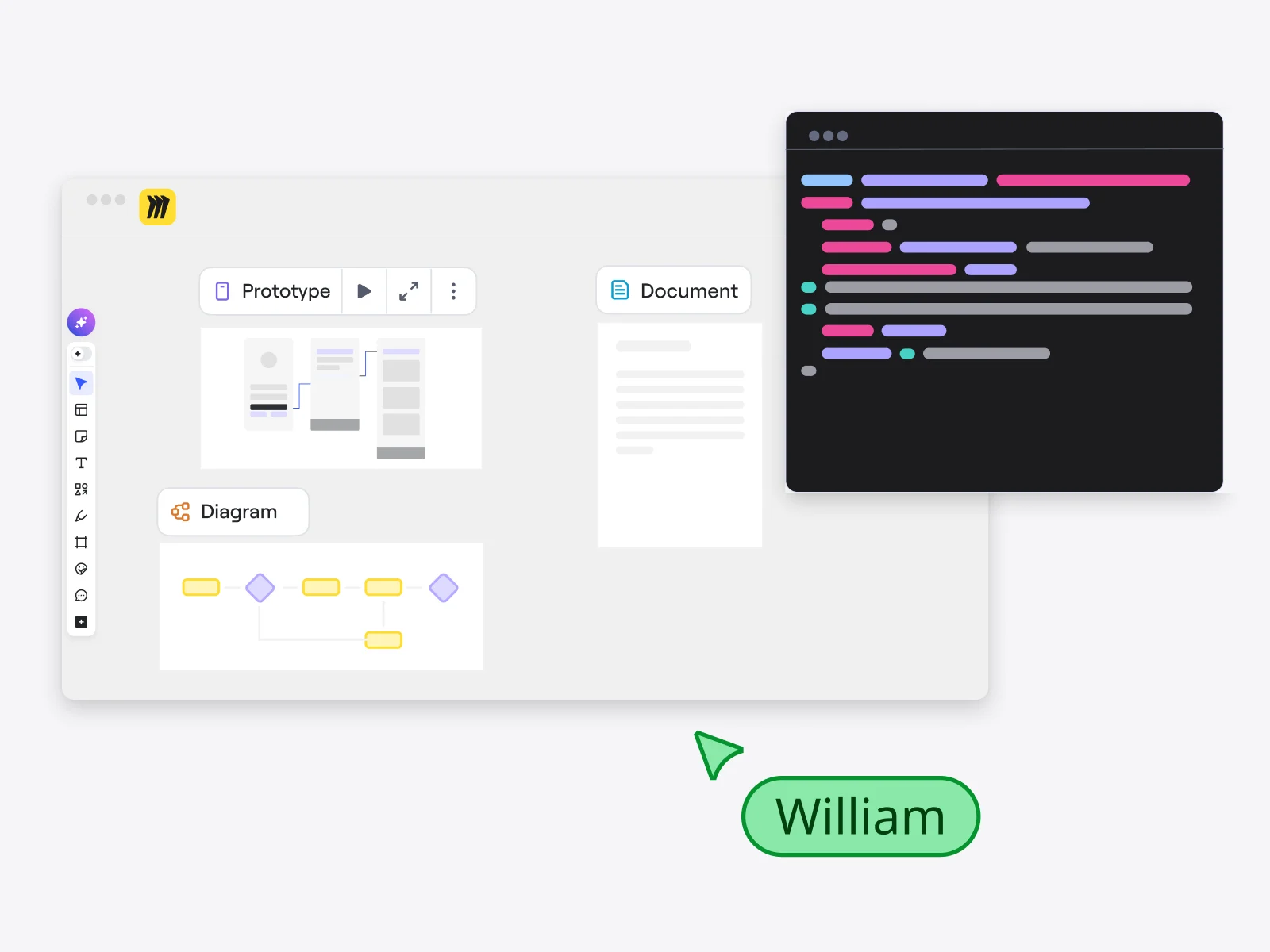
Miro is built for exactly this kind of problem: getting cross-functional teams aligned on intent before anyone starts building. And when you use Miro as the foundation for your vibe coding workflow, the whole process gets faster, cleaner, and less likely to produce something everyone has to rethink three sprints later.
Here’s the thing about vibe coding: the quality of what you build is directly tied to the quality of your input. A vague prompt produces a vague app. A well-structured brief with clear user stories, defined flows, and agreed-upon design language produces something that actually matches what your team intended.
Miro gives you the space to build that brief together, visually, before you hand anything off to an AI builder. Your product manager captures the problem space. Your designer maps out the user flow. Your engineers add technical constraints. All of it lives in one shared canvas, visible to everyone at the same time, whether they’re in the same room or across time zones.
Kosta Bolgov’s workflow: from Miro board to live app
Kosta Bolgov, a product manager at Miro, shared exactly how this works in practice with his team.
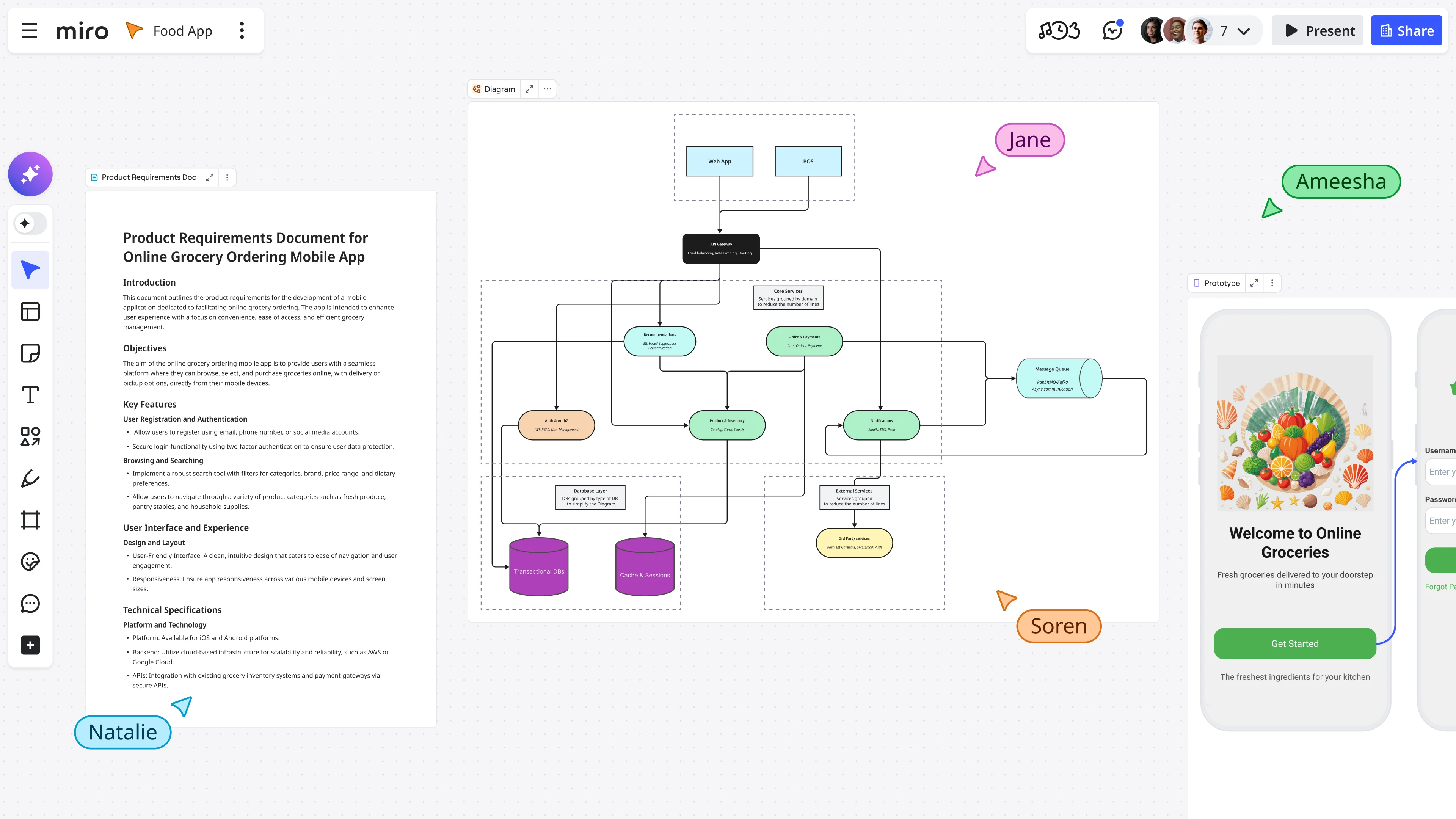
The workflow starts in Miro, where the team collaborates on the product definition before any code is written. Product management, design, and engineering work together to capture a product brief, user flow, user stories, and design language reference, all in one place. By the time they leave the Miro board, the whole team is aligned on what they’re building and why.
When they’re ready to build, Bolgov’s team pastes the Miro board URL directly into Lovable. Through MCP (Model Context Protocol), Lovable reads the full board and synthesizes the requirements, user journeys, and interface cues into a build plan. The app generates from the spec: user stories become features, flows become navigation, and the visual language from the board informs the design. No handoff document, no translation layer, no “let me explain what we meant.”
The finished app then gets embedded live inside the shared Miro workspace, right alongside the brief, flows, and stories that defined it. As the team refines the app in Lovable, changes sync automatically to the live embed in Miro.
The result, as Bolgov puts it, is fast stakeholder alignment, user validation, and real-time collaboration, all without switching tabs. The app lives in context. Everyone can see it, comment on it, and connect it to the decisions that shaped it.
Why this approach works better than winging it
Kosta Bolgov’s workflow illustrates a key principle that separates successful vibe coding from frustrating vibe coding: intent-first, then build.
Most teams that struggle with vibe coding skip the alignment step. They prompt quickly, get something that looks close, show it to a stakeholder who has questions, and then realize the brief was never really shared with everyone in the first place. The back-and-forth that follows isn’t an AI problem. It’s a communication problem.
When the brief lives in Miro, visible and collaborative, before the AI sees a single prompt, the entire downstream process gets cleaner. The AI builds what the team meant, not what one person remembered in the moment. Stakeholders review something that reflects the spec they agreed on. And feedback is grounded in shared context, not in gut reactions to a prototype that nobody’s seen before.
For founders and product owners who are moving fast, this is the difference between fast and focused versus fast and chaotic.
How to get started with vibe coding in Miro
You don’t need to be a developer to do this well. Here’s a straightforward starting point for product owners and founders.
Step 1: Build your brief on a Miro board
Start with a shared Miro board. Capture the problem you’re solving, who you’re solving it for, and what success looks like. Add your user stories, the key flows, any design language or visual references, and the scope for the first version. Keep it specific. “User can log in with email and see a personalized dashboard” is better than “authentication and dashboard.”
Use Miro’s AI features to speed this up. Create with AI can help you generate sticky notes for brainstorming, turn rough ideas into structured tables, or draft a product brief from a prompt. Miro Sidekicks can act as a collaborative AI partner to help you think through gaps and next steps directly on the board.
Step 2: Get aligned before you build
Before opening your AI builder, walk your team through the board. It doesn’t need to be a long meeting. A quick async review with comments and reactions in Miro is often enough. The goal is one thing: make sure everyone agrees on what you’re building. That shared understanding is the spec your AI tool will work from.
Step 3: Validate with a Miro Prototype before you build
“Before you hand anything to Lovable, use Miro Prototypes to generate a quick visual prototype directly from your board. This step takes three to five minutes and gives stakeholders something concrete to react to before a single line of production code gets written. It stops you from burning AI credits on ideas that haven’t been signed off yet.” — Kosta Bolgov, product manager at Miro
Once stakeholders approve the prototype, you have a validated concept and a clear mandate to build. At that point, the handoff to Lovable is cleaner because everyone has already agreed on what the thing should look and feel like. As Kosta puts it: “Prototypes can be copied directly to Figma for further design work, or translated into HTML code via Lovable, or Python code via Cursor, leveraging Miro’s MCP integrations.”
The full flow looks like this: Miro board → AI Prototype (3–5 min) → stakeholder sign-off → Lovable for working code. It’s a small extra step that saves a lot of rework later.
Step 4: Feed your spec to your AI builder
Once the board is solid, take the URL or a copy of the spec into your vibe coding tool of choice. Be specific in your prompt. Reference the user flows and stories directly. The more structured your input, the more coherent the output.
Iterate in the AI tool, keeping your Miro board as the source of truth for intent. When stakeholder feedback comes in, update the board first, then update the build. That way, your spec and your app stay in sync.
Step 5: Embed the app in Miro for review
Once you have a working version, embed it directly in your Miro workspace. This keeps the app in context with the decisions that shaped it, so stakeholders can review the prototype alongside the brief, the flows, and the user stories. Feedback becomes more specific, more useful, and easier to act on.
What to keep in mind as you go
Vibe coding is a genuine unlock for founders and product teams. But it works best when you go in with clear expectations.
It’s great for validation. Building an MVP to show investors, test with early users, or get internal alignment on a product direction is exactly where vibe coding shines. You can move at a speed that wasn’t possible before, and the cost of being wrong is low enough that iteration feels easy.
It’s less great for production-grade, complex systems. At some point, as your product grows and your codebase gets more complex, you’ll want engineers who can own the code and understand it deeply. Vibe coding is a starting point, not a permanent development strategy for every team or every stage.
The secret ingredient, as Bolgov’s workflow shows, isn’t the AI tool you pick. It’s the quality of the brief you bring to it. When your team has done the thinking together, documented it visually, and agreed on intent before any code is written, vibe coding delivers on its promise: faster, cleaner builds that actually reflect what your team had in mind.
The bottom line
Vibe coding has moved from a quirky X concept to a genuine shift in how products get built. Founders are shipping MVPs in days, and product owners are testing ideas before committing to full development cycles. At Miro, we see our customers combining fast AI building with a structured, collaborative spec process, and they find that the two things together are more powerful than either one alone.
If you’re a founder or product owner who’s been curious about vibe coding but wasn’t sure where to start, the answer is: start with alignment. Get your team on a shared canvas, build the brief together, and let the AI do what it’s good at from there.
Ready to try it? Sign up for Miro and build your first product spec on a shared canvas today.
Vibe Coding FAQs
What is vibe coding in simple terms? Vibe coding is a way of building apps by describing what you want in plain language and letting an AI tool generate the code for you. You guide the outcome with prompts and feedback rather than writing code manually. The term was coined by AI researcher Andrej Karpathy in February 2025.
Do I need coding experience to vibe code? No. That’s the core appeal. Vibe coding is designed for anyone who can clearly describe what they want to build, including founders, product managers, and designers with little or no programming background.
What are the best tools for vibe coding? Popular vibe coding tools include Lovable, Cursor, Replit, and Bolt. The right choice depends on what you’re building and how much oversight you want over the code. Most tools work best when you start with a well-defined brief.
Is vibe coding good for building MVPs? Yes, particularly for early-stage validation. Vibe coding lets founders build functional prototypes quickly, get them in front of users, and iterate based on real feedback without a large engineering team or long development cycles.
What’s the biggest risk of vibe coding? The most common risk is building without alignment. If the product brief isn’t clearly defined and shared before building starts, fast AI-generated code can still produce the wrong thing. Starting with a shared spec, for example on a Miro board, helps avoid that.
How does Miro integrate with vibe coding workflows? Miro works as the alignment layer before you build. Teams use Miro to capture product briefs, user flows, user stories, and design references in one shared canvas. Some tools like Lovable can read the Miro board directly via MCP, turning your collaborative spec into a build plan for the AI. The resulting app can also be embedded back into Miro for team review.
Can I use Miro AI to help with the brief? Yes. Create with AI in Miro lets you generate docs, sticky notes, tables, diagrams, and prototypes from prompts directly on your board. Miro Sidekicks can act as an AI partner to help you think through ideas, spot gaps, and build out your spec faster.
Last updated: April 15, 2026
Read more
Join our 100M+ users today


