
Table of contents
Table of contents
Product roadmap examples: 11 Templates to visualize your strategy
Summary
In this article:
- 11 ready-to-use product roadmap examples covering agile workflows, strategic planning, technology roadmaps, and AI-powered templates
- Practical guidance on choosing the right format based on your audience, planning horizon, and team methodology
- Best practices for creating roadmaps that drive alignment and adapt as priorities shift
- Real product roadmap templates you can customize immediately in Miro's collaborative workspace
Product roadmap examples
You spend weeks getting everyone on the same page, only to see your roadmap lost in a deck that’s outdated as soon as you share it. If your product strategy is stuck in documents that can’t keep up with changes, teams lose track of the big picture and you keep answering the same questions again and again.
Product roadmaps shouldn’t be static artifacts that gather dust. They’re living strategy documents that help teams understand where you’re headed, why it matters, and how their work connects to company goals. The difference between a roadmap that drives alignment and one that creates confusion often comes down to choosing the right format for your audience and objectives.
Whether you’re mapping out an agile sprint cycle, planning a multi-year technology transformation, or communicating timelines to customers, the visual structure of your roadmap matters. The wrong format can obscure critical dependencies or overwhelm stakeholders with unnecessary detail. The right one creates instant clarity.
This guide includes 11 product roadmap examples, covering everything from big-picture planning to detailed agile workflows. Each template is designed for different situations, audiences, and planning timelines, so you can pick the one that works best for your team.
What makes a product roadmap effective?
The best product roadmaps do more than list features and dates. They tell a coherent story about where your product is going and why those choices matter. When done well, roadmaps become the single source of truth that keeps cross-functional teams aligned, even as priorities shift.
Good roadmaps have a few things in common. They are easy to see and understand quickly, so stakeholders get your strategy in seconds. They can change as you learn from customers or as the market shifts. They also give enough detail for smart decisions, but not so much that readers get lost in small tasks that belong in project management tools.
Your roadmap also needs to match your audience. Engineering teams often need more technical detail and dependency mapping. Executives want strategic themes and business outcomes. Customer-facing roadmaps should focus on value delivery without revealing competitive timing. The same underlying strategy can require three different roadmap views.
Strong roadmaps link each project or task to bigger company goals. When team members see how their work fits into quarterly and yearly plans, they can make better choices on their own. This is when roadmaps become more than just status updates and actually help teams work together.
Software product roadmap examples you can use today
The following roadmaps are based on real situations product teams deal with every day. Some are for short-term tasks, others for long-term planning. Some help with communicating to stakeholders, while others are about team coordination. Look through these examples to find a structure that fits your current needs, and adjust it for your team.
1. 666 Roadmap: Now, next, later planning
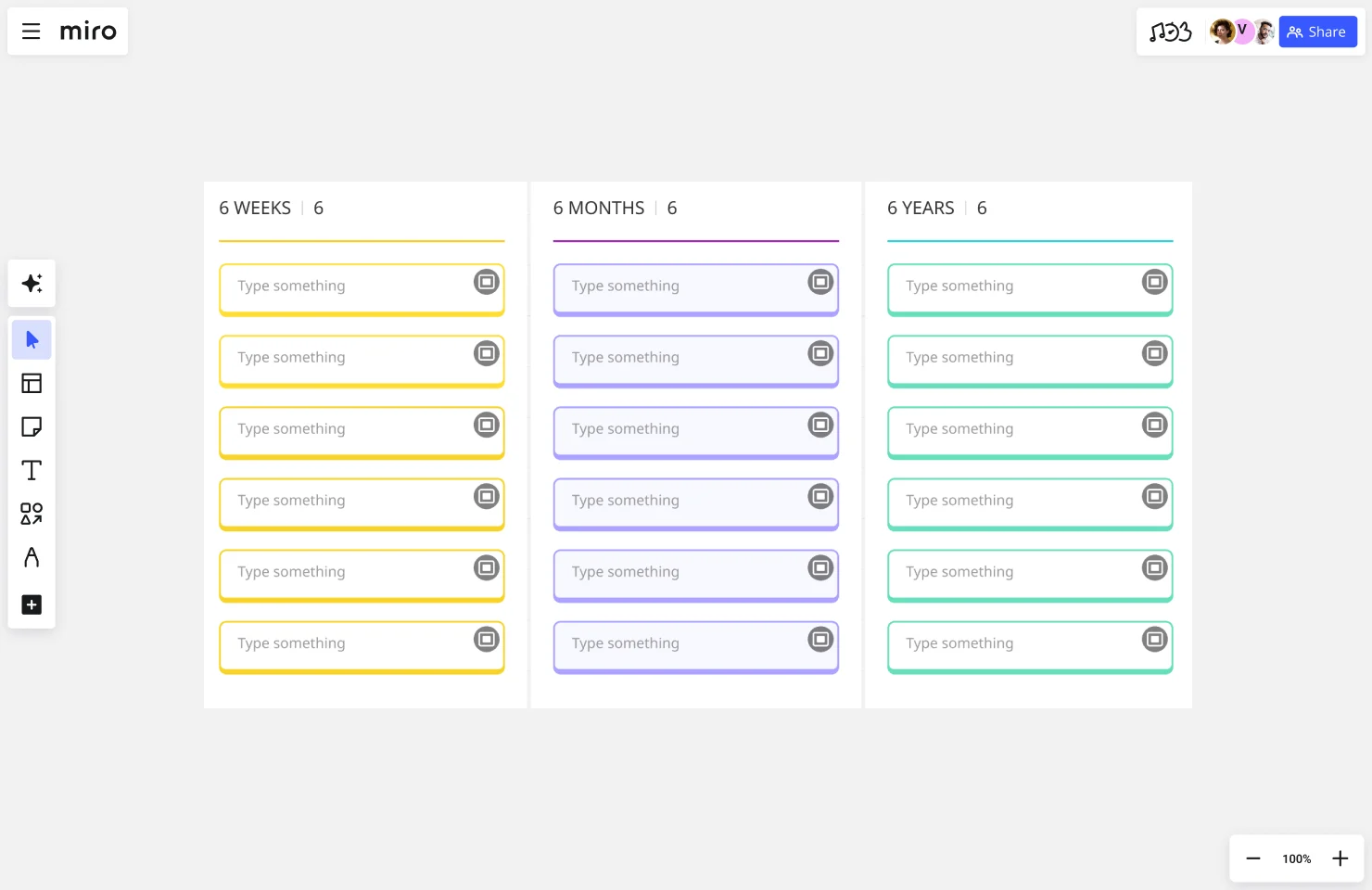
The 666 Roadmap template breaks your strategy into three time-based horizons: now (current sprint or quarter), next (upcoming period), and later (future initiatives). This structure helps teams focus on immediate execution while maintaining visibility into what’s coming.
When to use this: When you need a simple, digestible view for cross-functional teams or stakeholders who don’t need granular timelines. The three-horizon approach works especially well for early-stage products where long-term commitments are premature.
What makes it work: By avoiding specific dates, this format embraces uncertainty. You’re not committing to ship Feature X in July — you’re committing to tackle it “next.” This reduces the pressure to make promises you can’t keep while still providing directional clarity.
Best for: Agile teams, startups, and anyone practicing continuous discovery who needs flexibility without chaos.
2. Agile Roadmap: Sprint-based execution
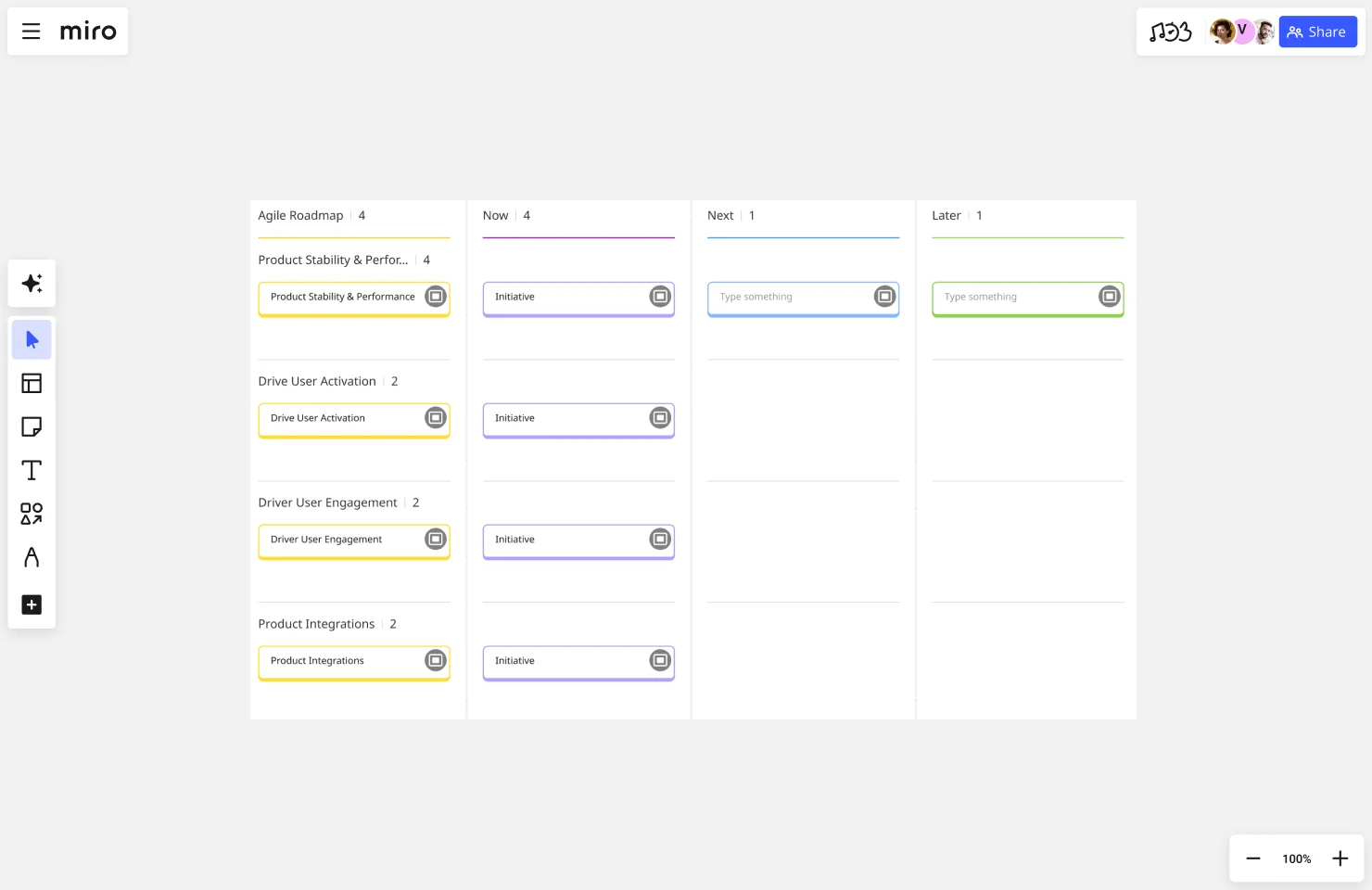
Agile roadmaps organize work around sprints or iterations, showing how features and user stories flow through development cycles. Unlike traditional timeline roadmaps, these emphasize completed increments over specific delivery dates.
When to use this: When your development team works in sprints and you need to visualize how initiatives break down into shippable increments. This format helps product managers communicate what’s in scope for each iteration without over-committing to distant timelines.
What makes it work: The sprint structure creates natural checkpoints for evaluation and adjustment. After each sprint, you can reassess priorities based on what you learned. This built-in flexibility prevents the roadmap from becoming a rigid contract.
Best for: Scrum teams, product managers working closely with engineering, and organizations that value iteration over perfect upfront planning.
Try the Agile Roadmap template
3. Strategic Product Roadmap: Goal-oriented themes
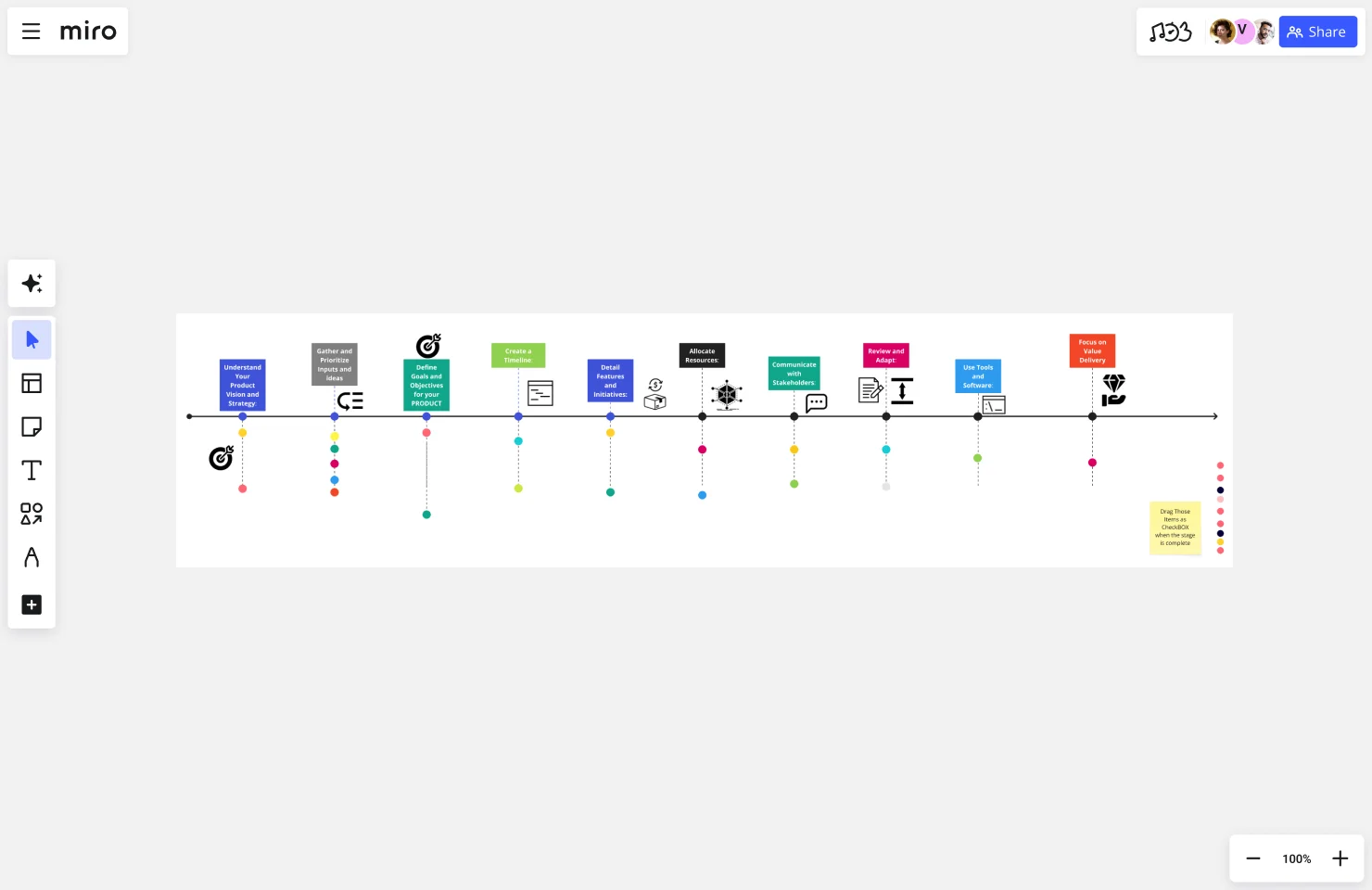
Mark Smetanin’s product roadmap template organizes initiatives around strategic themes rather than features. Instead of “Add payment processing,” you might see “Enable monetization” as a theme with multiple supporting initiatives underneath.
When to use this: When presenting to executives, investors, or cross-functional leadership teams who care more about strategic direction than implementation details. Theme-based roadmaps help stakeholders understand the “why” behind your choices.
What makes it work: Themes create flexibility in execution. You might discover a better way to “improve onboarding” than your original feature idea, and the roadmap structure supports that pivot. You’re committed to the outcome, not the specific solution.
Best for: Product leaders communicating upward, strategy reviews, and quarterly business reviews where context matters more than tactics.
Try the Strategic Product Roadmap template
4. Agile Product Roadmap: Feature prioritization view
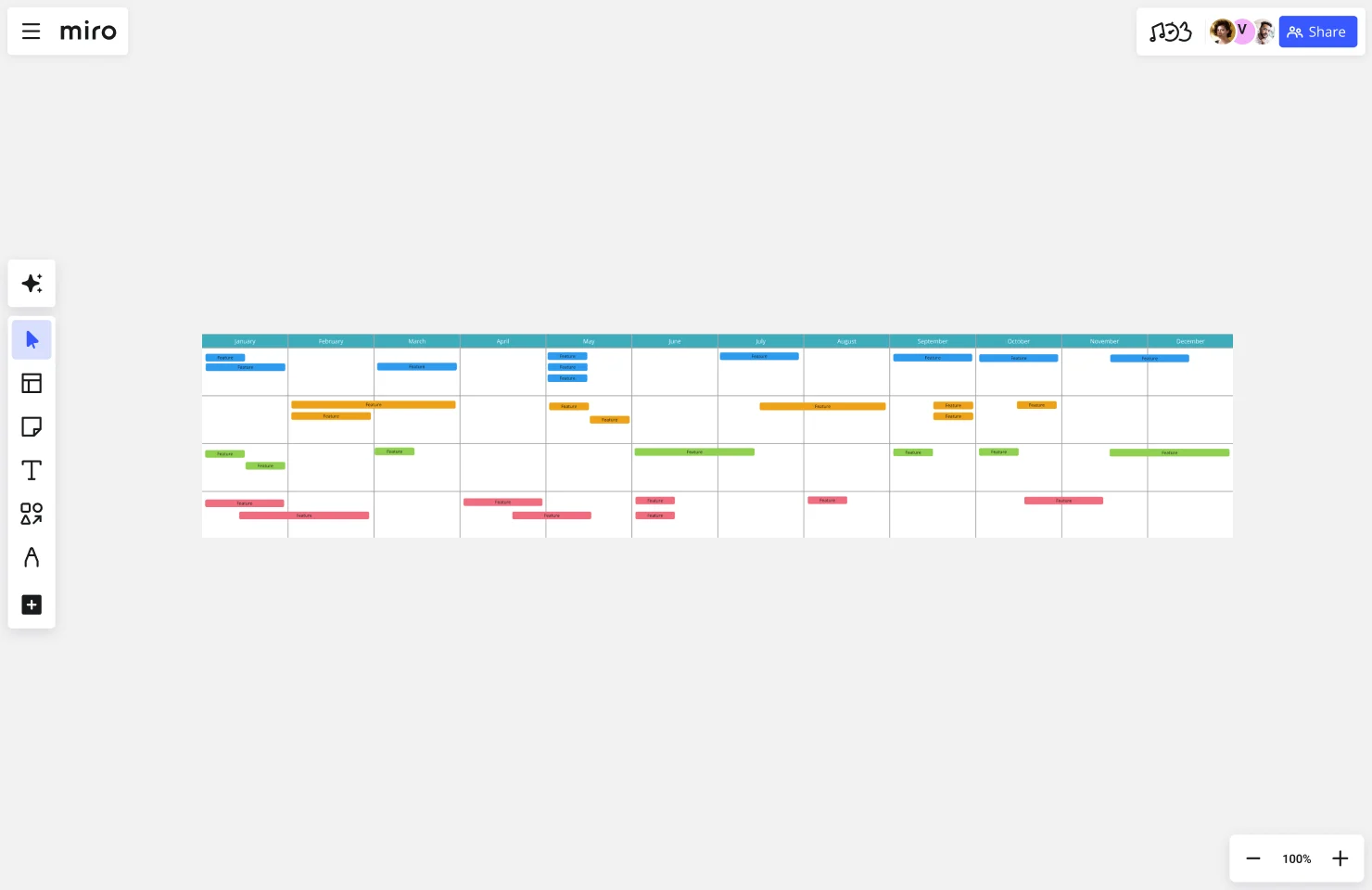
Hatchworks’ agile product roadmap template combines sprint planning with clear prioritization frameworks. It visualizes which features are in progress, queued, or under consideration — giving teams a complete view of the product backlog pipeline.
When to use this: When you need to show how prioritization decisions translate into development work. This format works well for product managers who juggle requests from sales, support, and internal stakeholders.
What makes it work: The clear prioritization tiers (must-have, should-have, nice-to-have) make trade-offs explicit. When stakeholders see where their requests rank, it reduces the “everything is urgent” problem that derails so many roadmaps.
Best for: Product teams managing competing priorities, organizations with multiple stakeholder groups, and anyone who needs to defend why certain features aren’t on the immediate roadmap.
Try the Agile Product Roadmap template
5. Roadmap Session: Collaborative planning workshop
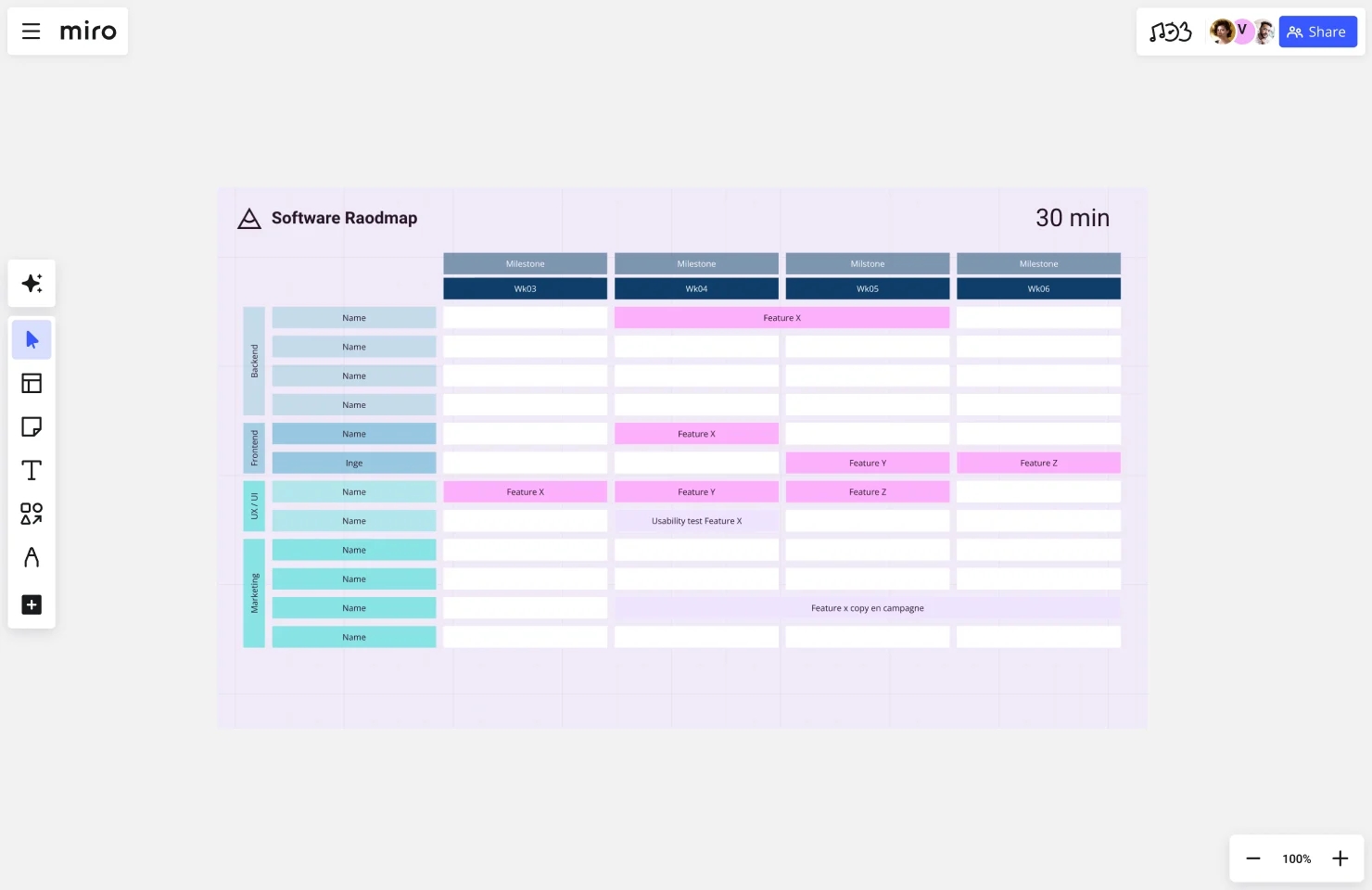
The Roadmap Session template turns roadmap creation into a collaborative workshop activity. It includes sections for gathering input, voting on priorities, identifying dependencies, and building consensus — all on one shared canvas.
When to use this: When you need to align diverse stakeholders on product direction before committing to a plan. This works especially well for kickoff meetings, quarterly planning sessions, or when launching new product lines.
What makes it work: The collaborative format surfaces disagreements early. Instead of building a roadmap in isolation and facing pushback later, you create buy-in during the planning process. When people contribute to the roadmap, they’re more invested in its success.
Best for: Product leaders facilitating planning sessions, teams transitioning to more collaborative roadmapping practices, and organizations where alignment is a challenge.
Try the Roadmap Session template
6. Technology Roadmap: Infrastructure and platform planning
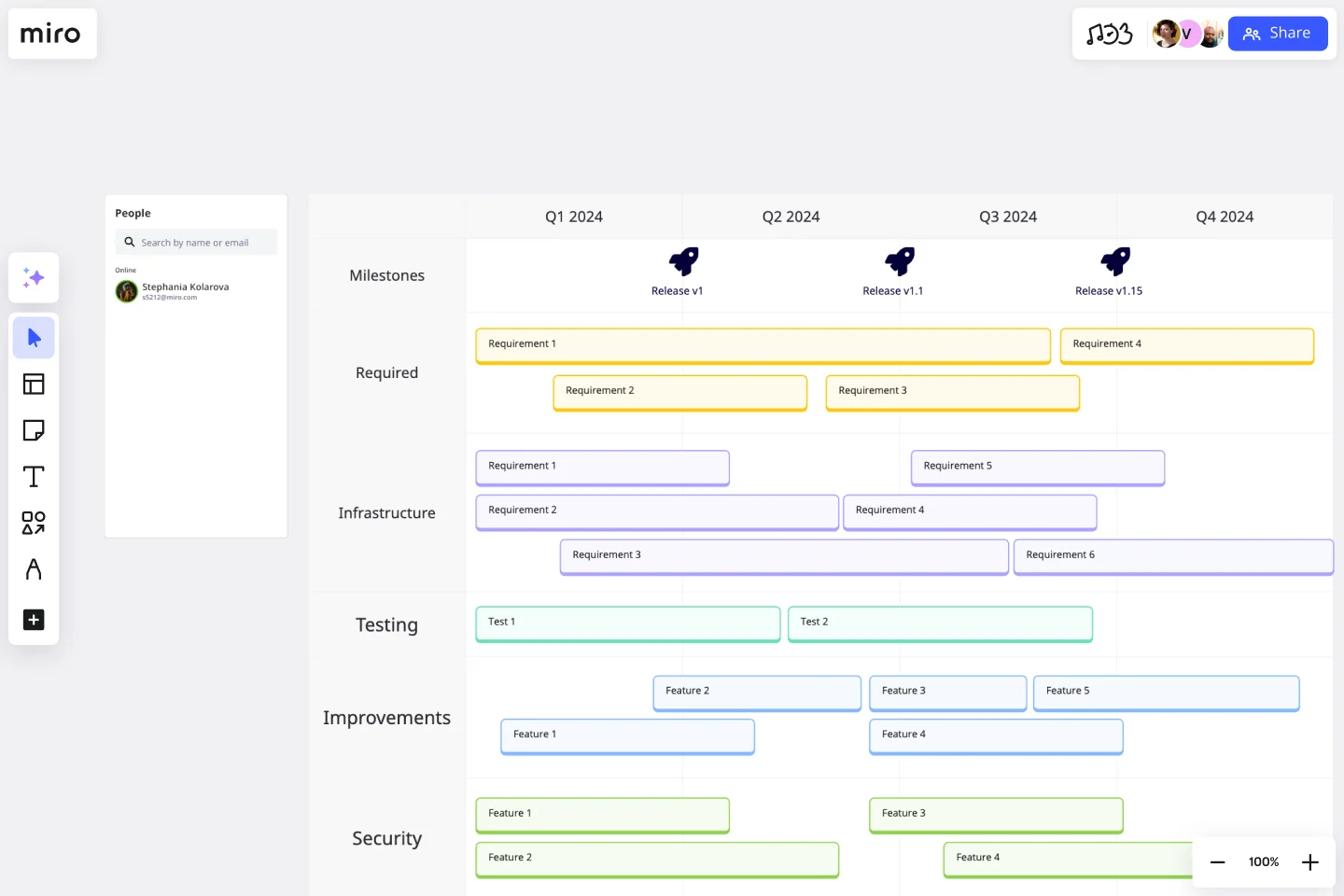
Simple technology roadmaps focus on the underlying systems, architecture, and technical capabilities that support product features. These roadmaps track infrastructure upgrades, API development, security improvements, and platform evolution.
When to use this: When engineering leaders need to communicate technical investments to product teams, executives, or other technical stakeholders. Technology roadmaps help justify work that doesn’t directly ship user-facing features but enables future innovation.
What makes it work: By separating technical foundation from product features, you can show how infrastructure investments unlock future capabilities. Migrating to a new database might not excite customers, but it’s the prerequisite for features they do want.
Best for: Engineering teams, platform product managers, and organizations planning significant technical transformations or modernization efforts.
Try the Simple Technology Roadmap template
7. Product Development Roadmap: End-to-end lifecycle view
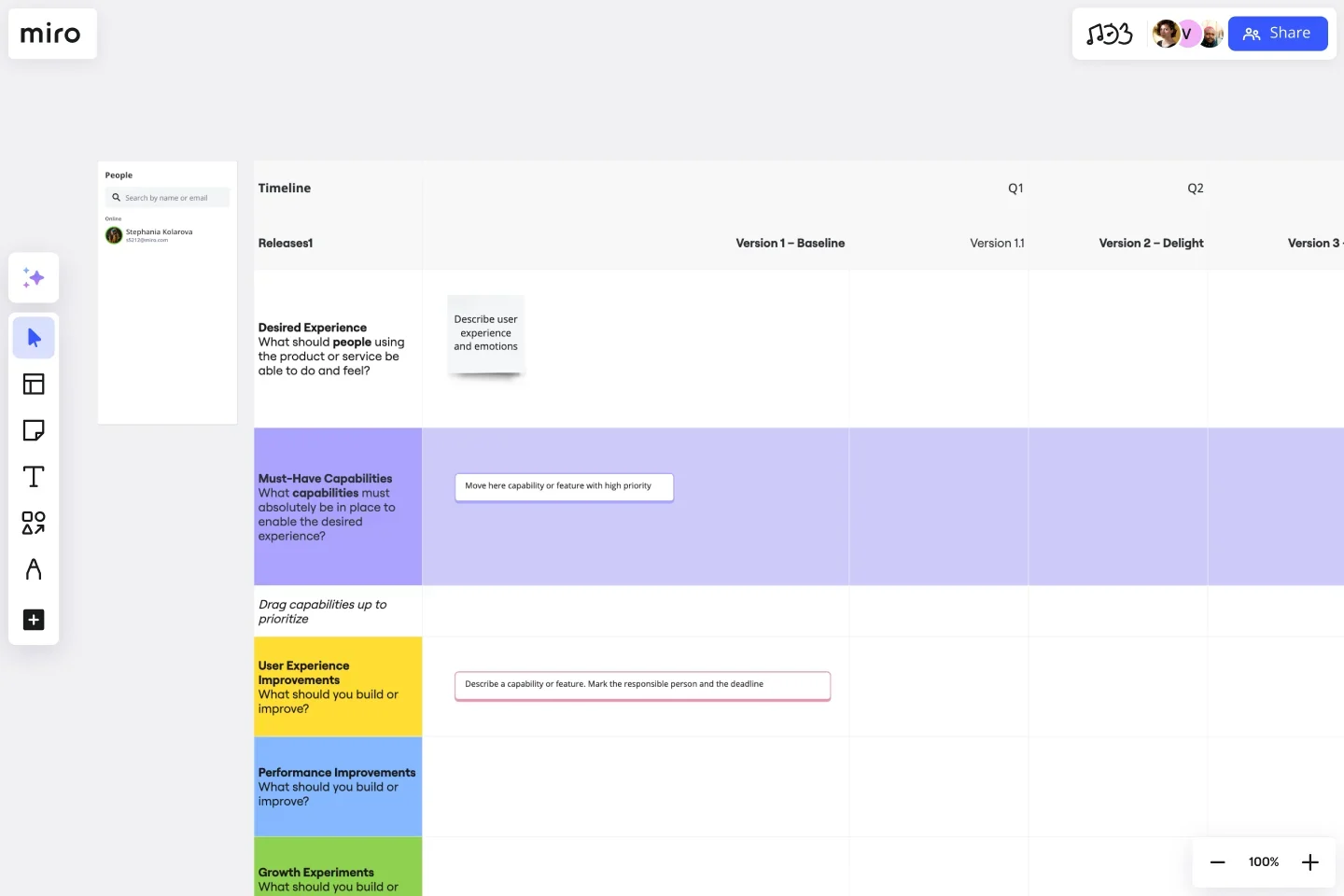
Product development roadmaps track the complete journey from initial concept through launch and iteration. They include discovery phases, design sprints, development cycles, testing periods, and post-launch optimization.
When to use this: When you’re launching a new product or major feature that requires coordination across multiple disciplines. This format helps designers, researchers, engineers, and marketers see how their work sequences together.
What makes it work: The end-to-end view prevents handoff failures. When designers know when engineering needs specs, and engineers know when QA needs builds, coordination improves. Everyone sees their dependencies and can plan accordingly.
Best for: Cross-functional product teams, new product launches, and organizations with complex development processes that require tight coordination.
Try the Product Development Roadmap template
8. Classic Product Roadmap: Timeline-based planning
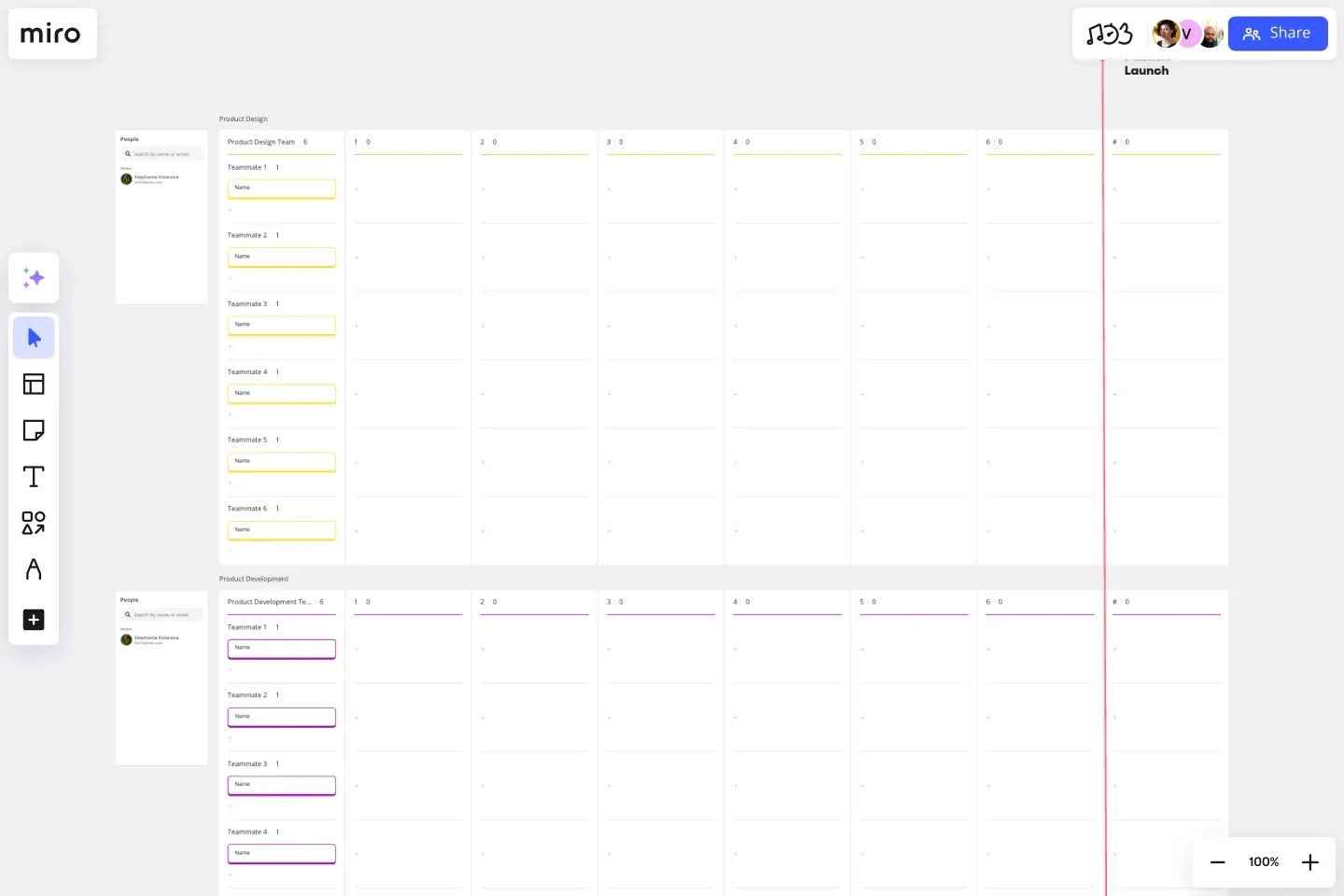
The classic product roadmap template uses a timeline format to show when specific initiatives will be delivered. It typically spans quarters or months and connects features to strategic objectives or customer needs.
When to use this: When stakeholders need concrete timelines — such as for go-to-market planning, sales commitments, or coordinating with external partners. Timeline roadmaps work best when you have high confidence in delivery estimates.
What makes it work: The visual timeline creates accountability and helps teams identify resource conflicts. When you see three major initiatives landing in the same month, you can rebalance the work before teams are overcommitted.
Best for: Mature products with predictable development cycles, regulated industries requiring compliance timelines, and coordinated releases across multiple products.
Try the Product Roadmap template
AI-powered product roadmap examples
AI capabilities are transforming how product teams plan, prioritize, and communicate roadmaps. Instead of starting with blank canvases or manually organizing sticky notes, AI-powered templates help you generate initial structures, surface insights from existing work, and maintain consistency across complex planning sessions. These templates combine Miro’s visual collaboration platform with AI assistance to accelerate roadmap creation without sacrificing strategic thinking.
9. AI Roadmap Planning: Automated structure generation
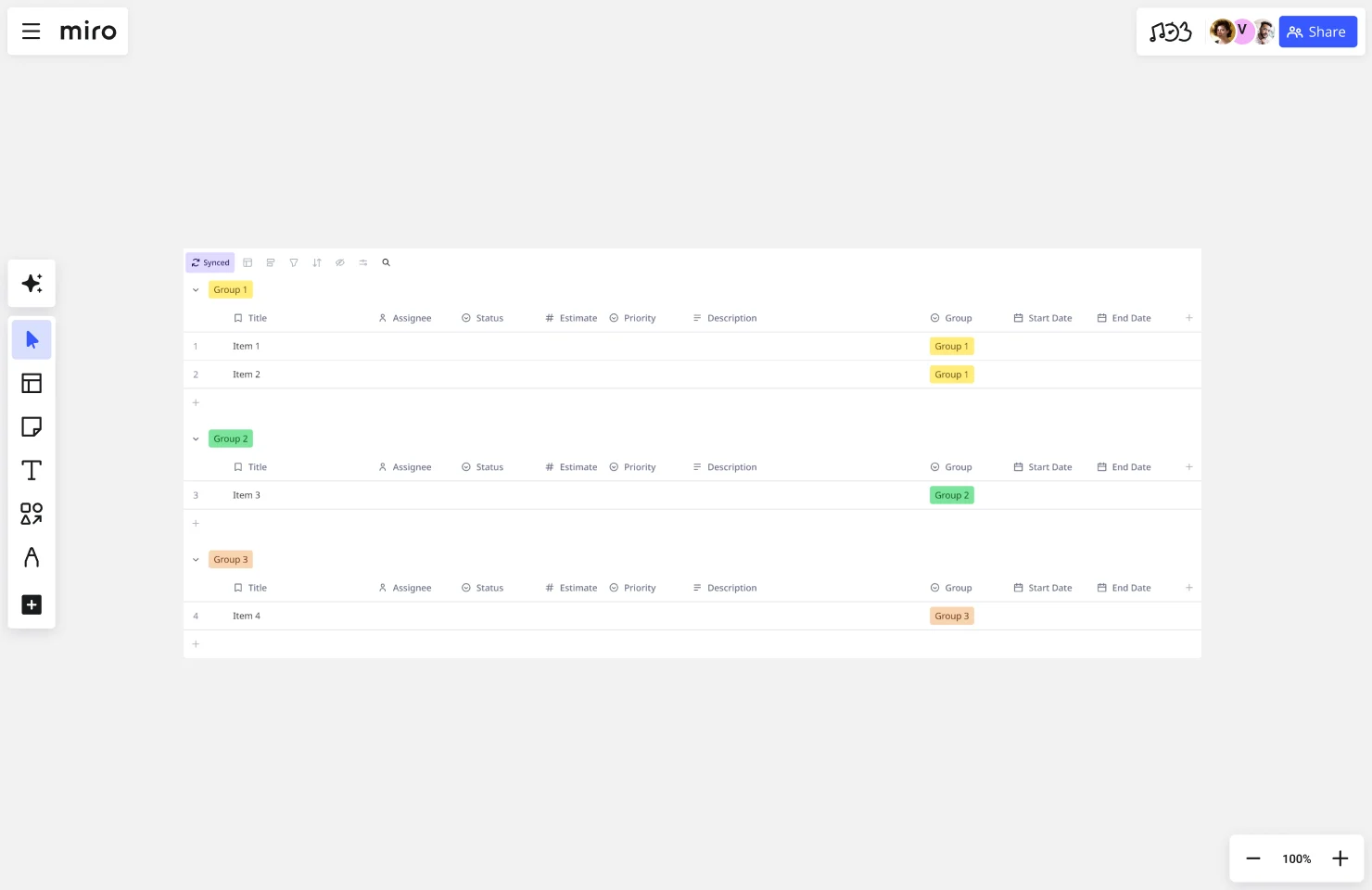
The AI Roadmap Planning template uses Miro’s Create with AI to help you build roadmap structures from text descriptions. Describe your strategic goals, key initiatives, and timeframes — and the AI generates an organized visual roadmap that you can refine collaboratively.
When to use this: When you’re starting roadmap planning from scratch and want to move quickly from high-level ideas to structured formats. This template accelerates the initial drafting phase so you can spend more time on strategic discussions.
What makes it work: AI handles the tedious formatting and organization work, letting you focus on strategic decisions. You still make all the important choices about priorities and timelines — the AI just speeds up the translation from thoughts to visual structure.
Best for: Product managers under tight deadlines, teams new to visual roadmapping, and anyone who wants to quickly test different roadmap structures before committing to one approach.
Try the AI Roadmap Planning template
10. Impact-Effort Matrix to Table: Prioritization made visual
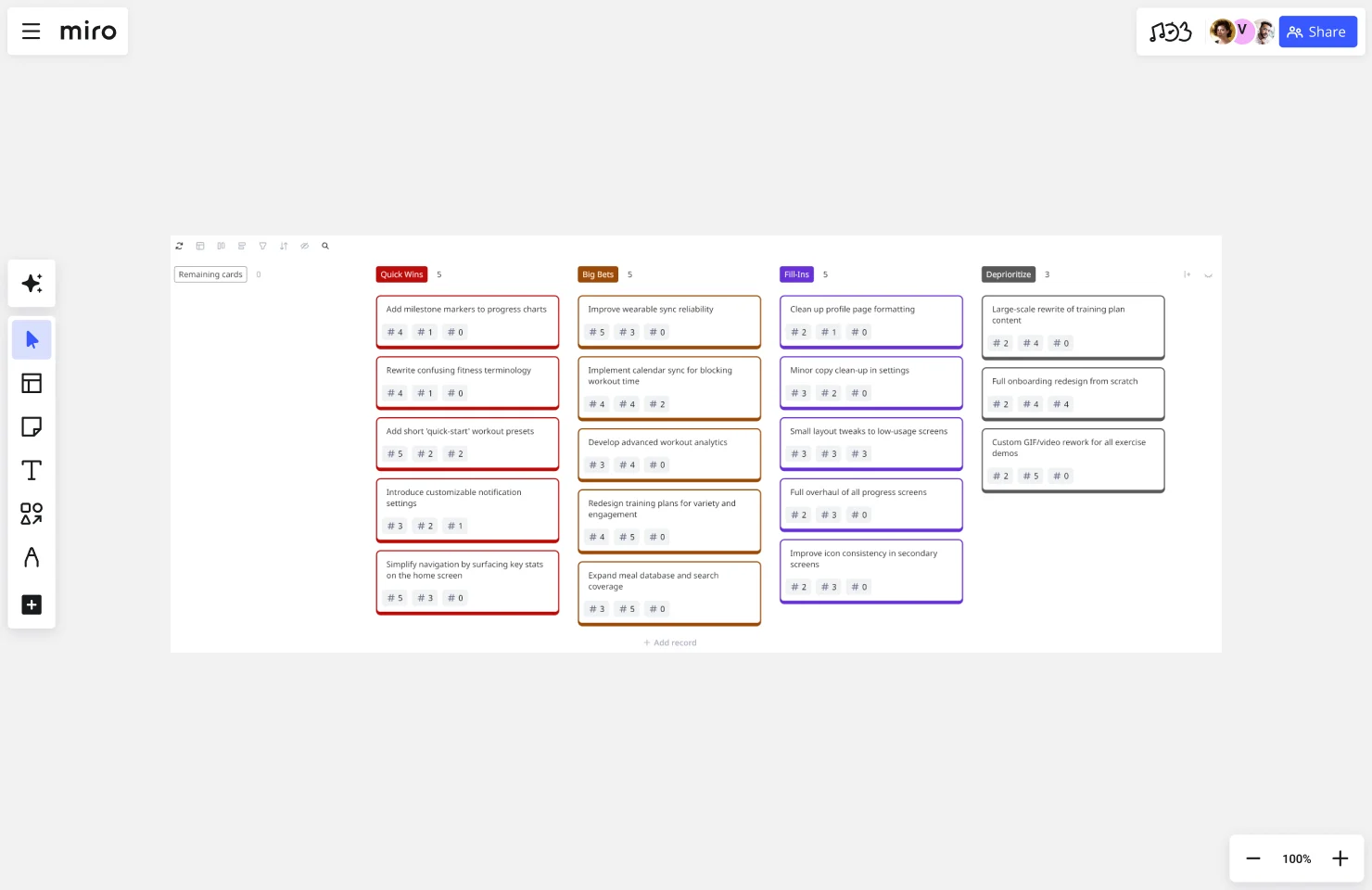
This AI-powered template transforms impact-effort assessment exercises into organized tables that feed directly into roadmap planning. Map initiatives on an impact-effort matrix, then let AI convert your prioritization decisions into structured formats ready for roadmap inclusion.
When to use this: During prioritization sessions when you need to move from subjective debate to objective ranking. The visual matrix makes trade-offs explicit — high-impact, low-effort items become obvious priorities.
What makes it work: The AI bridges the gap between qualitative assessment and actionable plans. Your team debates where items fall on the matrix, then AI handles the conversion into formats that integrate with roadmaps and backlogs.
Best for: Product teams making prioritization decisions, roadmap planning workshops, and portfolio managers evaluating multiple initiatives across different products.
Try the Impact-Effort Matrix to Table template
11. Product Requirements Prioritization: AI-assisted ranking
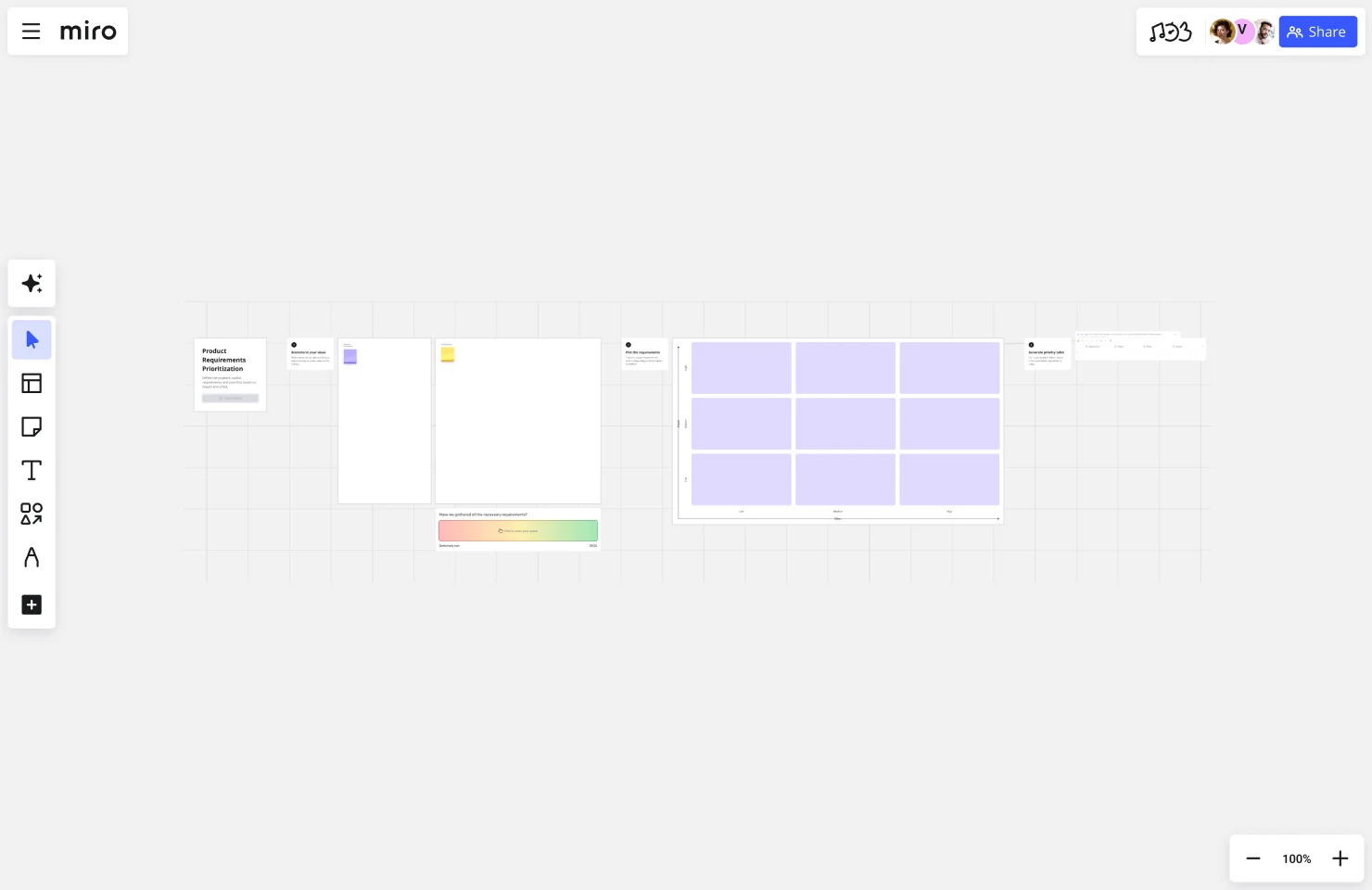
The Product Requirements Prioritization template with AI helps you systematically evaluate and rank feature requests, bug fixes, and technical debt against strategic criteria. AI Sidekicks surface patterns in your requirements and suggest prioritization frameworks based on your input.
When to use this: When your backlog is overwhelming and you need a systematic way to decide what makes it onto the roadmap. This template works especially well when managing hundreds of requirements from multiple sources.
What makes it work: AI identifies themes and dependencies in your requirements that might not be obvious. It can flag when several requests point to the same underlying user need, helping you prioritize solutions over individual feature asks.
Best for: Product managers managing large backlogs, teams transitioning from reactive to strategic roadmapping, and organizations trying to balance customer requests with strategic initiatives.
Try the Product Requirements Prioritization template
How to choose the right product roadmap format
With so many roadmap formats available, choosing the right one depends on your specific situation. Consider three key factors: your audience, your planning horizon, and your team’s working style.
Match the format to your audience. Executive stakeholders typically prefer high-level strategic roadmaps organized around themes and business outcomes. They don’t need sprint-level detail — they need to understand strategic direction and resource allocation. Engineering teams, on the other hand, often benefit from more detailed agile roadmaps that show dependencies and technical sequencing. Customer-facing roadmaps should emphasize value delivery and timing without revealing competitive details or creating rigid commitments.
Align with your planning horizon. Short-term roadmaps (1-3 months) can include specific features and dates because you have higher confidence. Medium-term roadmaps (3-12 months) work better with now-next-later structures or quarterly themes. Long-term roadmaps (12+ months) should focus on strategic themes and goals rather than specific features, since customer needs and market conditions will inevitably shift.
Consider your development methodology. Agile teams working in sprints need roadmaps that reflect iterative development. Waterfall or stage-gate processes might require more detailed timeline roadmaps with clear milestones. Continuous delivery teams often benefit from now-next-later formats that embrace uncertainty.
You don’t need to pick just one format either. Many product teams maintain multiple roadmap views of the same strategy — a detailed agile roadmap for the development team, a strategic theme-based roadmap for executives, and a simplified now-next-later view for broader company updates.
Best practices for product roadmap examples that drive results
Great roadmaps balance strategic clarity with execution flexibility. Here are proven practices that separate roadmaps that create alignment from those that gather dust:
Start with outcomes, not features. Frame initiatives around the customer problems you’re solving or business outcomes you’re driving, not just the features you’re building. “Reduce time to first value for new users” is more compelling than “Build onboarding wizard.” The outcome focus helps teams stay aligned even if the specific solution changes.
Update roadmaps regularly — and communicate changes. Roadmaps lose credibility when they don’t reflect reality. Establish a regular cadence for roadmap reviews (monthly or quarterly for most teams) and communicate when priorities shift. Explain why changes happened so stakeholders understand that adjustments signal responsiveness, not poor planning.
Show confidence levels, not false precision. Consider indicating confidence levels for different roadmap items. Things happening next sprint have high confidence. Items six months out are lower confidence. This transparency sets appropriate expectations and reduces frustration when distant plans change.
Make roadmaps collaborative, not just presentation tools. The best roadmaps emerge from collaborative planning sessions, not closed-door strategy meetings. When cross-functional teams contribute to roadmap creation, they understand the trade-offs and feel ownership over the direction.
Connect roadmaps to research and data. Ground roadmap decisions in customer feedback, usage data, and market research. When stakeholders question priorities, you can point to the evidence that informed your choices. This transforms roadmap discussions from opinion debates into data-driven conversations.
Create your product roadmap in Miro
Stop wrestling with static documents that become outdated the moment you share them. Miro’s innovation workspace brings your product roadmap to life on a collaborative visual canvas where teams can plan together in real-time or async — regardless of where they work.
Choose from any of these 11 product roadmap templates to get started in minutes. Customize them to match your team’s workflow, connect them to your broader strategic planning boards, and update them as priorities evolve. With Miro’s AI-powered features, you can generate roadmap structures from text, transform prioritization exercises into organized formats, and keep your strategic planning moving forward efficiently.
As one Sr. Product Designer shared: “Miro has been a crucial part of our Agile team, especially for retrospectives, sprint planning, and roadmapping. Overall, it’s intuitive and provides a great whiteboarding experience with lots of templates and AI integration!” — Source: Gartner Peer Insights, 2024
Watch this quick guide on building effective product roadmaps in Miro to see these templates in action:
Ready to transform how your team plans and communicates product strategy? Sign up for Miro and start building roadmaps that actually drive alignment.
Product roadmap examples FAQs
Can I integrate Miro roadmaps with my existing product management tools?
Yes. Miro integrates with popular product management and collaboration tools including Jira, Asana, Monday.com, Azure DevOps, and Slack. You can sync roadmap items with your backlog in Jira, push updates to project management tools, and share roadmap changes automatically to team channels. These integrations help you maintain a single source of truth — your roadmap stays updated without manually duplicating work across multiple platforms.
Are there free product roadmap examples I can use?
Absolutely. All 11 product roadmap templates featured in this article are available for free with a Miro account. You can access, customize, and share these templates without upgrading to a paid plan. Miro's free tier includes unlimited team members and three editable boards, which is enough for most teams to create and maintain their product roadmaps. You can explore additional roadmap templates in Miro's community template library as well.
How does Miro's community support product roadmap planning?
Miro's community includes thousands of product managers and designers sharing best practices, custom templates, and roadmapping frameworks. You'll find community-created roadmap templates beyond the standard library, attend virtual workshops on product planning, and connect with other PMs tackling similar challenges. The Miro Community hub and Miroverse template gallery let you learn from how other teams structure their roadmaps and adapt proven approaches to your context.
Is Miro secure enough for confidential product roadmaps?
Yes. Miro provides enterprise-grade security features including SOC 2 Type II certification, GDPR compliance, and data encryption both in transit and at rest. You can control board access with granular permissions, enable single sign-on (SSO) through your identity provider, and restrict sharing outside your organization. Enterprise plans include additional security controls like advanced admin settings, audit logs, and data residency options — so you can share strategic roadmaps with confidence.
What's the difference between Miro's free and paid plans for roadmapping?
Miro's free plan lets you create up to three editable boards with unlimited team members, which works well for small teams maintaining a few roadmaps. Paid plans (starting with Starter) remove the board limit and add features like private boards, advanced facilitation tools, voting sessions, and integrations with tools like Jira and Slack. Business and Enterprise plans include AI-powered features, custom templates, enhanced security controls, and dedicated support — valuable for product teams managing complex roadmaps across multiple stakeholders.
Author: The Miro team Last updated: January 28, 2026
Read more
Join our 100M+ users today


