Andrey
See collaborative AI in action — straight from the Canvas 26 keynote.
Jeff

Process mapping for logistics teams

Map your freight flows and carrier handoffs before the next shipment cycle breaks them. Spot the gaps, fix the bottlenecks, ship with confidence.

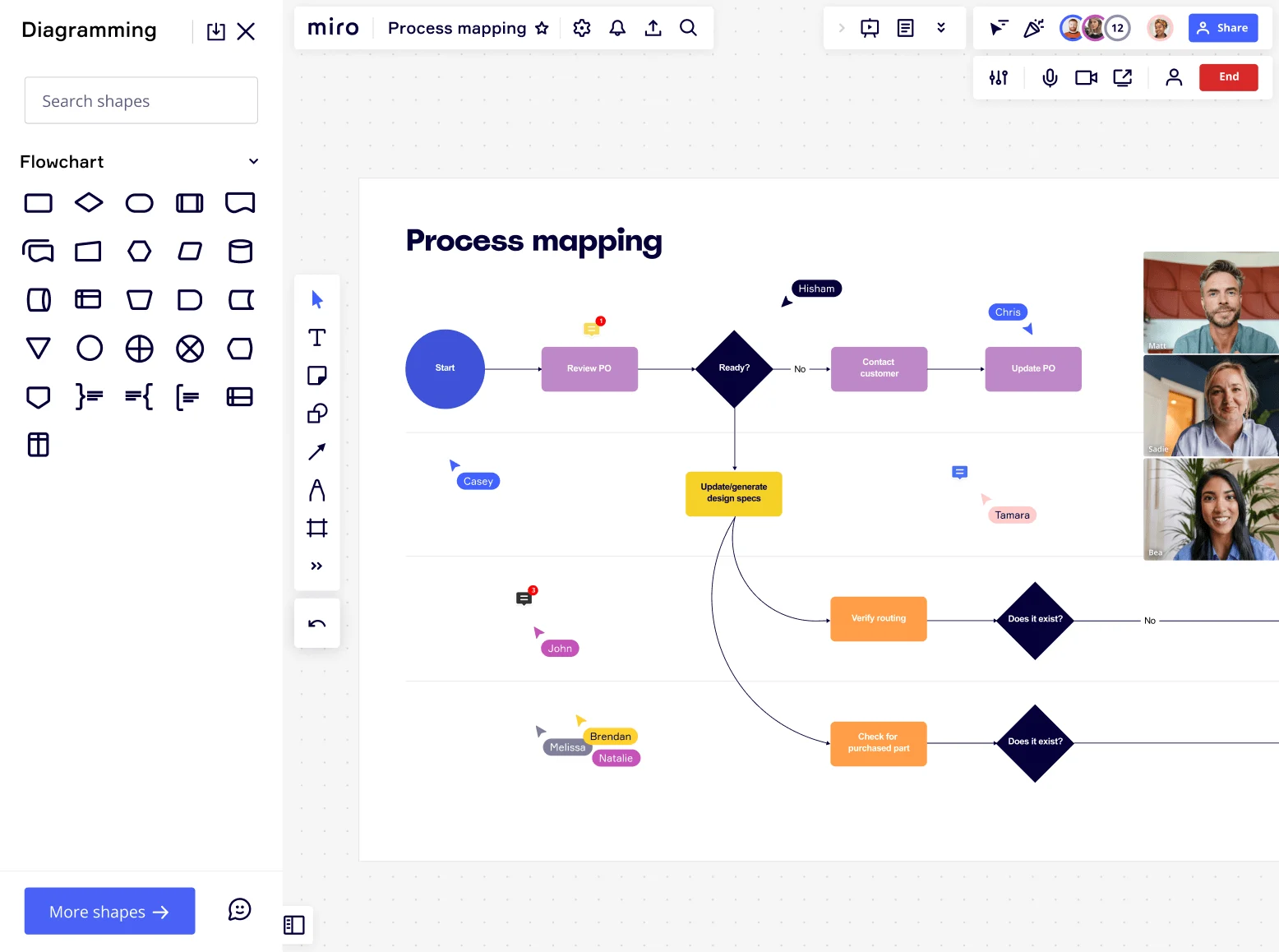
Miro board showing a process mapping flowchart with decision diamonds, process steps (Start, Review PO, Ready?, Contact Customer, Update PO, Update/generate design specs, Verify routing, Check for purchased part, Does it exist?), alongside the Diagramming panel with Flowchart shape library open, and multiple collaborators visible via video thumbnails and cursor labels on the right side.

What experts say

  • Process mapping shows what is actually happening, who is involved, where information, data, and materials are flowing, and most importantly, handoffs between processes, departments, and supply chains.

    iSixSigma

    Lean Six Sigma education publisher · iSixSigma

    Industry Expert
  • Process mapping is an organized way to record all the activities performed by a person or machine, with a customer or on materials, and it can be carried out for manufacturing and nonmanufacturing processes.

    T. Gourishankar

    Author · ASQ

    Keynote Speaker

The research on process mapping

  • 30%

    Process mapping in Lean Six Sigma yielded 30% reduction in order processing time

    Source: Systems and Teams

  • 20%

    A global manufacturer using process mapping to visualize its end-to-end supply chain achieved 20% reduction in order fulfillment time, 15% increase in inventory turns, and 10% lower transportation costs

    Source: Binadox

See process mapping in action

Related templates for logistics coordinators

We have 168 templates in our library for Process Mapping.

Why logistics professionals love mapping processes in Miro

  • Stop losing time between the warehouse and the carrier dock

    Every missed pickup or late proof-of-delivery trace back to the same problem: a handoff that nobody wrote down. Use Miro's swimlane layouts to separate warehouse ops, freight coordination, and last-mile carriers into clear ownership lanes - so every coordinator on your team sees exactly who hands off to whom and when.

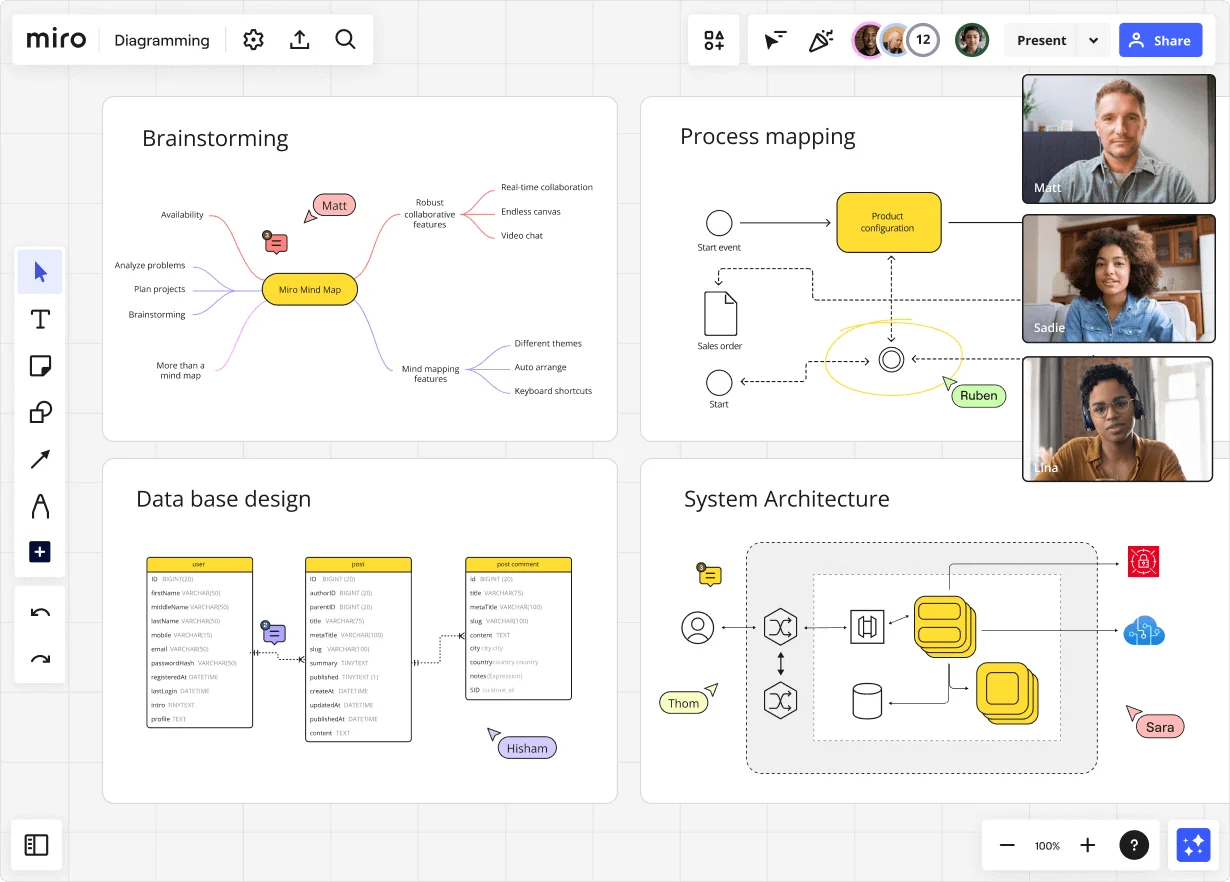
    Miro diagramming board showing four active workspaces: a mind map centered on 'Miro Mind Map' with feature branches, a BPMN-style process mapping flowchart with 'Product configuration' decision node, a database ER diagram with three related tables (user, post, post comment), and a system architecture diagram with interconnected components — all with visible collaborator cursors (Matt, Sadie, Ruben, Lina in video panel, plus Hisham, Thom, Sara as cursor labels).
  • Your SOP library, without the version-control nightmare

    Small teams pin SOPs in a shared drive and pray nobody edits the wrong copy. Large logistics orgs run dozens of route-specific runbooks that drift out of sync after every carrier contract change. Attach a Miro Doc in SOP format directly alongside your process map - update once, and every Confluence or Notion page that embeds it pulls the live version automatically.

    Miro board displaying a BPMN process mapping diagram with two swimlanes (Customer and Online Shop), showing decision gateways, message events, and task boxes for an order/offer workflow including 'Send offer', 'Accept offer', 'Decline offer', 'Send Payment', 'Receive Confirmation', and 'Receive Decline' steps, with the BPMN shapes panel open on the left.
  • From a paragraph of steps to a BPMN draft in seconds

    Describe your customs clearance or inbound receiving workflow in plain language and Miro builds the first-draft process map for you. Your dispatchers and freight coordinators spend their time validating and refining - not staring at a blank canvas arguing over box shapes.

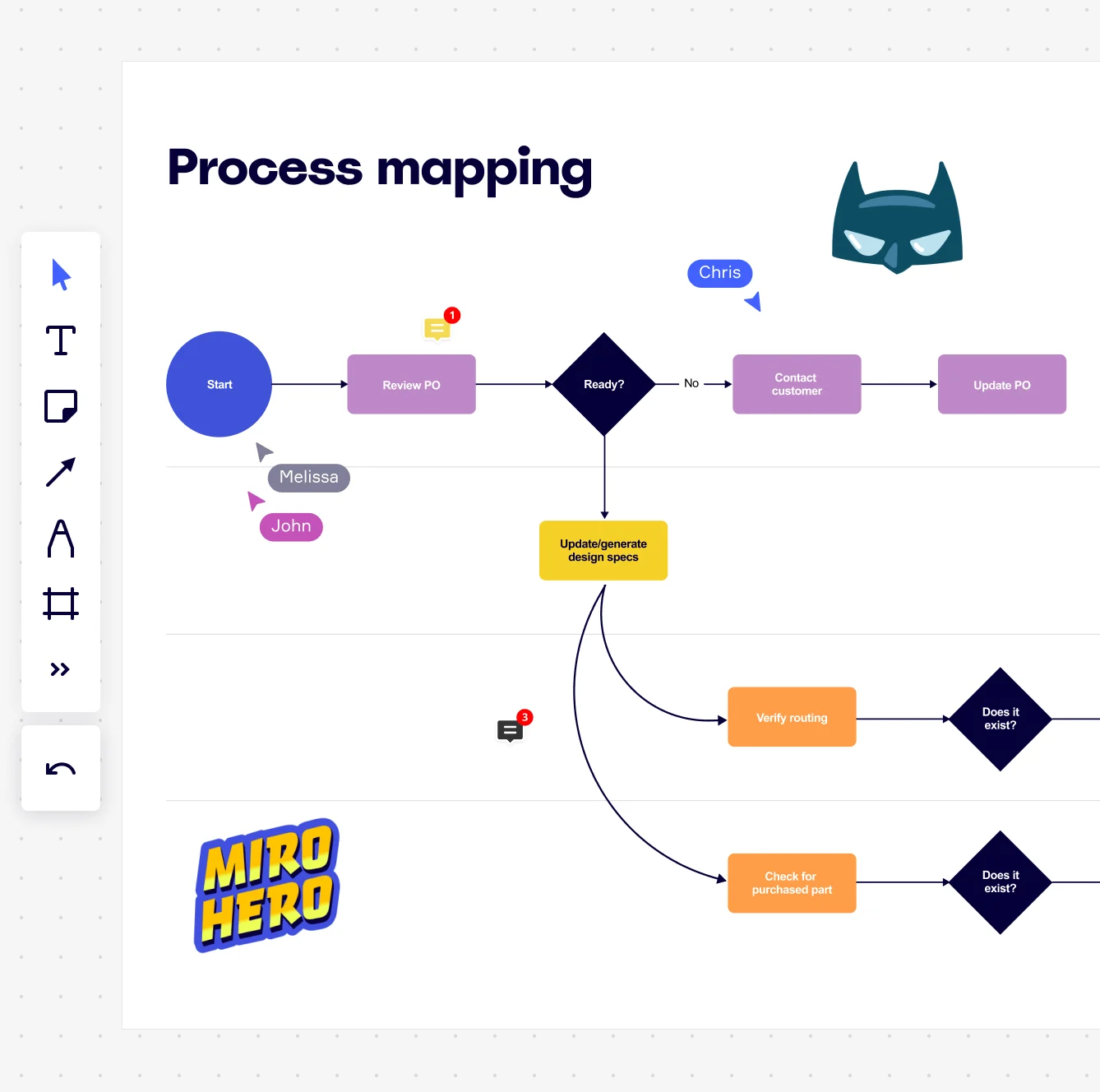
    Miro board displaying a process mapping flowchart with labeled nodes including Start, Review PO, a Ready decision diamond, Contact Customer, Update PO, Update/generate design specs, Verify routing, and Check for purchased part, with collaborative cursors (Chris, Melissa, John), comment badges, and decorative Batman and Miro Hero stickers.
  • When a carrier SLA review means rebuilding every process doc from scratch

    Quarterly SLA reviews force coordinators to re-document exception paths, escalation contacts, and dwell-time thresholds all over again. Miro's Synced Copies carry your master process map to every sub-process board in about 10 seconds - update the master, and every downstream artifact reflects it. A 3-person ops team gets this for free. A 300-person global logistics org gets governance without the manual overhead.

    Miro process mapping board displaying a cross-functional flowchart with circular process nodes (Process 1.0, 1.1, 2.0), decision paths (Yes/No branches leading to 'Accept offer' and 'Decline offer'), and rectangular action steps including 'Send payment', 'Receive Confirmation', 'Receive Decline', and 'Process', connected by solid and dashed arrows.
  • Are your cross-dock handoffs visible to procurement and planning?

    Coordinators know the cross-dock sequence cold: inbound scan, staging assignment, outbound load confirmation, carrier check-in. Planning and procurement rarely see it until something breaks. Run a Miro Engage workshop - warehouse leads score each step on pain and delay, then rank the bottlenecks together - so your next quarterly business review lands with evidence, not anecdote.

    Miro board displaying a BPMN process mapping diagram with two swimlanes (Customer and Online Shop), showing decision gateways, message events, and task boxes including 'Send offer', 'Accept offer', 'Decline offer', 'Send Payment', 'Receive Confirmation', 'Receive Payment', and 'Receive Decline', alongside the BPMN diagramming shapes panel on the left.

How logistics teams get started with Process Mapping in Miro

  • Map your freight flow from trigger to delivery

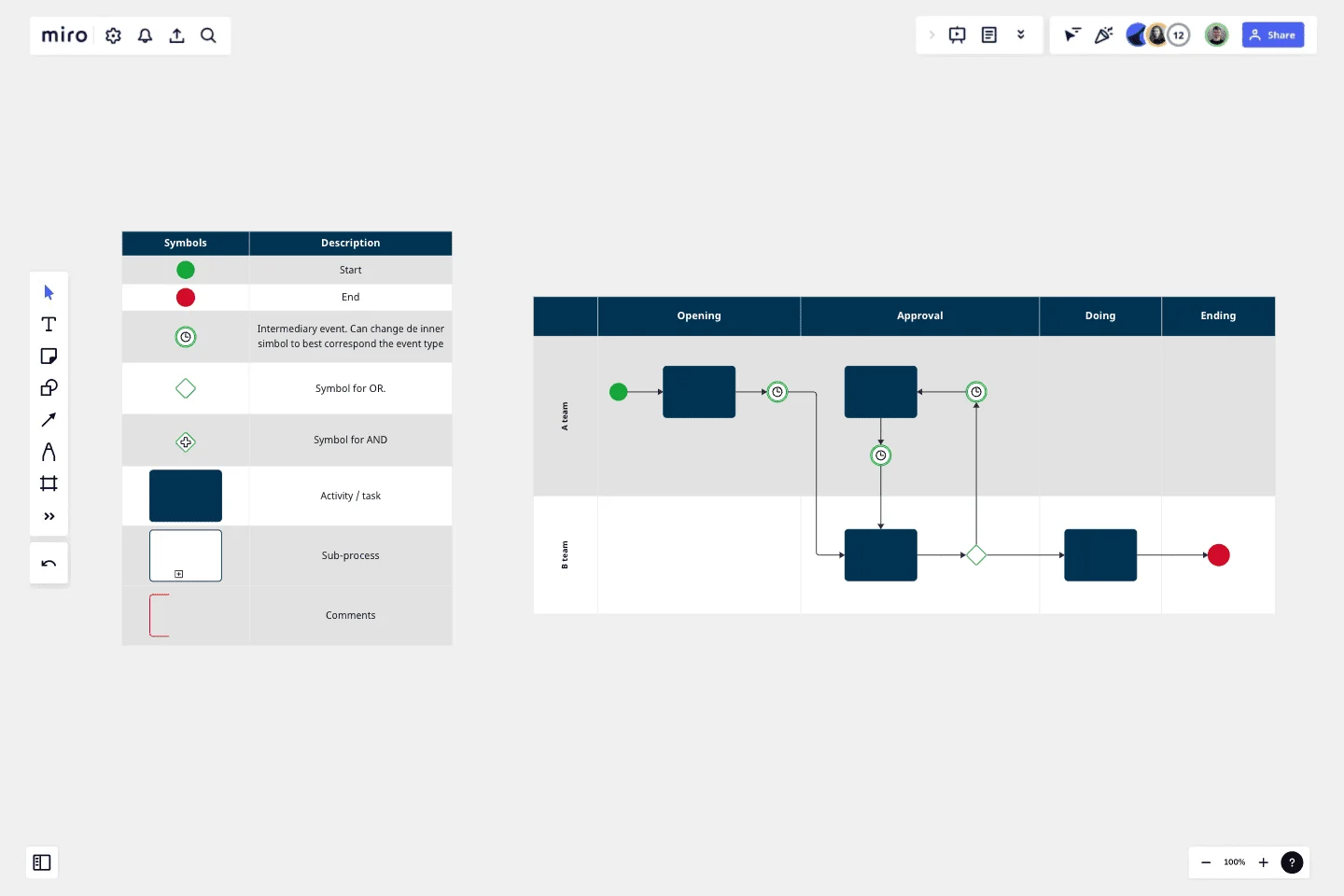
    Open a SIPOC Template from Miro's Template Library and define your process scope around a real shipment cycle - say, purchase order receipt through last-mile confirmation - so your first map reflects how freight actually moves, not how the SOP says it should.

  • Build swimlanes for every handoff owner

    In Diagramming Mode, use the Swimlane Shape Pack to assign each lane to a distinct party (carrier, warehouse, customs, customer) so every handoff between dock teams, brokers, and 3PLs is visually explicit and no step is orphaned between functions.

  • Flag delays and exceptions in real time

    As your dispatchers and freight coordinators map their sections simultaneously on the canvas, have them drop Sticky Notes - color-coded red for SLA-breach risks, yellow for workarounds - directly onto the steps where dwell time spikes or carrier handoffs routinely stall.

  • Embed your live SLA and cycle-time dashboards

    Use External Embeds to pull your Power BI or Looker freight-metrics dashboard directly onto the board so that when you run your validation walkthrough in Presentation Mode, leadership reviews delay data and the process map in one place instead of toggling between decks.

Process Mapping tips for logistics coordinators

  • Start with your most painful lane first - inbound receiving or cross-border customs clearance, whichever costs you the most manual follow-up - so you get a useful map on day one instead of a perfect map on day thirty.

  • Use Status Labels (Draft / In Review / Published) on each process frame so dispatchers and operations leads always know which version of the carrier handoff procedure is live and approved.

  • For larger operations running regional distribution hubs, use Synced Copies to push the master freight process map to each hub's sub-process board - edits to the master propagate in roughly ten seconds, so every site works from the same source of truth without manual version chasing.

Understand how logistics coordinators transform their work

  • Can easily and quickly map out current business processes and ideal future states.

    James Nicholls

    G2
  • The perfect tool for collaborating on designing and flow mapping.

    Verified User

    G2

Process Mapping essential guide for logistics professionals

CategoryKey insights
  • Common mistakes to avoid

    The biggest trap for coordinators is mapping the route that's supposed to happen rather than the one that actually does. When your carrier misses a pickup window and someone calls in a favor with a backup freight broker, that workaround needs to be in the map too - otherwise you'll never fix the real bottleneck. For growing teams, also watch out for scope creep: agree on your start and end points before you touch a shape, or your import intake process will somehow expand to include customs clearance three countries away. Large orgs often fall into a different trap: one analyst documents the process from a TMS manual, misses the informal handoffs between the warehouse floor and the dispatch desk, and ships a map that no driver would recognize. Pick one notation standard, use Miro's matching shape pack consistently, and revisit the map every quarter - freight flows change, and a stale process map is just expensive fiction.
  • Key integrations for logistics coordinators

    Smartsheet is the practical workhorse here: coordinators who track shipment schedules, carrier capacity, and delivery milestones in Smartsheet can embed those live grids directly in Miro so the process map and the operational data stay in the same room. For teams managing improvement projects off the back of a process review, Jira keeps every identified bottleneck tied to a real ticket so nothing gets lost between the whiteboard and the work queue. Already have process diagrams built in Visio, Lucidchart, or Draw.io? Import them directly into Miro and keep collaborating without starting over.

  • When to use it

    Reach for Process Mapping in Miro when a recurring breakdown - a missed handoff between the warehouse team and the carrier, a customs delay nobody owns - keeps surfacing and nobody can agree on exactly where the process falls apart. That's the moment to get the dispatcher, the freight coordinator, and the warehouse lead into a live Miro board, map what's actually happening step by step, and find the gap together. It's also the right tool when you're onboarding new coordinators into a complex routing or fulfillment workflow, or when a compliance audit requires formal documentation of your inbound or outbound logistics process using standardized notation.

  • Security & Compliance

    Logistics coordinators handling cross-border shipments, customs documentation, or supplier contracts need to know that Miro is SOC 2 Type II certified, so your process maps and operational data meet the baseline security standard most procurement and enterprise security reviews require. For coordinators at large organizations working with government contracts or regulated freight, Miro's data residency controls let your IT team specify where data is stored - a common requirement when vendor security reviews come around. Granular sharing permissions mean you can open a board to external carriers or third-party logistics partners without exposing the rest of your workspace.

Frequently asked questions for logistics teams

Last updated: Monday, June 29, 2026