



Andrey
See collaborative AI in action — straight from the Canvas 26 keynote.
Jeff

Process mapping for digital transformation leads

Document, analyze, and redesign end-to-end workflows before your next ERP rollout. One canvas replaces the static diagram files, email threads, and stale SharePoint docs.

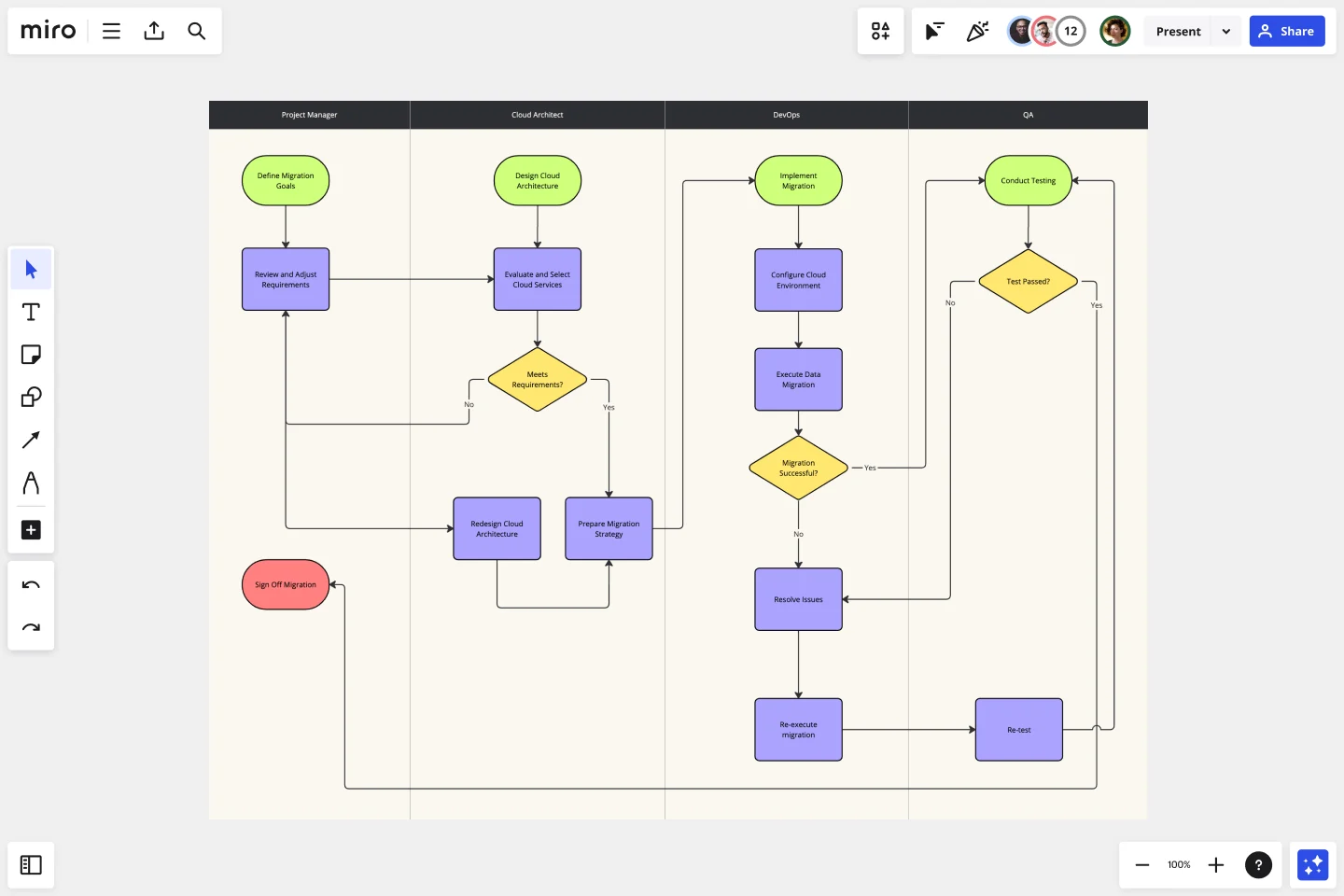
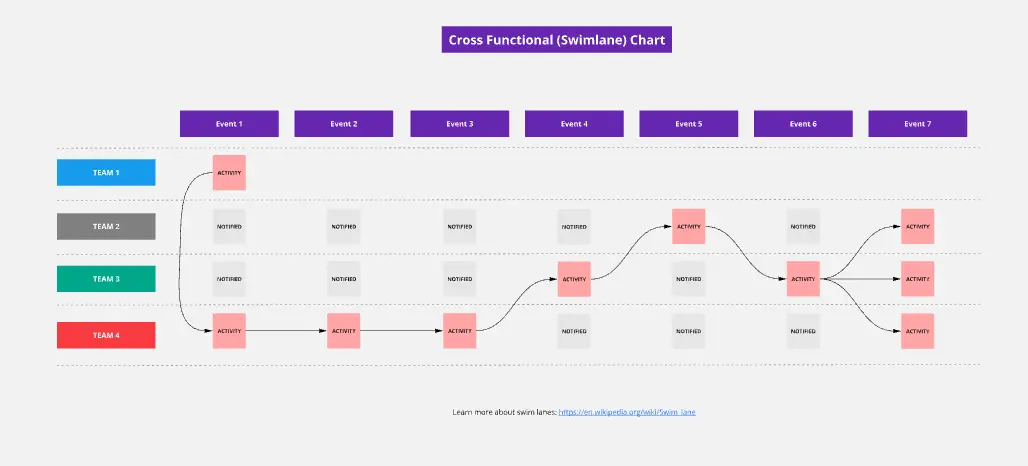
Miro board displaying a cross-functional swimlane flowchart for an on-premise to cloud migration process, with four lanes (Project Manager, Cloud Architect, DevOps, QA) containing decision diamonds, process rectangles, and terminal shapes connected by arrows showing the full migration workflow including testing and issue resolution loops.

What experts say

  • Process mapping shows what is actually happening, who is involved, where information, data, and materials are flowing, and most importantly, handoffs between processes, departments, and supply chains.

    iSixSigma

    Lean Six Sigma education publisher · iSixSigma

    Industry Expert
  • Mapping is only a means for those touching a value stream to learn to see together in order to jointly pursue the vital objective: steady, sustainable improvement that benefits everyone.

    Lean Enterprise Institute

    Executive Director · Lean Enterprise Institute

    Keynote Speaker

The research on process mapping

  • 30%

    Process mapping in Lean Six Sigma yielded 30% reduction in order processing time

    Source: Systems and Teams

  • 30-50%

    Business Process Management (including process mapping) delivers 30-50% productivity gains

    Source: Forrester

See process mapping in action

Related templates for digital transformation leads

We have 168 templates in our library for Process Mapping.

Why digital transformation leads choose Miro for process mapping

  • From legacy diagrams to a live blueprint

    Import your Visio, Lucidchart, and Draw.io files directly into Miro — shapes, connectors, and layout intact. Skip the rebuilding. Start with what already exists and turn scattered version files into one shared canvas your whole transformation program works from.
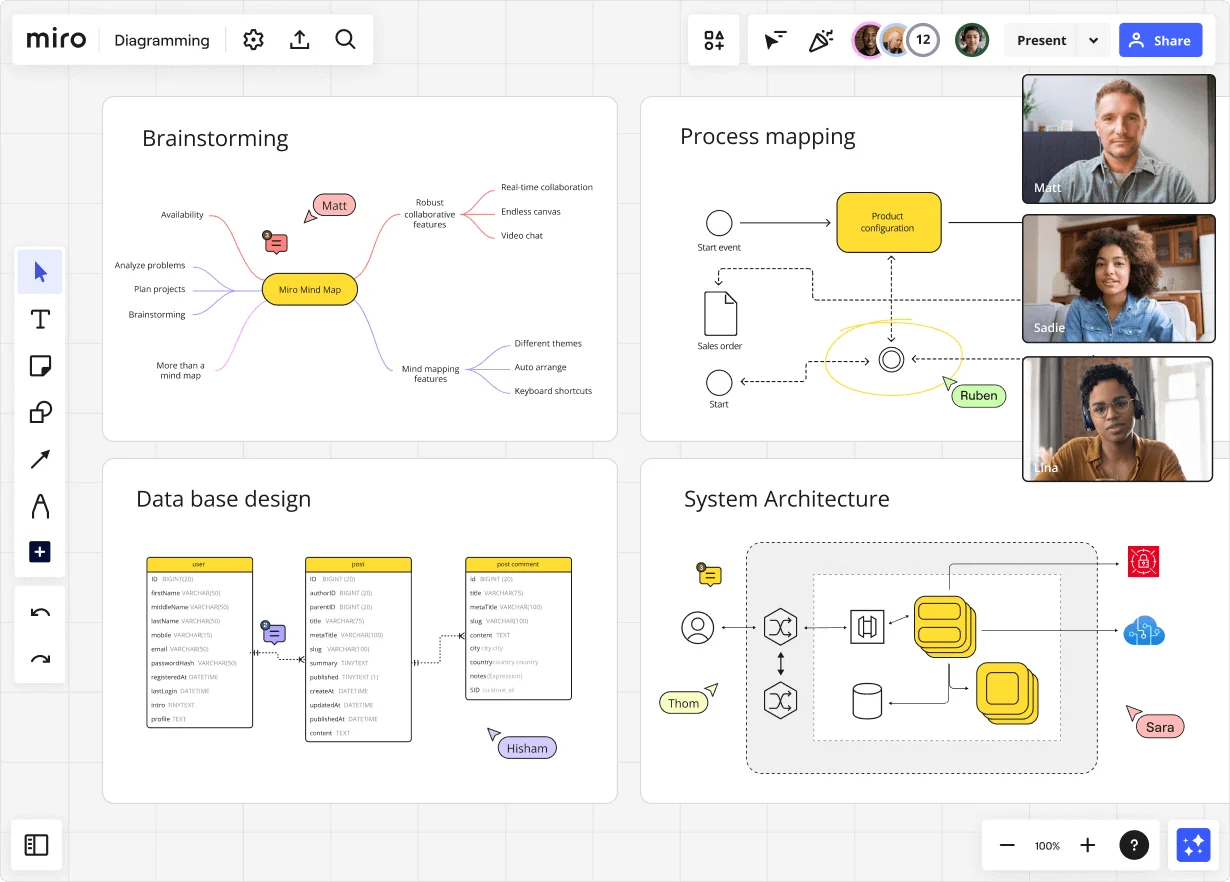
    Miro diagramming board showing four active workspaces: a mind map centered on 'Miro Mind Map' with feature branches, a BPMN-style process mapping flowchart with 'Product configuration' decision node, a database ER diagram with three related tables (user, post, post comment), and a system architecture diagram with interconnected components — all with visible collaborator cursors (Matt, Sadie, Ruben, Lina in video panel, plus Hisham, Thom, Sara as cursor labels).
  • BPMN that holds up in the boardroom

    When you're presenting current-state flows to a COO or CIO, notation matters. Open Diagramming Mode, pick the BPMN 2.0 shape pack, and map gateways, pools, lanes, and exception paths with snap-together shapes that follow recognized standards. Status Labels (Draft / In Review / Published) show your steering committee exactly where each process stands.

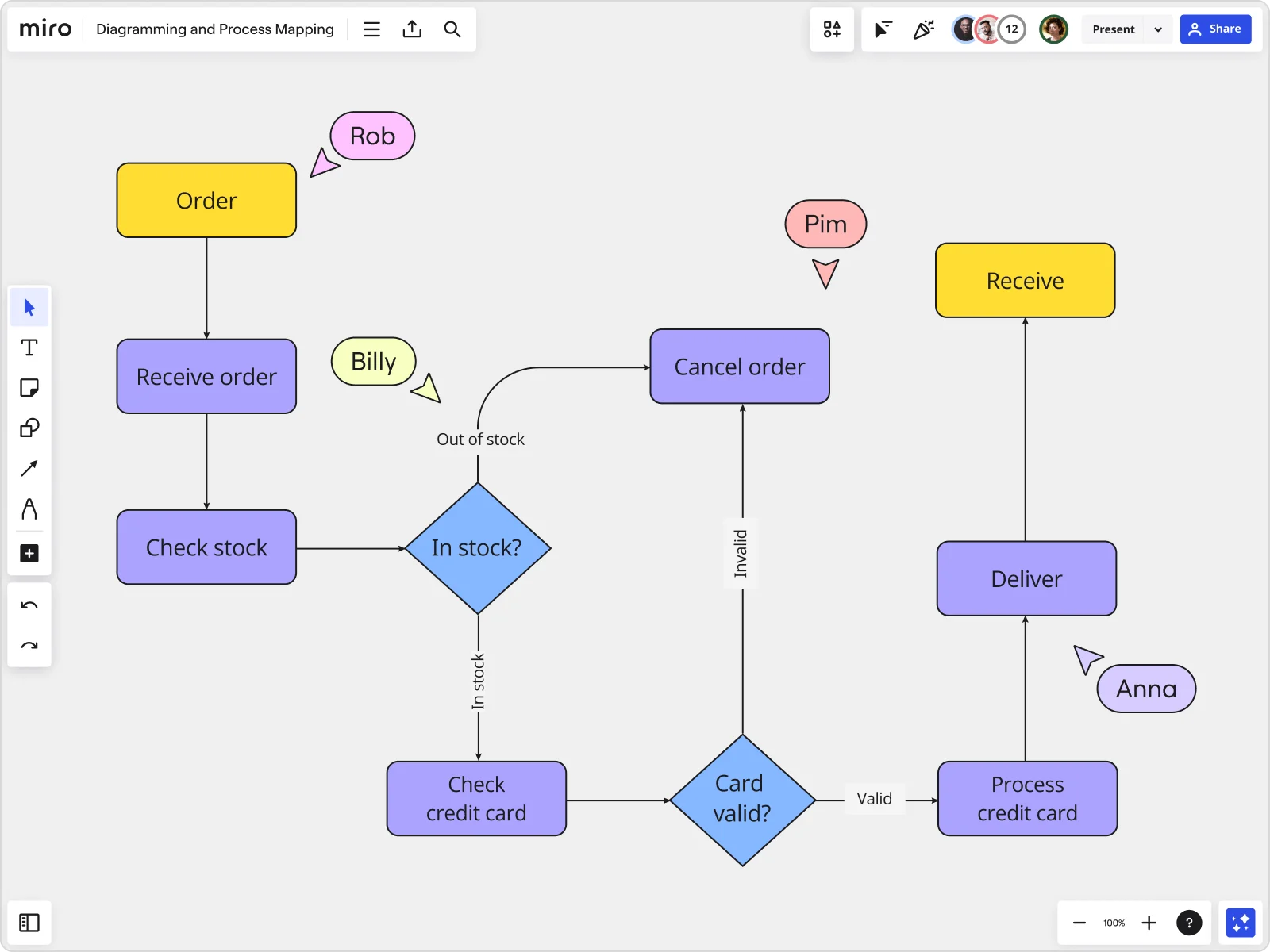
    Miro board displaying a detailed order processing flowchart with colored decision diamonds (blue) for 'In stock?' and 'Card valid?' checks, purple process blocks for steps like 'Receive order', 'Check stock', 'Check credit card', 'Process credit card', 'Deliver', and 'Cancel order', a yellow 'Order' start block and 'Receive' end block, plus named collaborator cursors (Rob, Billy, Pim, Anna) visible on the canvas.
  • One reusable structure for every workstream

    A transformation program can run dozens of mapping engagements. The Process Documentation Blueprint packages your SIPOC board, current-state map, future-state draft, and improvement tracker into one reusable Space. Whether you're running a five-person transformation office or a 200-person program, you're not rebuilding from scratch each time.

    Miro board displaying a BPMN process mapping diagram with two swimlanes (Customer and Online Shop), showing decision gateways, message events, and task boxes for an order/offer workflow including 'Send offer', 'Accept offer', 'Decline offer', 'Send Payment', 'Receive Confirmation', and 'Receive Decline' steps, with the BPMN shapes panel open on the left.
  • Future-state diagrams in seconds, not weeks

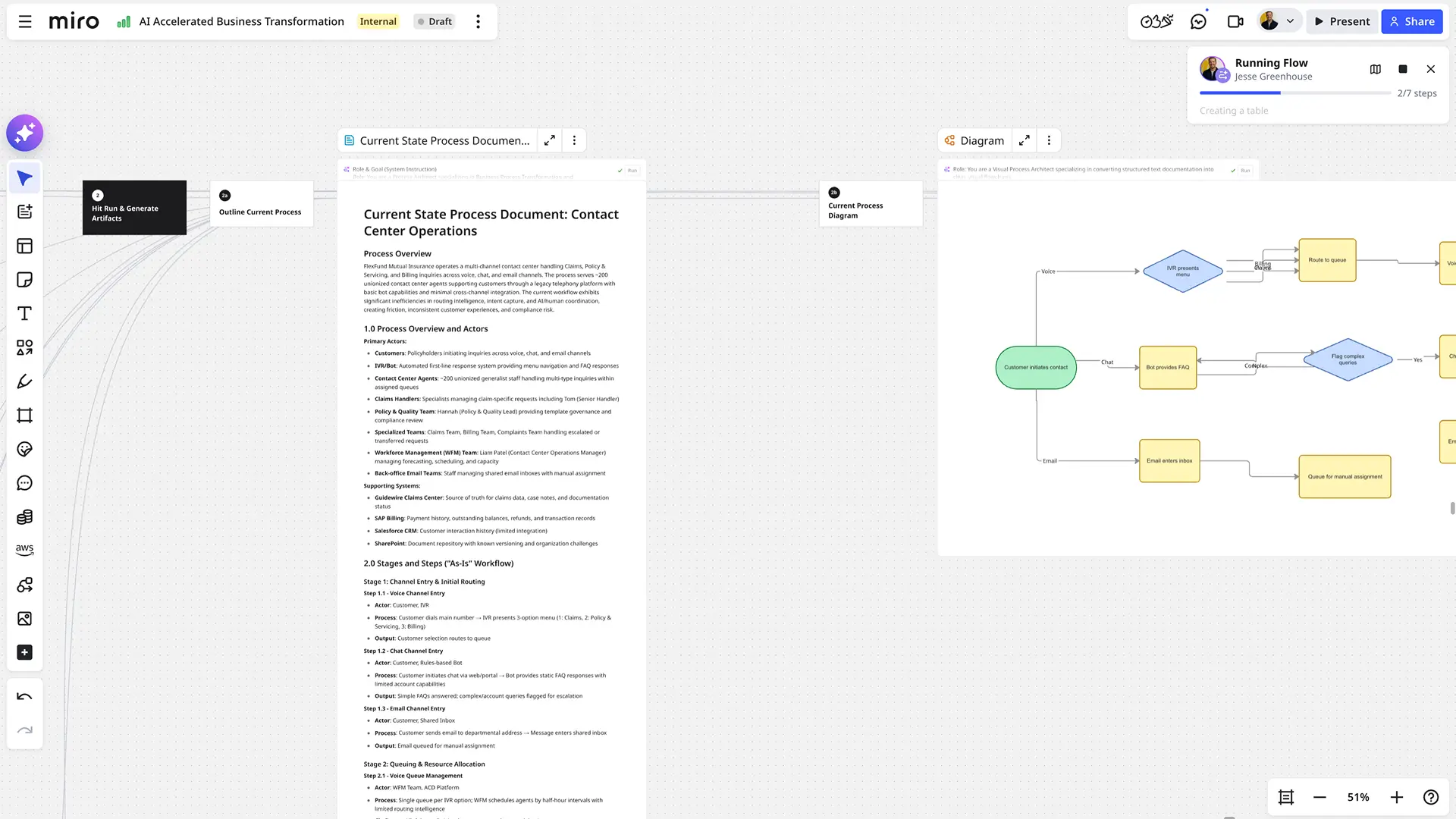
    Describe a redesigned workflow in plain language and Miro's AI generates a structured BPMN or swimlane diagram instantly. Your process architects get a concrete starting point to pull apart right away. An AI Flow scores each proposed change against an effort-impact rubric, then gates publishing behind a human-in-the-loop approval so no half-baked future-state map goes live quietly.

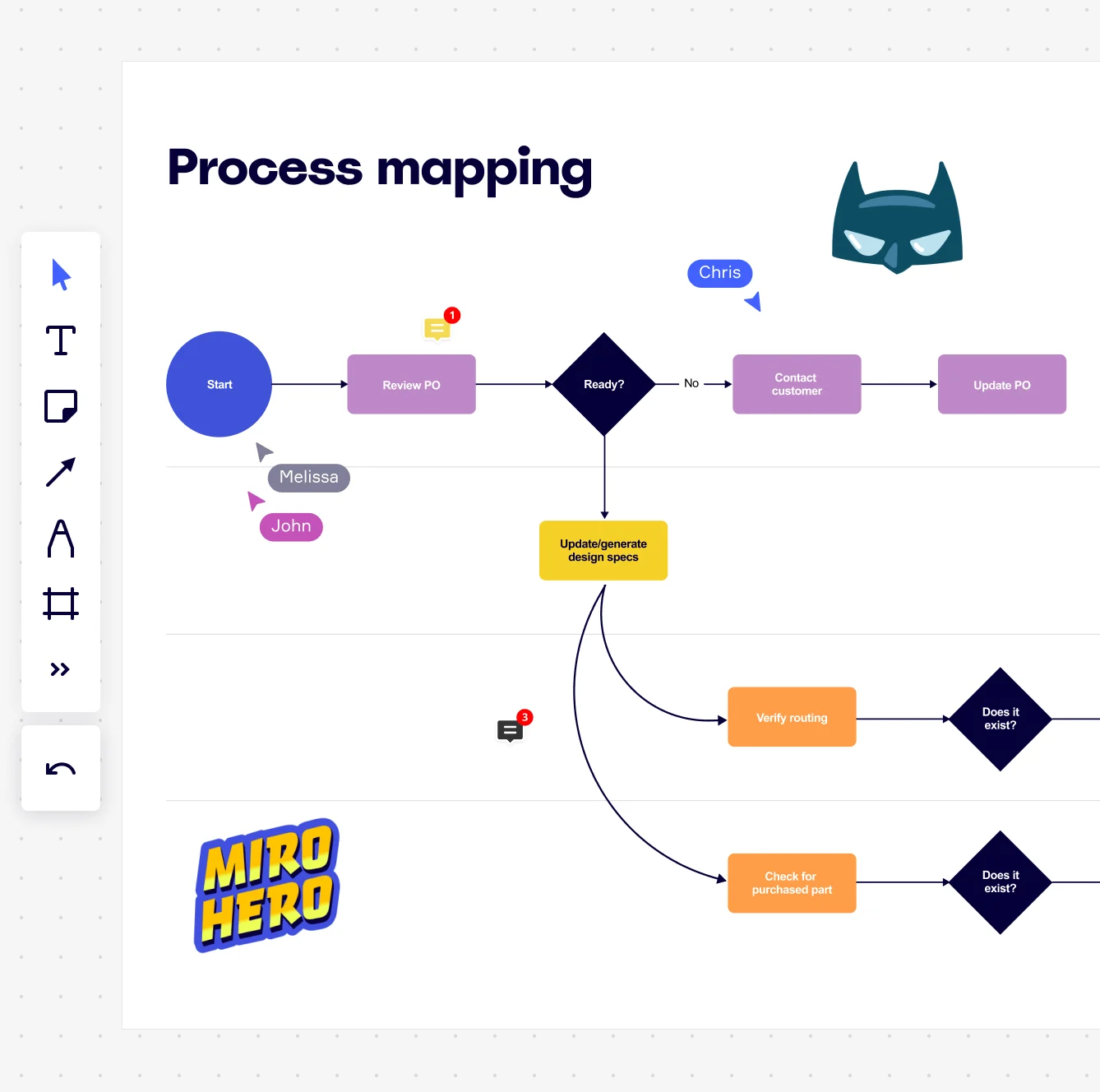
    Miro board displaying a process mapping flowchart with labeled nodes including Start, Review PO, a Ready decision diamond, Contact Customer, Update PO, Update/generate design specs, Verify routing, and Check for purchased part, with collaborative cursors (Chris, Melissa, John), comment badges, and decorative Batman and Miro Hero stickers.
  • One source of truth across every tool

    Type /miro in Confluence or surface your map inside MS Teams. Every downstream wiki and stakeholder readout pulls from the same live source. Synced Copies push master edits to every sub-process board in seconds, so what your finance team references matches what your IT architects are actually building against.

    Miro process mapping board displaying a cross-functional flowchart with circular process nodes (Process 1.0, 1.1, 2.0), decision paths (Yes/No branches leading to 'Accept offer' and 'Decline offer'), and rectangular action steps including 'Send payment', 'Receive Confirmation', 'Receive Decline', and 'Process', connected by solid and dashed arrows.

How digital transformation leads get started with Process Mapping in Miro

  • Map your transformation scope in SIPOC

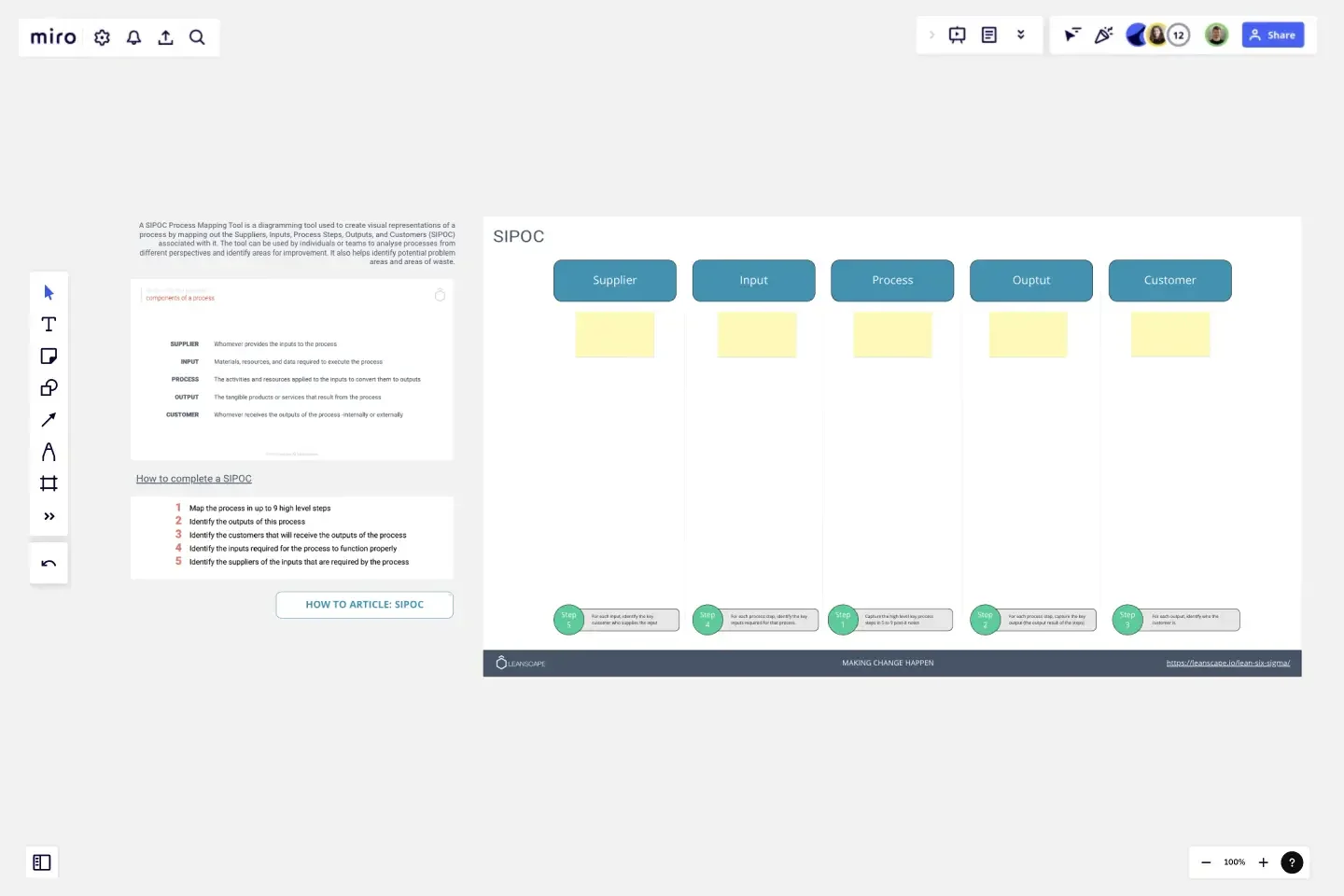
    Open Miro's SIPOC Template to define the boundaries of your first digital transformation initiative - capture which legacy systems, departments, and handoffs are in scope before anyone draws a single connector.

  • Build your current-state process in Diagramming Mode

    Use Diagramming Mode with the BPMN or VSM shape pack to map how work actually flows today across your legacy and modernized systems, dropping each change-impacted step into swimlanes that name the owning team or technology layer.

  • Link process gaps directly to delivery work

    Turn every bottleneck or manual workaround you've flagged into a Jira Card right on the canvas, so identified transformation improvements have an owner, a sprint, and a tracking mechanism from day one.

  • Generate your leadership readout with AI Slides

    Select your current-state and future-state process frames and run AI Slides to produce a six-slide deck - current state, key bottlenecks, future state, expected impact, pilot plan, ask - then embed the live process map in Confluence so it updates everywhere as the transformation progresses.

Process Mapping tips for digital transformation leads

  • If you're inheriting diagrams from Visio or Lucidchart, use Diagram Import to bring your existing process documentation across in bulk rather than rebuilding it, then apply Status Labels (Draft / In Review / Published) so every transformation stakeholder knows which version they're looking at.

  • For large organizations rolling out across multiple workstreams, use Synced Copies to push your canonical transformation process map to each sub-workstream board - edits to the master propagate in seconds, so regional or functional leads always work from the same source of truth.

  • Run your stakeholder validation session in Presentation Mode with live Voting built into the present surface - it's far more efficient than collecting async feedback on a 40-step process map, and it forces prioritization while the whole group shares the same context.

Understand how digital transformation leads transform their work

  • Templates are available for a wide range of criteria, including VSM (Value Strem Mapping), Swim Lanes, etc.

    Vikesh Phal Dessai

    G2
  • I’ve been utilizing the AI agent Sidekick, and it’s definitely been helpful for process mapping.

    Verified User

    G2

Process Mapping essential guide for digital transformation leads

CategoryKey insights
  • Common mistakes to avoid

    The biggest trap transformation leads fall into is mapping the process as it's supposed to work, not as it actually does. When you're driving change across departments or legacy systems, those undocumented workarounds and informal handoffs are exactly what's slowing things down. Whether you're a solo BA at a consulting firm or coordinating a multi-department overhaul at a large org, agree on your start and end points before you open Miro, pick one notation standard (BPMN or flowchart, not both), and bring the people who do the actual work into the session.

  • Key integrations for digital transformation leads

    Connect Miro to Jira so every process improvement you identify maps directly to a trackable ticket, keeping transformation work tied to delivery rather than living in a deck no one revisits. If your org already runs Visio or Lucidchart for formal diagrams, Miro's import support means you're not starting from scratch. Confluence and Smartsheet round out the stack for transformation leads who need process maps embedded in project documentation or linked to program timelines.

  • When to use it

    Reach for this when a cross-functional process is about to change and no one can agree on how it actually works today. It's especially well-suited before a system migration or platform rollout, when you need a validated current-state map that stakeholders have actually signed off on. Think of a scenario like mapping a five-department patient onboarding workflow before a new CRM goes live: a BPMN template in Miro, swimlanes to clarify ownership, Presentation Mode to walk department heads through the map, and Jira links to turn each improvement into a tracked action.

  • Security & Compliance

    Miro is SOC 2 Type II certified, which covers the baseline your legal and IT teams will ask about in any procurement conversation, at any company size. For transformation leads in healthcare technology, government, or regulated industries, Miro also supports HIPAA compliance and data residency controls, so sensitive process documentation doesn't end up somewhere it shouldn't. At the enterprise level, granular sharing permissions and Private Mode give you the admin controls you need when process maps touch confidential systems or unreleased operating models.

Frequently asked questions for digital transformation leads

Last updated: Thursday, June 25, 2026