






Andrey
See collaborative AI in action — straight from the Canvas 26 keynote.
Jeff

Process mapping for agile coaches

Document sprint ceremonies, escalation paths, and team rituals in one shared canvas. Skip the blank board - map your first process in minutes.

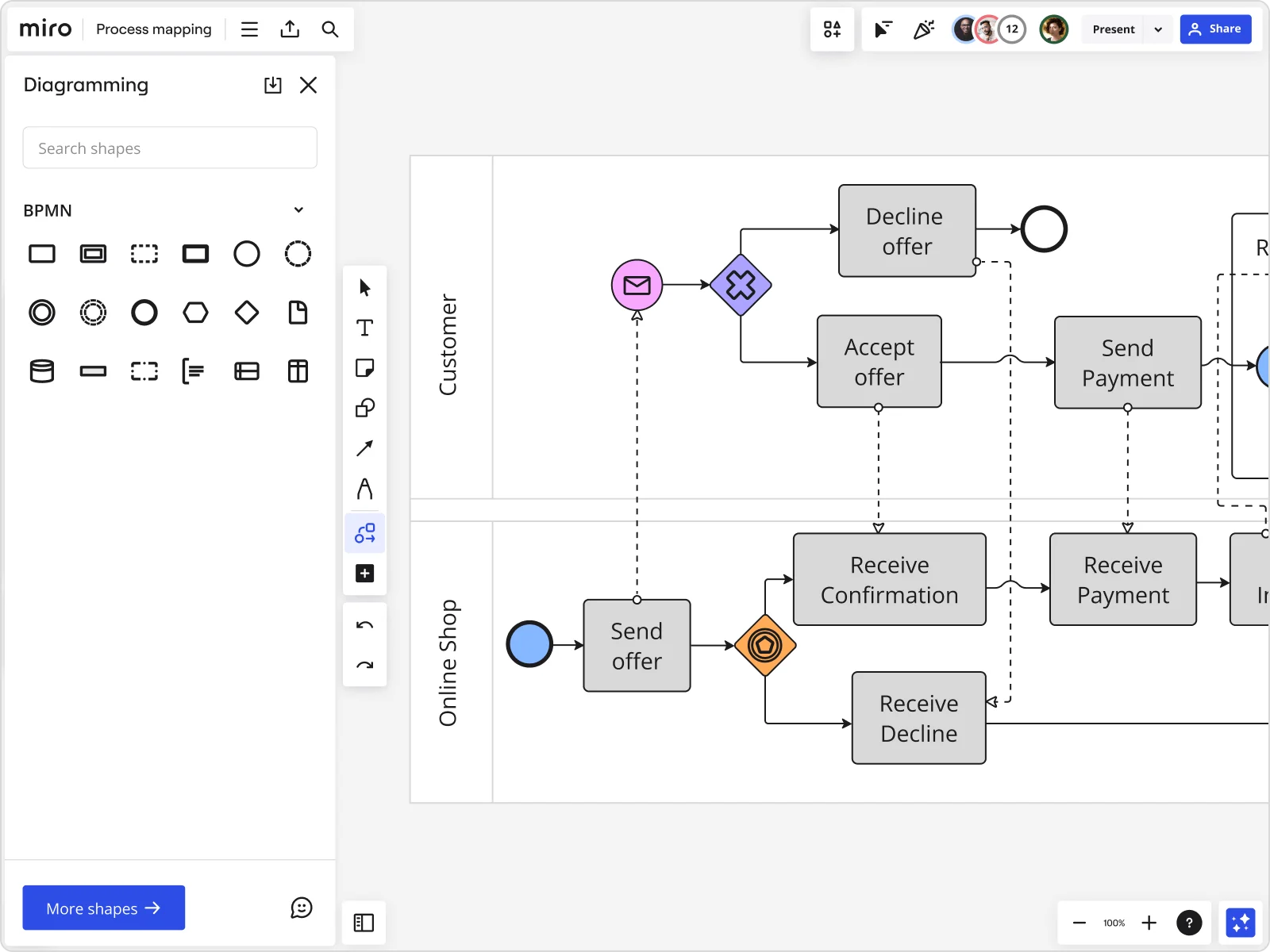
Miro board displaying a BPMN process mapping diagram with two swimlanes (Customer and Online Shop), showing decision gateways, message events, and task boxes including 'Send offer', 'Accept offer', 'Decline offer', 'Send Payment', 'Receive Confirmation', 'Receive Payment', and 'Receive Decline', alongside the BPMN diagramming shapes panel on the left.

What experts say

  • Process mapping ensures that all team members, regardless of their role, have a shared perspective on how a process should work.

    ABBYY Content Team

    Marketing and Product Specialists · ABBYY

    Practitioner

See process mapping in action

Related templates for agile coaches

We have 88 templates in our library for Process Mapping.

Why agile coaches love mapping processes in Miro

  • From tribal knowledge to a sprint workflow everyone can run

    The real process lives in someone's head — the Scrum Master who knows which product owner approves mid-sprint scope changes, or the tech lead quietly re-routing blocked tickets. Miro's real-time canvas lets your whole squad map the actual workflow together, capturing informal handoffs before they disappear. Three coaches or forty squads: one shared source of truth.
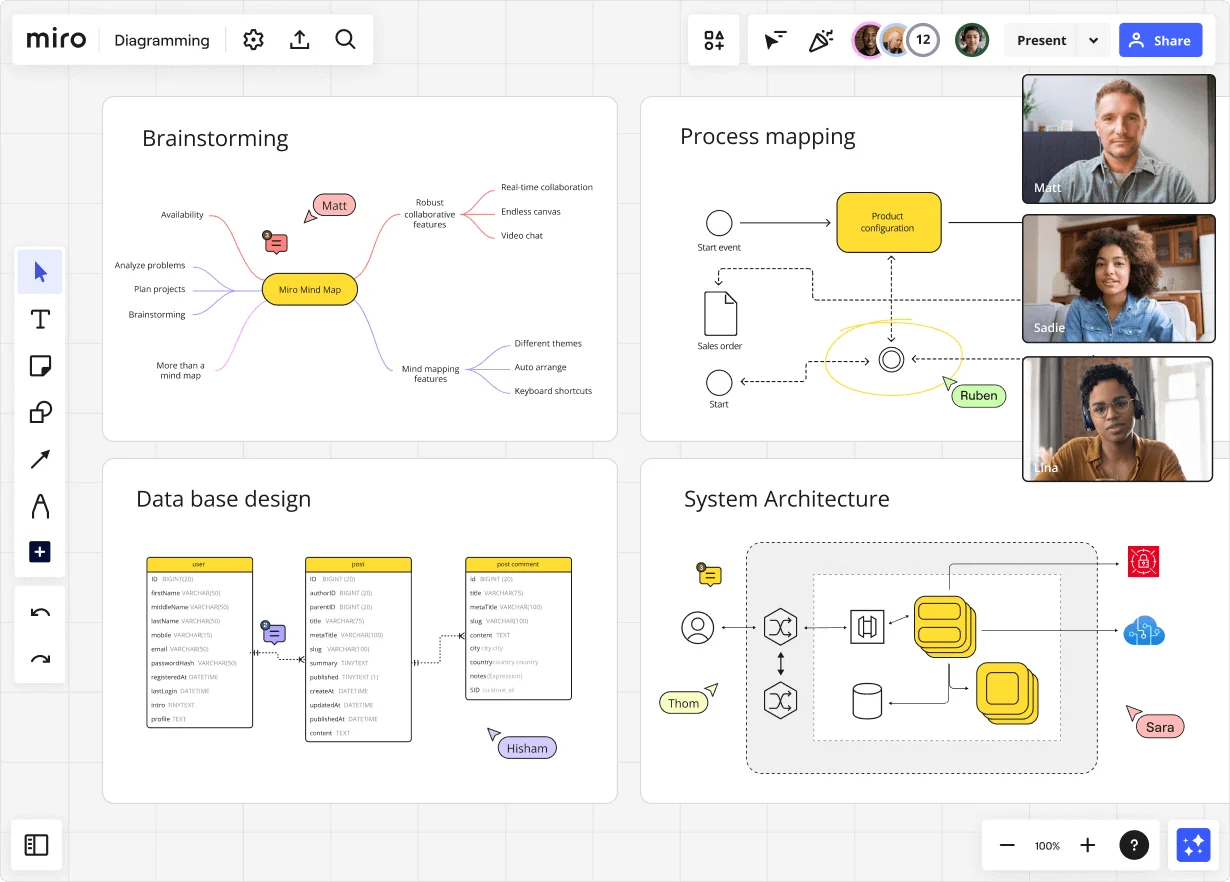
    Miro diagramming board showing four active workspaces: a mind map centered on 'Miro Mind Map' with feature branches, a BPMN-style process mapping flowchart with 'Product configuration' decision node, a database ER diagram with three related tables (user, post, post comment), and a system architecture diagram with interconnected components — all with visible collaborator cursors (Matt, Sadie, Ruben, Lina in video panel, plus Hisham, Thom, Sara as cursor labels).
  • When your retro uncovers a broken handoff

    Your retro surfaces it: definition-of-done, sprint review sign-off, and backlog refinement all share an owner gap. Use swimlanes to separate Scrum Master, product owner, and engineering lead responsibilities, then connect each improvement directly to a Jira ticket with one click. Documented, agreed, and visible before the next sprint kicks off.

    Miro board displaying a BPMN process mapping diagram with two swimlanes (Customer and Online Shop), showing decision gateways, message events, and task boxes for an order/offer workflow including 'Send offer', 'Accept offer', 'Decline offer', 'Send Payment', 'Receive Confirmation', and 'Receive Decline' steps, with the BPMN shapes panel open on the left.
  • Are your ceremony-to-delivery steps actually standardized?

    Small coaching practices iterate fast but document inconsistently. Larger programs run dozens of squads where every team has quietly invented its own release checklist. Miro's BPMN and Flowchart shape packs give you standardized notation that business stakeholders and engineers both read fluently.

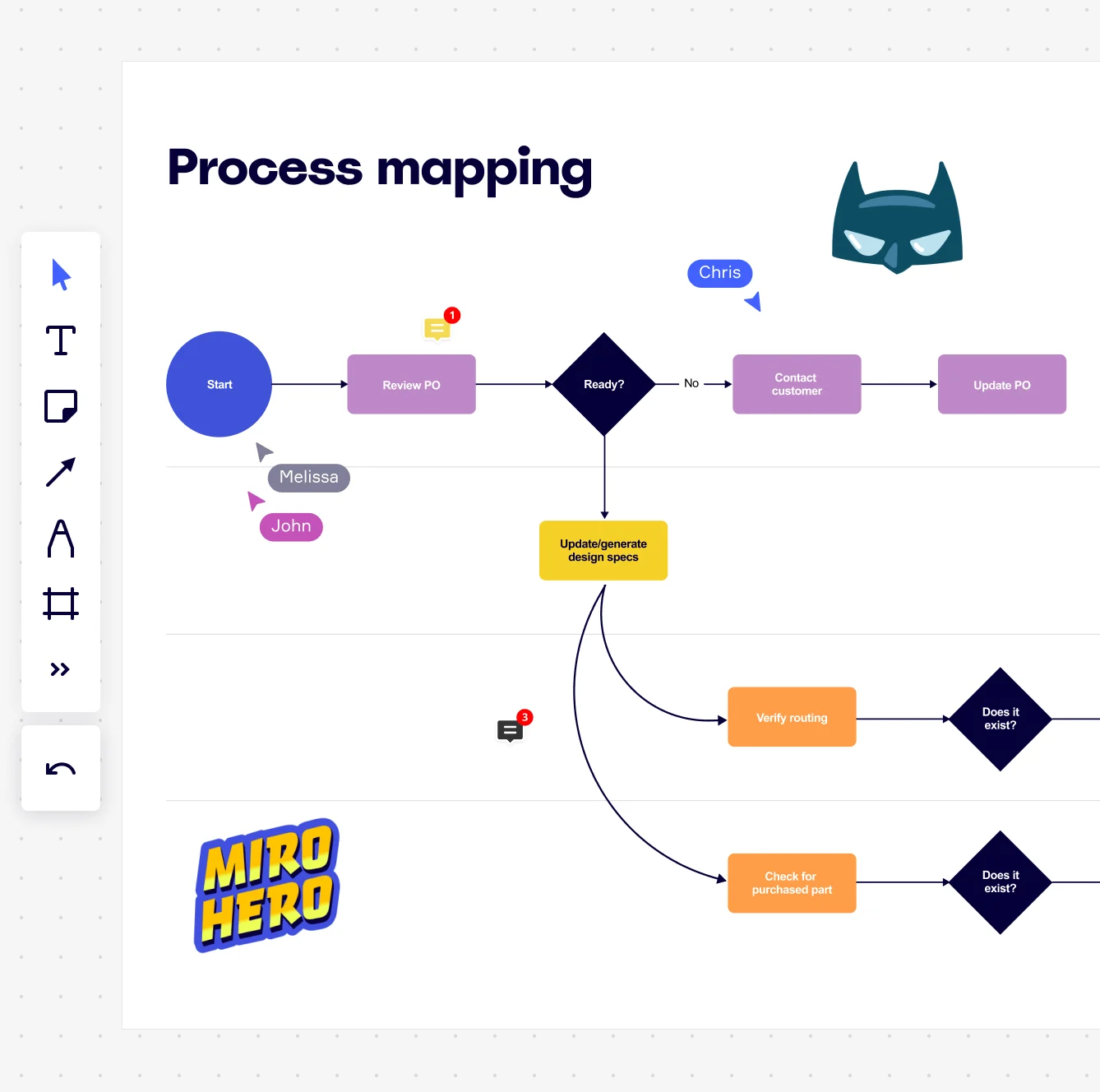
    Miro board displaying a process mapping flowchart with labeled nodes including Start, Review PO, a Ready decision diamond, Contact Customer, Update PO, Update/generate design specs, Verify routing, and Check for purchased part, with collaborative cursors (Chris, Melissa, John), comment badges, and decorative Batman and Miro Hero stickers.
  • Stop rebuilding the sprint mapping board every quarter

    New PI Planning cycle? New team onboarding? Don't start from scratch. SIPOC, Swimlane, and BPMN templates give you a pre-wired framework to reuse. A five-person practice gets speed. An enterprise program office gets consistency across every value stream.

    Miro process mapping board displaying a cross-functional flowchart with circular process nodes (Process 1.0, 1.1, 2.0), decision paths (Yes/No branches leading to 'Accept offer' and 'Decline offer'), and rectangular action steps including 'Send payment', 'Receive Confirmation', 'Receive Decline', and 'Process', connected by solid and dashed arrows.
  • Your Jira tickets, finally connected to the process behind them

    Process maps buried in a separate Confluence page from the Jira backlog get stale fast. Miro embeds directly into Confluence and Notion via /miro, so the swimlane validated last PI stays live wherever sprint leads reference it. Edit the canvas once. Every wiki page updates automatically.

    Miro board displaying a BPMN process mapping diagram with two swimlanes (Customer and Online Shop), showing decision gateways, message events, and task boxes including 'Send offer', 'Accept offer', 'Decline offer', 'Send Payment', 'Receive Confirmation', 'Receive Payment', and 'Receive Decline', alongside the BPMN diagramming shapes panel on the left.

How agile coaches get started with Process Mapping in Miro

  • Map your first sprint workflow

    Open a SIPOC Template from Miro's Template Library to define the boundaries of a recurring agile ceremony - say, your team's sprint planning cycle - before touching a single flowchart shape.

  • Build the current-state map together

    Switch on Diagramming Mode, drop in a Swimlane Diagram to assign lanes by role (Scrum Master, dev, QA, Product Owner), then have each lane owner map their steps simultaneously so you capture what actually happens, not what the process doc says should happen.

  • Surface bottlenecks, then prioritize fixes

    Use Sticky Notes to flag handoff delays and blockers directly on the offending steps, then run a Miro Engage Scales activity to score each step on confidence and pain - so your retrospective output becomes a ranked improvement backlog, not a wall of unactionable complaints.

  • Connect improvements to sprint tickets

    Trigger an AI Sidekick Action Shortcut to review swimlane ownership and flag orphaned steps, then convert each confirmed bottleneck into a Jira Card right on the board so every fix has an owner and lands in the next sprint.

Process mapping tips for agile coaches

  • Before your first facilitated session, run AI Generate Diagram with a one-sentence description of the workflow (e.g., "agile release train from feature request to deployment") to get a draft map the group can tear apart - sprint coaches find it's faster to critique a concrete starting point than to build cold.

  • Use Status Labels (Draft / In Review / Published) in Diagram Format on each process map frame so every practitioner in the org knows at a glance whether they're looking at a validated flow or a work in progress.

  • For coaches running multiple teams or value streams, use Synced Copies to push the canonical process map onto each team's board - master edits propagate in seconds, so you're not manually reconciling five diverging versions after every PI planning cycle.

Understand how agile coaches transform their work

  • It is very effective for agile implementation.

    Employee in Information Technology at Computer Software

    TrustRadius
  • Good tool to bring the team together for Agile ceremonies.

    Engineer in Engineering at Information Technology & Services

    TrustRadius

Process Mapping essential guide for agile coaches

CategoryKey insights
  • Common mistakes to avoid

    The most common trap coaches fall into is mapping the process as it should work, not as it actually does. Frontline workarounds and informal handoffs never make it into the map when one person builds it from documentation alone, so bring the people who do the work into the session from day one. Whether you're coaching a five-person startup team or a 200-person enterprise org, agree on a clear start and end point before anyone picks up a shape, and choose one notation standard (BPMN or flowchart, not both) and stick to it across every map your practice produces.

  • Key integrations for agile coaches

    Connect Miro to Jira so every improvement identified in the process map links directly to a ticket, keeping the coaching work tied to real delivery. Confluence keeps your process documentation living alongside team wikis rather than gathering dust in a separate tool, and coaches running larger rollouts can pull existing diagrams straight in from Lucidchart, Visio, or Draw.io without starting over. For enterprise programs with SSO requirements or scaled Jira configurations, Miro's admin controls and Miro MCP keep everything connected at the right permission level.

  • When to use it

    Reach for Process Mapping in Miro when a coaching engagement surfaces a recurring bottleneck that everyone acknowledges but nobody has ever drawn out. For example, if a cross-functional team keeps dropping the ball on handoffs between departments, use a swimlane BPMN template to map the current state together, validate it with department leads in Presentation Mode, then design a future-state flow that removes the redundant approval loops slowing the team down. It's equally useful when you're onboarding a new team to an existing way of working and a visual map will do in ten minutes what a written SOP can't do in ten pages.

  • Security & Compliance

    Miro is SOC 2 Type II certified, which covers the baseline trust requirement coaches need when working with enterprise clients or government agencies. For coaches embedded in healthcare or healthtech organizations, Miro's HIPAA compliance means process sessions involving patient workflow data stay on solid legal ground. Enterprise engagements with stricter data requirements can lean on data residency controls and granular sharing permissions to satisfy IT and security sign-off before the first workshop goes live.

Frequently asked questions for agile coaches

Last updated: Thursday, June 25, 2026