What is the User Profile Card Template?
A social profile card template designed for apps, creator platforms, portfolios, communities, and professional networks. The template helps teams prototype polished user profile cards, profile discovery, extended profile details, follow states, message actions, saved profiles, and profile browsing flows.
What problem does the User Profile Card Template solve?
Lack of structure for social profile card design
Difficulty creating polished profile previews and detail pages
Missing follow, message, save, and share interactions
Weak navigation between profile discovery and individual profiles
Inconsistent profile card layouts across an app
Time spent recreating profile components from scratch
How to use the User Profile Card Template
Add profile images, names, roles, bios, and stats.
Customize verification badges, follow buttons, and profile actions.
Use the profile discovery page to show multiple people.
Link each card to a full profile detail page.
Add follow, message, save, and share interactions.
Test the flow from discovery to profile view to saved profiles.
Capture feedback directly on the Miro board.
Recommended Sections
Profile Discovery Page
Show multiple users in a browseable layout with search, filters, profile previews, and follow actions.
Standard Profile Card
Present a clean card with portrait image, name, verification badge, short bio, stats, and follow button.
Soft Glass Profile Card
Use a softer frosted style with blended image and content treatment.
Full Overlay Profile Card
Show profile details directly over the image with a dark overlay and white text.
Extended Profile Card
Add richer details such as location, specialty, experience, followers, projects, message, and save actions.
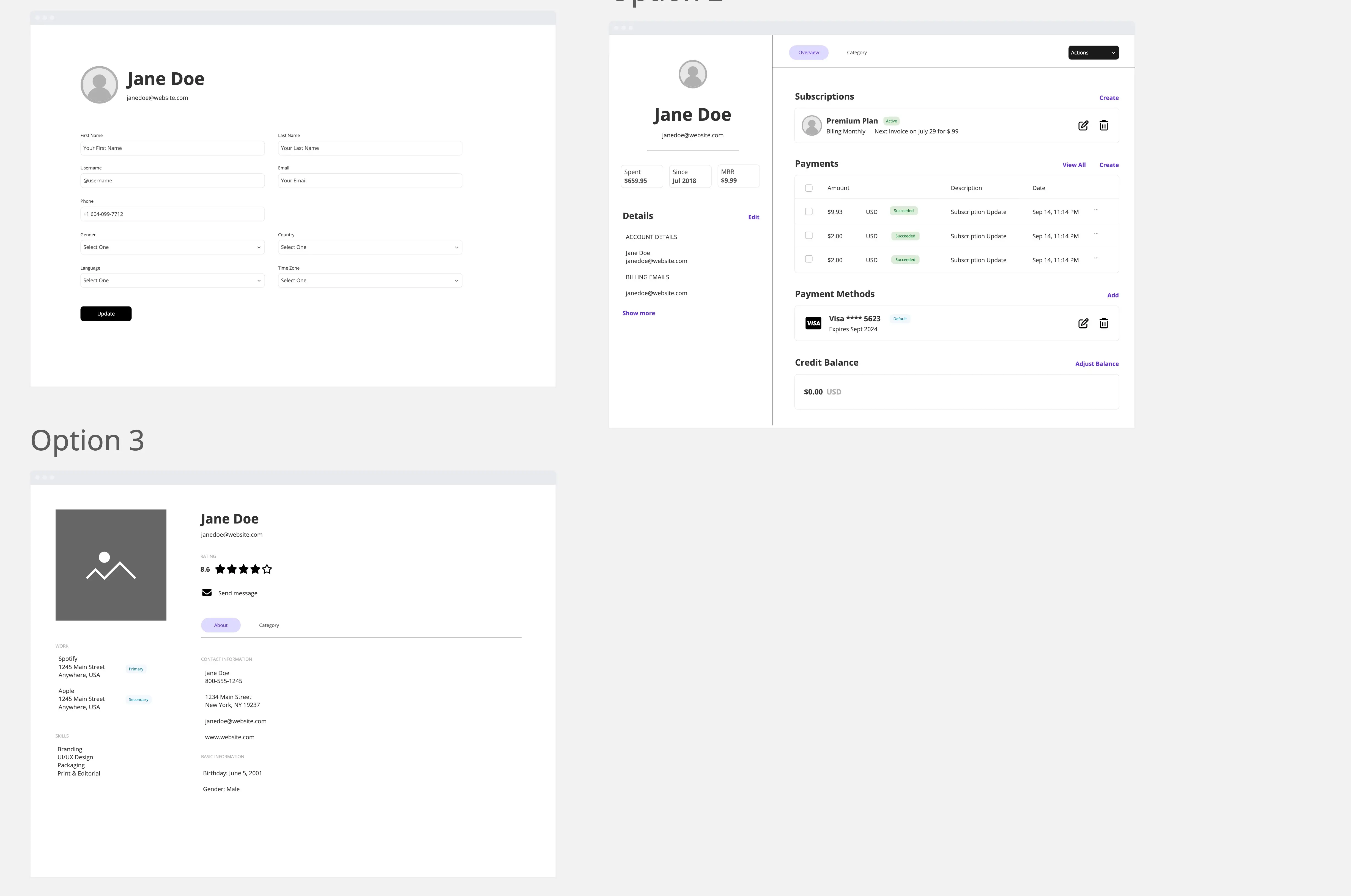
Full Profile Detail Page
Give users a deeper view with about content, skills, experience, stats, recent work, and mutual connections.
Followed State
Show how the card changes after a user follows someone.
Message and Connect Flow
Let users message, share, or save a profile through a simple modal or bottom sheet.
Saved Profiles Page
Display profiles the user has saved for later review.
Common pitfalls
Making every card look the same
Placing too much text on compact cards
Forgetting follow and followed states
Missing a path from card view to full profile
Using low-quality profile images
Making stats too visually heavy
Hiding message or save actions
Ways to avoid mistakes
Keep profile cards simple and visual
Put deeper details on the full profile page
Use consistent spacing, typography, and button styles
Make follow and message actions easy to find
Use soft shadows and rounded corners for a polished feel
Add clear selected, saved, and followed states
Test the browse, follow, message, and save flows
Miro Features You Can Use
Frames for discovery, card variations, detail pages, and saved profiles
Prototype links for card selection, follow, message, and save flows
Shapes for cards, overlays, buttons, badges, and modals
Icons for verification, followers, projects, messages, sharing, and saving
Comments for design review
Sticky notes for content and profile notes
Connection lines to map the profile browsing flow
Image placeholders for profile photos and portfolio previews
FAQs
Q: Who can benefit from this template?
A: Product managers, UX designers, UI designers, startup teams, creator platforms, social apps, communities, marketplaces, and portfolio builders.
Q: Can this template be used for a social app?
A: Yes. It is designed for profile discovery, user cards, follow actions, messaging, saved profiles, and full profile views.
Q: Does this template include multiple card styles?
A: Yes. It includes standard, soft glass, full overlay, compact, stats-first, and extended profile card variations.
Q: Can users move from a card to a full profile page?
A: Yes. The flow connects profile cards to a detailed user profile page.
Q: What will participants leave with?
A: A complete user profile card prototype with discovery, multiple profile card styles, profile details, follow states, messaging, saved profiles, and connected navigation flows.