15likes
204uses

Understand how change affects your stakeholders and what they need to move forward. This collaborative stakeholder analysis workshop helps startup founders and product teams assess change impact, explore stakeholder sentiment, identify support needs, and create a practical adoption support plan.
When your team introduces a new product, process, or AI-powered tool, do you know how the change will affect the people expected to use it?
The Stakeholder Analysis: Change Pulse template helps startup founders and product software teams understand how stakeholders experience change and identify the support they need to adapt.
A successful product launch or organizational change requires more than a clear implementation plan. Stakeholders may face unfamiliar workflows, new responsibilities, unanswered questions, or concerns about how the change will affect their work.
I've seen teams focus on delivering new capabilities without investigating whether the people involved feel informed, prepared, or supported.
This workshop introduces a simple approach to stakeholder change analysis using three dimensions:
Impact: How significantly will the change affect the stakeholder?
Sentiment: How does the stakeholder currently feel about the change?
Support Needed: What information, preparation, or involvement could help the stakeholder adapt?
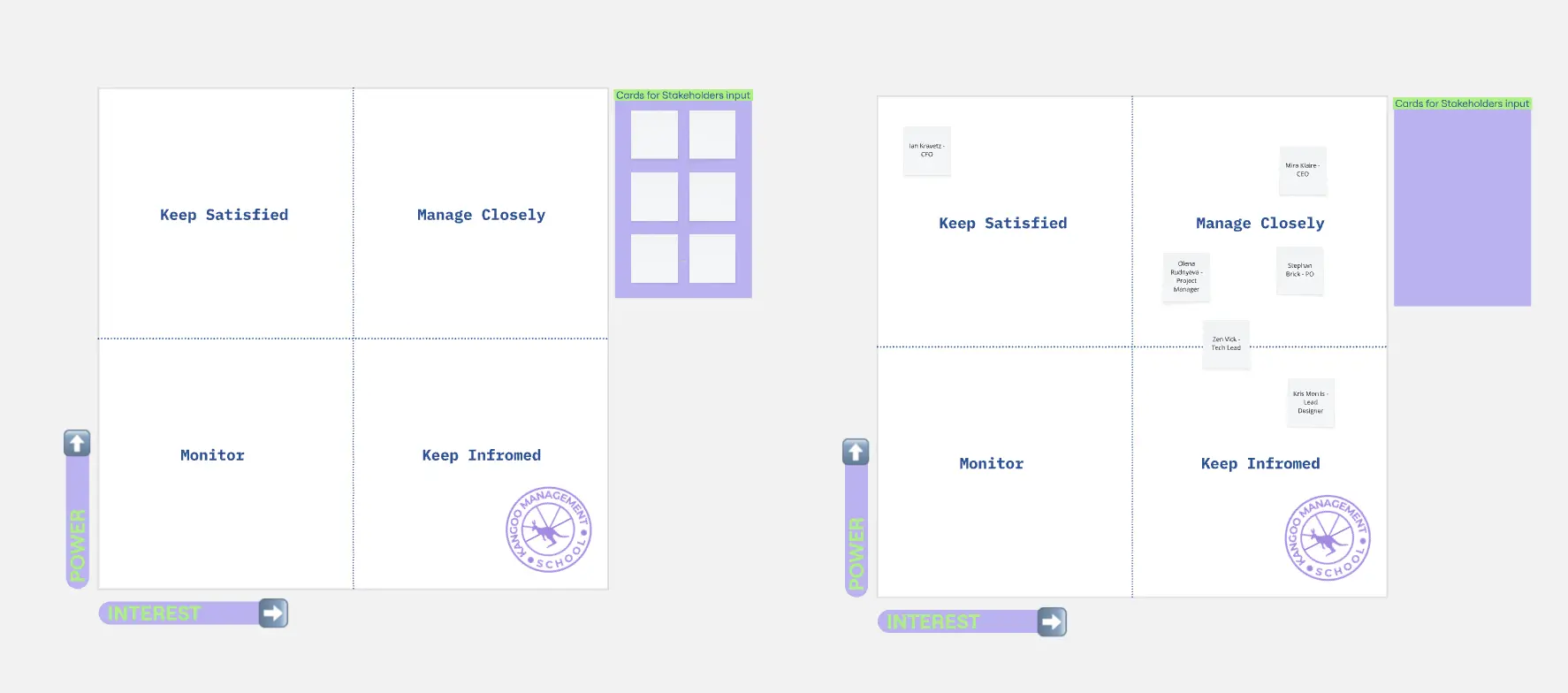
Rather than relying on a traditional power-interest matrix, participants use Change Pulse cards to assess stakeholder experiences, identify priority support needs, and develop practical actions.
The workshop concludes with a focused support plan that connects stakeholder needs to clear responsibilities, deadlines, and progress indicators.
Designed for small teams, this template works for both virtual and in-person workshops without breakout groups.
Startup founders preparing teams for new initiatives
Product managers planning product launches and changes
UX/UI designers evaluating the human impact of new workflows
Software development teams introducing new tools or capabilities
Customer success teams preparing customers for product changes
Operations teams managing process improvements
Teams introducing AI-assisted workflows or automation
Cross-functional teams coordinating stakeholder adoption
Workshop duration: 50 minutes
Recommended participants: 3–8
Facilitator: Product manager, startup founder, change lead, or workshop facilitator
Choose one upcoming product, process, or organizational change.
Gather relevant information about:
The current experience or workflow
The proposed future experience
People or groups affected by the change
Existing stakeholder feedback
Known concerns or questions
Changes to responsibilities or ways of working
Available communication and training resources
Expected implementation or rollout dates
Prepare the five workshop sections:
Define the Change
Identify Affected Stakeholders
Take the Change Pulse
Identify Priority Support Needs
Create the Change Support Plan
For virtual workshops: Use Miro sticky notes, editable Change Pulse cards, and the collaborative board.
For in-person workshops: Use a whiteboard, printed stakeholder cards, markers, and sticky notes. Transfer the completed findings into Miro after the session.
Begin by clarifying what is changing and how the future experience will differ from the current one.
Use the Before → After section to guide the discussion.
Before
How does the process, product, or experience work today?
After
What will change for the people involved?
Ask participants to describe the change from the stakeholder's perspective rather than focusing exclusively on technical features.
Agree on one clear change statement.
Example:
Before: Support agents write every customer response manually.
After: Support agents review AI-assisted drafts before sending responses.
Agreed Change Statement: "Introduce AI-assisted customer support to reduce response preparation time with human review."
AI Alternative
Use AI to draft a clear description of the change.
Example prompt:
"Rewrite this proposed product or organizational change as a clear Before → After statement. Explain how the stakeholder experience will change without assuming the change will be welcomed: [insert change]."
Output: A shared Before → After change statement.
Ask participants to independently identify people or groups who may experience the change.
Capture one stakeholder or stakeholder group per sticky note.
Organize the notes into two categories.
Directly Affected
People whose daily work, responsibilities, interactions, or product experience will change.
Examples:
Support agents
Support managers
Pilot customers
Indirectly Affected
People who may experience secondary effects or need information about the change.
Examples:
Product leadership
Security team
Customer success team
Review the notes and combine duplicates.
Discuss how each stakeholder group may experience the change.
Select approximately five to eight groups for the assessment.
A stakeholder's placement should reflect the actual impact of the initiative rather than their job title alone.
AI Alternative
Use AI to identify potentially overlooked stakeholder groups.
Example prompt:
"For this product or organizational change, identify stakeholders who may be directly or indirectly affected. Describe possible changes to their responsibilities, workflows, or experience. Flag any assumptions requiring direct stakeholder confirmation: [insert change]."
Output: An organized list of affected stakeholder groups.
Create one Change Pulse card for each stakeholder group.
Evaluate three dimensions.
Impact — How Much Will Their Experience Change?
Choose:
Low: Minor changes to current responsibilities or experiences.
Medium: Noticeable changes requiring some adjustment.
High: Significant changes to workflows, responsibilities, or expectations.
Sentiment — How Do They Currently Feel?
Choose:
Concerned: The stakeholder has expressed meaningful reservations or worries.
Unsure: The stakeholder has mixed feelings or lacks confidence about the change.
Positive: The stakeholder has expressed support or enthusiasm.
Unknown: Reliable feedback is not yet available.
Support Needed — What Would Help Them Adapt?
Consider:
Information: Clear explanations, demonstrations, or answers.
Training: Opportunities to learn and practice.
Involvement: Participation in testing, design, or feedback activities.
Other Support: Resources, accessibility accommodations, time, technical help, or relevant assistance.
Ask participants to consider each stakeholder independently before discussing the assessments.
Record the reasoning behind the findings in the evidence or observation area.
Avoid assigning sentiment based only on assumptions.
Example: Support Agents
Impact: High
Sentiment: Unsure
Support Needed: Training and involvement
Observation: Daily workflows will change, and questions remain about AI-generated response accuracy.
AI Alternative
Use AI to organize existing stakeholder feedback.
Example prompt:
"Review these stakeholder interview notes and organize the findings into Impact, Sentiment, and Support Needed. Use Low, Medium, or High for impact; Concerned, Unsure, Positive, or Unknown for sentiment. Identify evidence supporting each assessment and flag missing information: [insert stakeholder notes]."
Output: Completed Change Pulse cards with stakeholder assessments and supporting observations.
Review the Change Pulse cards and identify where the change may require the most attention.
Use the three support zones to organize the findings.
Needs a Conversation
Stakeholders with concerns, unanswered questions, or experiences that require further discussion.
Example: Support agents want to understand how response accuracy and accountability will be handled.
Needs Preparation
Stakeholders who need training, information, resources, or practical experience before the change.
Example: Support agents need hands-on practice with the AI-assisted workflow.
Can Help Test
Stakeholders who have expressed interest in participating in testing or providing feedback.
Example: Support managers volunteer to evaluate the new workflow and its quality controls.
Move the relevant stakeholder cards into the appropriate zones.
A stakeholder may appear in more than one zone when different needs exist.
Review the findings and select up to three priority support needs.
Consider the scale of impact, known concerns, available evidence, and what the team can address.
AI Alternative
Use AI to organize support requirements.
Example prompt:
"Review these stakeholder Change Pulse assessments and identify up to three priority support needs. Organize them into Needs a Conversation, Needs Preparation, or Can Help Test. Explain the reasoning and identify assumptions that require stakeholder validation: [insert assessments]."
Output: Three prioritized stakeholder support needs.
Use the Change Support Plan to turn the priority needs into practical actions.
For each selected need, complete the following fields.
Stakeholder
Who needs support?
Support Need
What concern, preparation gap, or opportunity has been identified?
Support Action
What activity will help address the need?
Owner
Who is accountable for completing the action?
Due Date
When should the action take place?
Progress Signal
How will the team know whether the action was useful?
Discuss the proposed actions and agree on realistic responsibilities and deadlines.
Example 1: Support Agents
Support Need: Practical AI workflow training.
Support Action: Run a hands-on session using realistic customer scenarios.
Owner: Support Lead
Due Date: Friday
Progress Signal: Agents can practice reviewing, correcting, and escalating AI-generated drafts.
Example 2: Support Managers
Support Need: Clarity on oversight and quality controls.
Support Action: Review monitoring, quality standards, and escalation procedures.
Owner: Product Manager
Due Date: Thursday
Progress Signal: Managers understand how quality will be reviewed and how issues will be addressed.
Example 3: Pilot Customers
Support Need: An opportunity to share expectations and concerns.
Support Action: Conduct short feedback sessions about AI-assisted support.
Owner: UX Researcher
Due Date: Next week
Progress Signal: Customer expectations, concerns, and feedback are documented for the product team.
Agree on a follow-up checkpoint to review progress and update the Change Pulse cards.
AI Alternative
Use AI to draft a support action plan.
Example prompt:
"Create a practical stakeholder change support plan for these three priority needs: [insert needs]. Include a specific support action, accountable owner role, target date, and observable progress signal for each. Keep the actions manageable for a small startup team."
Output: A Change Support Plan with actions, owners, deadlines, and progress signals.
By completing this template, your team will have:
A shared Before → After description of the change
A list of directly and indirectly affected stakeholders
Completed Change Pulse cards
Impact assessments for each stakeholder group
Documented stakeholder sentiment and unknowns
Identified information, training, and involvement needs
Three prioritized support needs
A Change Support Plan with clear actions
Assigned owners, target dates, and progress signals
A follow-up checkpoint for reviewing stakeholder feedback
Focus on one change. Keep the workshop centered on a specific product, workflow, or organizational initiative.
Describe the stakeholder experience. Discuss how people's responsibilities and interactions will change, not only the technical features being introduced.
Distinguish impact from sentiment. A stakeholder can experience significant change and still feel positive about it.
Use direct feedback when available. Ask stakeholders how they feel rather than relying on assumptions made by the workshop participants.
Treat Unknown as useful information. Missing sentiment data indicates a need for a conversation.
Allow multiple support needs. A stakeholder may need information, training, and involvement at different points in the transition.
Keep support practical. Choose activities that address identifiable needs rather than defaulting to broad communication campaigns.
Invite participation rather than assigning enthusiasm. Stakeholders who express interest in testing can become valuable feedback partners.
Be respectful with sensitive feedback. Avoid recording personal concerns in ways that could harm trust or expose private information.
Look beyond attendance or task completion. Training participation alone does not demonstrate that stakeholders understand or can work with the change.
Review feedback after initial support. Update the Change Pulse cards when stakeholder experiences or needs change.
The goal isn't to convince every stakeholder to welcome a change. It's to understand their experience and provide the support needed for a thoughtful transition.
It's a collaborative stakeholder analysis workshop that helps teams understand how an upcoming change affects people, how stakeholders currently feel about it, and what support they may need.
The workshop produces Change Pulse cards and a focused support action plan.
Traditional stakeholder matrices often focus on influence, power, or interest.
Change Pulse examines the practical experience of a proposed change through Impact, Sentiment, and Support Needed.
Its primary purpose is to identify and respond to stakeholder adoption needs.
Impact: How much the stakeholder's experience will change.
Sentiment: Their current feelings or position toward the change.
Support Needed: The information, training, involvement, or other assistance that could help them adapt.
Labels such as High Impact or Unsure Sentiment make the assessment approachable and encourage discussion.
The workshop focuses on understanding stakeholder needs rather than generating complex scoring calculations.
Impact describes the extent of the change a stakeholder will experience.
Sentiment describes how they currently feel about that change.
A stakeholder may experience significant impact and still feel positive, concerned, or uncertain.
Mark Sentiment as Unknown.
Arrange a conversation, interview, or feedback activity to better understand their perspective.
Avoid assuming a stakeholder's feelings from their role or behavior alone.
Consider whether the change modifies their daily activities, responsibilities, interactions, or product experience.
The distinction should reflect the initiative's actual effects.
Yes.
A stakeholder might need information about the change, practical training, and opportunities to provide feedback.
Document each meaningful need and prioritize the most useful actions.
Investigate the concern respectfully.
Ask questions to understand what the stakeholder expects, fears, or needs clarified.
Consider whether the concern reveals a legitimate product, process, or implementation issue that the team should address.
Not necessarily.
Consider the extent of the change, the nature of the concerns, the availability of support, and the potential consequences of unmet needs.
High-impact stakeholders with preparation gaps may need attention regardless of whether their sentiment is positive or negative.
This zone identifies stakeholders who have expressed willingness to participate in testing, feedback, or early adoption activities.
It can help teams gather practical input before a broader rollout.
Participation should be appropriate to the stakeholder's responsibilities and interests.
A small number of priorities keeps the action plan manageable and helps the team address meaningful needs first.
Other concerns can remain visible for later review.
Yes.
It's useful when introducing AI-assisted workflows, automation, new software capabilities, or changes to human responsibilities.
Common support needs may involve training, accuracy, transparency, oversight, and confidence in new processes.
Yes.
The template can assess employees, customers, partners, and other groups affected by a product or organizational change.
Adapt the support actions to each group's relationship with the business.
Yes.
The workshop is designed for three to eight participants.
Participants identify stakeholders and assess needs independently before collaborating as one group.
Yes.
AI can help summarize anonymized stakeholder feedback, identify recurring concerns, organize support needs, and draft practical actions.
Validate generated interpretations against original evidence and direct stakeholder conversations.
Choose observable progress signals connected to the support need.
Examples include successfully completing a new workflow, demonstrating understanding of a process, providing informed feedback, or identifying fewer unresolved questions.
Avoid using attendance alone as proof of readiness.
Update the Change Pulse card to reflect the new information.
Review whether existing support actions remain appropriate and adjust the plan when necessary.
Review it after significant stakeholder conversations, training activities, pilot testing, or rollout milestones.
The assessment should reflect current stakeholder experiences rather than remain fixed after the initial workshop.
Begin the agreed support actions and communicate relevant next steps.
Collect feedback, evaluate progress signals, and revisit priority needs during the rollout.
Update the Change Pulse cards as stakeholders gain experience with the change.
Use Stakeholder Analysis: Change Pulse when your team needs to understand how people will experience a product, process, or organizational change.
The completed template helps identify stakeholder impact, understand current sentiment, and translate support needs into practical actions that contribute to a more informed and manageable transition.
Understand the impact. Listen to stakeholders. Support meaningful change.

Deanne Watt
Product Strategy @ MiNDPOPGroup.com
My approach to product is to get to the heart of what drives a company. I am passionate about the entire end-to-end process and making it more efficient, collaborative as well as aligning teams and improving communication. We have built about 200 Miro boards so far that cover ideation, strategy, design, engineering, and even marketing promotion.