Table of contents
Table of contents
Customization features for Miro’s technical diagrams
Your technical diagramming tools shouldn’t box you into a one-size-fits-all approach. With Miro, you can adapt diagrams to work with your existing processes and methodologies. With customizable features, your diagrams will reflect the way your team actually works.
From custom shape libraries to reusable templates, tailor every element. Instead of adjusting your workflows to fit the tool, Miro adjusts to fit you - making technical documentation faster, clearer, and easier to maintain.
Upload custom shape libraries for your technology stack
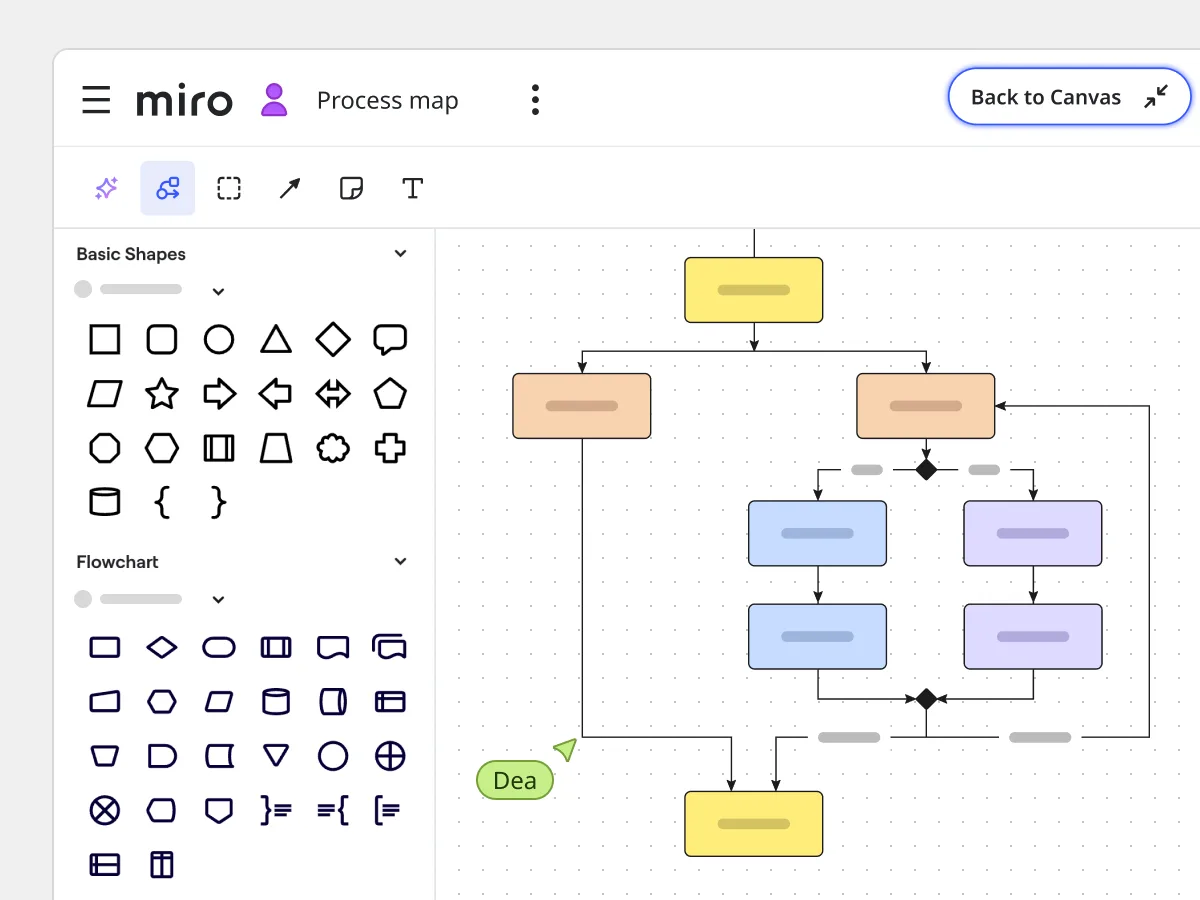
Every system has its own mix of tools, legacy components, and unique architecture. With Miro, you can upload custom shape libraries that match the tools and systems that match your exact stack. Whether that’s proprietary icons, industry-specific symbols, or company-specific elements.
Your diagrams become immediately recognizable to your team and clearer for stakeholders, reducing confusion and making reviews faster. Instead of translating generic visuals, everyone sees your systems represented as they actually are.
Uphold industry-specific standards
In regulated industries, accuracy isn’t optional. For teams in healthcare, finance, automotive, and telecoms, Miro makes it easy to build diagrams using approved symbols, notation standards, and compliance-required visual elements.
This ensures every diagram meets audit requirements, internal standards, and industry best practices - all while remaining clear and professional. Teams can work with confidence, knowing their documentation holds up under scrutiny.
Build reusable templates for common technical processes
Stop rebuilding the same frameworks from scratch and streamline recurring activities by creating Custom templates in Miro. These can be reusable templates for sprint planning, design critiques, or company-specific strategic frameworks.
By reusing these templates, teams can take advantage of a faster setup time. Plus, it ensures every diagram or document stays consistent and high-quality.
Brand technical diagrams for external presentations
When it’s time to share work outside your team, presentation matters. With Miro, you can apply company logos, color schemes, and brand guidelines across entire diagram sets. This means you can easily create technical diagrams that instantly match your brand identity, whether for a client pitch or preparing external documentation. No manual formatting. No inconsistencies. Just polished, professional diagrams that reflect your organization at its best.
Build custom technical solutions on the Miro Developer Platform
Extend your technical team’s capabilities using the Developer Platform. Use Miro’s SDK and APIs to build custom apps that fit your workflows, connect to internal systems, or automate routine tasks. With Miro Blueprints, you can even scale entire workflows across teams and projects. This means your diagrams stay in sync with your systems as they change. With your technical documentation updating itself, your teams no longer have to chase for manual updates.
Miro Blueprints for scalable workflows
Miro Blueprints help teams design and scale entire workflows across projects. Set up reusable structures and automations, and watch processes update as you work. This gives your teams more confidence that what’s on the board reflects the latest changes and updates.
AI Shortcuts for automated technical workflows
Create custom AI shortcuts to automate routine tasks. Convert brainstorming sessions into product briefs or summarize research insights into structured reports. These shortcuts save time on formatting and admin, so your team can stay focused on solving technical problems and driving architectural decisions.
Create technical diagrams that match your workflows and brand. Custom shapes and reusable templates improve efficiency. Whilst developer tools and AI shortcuts make diagrams clearer and actionable. Save your team time and customize your technical diagrams with Miro.
Make diagrams accessible for everyone
Clear, inclusive diagrams help everyone contribute. Miro supports accessibility with features like full keyboard navigation, screen reader and voice control compatibility, and reduced-motion options for a smoother viewing experience. Color pickers come with labeled names to make palettes easy to use, even for color-blind team members.
To help teams create accessible boards, Miro also includes an Accessibility Checker that scans for issues like missing descriptions or poor contrast and offers actionable fixes. Images can be tagged with alternative text, or teams can use Miro AI to generate alt text automatically.
Together, these features make technical diagrams readable, usable, and inclusive across diverse teams.
FAQs
Can we use our own icons and shapes in technical diagrams?
Yes. Upload any shapes, icons, or symbols your team needs. This is especially useful for proprietary systems, legacy components, or industry-specific standards that aren’t available in our shape libraries.
How can we stay consistent across projects with custom templates?
You can use custom templates to create standard layouts for common tasks like system reviews, architecture decisions, or technical specifications. Everyone uses the same format, which saves time and ensures all technical documentation looks professional.
Can we automate parts of the diagramming workflow?
Yes. Build custom shortcuts using AI, or create integrations that automatically update diagrams when your systems change. This keeps documentation current without manual work.
What level of branding customization is available?
You can add company logos, apply custom color schemes, use brand fonts, and create professional styling that matches your organization’s identity for both internal documentation and external presentations.
How flexible are custom templates for different team needs?
Very flexible. Templates can include preset sections, standard questions, specific shape libraries, and even automated elements. Teams can create everything from simple formats to complex, multi-section technical documentation frameworks.
Can we build integrations with our internal systems?
Yes, through the Miro Developer Platform. You can connect to proprietary databases, monitoring systems, deployment pipelines, or any internal APIs to automatically generate and update technical diagrams based on company data.
Author: Miro Team Last update: October 6, 2025
Join our 100M+ users today


