Table of contents
Table of contents
Designing by numbers: How to build a data-driven workflow that ends design subjectivity
Summary
In this article, you'll learn:
- Why design decisions so often get derailed by opinion rather than evidence
- What data-driven UX design actually looks like in practice
- How to build a workflow that takes you from raw feedback to validated design, faster
- How Miro Insights, Miro Flows, and Miro Prototypes work together to close the loop between research and delivery
Collaborative AI Workflows
Join thousands of teams using Miro to build the right thing, faster.
Most design teams have been in that meeting at some point: the one where a strong opinion from a senior stakeholder quietly overrides three weeks of user research, where “I think our users prefer X” trumps documented evidence that they don’t, and where the loudest voice in the room shapes the design rather than the data.
It’s one of the most frustrating parts of product design work, and it’s more common than anyone likes to admit. Even experienced teams, with the best intentions, slip into subjective decision-making when feedback is scattered across Slack threads, Notion docs, and call recordings that nobody has time to synthesize properly. The problem isn’t usually a lack of research or a lack of care. It’s that the workflow between collecting evidence and acting on it breaks down somewhere in the middle.
Data-driven UX design isn’t about drowning your process in dashboards or reducing human experience to a spreadsheet. It’s about making sure the evidence your team already collects actually reaches the canvas and shapes what gets built. The antidote to design-by-opinion isn’t more research: it’s a better system for getting that research where it needs to go.
Here’s how to build that system.
Why most design teams aren’t actually data-driven (yet)
Most design teams are doing the work. They run user interviews, collect survey responses, monitor support tickets, and sit in on sales calls. The problem isn’t a shortage of data: it’s that the data lives in too many places, in too many formats, for anyone to act on it consistently.
A UX researcher synthesizes two weeks of interview findings into a doc that three people read. A product manager pastes a customer escalation into a Slack channel that scrolls out of view by Friday. A designer remembers something a user said three months ago but can’t find the source to back it up in a design review.
This is the gap where subjectivity creeps in. When evidence is hard to access, intuition fills the void. And intuition, however seasoned, isn’t a reliable substitute for patterns across real user data.
There’s also a structural problem. In most organizations, the tools where research lives are completely disconnected from the tools where design happens. You synthesize feedback in one place, create journey maps in another, and prototype in a third. By the time a design decision gets made, the research that should inform it is several context-switches away.
Data-driven UX design requires closing that gap, bringing the evidence into the same space where design decisions get made.
What data-driven UX design actually means
Data-driven UX design means building a continuous feedback loop where user evidence shapes every stage of the design process, from problem definition through validation. It’s not a one-time research phase at the start of a project. It’s an ongoing practice of collecting, synthesizing, and acting on what users are actually telling you.
In practice, that looks like:
Structuring your feedback intake so that data from multiple sources, including support tickets, interviews, usage analytics, NPS responses, and Slack escalations, flows into a single place where patterns become visible.
Synthesizing that data into design signals rather than raw notes. The goal isn’t to catalogue every piece of feedback. It’s to identify which themes recur, which pain points cluster, and which user needs are going unmet.
Connecting insights directly to design artifacts like journey maps, problem statements, wireframes, and prototypes, so that the evidence is visible at every decision point rather than buried in a separate doc.
Validating with users before you ship, using prototypes that test specific hypotheses derived from your research.
Closing the loop by feeding post-launch data back into the process, so insights from what’s live inform what gets built next.
None of this is new as a concept. The challenge has always been execution: finding a workflow that makes it fast enough to be practical for teams working under real delivery pressure.
Building the workflow: From raw feedback to validated design
Step 1: Centralize your feedback sources
The first step is getting all your unstructured feedback into one place. That means user interview transcripts, survey responses, support tickets, app store reviews, Gong call recordings, Slack escalations: everything that tells you what your users are experiencing.
If this sounds like a massive undertaking, it’s because it has been, historically. Manual synthesis across multiple sources is one of the most time-intensive parts of UX research work. It’s also where the most value gets lost: by the time a researcher has processed everything, the window to act on the insights has often closed.
This is where Miro Insights changes the equation. It ingests customer feedback from multiple sources, including Zendesk, Gong, surveys, CRM data, Slack, and app store reviews, and uses AI to surface the patterns that matter automatically. Instead of spending days categorizing and coding, your team gets a synthesized view of what users are actually saying, with every insight linked back to its original source.
That last part matters more than it might seem. When a designer or PM can trace a design decision back to a specific user quote or support ticket, subjectivity has nowhere to hide. The evidence is right there, in the room.
Step 2: Synthesize messy feedback into structured insights, on the canvas
Even with centralized data, synthesis is still work. You’re looking for themes, clusters, frequency patterns, and contradictions, and you need to do it in a format your whole team can engage with, not just the researcher who ran the study.
Damir Dizdarevic, a product leader at Miro, shows exactly how this works in practice. Watch how he uses Miro Flows to turn a board full of unstructured customer feedback, including sticky notes, interview transcripts, screenshots from Slack, and UXR reports, into a clean, structured insights table in a matter of minutes:
As Damir explains in the video, feedback rarely arrives in a tidy format: “Feedback can come in many forms. You can sometimes just throw some stickies on a board about top-of-mind feedback you’ve been getting from customers. It can be a user interview transcript. It can even be just like a screenshot from Slack where you copy-paste a customer escalation and throw it on your Miro board.”
What makes Miro Flows particularly powerful for design teams is that it processes the visual context of your board, not just the text. It understands that certain sticky notes belong to a particular cluster, that a Slack screenshot in one corner is a different kind of feedback than structured survey responses in another. As Damir puts it: “We’re actually visually processing the context. So it will actually understand that the top-of-mind feedback are these five stickies here, and that the feedback requests are in this corner.”
The output is a structured table with feedback themes, problem patterns, potential solutions, and a frequency count, giving your team quantitative signal alongside qualitative depth. You can add new feedback sources at any time, re-run the flow, and the table updates accordingly. “You can create really powerful automations where you can, whenever you have new customer feedback, just drop it unstructured into your frames and rerun that flow and get a well-structured output that you can actually use.”
That’s the shift. Instead of synthesis being a bottleneck that delays design work, it becomes a near-real-time input that keeps design work grounded.
Step 3: Turn insights into design artifacts without switching tools
Here’s where most workflows break down. Insights live in one tool, design artifacts in another. By the time a designer opens Figma or starts sketching wireframes, they’re already one context-switch away from the research that should be guiding their decisions.
On Miro’s AI-powered visual canvas, that context-switch doesn’t happen. Your synthesized insights, journey maps, affinity diagrams, and problem statements sit on the same canvas as your wireframes and prototypes. When you’re making a design decision, the evidence is right there, not three tabs over.
From your structured insights table, you can use Miro AI to generate journey maps that reflect the patterns your Flows synthesis surfaced. You can build affinity diagrams, identify priority matrices, and frame design hypotheses, all without leaving the workspace where your research lives.
This matters especially for design managers working across multiple projects and team members. When the full context of a design decision is visible on a shared canvas, reviews stop being debates about preference and start being conversations about evidence. Stakeholder feedback becomes more specific, more useful, and far less likely to derail work that’s already grounded in data.
Step 4: Prototype and validate, fast
Once your design direction is shaped by evidence, the next step is getting it in front of users before you commit to building it. This is where Miro Prototypes comes in.
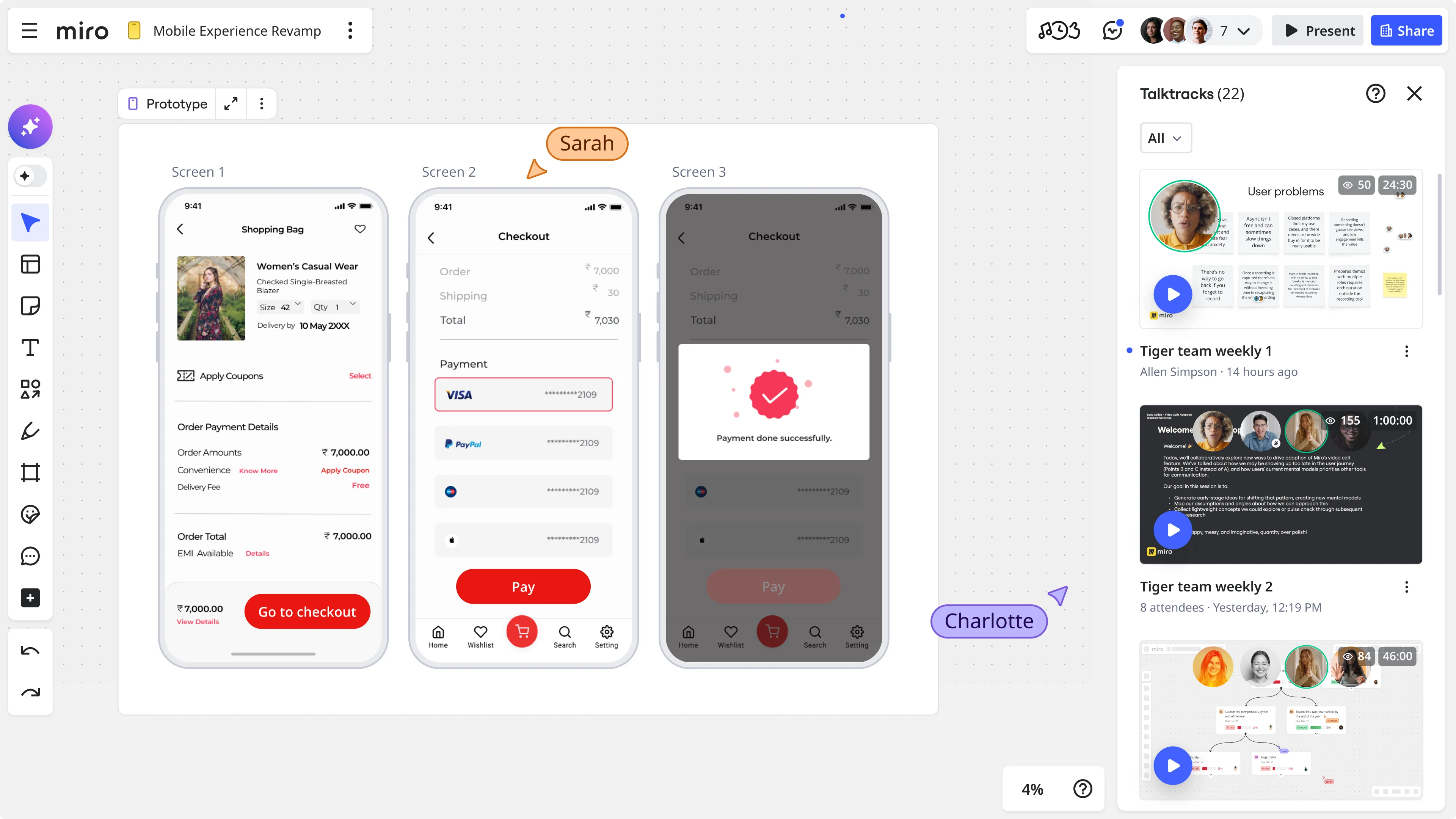
Miro Prototypes lets you create interactive, clickable interfaces directly on the canvas, with no additional tools, no export, and no handoff friction. Because your prototype sits on the same board as your research synthesis and journey maps, you can move from insight to testable design in a single session.
For design teams under delivery pressure, this matters a lot. The faster you can get a prototype in front of users, the faster you get feedback that either confirms your direction or tells you to adjust. The goal isn’t perfection: it’s getting real reactions to real designs before real engineering effort gets spent.
When you’ve validated a design direction with users, you have something that no amount of stakeholder opinion can easily override: evidence that real people, using the thing, found it useful.
The full loop: from feedback to delivery, in one workspace
Put these pieces together, and you have a continuous, data-driven design workflow that looks like this:
Collect → Customer feedback flows into Miro Insights from all your existing sources: support tools, call recordings, surveys, and CRM data.
Synthesize → Miro Flows processes unstructured feedback on your canvas, identifying themes, patterns, and frequency, with full source traceability.
Map → Insights feed directly into journey maps, affinity diagrams, and problem statements on the same canvas.
Design → Wireframes and prototypes are built on the canvas, with research context visible throughout.
Validate → Miro Prototypes puts interactive designs in front of users quickly, generating new feedback that feeds back into Miro Insights.
Repeat → Post-launch signals re-enter the loop, keeping future design decisions grounded in what’s actually happening in the product.
This isn’t just a faster workflow. It’s a fundamentally different relationship between research and design, one where evidence shapes decisions at every stage rather than only at the start of a sprint or the end of a quarter.
What changes when design teams go data-driven
The practical impact of this kind of workflow shows up in a few specific ways.
Design reviews get more productive
When every design decision is traceable to a user insight, feedback converges faster. Reviewers respond to evidence, not preference. Discussions focus on “does this solve the problem we identified?” rather than “I personally feel like…”
Stakeholder alignment gets easier
When a product manager or engineering lead can see the research behind a design direction, right there on the canvas and linked to real user quotes, buy-in is faster and more durable. You’re not asking them to trust your judgment. You’re showing them the data.
Research gets used more
One of the most demoralizing experiences for UX researchers is doing rigorous work that doesn’t visibly influence what gets built. When synthesis is faster and insights are embedded in design artifacts, research stops being a separate phase that design has to remember to consult and becomes a continuous input that design can’t do without.
Teams ship more confidently
Knowing that a design direction is grounded in real user evidence and has been validated with a prototype before engineering investment changes how it feels to ship. The confidence isn’t hubris. It’s earned.
Getting started
You don’t need to overhaul your entire process to start working this way. The most effective approach is to pick one project where feedback synthesis is currently a bottleneck, and run it through Miro Flows.
Take whatever you’ve already got, whether that’s interview notes, Slack escalations, or survey responses, and drop it on a Miro board to see what patterns emerge. Build a structured insights table. Use it to frame the design problem. Connect it to a prototype. Run a round of user validation.
Then do it again. The workflow improves with repetition, and so does the quality of the design decisions it supports.
Ready to bring your research and design work onto one canvas? Sign up for Miro for free and explore Miro Insights, Miro Flows, and Miro Prototypes.
Frequently asked questions
What is data-driven UX design? Data-driven UX design is a practice where design decisions are shaped by evidence from user research, behavioral data, and customer feedback rather than by assumption or subjective preference. It involves building continuous feedback loops that connect user insights to design artifacts throughout the product development process.
How do you reduce subjectivity in design reviews? The most effective way is to make the evidence visible. When design decisions are traceable to specific user insights, linked to source data like interview quotes, support tickets, or usage patterns, reviewers can engage with the evidence rather than defaulting to personal preference. Keeping research and design artifacts in the same workspace makes this easier in practice.
What’s the difference between data-informed and data-driven design? Data-informed design uses research as one input among many, alongside intuition and business context. Data-driven design makes evidence the primary driver of decisions, with intuition playing a validating rather than initiating role. In practice, most high-performing design teams operate somewhere between the two, using data to frame problems and validate directions while still relying on design judgment to generate solutions.
How can Miro help with research synthesis? Miro Insights ingests customer feedback from multiple sources, including Zendesk, Gong, surveys, and Slack, and uses AI to surface patterns, themes, and key insights automatically. Miro Flows lets you run AI workflow automations directly on your canvas to synthesize unstructured feedback into structured tables, with every insight linked back to its original source. Both work within the same visual workspace where design happens, so research stays connected to design throughout the process.
How does Miro Prototypes support data-driven design? Miro Prototypes lets you build interactive, clickable interfaces directly on the canvas, in the same workspace as your research synthesis and journey maps. This means you can move from insight to testable prototype without switching tools, and get user feedback on a specific design direction before engineering work begins. The results of prototype testing can then feed back into Miro Insights, closing the research-to-design loop.
Can small design teams use this workflow? Yes. The workflow scales to team size. A team of two can use Miro Flows to synthesize feedback from a handful of interviews and turn that into a structured problem statement and prototype in a single working session. Larger teams benefit from the shared canvas, which keeps everyone, including researchers, designers, PMs, and engineers, working from the same evidence base.
Last updated: April 23, 2026
Read more
Join our 100M+ users today


