






Andrey
See collaborative AI in action — straight from the Canvas 26 keynote.
Jeff

Process mapping for data governance teams

Turn your policy-to-pipeline flows into audit-ready diagrams. Map data ownership, access controls, and compliance handoffs without switching tools.

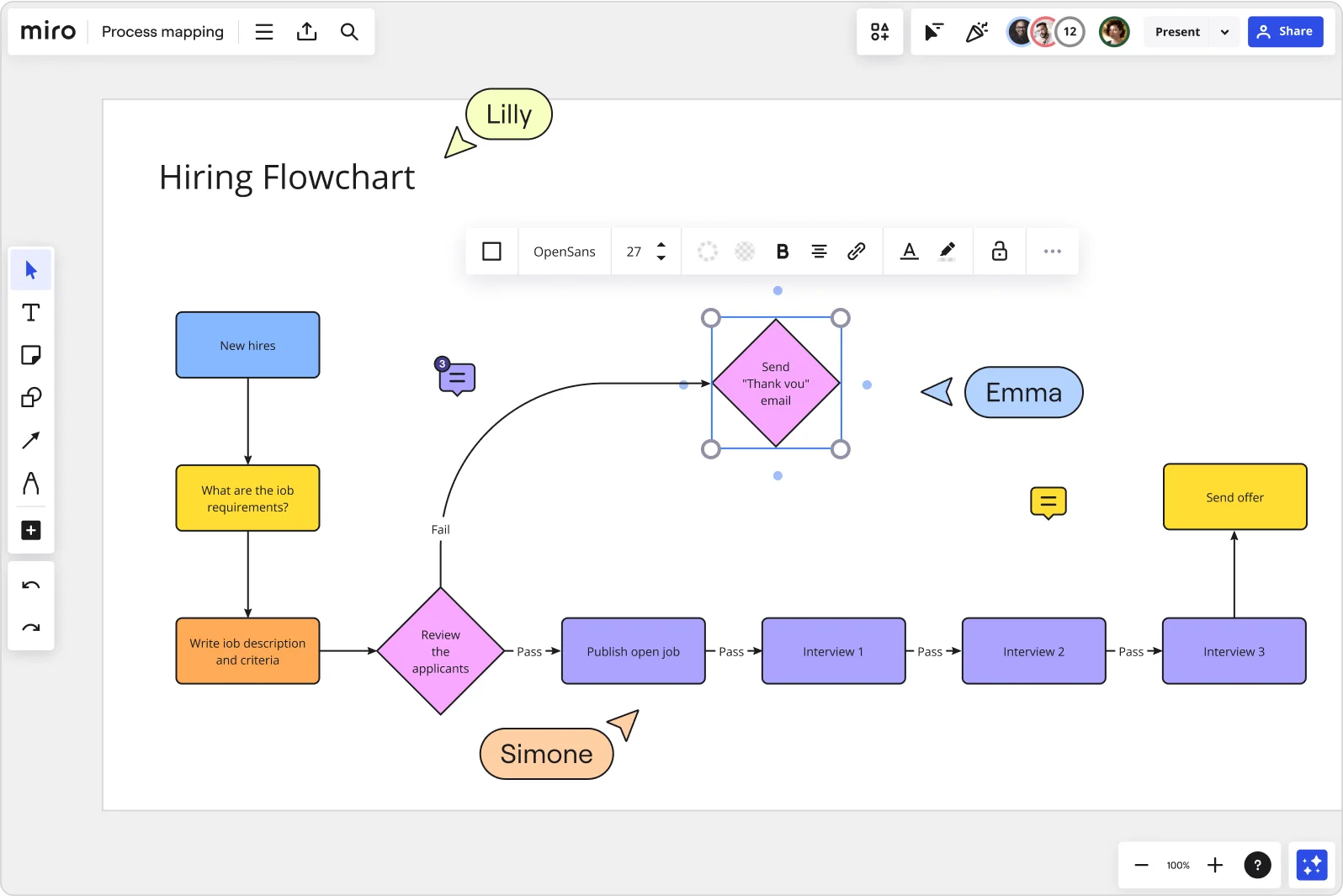
Miro board displaying a Hiring Flowchart with color-coded shapes showing a sequential process from 'New Hires' through job requirements, writing job descriptions, reviewing applicants (with Pass/Fail decision diamonds), publishing open jobs, three interview stages, sending offer, and a 'Send Thank You email' decision node — with multiple collaborators (Lilly, Emma, Simone) visible as cursors and a formatting toolbar active.

Expert Insights

  • A good process map outlines inputs, core processes, interactions, outputs and support processes. Though similar in some respects, the process map is not a flowchart and needs to be significantly less detailed.

    Miriam Boudreaux

    author · Mireaux Management Solutions

  • Process mapping gives organizations a start-to-finish look at their workflows, making it easier to grasp how everything works behind the scenes.

    ABBYY Content Team

    Marketing and Product Specialists · ABBYY

The research on process mapping

  • 30%

    Process mapping in Lean Six Sigma yielded 30% reduction in order processing time

    Source: Systems and Teams

  • 30-50%

    Business Process Management (including process mapping) delivers 30-50% productivity gains

    Source: Forrester

See process mapping in action

Why data governance teams love mapping processes in Miro

  • Stop playing phone tag with data stewards before every audit

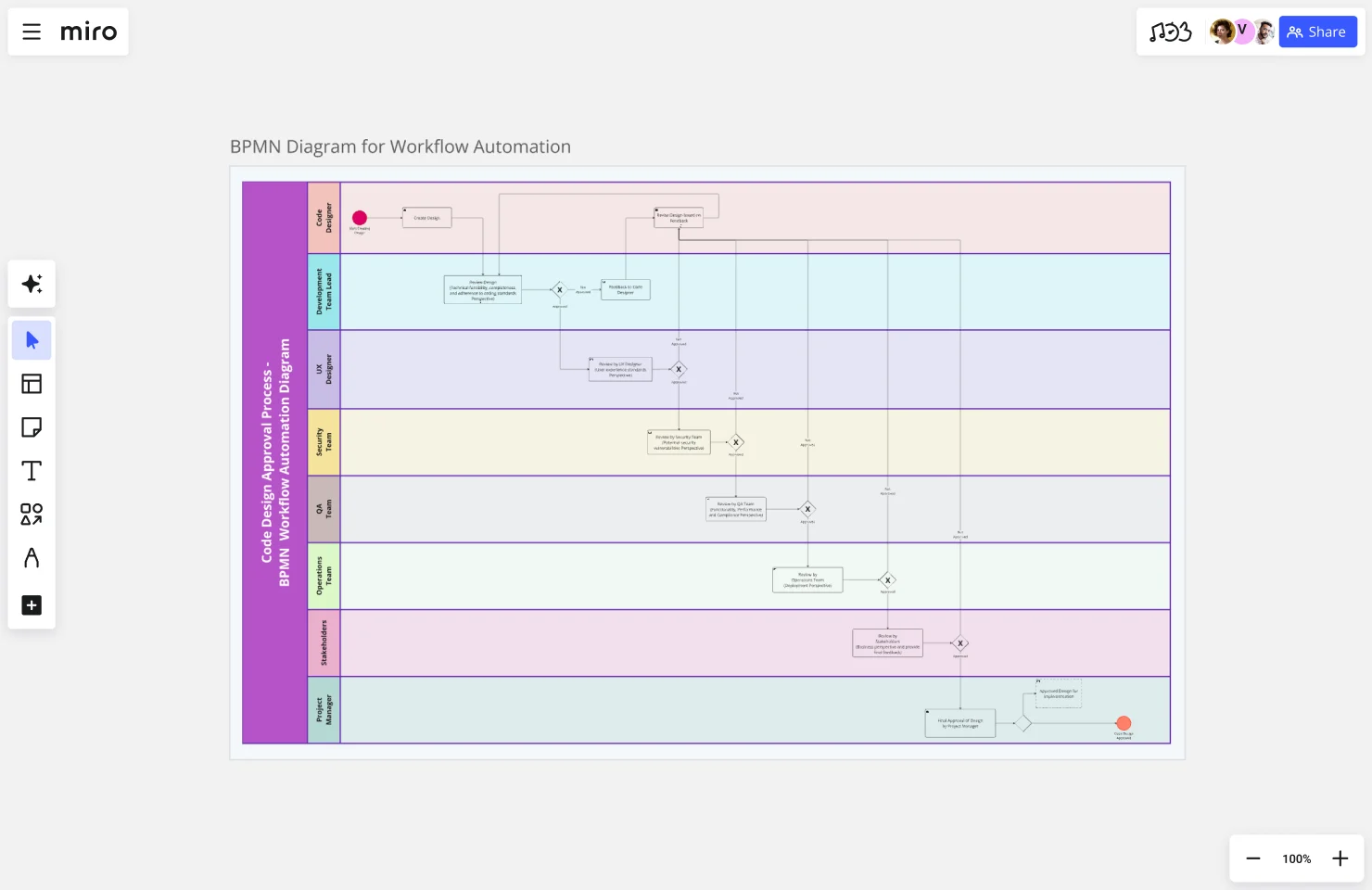
    Every audit cycle, your data governance team scrambles to confirm who owns what - chasing data stewards across compliance, legal, and IT security to reconstruct a process that should already be documented. Map your data classification workflows, retention schedules, and access-request flows collaboratively in Miro's dedicated Diagramming Mode, where BPMN 2.0 shape packs keep every swimlane notation-correct from the first draft.
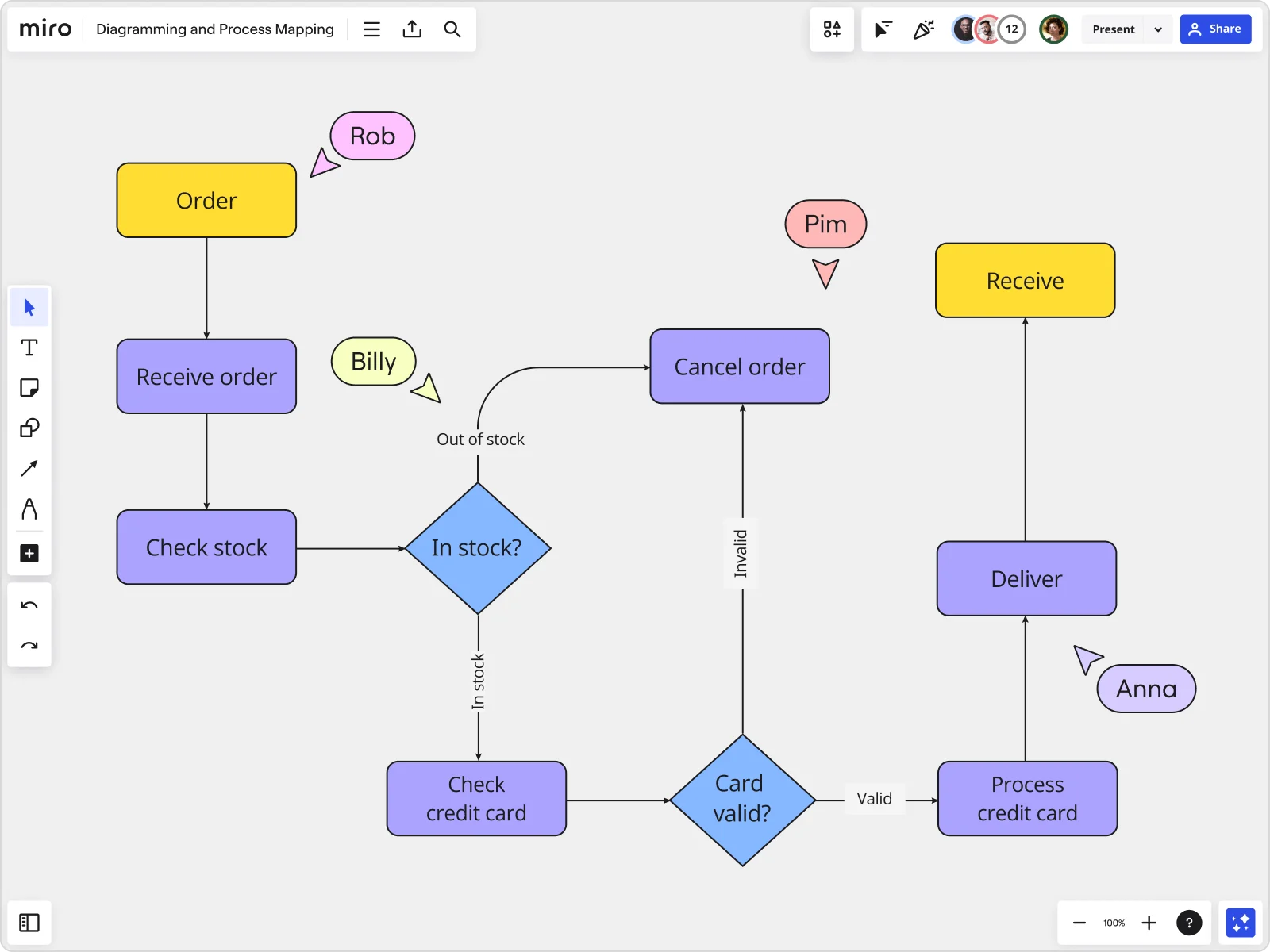
    Miro board displaying a detailed order processing flowchart with colored decision diamonds (blue) for 'In stock?' and 'Card valid?' checks, purple process blocks for steps like 'Receive order', 'Check stock', 'Check credit card', 'Process credit card', 'Deliver', and 'Cancel order', a yellow 'Order' start block and 'Receive' end block, plus named collaborator cursors (Rob, Billy, Pim, Anna) visible on the canvas.
  • From scattered Confluence pages to one defensible process map

    Whether you're a 3-person governance team outgrowing shared docs or a 500-person org managing data policies across six business units, your SOPs live in too many places. Miro lets you build one canonical process map, then push it as a live embed into your Confluence runbooks, Coda wikis, and Notion pages so every reference point updates when you update the source.

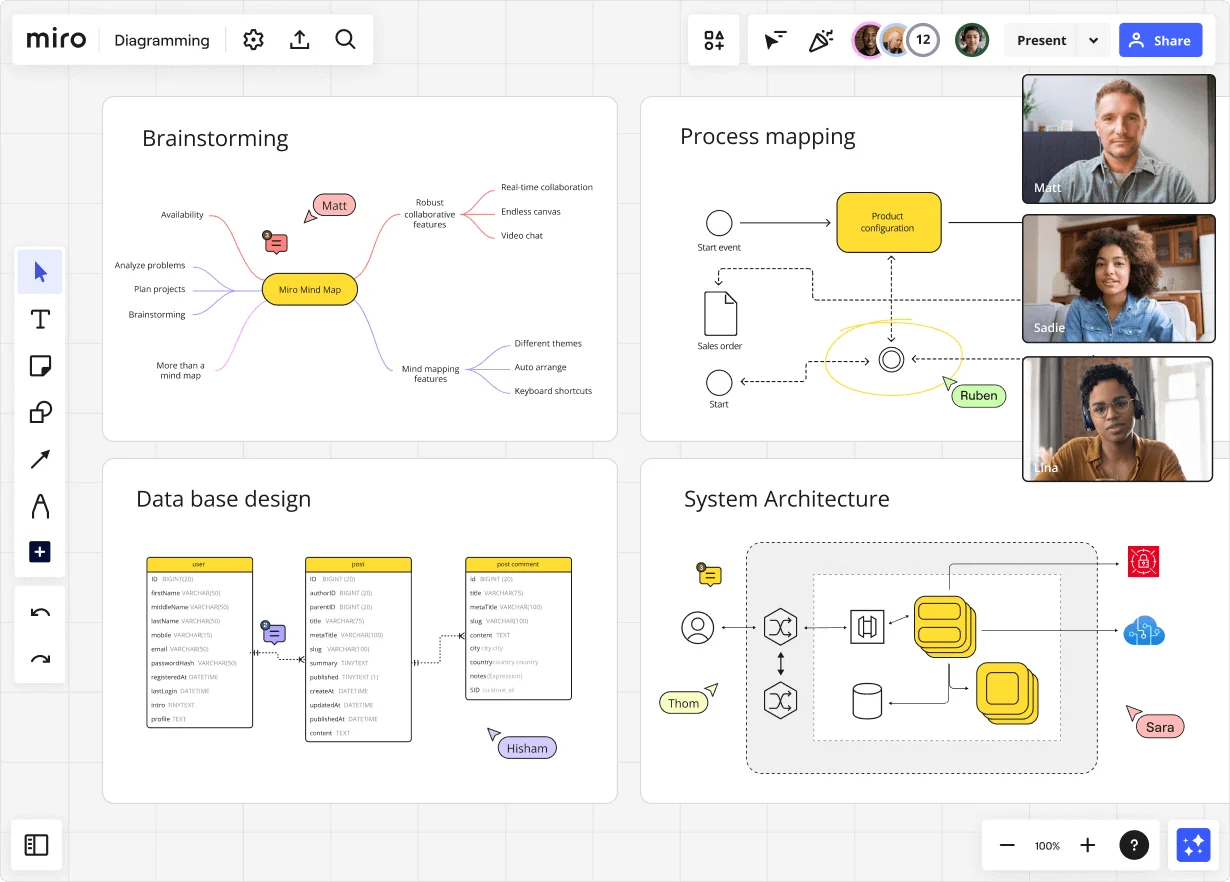
    Miro diagramming board showing four active workspaces: a mind map centered on 'Miro Mind Map' with feature branches, a BPMN-style process mapping flowchart with 'Product configuration' decision node, a database ER diagram with three related tables (user, post, post comment), and a system architecture diagram with interconnected components — all with visible collaborator cursors (Matt, Sadie, Ruben, Lina in video panel, plus Hisham, Thom, Sara as cursor labels).
  • Your compliance handoffs, without the missing-step surprises

    Data governance teams running GDPR consent flows or CCPA deletion-request workflows know how quickly undocumented exception paths cause audit findings. Use Miro's AI-powered review to flag orphaned steps and missing decision branches in your process map before your DPO or external auditor does it for you.

    Miro board displaying a BPMN process mapping diagram with two swimlanes (Customer and Online Shop), showing decision gateways, message events, and task boxes for an order/offer workflow including 'Send offer', 'Accept offer', 'Decline offer', 'Send Payment', 'Receive Confirmation', and 'Receive Decline' steps, with the BPMN shapes panel open on the left.
  • When ISO 27001 prep means rebuilding every process doc from scratch

    Certification cycles force data governance teams to re-document access control procedures, incident response flows, and data lineage maps - usually in parallel with day jobs. Miro's Process Documentation Blueprint packages your current-state map, sub-process boards, and exception-handling boards into a reusable Space so your team restarts each certification cycle with structure, not a blank canvas.

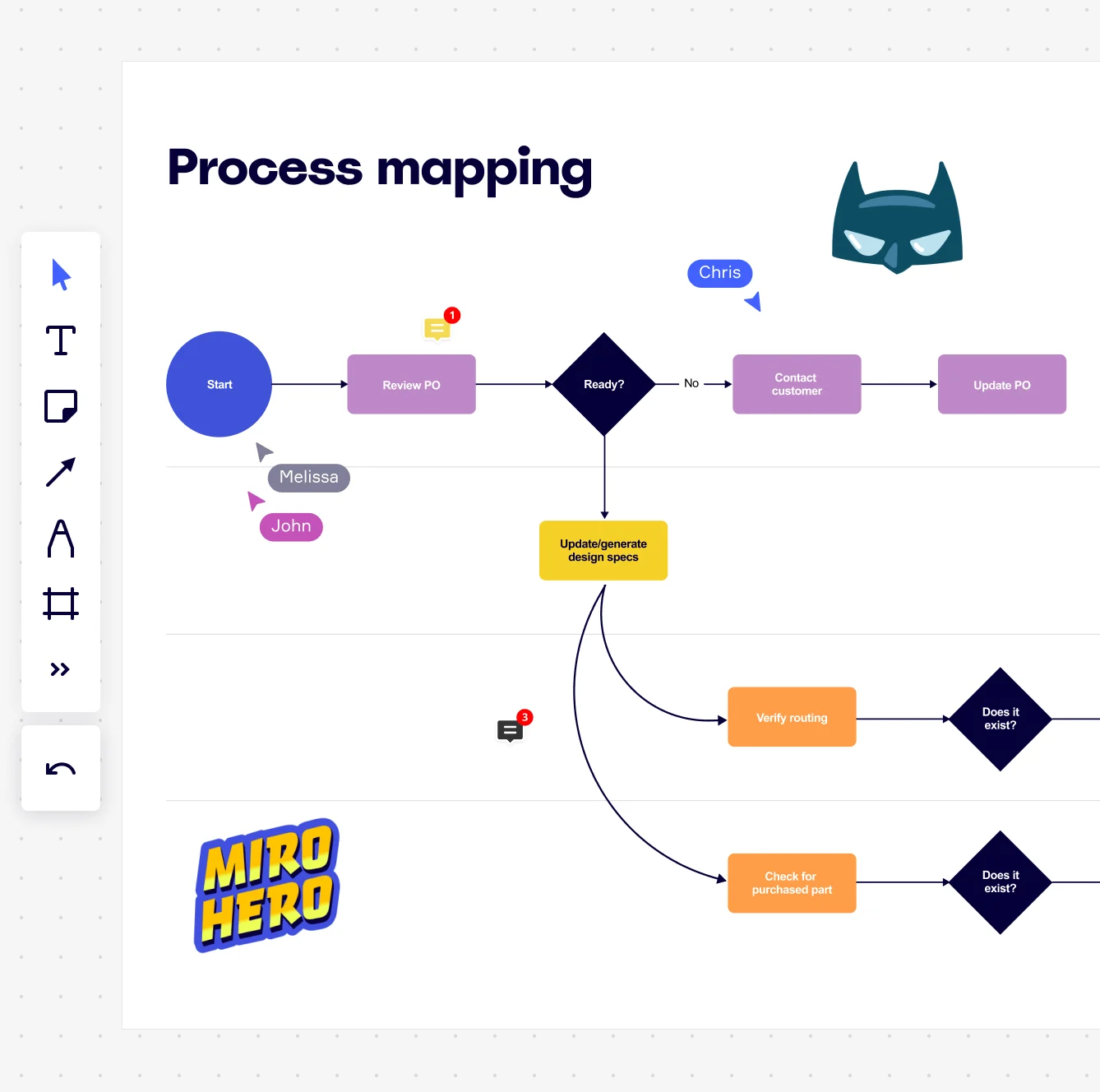
    Miro board displaying a process mapping flowchart with labeled nodes including Start, Review PO, a Ready decision diamond, Contact Customer, Update PO, Update/generate design specs, Verify routing, and Check for purchased part, with collaborative cursors (Chris, Melissa, John), comment badges, and decorative Batman and Miro Hero stickers.
  • Cut the gap between your data policy and the teams who execute it

    Small data teams get decisions made fast but rarely have time to formalize them. Large organizations have governance frameworks but lose operational detail in translation. Miro's Presentation Mode lets you walk data owners, InfoSec leads, and business unit compliance contacts through validated process maps step by step - live voting and commenting built right into the review session so sign-off happens in the room, not across a week of email threads.

    Miro process mapping board displaying a cross-functional flowchart with circular process nodes (Process 1.0, 1.1, 2.0), decision paths (Yes/No branches leading to 'Accept offer' and 'Decline offer'), and rectangular action steps including 'Send payment', 'Receive Confirmation', 'Receive Decline', and 'Process', connected by solid and dashed arrows.

How data governance teams get started with Process Mapping in Miro

  • Map your data flows from day one

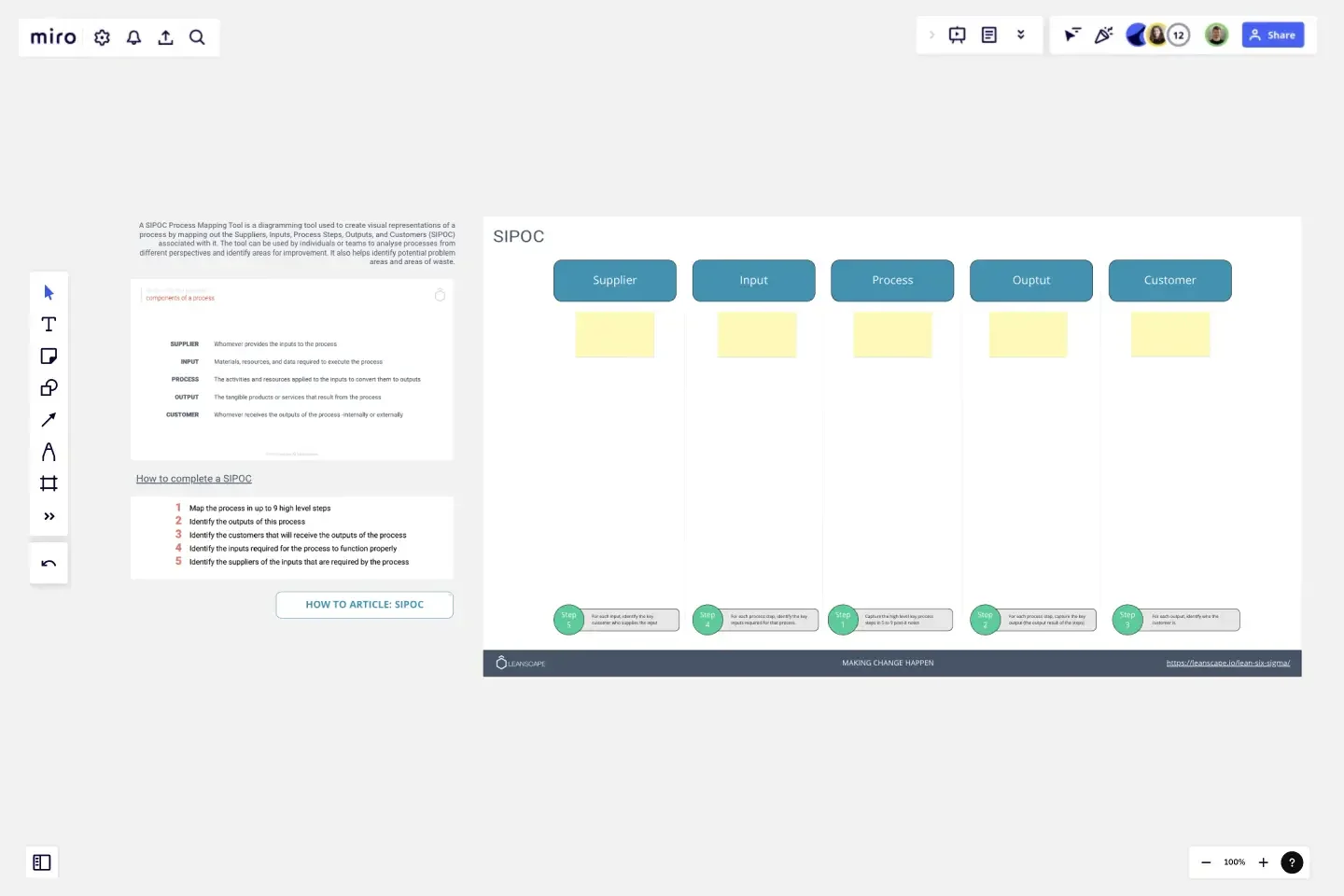
    Open a SIPOC Template to define your data pipeline's boundaries - pinpointing source systems, data custodians, regulatory outputs, and downstream consumers before you draw a single connector.

  • Build your compliance workflow visually

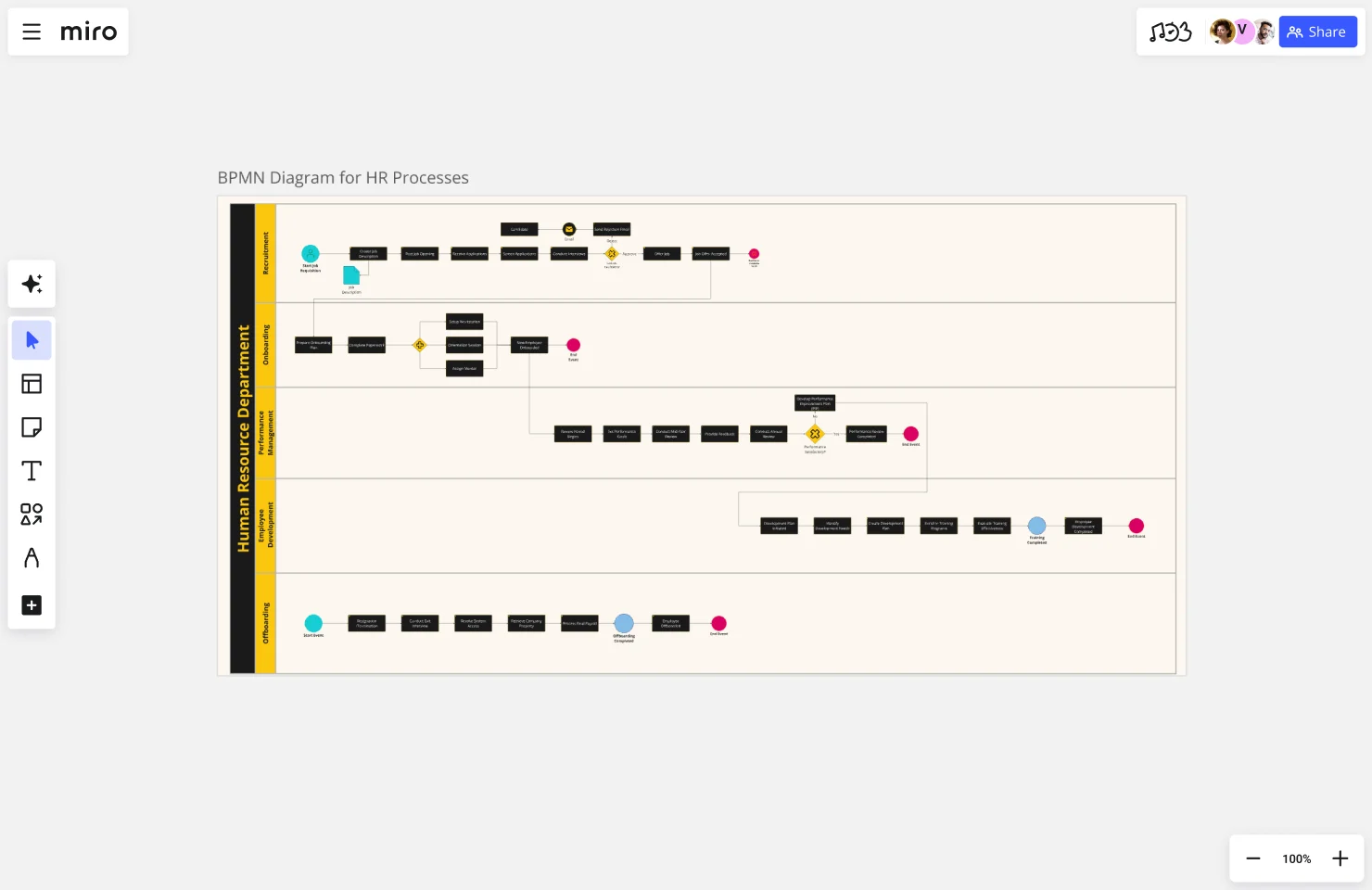
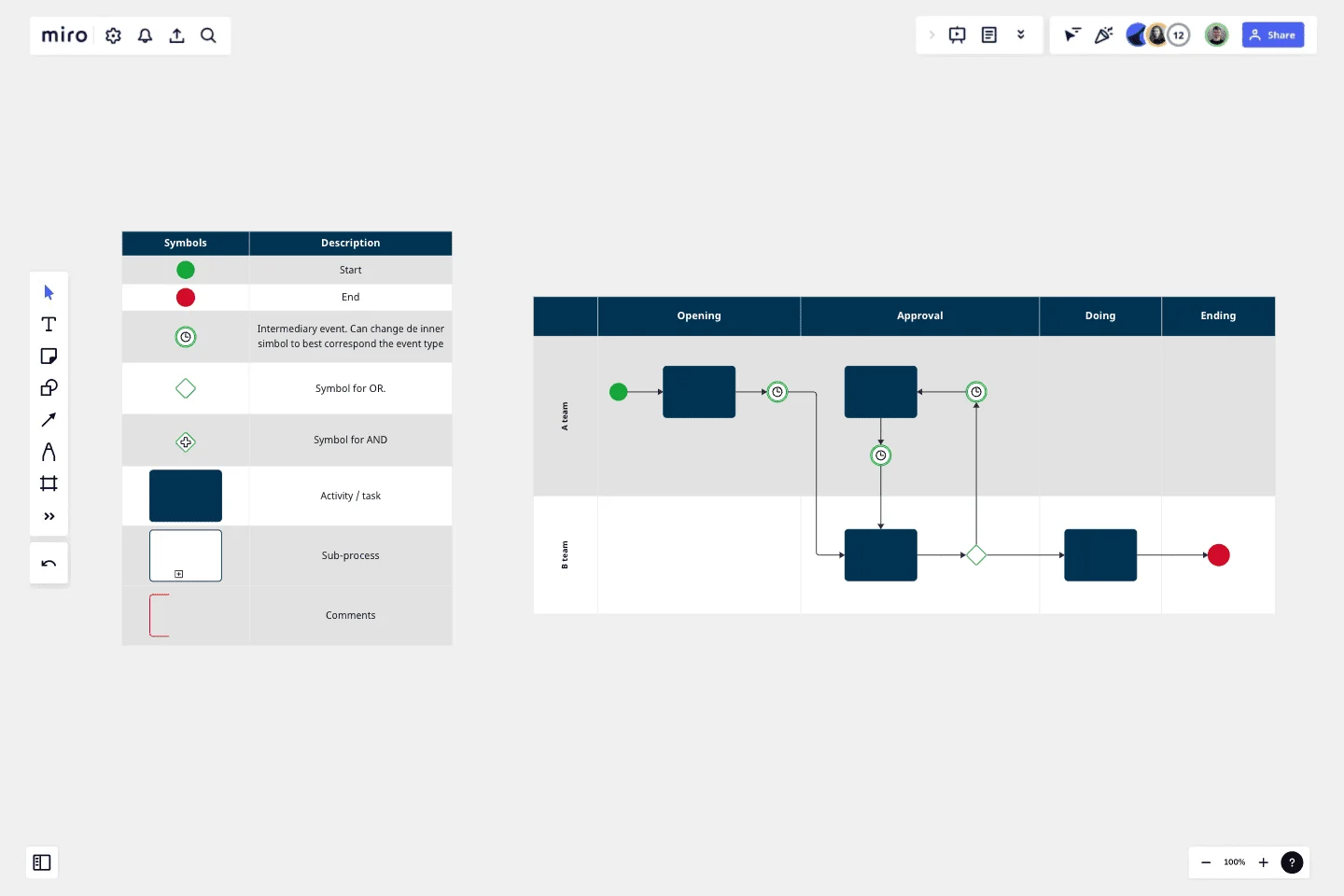
    In Diagramming Mode, choose the BPMN Shape Pack and map your current-state data lifecycle - ingestion, classification, access control, retention, and disposal - with swimlanes that make each data steward's ownership impossible to miss.

  • Flag policy gaps where they live

    Use Comments and threaded discussions to annotate control gaps, exception-handling steps, and audit findings directly on the relevant process shapes, so nothing gets buried in a separate spreadsheet or email thread.

  • Turn your process map into an audit-ready SOP

    Create a Miro Doc alongside your diagram, drag in a Synced Copy of the process map and your inputs/outputs Tables, then export to PDF for your auditor handoff or Markdown for your documentation wiki.

  • Data governance teams working across jurisdictions should use separate Frames for each regulatory domain (GDPR, CCPA, HIPAA) and link them from a high-level overview map, so reviewers never lose context switching between compliance regimes.

  • Use Status Labels (Draft / In Review / Published) directly on each process map so data governance teams, legal reviewers, and auditors always know whether they're reading a validated control or a work-in-progress.

  • When data governance teams inherit legacy Visio or Lucidchart diagrams of existing data flows, use Bulk Import to bring them all into Miro at once rather than rebuilding notation-by-notation from scratch.

Understand how data governance teams transform their work

  • Miro has quickly become an essential tool in my daily workflow over the past three months. I'm amazed by its versatility – I've effortlessly used it for mind mapping, process mapping, and brainstorming sessions, and it's been fantastic for each. What's really surprising is how intuitive and simple it is to use; I jumped right in without any setup or excesive implementation effort.

    Verified User

    G2
  • I love how Miro makes visualising so easy. It's simple UI is intuitive to any level of user and the level of additional tools and extensions it has grown to make it the best software for any scenario. I have used it for process mapping, wire-framing, print documents, workshops, project tracking, games etc.

    Verified User

    G2

Process Mapping essential guide for data governance teams

CategoryKey insights
  • Common mistakes to avoid

    Data governance teams often map the process as policy says it should work, not as it actually runs, which means the workarounds your data stewards use every day stay invisible and unaddressed. Equally common: jumping into Miro without agreeing on scope first, so your data lineage map keeps growing upstream and downstream until nobody can find the controls that matter. Pick one notation standard (BPMN or flowchart) and stick to the matching Miro shape pack across every data governance team map, or you'll spend your next audit explaining why the same approval step looks different on every diagram.

  • Key integrations for data governance teams

    Connect Miro to Jira so every process gap your data governance teams surface maps directly to a tracked remediation ticket, keeping nothing in limbo between a sticky note and an actual fix. Confluence lets data governance teams embed living process maps alongside policy documentation so your SOPs and the diagrams that explain them never drift apart. For data governance teams inheriting legacy documentation, Visio import, Lucidchart import, and Draw.io import mean your existing process assets come into Miro without a rebuild from scratch.

  • When to use it

    Use Process Mapping in Miro when your data governance teams need to document how data actually moves through the organization before an audit, a regulatory certification, or a policy refresh, not just how it's supposed to move on paper. A strong example: a data governance team mapping a patient data handling workflow across clinical, administrative, and IT groups uses a BPMN template and swimlane layouts to surface three handoff gaps that weren't visible in written SOPs, then links each gap to a Jira remediation ticket for ownership and tracking. It's also the right tool when you're onboarding new data stewards who need to understand cross-functional data flows fast, since a validated visual beats a 40-page policy document every time.

  • Security & compliance

    Miro is SOC 2 Type II certified and HIPAA compliant, which matters when data governance teams are mapping workflows that touch regulated data or need to demonstrate documented controls to auditors. Enterprise data governance teams get granular sharing permissions and data residency controls so sensitive process maps stay inside the boundaries your compliance program requires. Private Mode lets data governance teams run working sessions on draft processes without exposing incomplete or unvalidated documentation beyond the people who need to see it.

Frequently asked questions for data governance teams

Last updated: Thursday, June 04, 2026