A circuit diagram maker wired for team innovation
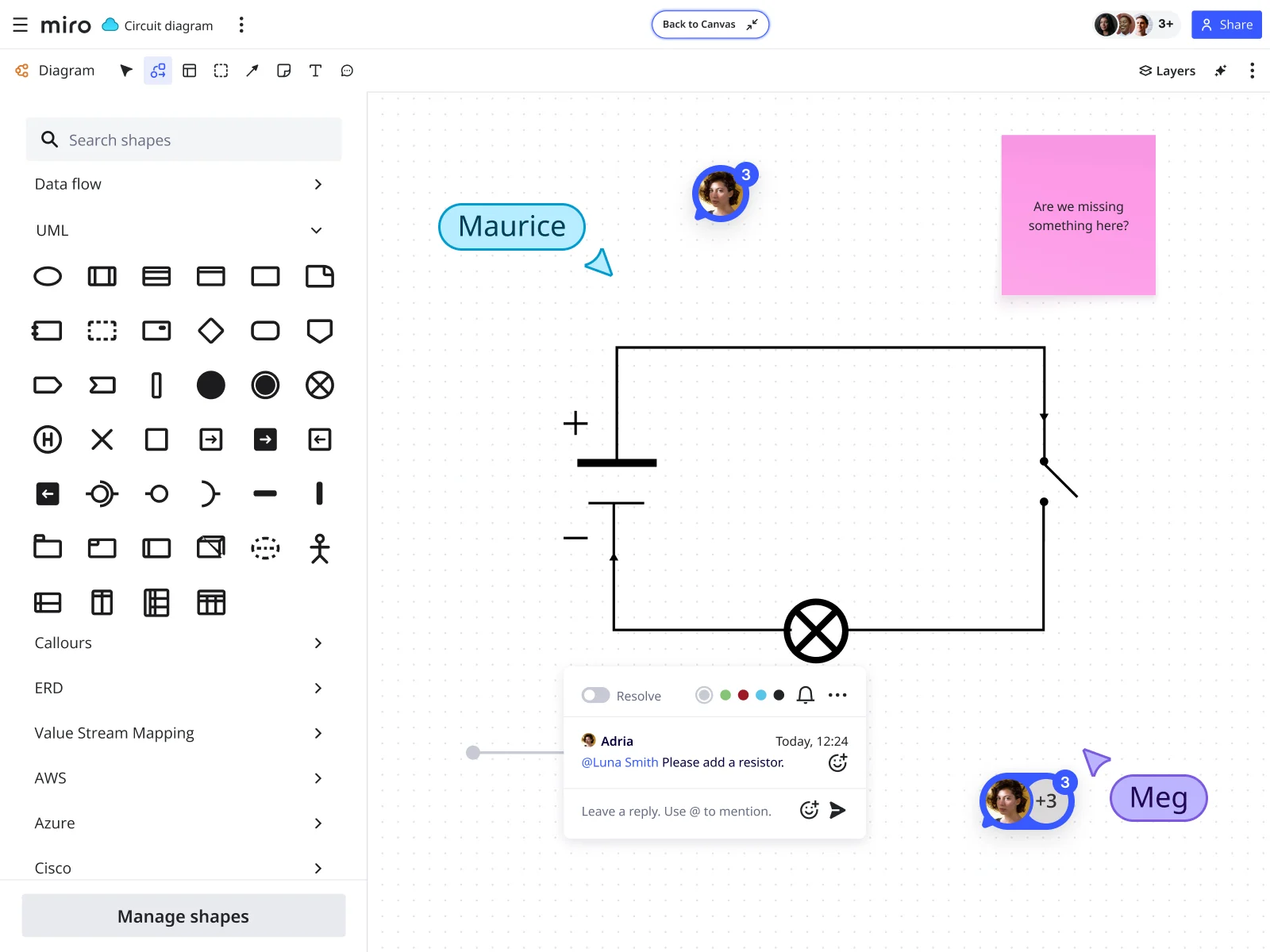


















Streamlined circuit diagramming workflows

Why engineers choose Miro as their circuit diagram maker
Professional shapes for circuit design
Access a complete electrical engineering shapes pack for circuit diagrams and electrical system design. Draw circuit diagrams with industry-standard symbols — resistors, capacitors, transistors, logic gates, power sources.
AI that acts like an engineering colleague
Get instant help from AI Sidekicks that understand circuit design. Use our circuit diagram creator with AI to generate diagrams from text descriptions, then refine until they meet your specs. The AI understands your board context and helps you iterate faster.
Collaborate across engineering and beyond
Circuit design doesn't happen in isolation. Miro brings everyone into the same space — engineers build detailed schematics while non-technical stakeholders add comments and questions. Tag teammates with @-mentions for async feedback, or jump into real-time collaboration during design reviews.
Integrate with your existing workflow
Import existing diagrams from Draw.io, Visio, or Lucidchart. Export finished circuit diagrams as images or PDFs for documentation. Your circuit design work flows naturally into your broader engineering processes.
Integrated with your favorite tools

Related templates
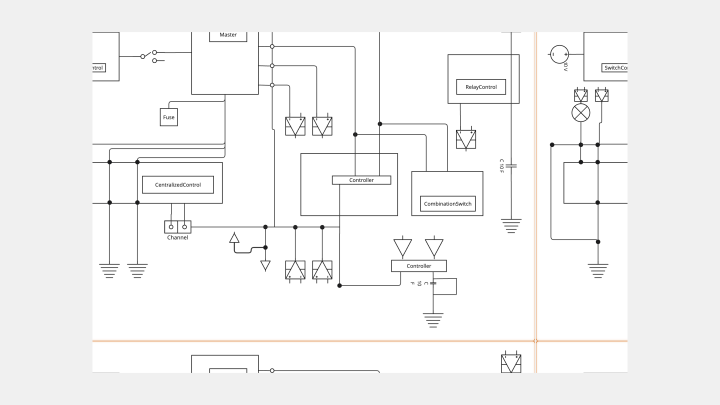
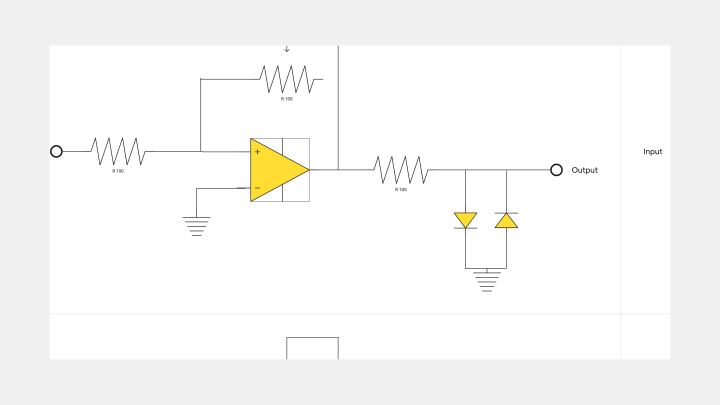
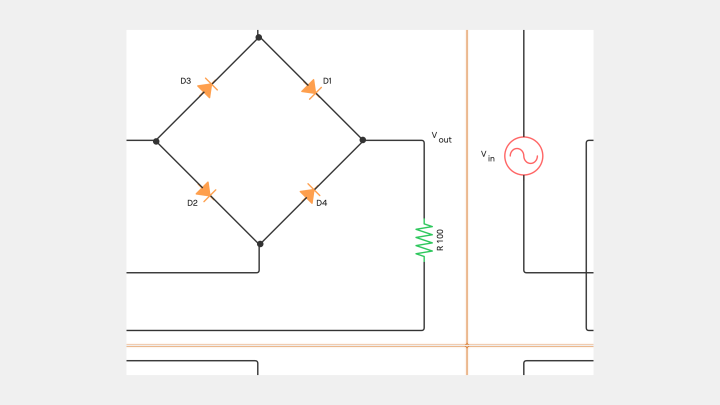
What is a Circuit Diagram?
How to draw a circuit diagram in Miro


The world's most innovative companies are collaborating in Miro, everyday
“With Miro, we went from project brief to in-market launch in 10 months. That usually takes 3 years at PepsiCo.”
Caroline de Diego
Senior Manager, Global Design & Marketing Innovation at PepsiCo


“Bringing everyone together to plan in Miro means the most impactful initiatives will happen at the right time.”
Lucy Starling
Product Operations Lead at Asos


“The team onboarded in 10 minutes to use Miro for workshops. Getting our organization to adopt this product was a no-brainer.”
Konrad Grzegory
Agile Transformation Lead at CD PROJEKT RED


“Miro templates helped us go from scratch to a full-fledged plan where we mapped activities, ideas, and dependencies.”
Marc Zukerman
Senior Director of Project Management at Hearst


“Miro allows all our teams to align themselves with certain tools and models: they work independently and create products that really meet our customers' needs.”
Luke Pittar
Sustainability Innovation & Design Coach at The Warehouse Group


“To be truly innovative, everyone needs to have a voice, and everyone needs to be able to iterate on each other’s ideas. Miro has made that possible for us.”
Brian Chiccotelli
Learning Experience Designer at HP


Users love Miro for end-to-end innovation. We're the G2 leader in visual collaboration platforms and are rated in the top 50 enterprise tools. Miro helps large companies get meaningful work done.
Top 50 Products for Enterprise
G2 reviews


Circuit diagram FAQs

How does the AI circuit diagram generator work?
Miro's circuit diagram generator creates diagrams from text descriptions. Describe the circuit you need, and AI builds the initial layout using appropriate electrical symbols. AI Sidekicks provide expert guidance as you work, helping with component selection and circuit logic verification.
What plans include the electrical engineering shapes pack?
The electrical engineering shapes pack is available on Business, Enterprise, and Education plans. Free and Starter plans have access to basic shapes, but specialized circuit drawing software features require a paid plan.
How do I draw a circuit diagram in Miro?
Use this circuit schematic maker by accessing the diagramming panel, enabling the Electrical Engineering shapes pack, and dragging electrical symbols onto your canvas. Connect components with lines, use AI to generate or refine diagrams, and collaborate with your team in real time or async.
Where can I find Miro’s Draw.io app?
To open our Draw.io app, first open a Miro board. Then, head to the Creation toolbar on the left, click on the + icon at the bottom to explore all our apps and look for Draw.io Diagrams. Clicking it will launch it right on your Miro board.
Does Miro’s Draw.io app come with circuit diagram templates?
Yes, you’ll find more than one circuit diagram template in our Draw.io app. Though drawing circuits from scratch is a matter of simple drag-and-drop, these templates help you save time and deliver results faster.
Does Miro integrate with other diagramming apps?
Yes. In addition to Draw.io, Miro also connects with diagramming apps like Visio and Lucidchart. You can also use our PlantUML and Mermaid apps to easily generate diagrams from text, or transform code from GitHub.