Table of contents
Table of contents
By signing up, you agree to Miro's Terms of Service and Privacy Policy.
The pitch-perfect prototype: How much fidelity do you really need to win?
Summary
In this article:
- What leadership actually looks for in a product demo
- How polished your pitch deck prototype needs to be
- Why interactive fidelity beats visual fidelity every time
- How to create a prototype that moves a room
- How AI is changing what's possible in the time you have
- Insights from Tony Beltramelli, Head of Product AI at Miro
TL;DR: Leadership doesn't care about pixel-perfect screens. They care whether your prototype solves a real problem, feels like something they could use, and signals that your team can execute. According to Tony Beltramelli, Head of Product AI at Miro, interactive fidelity matters more than visual polish: a wireframe you can tap through will outperform a static mockup every time. Match your fidelity to the goal of the pitch, build only what you're going to show, and use tools like Miro Prototypes to get from concept to clickable demo far faster than you think.
Collaborative AI Workflows
Join thousands of teams using Miro to build the right thing, faster.
This is often how pitches go: you've got 30 minutes with a VP, a room full of stakeholders, or a panel of investors. You've done the research, you know the problem, and you believe in what you're building. And you've also got your prototype. But what exactly will make your pitch land? How much does your prototype actually need to look like the real thing? Does leadership even care?
The answers are more nuanced than most people think, and getting it wrong in either direction costs you the room. We spoke with Tony Beltramelli, Head of Product AI at Miro and former Uizard co-founder, to find out how to get your product off the ground.
What leadership actually looks for in a product demo
Before you spend a week perfecting drop shadows, it's worth asking what the people on the other side of the table actually care about. According to Beltramelli, the answer might surprise you.
"Having pitched hundreds of times — to VCs, to enterprise customers, to internal stakeholders — I can tell you that leadership doesn't care about pixel-perfect screens," says Beltramelli. "They care about three things: does this solve a real problem, can I see myself (or my customers) using this, and how fast can we move on it?"
Those three questions are what your prototype needs to answer. The moment you frame it that way, a lot of the pressure around visual polish disappears.
Beltramelli describes the best product demos he's seen as having one thing in common: they tell a story through the user's eyes. "You walk someone through the journey. Here's the problem. Here's what it feels like today. Here's what it looks like with our solution. Leadership wants to feel the difference, not just see a list of features."
Before you build anything, that reframe is worth sitting with. A prototype's job is to create a shared experience, not to showcase a product. The thing that makes a demo land is whether the people in the room can place themselves inside it.
Why "try this" beats "imagine this"
When leadership says they want to understand your idea, what they mean is that they want to experience it first-hand. A static slide asks them to do mental work on your behalf. An interactive prototype removes that step entirely.
The difference plays out in the room in a specific way. When a decision-maker can tap through a flow, move from screen to screen, and experience the product as a user would, their reaction changes. They stop forming an opinion about the concept and start forming an opinion about the experience. That's a much shorter path to buy-in.
"This is why interactive prototypes are so powerful for demos," says Beltramelli. "A static slide says 'imagine this.' A prototype says, 'try this.' When a VP can actually tap through a flow and experience the solution, you've moved from telling to showing —, and that's where conviction happens."
There's a second thing leadership pays attention to, especially in enterprise: execution confidence. "If you pitch an interactive prototype at the first meeting and a further improved and polished version a few weeks later, that signals execution capability," says Beltramelli. "They're not just buying the idea; they're buying the team's ability to deliver."
How polished should a pitch deck prototype be?
Here's where most teams either overthink it or undershoot it. Both are real traps.
"Design is a long tail problem," says Beltramelli. "It only takes about 10% of the effort to get 70% of the work done — the layout, the information hierarchy, the user flow, the rough styling. The returns drop sharply after that as you chase pixel-perfectness, font consistency, and color refinement."
It’s like a spectrum: at one end, a rough prototype sketch, sketched wireframes, sticky-note flows, hand-drawn screens. At the other: a production-ready interface indistinguishable from the shipped product. For most pitch scenarios, the sweet spot sits somewhere in the middle, leaning toward lo-fi with one important exception: it must be purposeful.
"What matters is that the prototype communicates the concept clearly and feels intentional," says Beltramelli. "It should look like a deliberate decision, not a rough draft. Clean layouts, consistent components, a logical flow — that's the bar."
If your audience is squinting at broken alignment or mentally correcting typos, you've pulled their attention away from the idea. If you've spent three weeks pixel-perfecting a prototype for a 30-minute meeting, you've traded a week of actual progress for polish that didn't move the needle.
The question to ask is: What's the minimum level of fidelity that lets the idea speak for itself?
Lo-fi vs. hi-fi: matching fidelity to the moment
Different moments in the pitch process call for different levels of fidelity. Here's a practical way to think about it:
Early discovery and internal alignment: A prototype sketch or low-fidelity wireframe is usually enough. You're testing direction, not execution. Stakeholders at this stage are evaluating the concept, not the craft.
First external meetings with customers or prospects: Step up the fidelity enough that the concept is immediately legible. Navigation should work, key flows should be complete, and the visual language should be consistent even if it isn't final.
Closing a significant deal or getting VP sign-off on engineering resources: This is where higher fidelity earns its keep. You need something that feels real enough that decision-makers can mentally place themselves inside the product, not just evaluate it from the outside.
"The mistake I see people make most often is either going too low or too high," says Beltramelli. "Too low, and your audience spends the entire meeting trying to interpret what you mean instead of evaluating the idea. Too high, and you've either burned weeks of time you didn't have, or worse, you've set expectations that what you're showing is a finished product rather than a testable concept."
There's an important nuance here. The right fidelity level isn't just about how much you should polish visuals; it's also about what the prototype is for. A prototype sketch can be exactly right for exploring a concept with a designer, and the same prototype would be exactly wrong for a room of enterprise buyers. Context determines the bar. And knowing the bar before you start building saves a lot of wasted effort.
Why interactive fidelity beats visual fidelity
If you had to choose between spending time on visual refinement or interactivity, choose interactivity every time.
"Interactive fidelity matters more than visual fidelity," says Beltramelli. "Even a wireframe you can tap through and experience as a user flow will outperform a pixel-perfect static mockup every time. People understand things by doing, not by looking at screenshots."
This is also the core insight behind why prototyping is so much more effective than a slide deck for pitching ideas. Beltramelli cites a favorite quote from IDEO's founders, Tom and David Kelley: "A prototype is worth a thousand meetings."
A tappable, navigable flow does several things that a static design cannot:
It forces you to think through the experience, not just the interface. Building even a basic interactive prototype means confronting the gaps between screens. Where does this button go? What happens after the user submits? Those questions, answered early, prevent painful surprises later.
It creates a shared reference point. When everyone in the room has clicked through the same flow, the conversation changes from "I think it works like this" to "wait, I tried this and here's what happened." That specificity makes feedback faster and more actionable.
It signals momentum. Showing an interactive prototype, even a rough one, demonstrates that your team has moved from idea to artifact. That shift from concept to something tangible is one of the most powerful things you can communicate in a pitch.
It gives leadership something to react to, not just approve. The best decisions don't come from abstract debates. They come from shared experiences. An interactive product demo example that someone can navigate is an experience, and experiences generate reactions that inform real decisions.
How to create a prototype of a product that's actually pitch-ready
Knowing how to create a prototype of a product that holds up in a real pitch requires a specific discipline: focus on the core flow, resist the urge to over-build, and make sure what you show can be experienced, not just seen.
Here's a practical framework:
Start with the story, not the screens.
Before opening any design tool, map out the three-to-five moments in the user journey that the pitch needs to convey. What's the problem state? What's the moment of discovery? What does resolution feel like? Build the prototype around those moments.
Build only what you're going to show
A prototype doesn't need to be comprehensive. It needs to cover the path you're going to walk people through, with enough branching to handle predictable follow-up questions. Every screen you build beyond that is time you could have spent refining what matters.
Make the transitions work
Nothing deflates a demo faster than dead-end clicks. Ensure the core navigation flow functions end-to-end before adding any visual polish. A prototype that can be fully navigated in one uninterrupted pass is ready for a room.
Test it with someone who doesn't know the product
This is the step most teams skip. Find someone unfamiliar with what you're building, hand them the prototype, and watch what they do. Where do they hesitate? Where do they click and find nothing? That feedback is invaluable before a high-stakes pitch.
Leave room for iteration
One of the most effective things you can do after an initial pitch is show up the next time with a visibly improved version. That improvement, even if modest, tells leadership that your team moves fast and responds to input.
How Miro Flows and Miro Prototypes fit in
Building pitch-ready prototypes used to mean bouncing between design tools, feedback threads, and presentation software, often losing context along the way. Miro brings all of that onto a single, shared canvas.
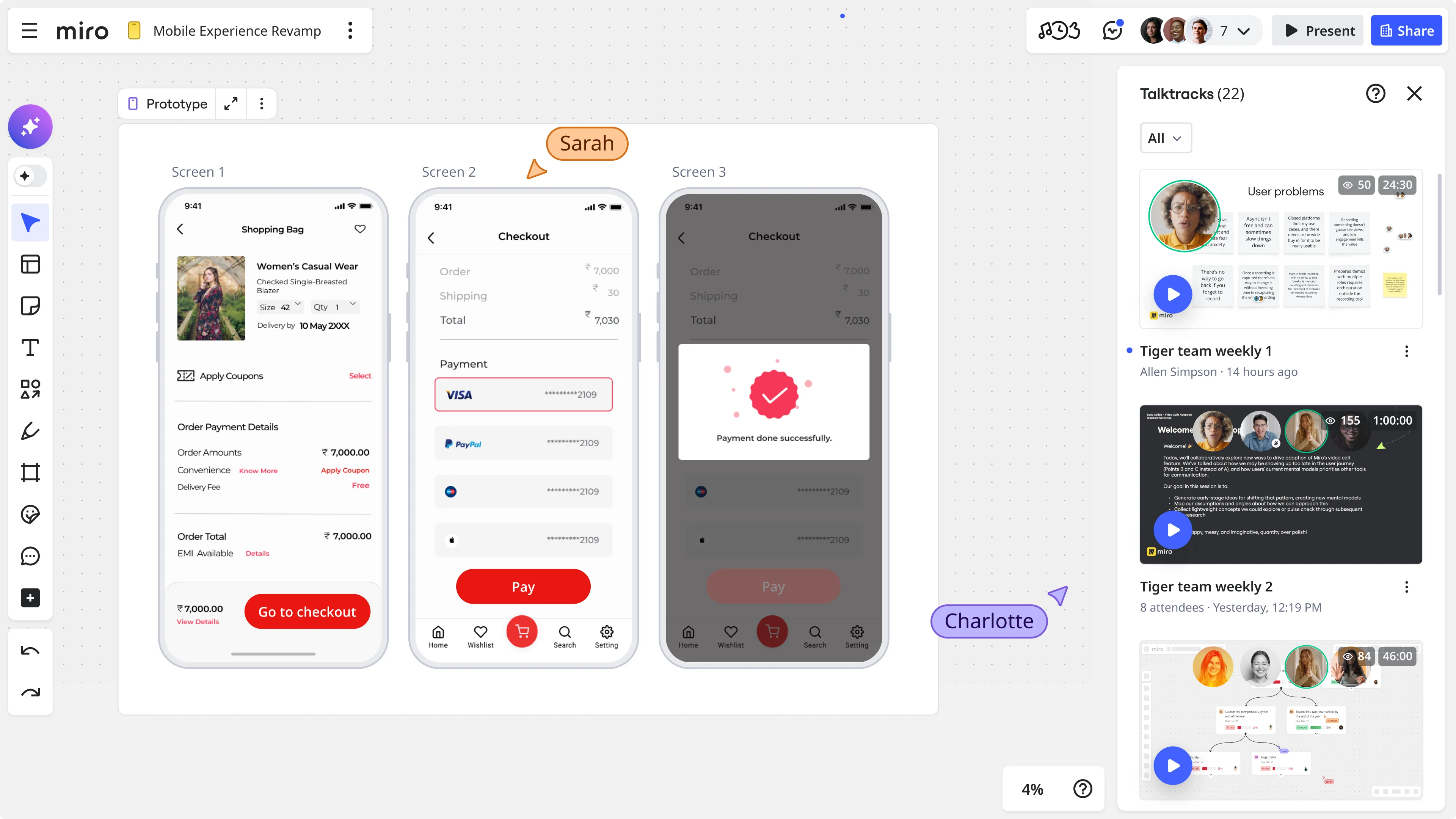
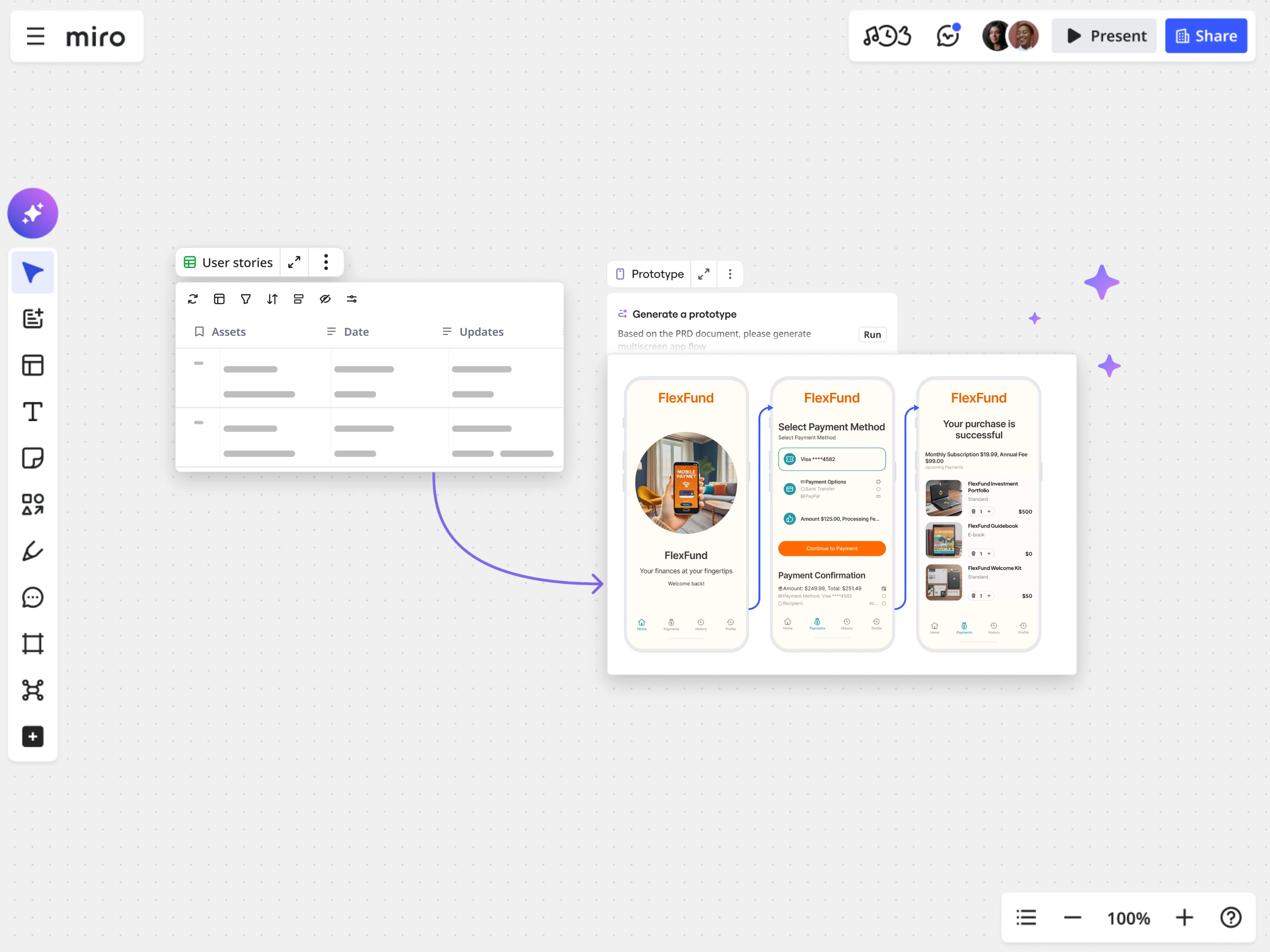
With Miro Prototypes, you can take what starts as a brainstorm or a rough concept on your board and turn it into a fully interactive prototype without switching tools or context. Flows can be mapped, screens can be built, and the whole thing becomes clickable, all in the same place where your team has been collaborating throughout the process.
Miro Flows adds a layer of AI-powered workflow automation to that process, helping teams move faster from initial ideation through to a navigable prototype. Instead of manually threading together a sequence of screens, you can build and iterate on flows that reflect the actual user journey, keeping the team aligned as the prototype evolves.
The result is a prototype that isn't just built for the pitch. It's built from the work your team has already done, carrying the full context of your thinking rather than being a separate artifact created at the end of the process.
Seeing it in action: from sticky notes to a startup pitch in 15 minutes
Sometimes the best way to understand what's possible is to watch it happen.
In the video below, Tony Beltramelli demonstrates exactly how fast a team can move from a handful of keywords on a Miro board to a full pitch deck, an interactive mobile app prototype, a desktop version, a user journey diagram, and a project management table, using Miro Flows.
The demo shows something important: when the cost of creating a clean, interactive prototype drops to near zero, the question stops being "can we afford to make this polished?" and becomes "why wouldn't we?"
As Beltramelli puts it: "With Miro's prototyping capabilities, you can go from a messy ideation session full of sticky notes to a fully interactive app prototype in minutes. That shifts the question from 'can we afford to make this polished?' to 'why wouldn't we?' When the cost of creating a clean, interactive prototype drops to near zero, there's no excuse for showing up with a static wireframe sketch when you could be showing something people can actually click through."
The goal of every pitch isn't to impress. It's to move.
At the end of any pitch, there's one question that matters: did something happen? Did a next step get agreed on, a budget get approved, a green light get given?
"The goal of any pitch isn't to show off your design skills," says Beltramelli. "It's to create enough shared understanding and excitement that the next step happens — whether that's funding, a green light, or a signed contract. Match your fidelity to that goal and nothing more."
That framing cuts through most of the anxiety around prototype polish. You don't need a masterpiece, just enough fidelity to make the idea real, enough interactivity to make it tangible, and enough clarity to make the decision obvious.
The teams that win pitches aren't necessarily the ones with the best-looking prototypes. They're the ones who figured out how to make leadership feel the difference between the problem and the solution, and who showed up with something that could be experienced, not just admired.
That's a bar you can hit faster than you think.
Ready to build your next pitch-ready prototype? Try Miro Prototypes for free and go from idea to interactive demo in minutes.
FAQ
What do investors and leadership look for in a product demo? Leadership typically evaluates three things in a product demo: whether the product solves a real problem, whether they can picture themselves or their customers using it, and how quickly the team can move. Pixel-perfect visuals matter far less than a clear user story and a navigable flow that lets decision-makers experience the solution, not just hear about it.
How polished does a prototype need to be for a pitch? For most pitch scenarios, a prototype needs to be clean and intentional, not production-ready. The goal is to communicate the concept clearly without rough edges that distract from the idea. A good rule of thumb: spend about 10% of the design effort to get 70% of the communicative value. Only invest in higher fidelity when you're closing significant deals or seeking executive resource approval.
What's the difference between a prototype sketch and a full interactive prototype? A prototype sketch typically refers to rough, low-fidelity wireframes that communicate layout and flow without visual styling. A full interactive prototype includes navigable transitions, realistic interactions, and enough visual consistency to feel intentional. For pitches, interactive fidelity (the ability to tap through a flow) is more important than visual fidelity.
Why are interactive product demos more effective than static slide decks? Interactive demos let decision-makers experience the solution as a user would, rather than imagining it based on a description. That shift from passive evaluation to active experience generates stronger reactions, surfaces more specific feedback, and creates a shared reference point for the conversation. As IDEO's founders put it, a prototype is worth a thousand meetings.
How do you create a prototype of a product quickly without sacrificing quality? Start by mapping the three to five key moments in the user journey your pitch needs to convey. Build only the screens required to walk that path end-to-end, ensure navigation works throughout, and test with someone unfamiliar with the product before the pitch. Tools like Miro Prototypes let you go from ideation to a navigable prototype in minutes, cutting the time between concept and pitch-ready artifact dramatically.
How much fidelity is enough for a first customer meeting? For an initial external meeting, your prototype needs to be immediately legible: navigation should work, key flows should be complete, and the visual language should be consistent even if it isn't final. The goal at this stage is for the audience to evaluate the concept, not interpret the design.
What is Miro Prototypes and how does it help with product pitches? Miro Prototypes is a feature within Miro's innovation workspace that lets teams build interactive, navigable prototypes directly on their Miro board. Because it sits alongside your team's existing brainstorms, diagrams, and planning work, prototypes built in Miro carry the full context of your thinking rather than being created in isolation at the end of the process. This makes it faster to move from a rough concept to something pitch-ready.
This article has been written in collaboration with Tony Beltramelli, Head of Product @Miro. Last updated: May 8, 2026
Read more
Join our 100M+ users today


