
Kanban principles — and how to apply them
Summary
In this guide, you will learn:
- The six core Kanban principles
- How to create and customize a Kanban board
- The importance of setting WIP limits
- The role of clear, documented process policies
- How regular feedback loops and reviews help teams
- Best practices for fostering collaboration
How do you apply Kanban principles effectively? We've got you covered. In this guide, we'll dive into the core principles of Kanban and provide actionable advice on how to apply them.
Whether you're on a product team, an Agile squad, or a design team, we've compiled valuable insights to optimize your workflow.
Let's get started.
6 core Kanban principles
Whether you're just implementing Kanban or looking to improve your workflows, here are six core Kanban principles to keep in mind:
1. Visualize work
Visualizing work involves creating a clear depiction of workflow processes. Use online Kanban boards to map tasks and stages visibly. This approach fosters transparency. Team members can quickly identify what’s in progress, completed, or pending.
Kanban boards spotlight bottlenecks and busy areas. Visual cues help the team act swiftly to ensure work progresses smoothly. This visual strategy helps people understand better and work together more effectively.
2. Limit work-in-progress (WIP)
Setting WIP limits discourages multitasking and ensures focus. Team members manage fewer tasks at the same time. This helps lower stress and improves quality — maintaining high standards and preventing burnout.
WIP limits show where workflow issues exist. When you hit your limit, it’s important to deal with obstacles before continuing. This leads to improved efficiency and project timelines.
3. Manage flow
Effective flow management helps teams keep a steady pace in their work. It ensures smooth progress from one task to another, which leads to timely deliveries.
Flow management keeps tasks moving smoothly and prevents bottlenecks. By regularly analyzing flow, teams can spot slowdowns and improve processes for steady output.
4. Make process policies explicit
With clearly defined policies, everyone will have an easier time understanding their roles and responsibilities. For example, documenting workflows is a great way to share knowledge and communicate expectations. It can also lead to more streamlined processes and less friction.
5. Implement feedback loops
Feedback loops are very important for staying adaptable. They offer a way to track progress and make useful changes. Regular check-ins and reviews help you gather insights. These insights can support ongoing improvement.
Timely feedback allows teams to pivot strategies when needed. This helps make sure that you keep your projects and objectives aligned — while addressing any issues proactively.
6. Improve collaboration over time
Collaboration boosts problem-solving skills in a team. When team members share ideas and perspectives, they can tackle challenges better. Making small changes over time adds to this effect.
Testing new ideas and measuring the results helps create a space for innovation. This builds resilience as teams learn to adapt and overcome problems together. Focusing on collaboration leads to better solutions and supports a culture of continuous improvement within the team.
How to apply Kanban principles and practices
To effectively implement Kanban principles, follow these simple steps to optimize your workflows and team collaboration:
1. Visualize your workflow
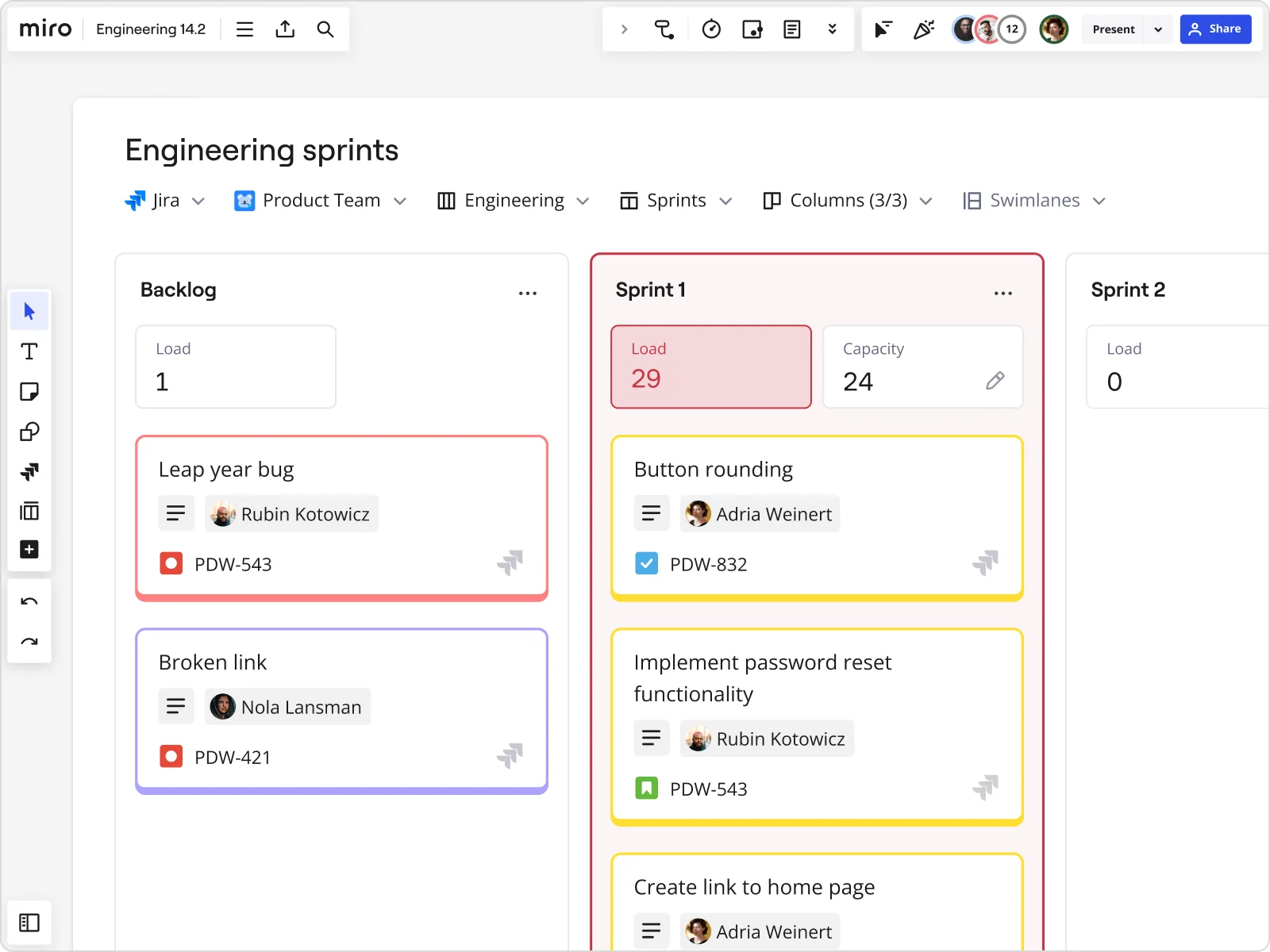
Start by creating a Kanban board. Use columns to represent different stages of your workflow — such as "To Do," "In Progress," and "Done." This allows everyone to quickly see the status of tasks — encouraging transparency and teamwork.
If you're using Miro, you can save time by using our Kanban Framework Template.
2. Set work-in-progress limits
Decide how many tasks can go in each column at once. Setting Work in Progress (WIP) limits helps the team focus on one task at a time instead of juggling too many. These limits boost focus and reduce multitasking, which often hurts efficiency. This approach keeps work quality high and protects the team from burnout. Clear task limits help teams stay effective and prioritize quality.
3. Regularly review and adapt
Schedule regular check-ins to review progress and gather feedback. Use these sessions to discuss what’s working and what needs improvement. This ongoing feedback loop helps your team adjust and improve processes easily.
4. Document your process policies
Clearly define and document your workflow policies, and share them with your team so everyone understands their roles and responsibilities. This clarity makes your operations run more smoothly and reduces friction in your processes.
5. Foster collaboration
Encourage team members to collaborate and share ideas. Use your Kanban board as a central hub for communication. By working together and testing new approaches, your team can innovate and improve over time.
Kanban principles in action
From product development to design, Kanban's flexible nature makes it easy to apply it to various workflows. Let's explore how different teams benefit from implementing Kanban principles.
Product teams
In product development, staying focused is key to success. One helpful tool that many teams use is the Kanban board. These boards provide a clear way to track tasks and projects visually. They help teams see what needs attention right away. By using Kanban boards, teams can manage their backlogs better, simplify the roadmapping process, and make sure product launches stay on schedule and meet expectations.
Agile teams
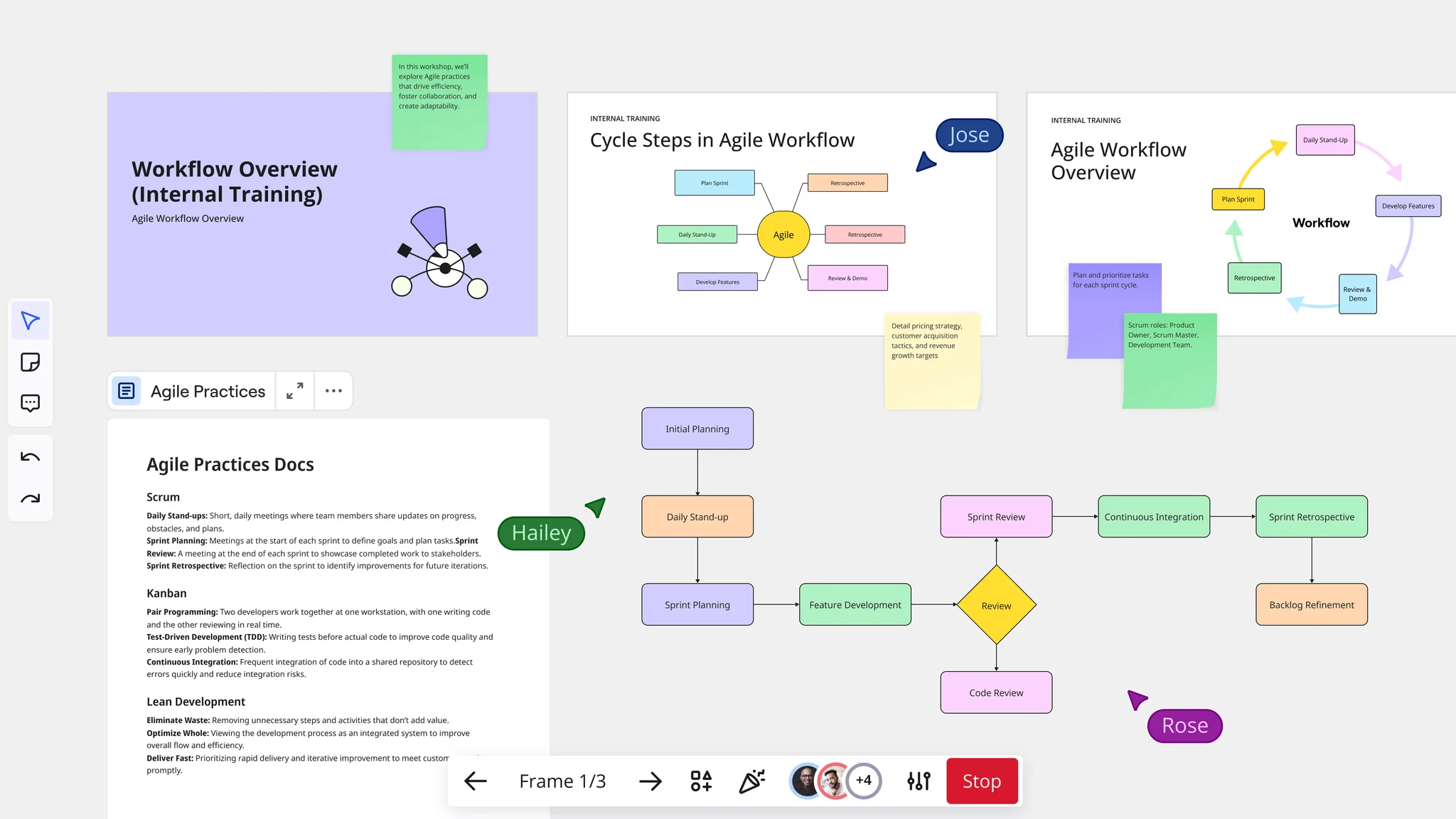
Agile teams succeed because they can be flexible and adaptable. This flexibility helps them respond to changes quickly. The Kanban methodology supports Agile practices, improving tasks like sprint planning and daily stand-ups.
When teams use a Kanban system, they can manage their work better. It helps them keep track of tasks they are currently working on. This method also helps balance workloads among team members so no one feels overwhelmed. Plus, it improves the flow of work, allowing projects to move forward smoothly and efficiently.
Design teams
For design teams, using Kanban helps organize the creative process. This method makes it easier to plan key elements like wireframes, prototypes, and user journeys. Kanban gives a clear visual of tasks and workflows, which simplifies managing design sprints. It also supports effective brainstorming sessions, letting teams work together in a structured way while still encouraging creativity.
How different teams apply Kanban principles
Kanban's flexibility makes it valuable across organizations, but the way teams apply these principles varies significantly based on their workflows, challenges, and objectives. Here's how different teams adapt the six core Kanban principles to their specific needs:
Product and engineering teams
Visualize the workflow
Engineering teams create boards with columns like "Backlog," "In Progress," "Code Review," "Testing," and "Done." Product managers add discovery stages — "Research," "Validation," "Design" — before development begins, ensuring the entire product lifecycle stays visible.
Limit work in progress
Set WIP limits of 2-3 items per developer to prevent context-switching. Product teams limit how many features enter discovery simultaneously, ensuring thorough validation before development begins.
Manage flow
Track cycle time from feature conception through deployment. Monitor where work stalls — often in code review or testing — and address these bottlenecks before they compound.
Make policies explicit
Document definition of "ready" for development (user stories complete, designs approved, dependencies identified) and definition of "done" (code reviewed, tests passing, documentation updated).
Implement feedback loops Hold daily standups for tactical coordination, sprint reviews to demo completed work, and retrospectives to improve processes. Use Miro's commenting features for asynchronous feedback across time zones.
Improve collaboratively
When teams notice repeated delays in testing, they experiment with solutions — adding automated tests, dedicating QA resources earlier, or pairing developers with testers during development.
Design and creative teams
Visualize the workflow
Design boards include "Concept," "Iteration," "Stakeholder Review," "Revision," and "Finalized." Use swim lanes to separate work by client, project type, or priority level. Attach mockups and prototypes directly to cards.
Limit work in progress
Cap active projects at 1-2 per designer to ensure focused attention produces higher-quality work. This prevents spreading creative energy too thin across multiple concurrent projects.
Manage flow
Track how long designs spend in revision cycles. If stakeholder feedback consistently delays projects, establish clearer review schedules or more structured feedback formats.
Make policies explicit
Define what constitutes a complete design brief, what's required for stakeholder review readiness, and how many revision rounds are standard versus requiring scope adjustment.
Implement feedback loops
Weekly design critiques, client review sessions, and post-project retrospectives create regular touchpoints for improvement. Use Miro's voting features to gather team input on design directions.
Improve collaboratively
When teams identify that unclear requirements cause excessive revisions, they implement design brief templates and kickoff meetings to align expectations upfront.
Marketing and content teams
Visualize the workflow
Marketing boards track campaigns through "Ideas," "Planning," "In Production," "Review," "Scheduled," and "Published." Content calendars become visual, showing what's in progress and what's coming next.
Limit work in progress
Limit active campaigns to 2-3 simultaneously and cap articles in production at 5-7. This maintains publication cadence without overwhelming the team or compromising content quality.
Manage flow
Monitor time from content assignment to publication. If bottlenecks appear in editing or approval stages, consider adding resources or streamlining review processes.
Make policies explicit
Document editorial standards, brand guidelines, SEO requirements, and approval workflows. Make these accessible directly on the Kanban board so team members can reference them without hunting through separate documents.
Implement feedback loops
Weekly content planning meetings, monthly performance reviews analyzing what resonates with audiences, and quarterly strategy sessions ensure continuous learning and adaptation.
Improve collaboratively
When performance data shows certain content types drive better engagement, teams experiment with producing more of that content and measuring results.
Operations and support teams
Visualize the workflow
Support boards include "New Tickets," "Triage," "In Progress," "Waiting on Customer," and "Resolved." Use color coding for priority levels (critical, high, medium, low) and swim lanes for work types (incidents, requests, changes).
Limit work in progress
Set WIP limits by priority level — perhaps 3 critical items, 5 high-priority, 10 medium — ensuring urgent issues receive immediate attention without starting everything at once.
Manage flow
Track resolution times by ticket type and priority. Identify patterns where certain issue categories consistently take longer and investigate root causes.
Make policies explicit
Define clear SLA targets, escalation procedures, and communication expectations. Document when to involve specialists and what information they need for efficient handoffs.
Implement feedback loops
Daily huddles review urgent items and blockers. Weekly reviews examine metrics and patterns. Post-incident reviews for major issues identify preventive measures.
Improve collaboratively
When metrics show certain issue types recurring, teams create documentation or process changes to address root causes rather than repeatedly resolving symptoms.
HR and recruitment teams
Visualize the workflow
Recruitment boards track candidates through "Applied," "Phone Screen," "Interview," "Offer," and "Hired." Onboarding boards show all tasks new hires complete — IT setup, training, introductions, initial projects.
Limit work in progress
Limit active candidates per recruiter to 15-20 to maintain interview quality and responsive communication. For onboarding, limit simultaneous new hires to match available mentor capacity.
Manage flow
Track time-to-hire and identify bottlenecks — often in interview scheduling or offer approval. Monitor onboarding completion rates to ensure new hires get fully integrated.
Make policies explicit
Document interview evaluation criteria, offer approval thresholds, and onboarding completion requirements. Ensure all recruiters apply consistent standards.
Implement feedback loops
Weekly pipeline reviews, monthly hiring manager feedback sessions, and new hire 30-60-90 day check-ins create regular improvement opportunities.
Improve collaboratively
When data shows candidates drop out during lengthy interview processes, teams experiment with streamlined interview loops and measure impact on acceptance rates.
Sales and customer success teams
Visualize the workflow
Sales boards show deals moving through "Prospecting," "Qualified," "Demo," "Proposal," "Negotiation," and "Closed-Won." Customer success boards track "Onboarding," "Adoption," "Health Check," "Renewal," and "Expansion."
Limit work in progress
Limit active opportunities per sales rep to 20-25 to ensure adequate attention to high-value deals. Customer success managers might manage 15-20 active accounts through renewal or expansion processes.
Manage flow
Track deal velocity through pipeline stages. If deals consistently stall in "Proposal" or "Negotiation," investigate whether pricing, terms, or competitive positioning needs adjustment.
Make policies explicit
Define lead qualification criteria (BANT, MEDDIC, etc.), handoff procedures from sales to customer success, and escalation paths for at-risk accounts.
Implement feedback loops
Weekly pipeline reviews, win/loss analysis sessions, and quarterly business reviews with strategic accounts provide structured learning opportunities.
Improve collaboratively
When win/loss analysis reveals prospects frequently choose competitors on specific features, teams work with product to address gaps or refine positioning to emphasize existing strengths.
Executive and leadership teams
Visualize the workflow
Leadership boards track strategic initiatives through "Proposed," "Approved," "Planning," "In Progress," and "Complete." Each card represents an entire program rather than individual tasks.
Limit work in progress
Limit active strategic initiatives to 3-5 simultaneously. Organizations often fail because they pursue too many transformations at once, fragmenting attention and resources.
Manage flow
Monitor initiative progress monthly. Track which programs achieve milestones on schedule and which lag. Investigate whether lagging initiatives need more resources or should be paused.
Make policies explicit
Define how initiatives get proposed, evaluated, prioritized, and resourced. Document decision-making authority and communication expectations to stakeholders.
Implement feedback loops
Monthly executive reviews assess initiative health. Quarterly strategic reviews evaluate whether the portfolio aligns with business priorities. Annual planning resets the roadmap based on outcomes.
Improve collaboratively
When multiple initiatives compete for the same resources, leadership teams adjust the portfolio — potentially pausing lower-priority work to ensure critical initiatives succeed.
Getting started with Kanban in Miro
Regardless of your team type, Miro makes it easy to implement Kanban principles on a visual, collaborative canvas:
- Start with Miro's Kanban templates to establish your initial board structure, then customize columns to match your specific workflow
- Use Miro's card features to attach files, add checklists, assign owners, and set due dates — capturing all context in one place
- Use Miro AI to help synthesize information, generate summaries, and identify patterns across your Kanban board
- Connect your existing tools through Miro's integrations, ensuring your Kanban board reflects real-time project status
- Collaborate asynchronously with commenting, @mentions, and voting features that keep distributed teams aligned
Build a powerful Kanban board in Miro
Applying Kanban principles and practices is easy with an intuitive tool by your side. Miro's innovation workspace makes it especially easy to build powerful Kanban boards from scratch. You can also save time using our many templates. Invite your team members and stakeholders, and enjoy seamless collaboration no matter where you are.
Sign up to get started.
Kanban principles FAQs
What's the difference between kanban principles and a Kanban board?
A Kanban board is a tool—kanban principles are the philosophy that makes the tool effective. Teams that adopt boards without principles get digital to-do lists that look organized but don't change delivery speed or quality. The principles drive the transformation.
Do I need to follow all six principles, or can I pick and choose?
The principles are an interconnected system—each reinforces the others. Start with one principle, but eventually you need all six for sustainable improvement. Teams that cherry-pick principles get limited results.
Can Kanban principles work with Scrum?
Absolutely. Scrumban (Scrum + Kanban) is increasingly common. Scrum provides time-boxing and ceremonies while kanban provides flow optimization. The principles are compatible with most agile frameworks.
How long does it take to see results?
Quick wins (2-4 weeks): Visualization and WIP limits immediately reduce chaos Medium term (2-3 months): 20-30% cycle time reduction is typical Long term (6-12 months): Cultural shift—teams self-organize and deliver predictably
Do kanban principles only work for software teams?
No. Kanban originated in manufacturing and works for any knowledge work: marketing, design, HR, legal, sales, finance, operations. The principles apply to any workflow that can be visualized and measured.
What's the biggest mistake teams make?
Focusing on the board instead of the principles. Teams spend weeks designing the perfect board but never limit WIP, measure flow, or run improvement experiments. Result: a pretty board that doesn't change how work gets done.
How do kanban principles help remote teams?
Kanban principles are ideal for remote teams because they make implicit work explicit. Visualization makes invisible remote work visible across time zones. Explicit policies reduce need for synchronous communication. Flow metrics replace "butts in seats" management.
Key takeaways
The six kanban principles:
- Visualize workflow — Make invisible work visible
- Limit work in progress — Stop starting, start finishing
- Manage flow — Optimize for speed and smoothness
- Make process policies explicit — Write down the rules
- Implement feedback loops — Learn fast, adjust faster
- Improve collaboratively, evolve experimentally — Everyone contributes
Start here: Visualize your workflow this week. Add WIP limits next week. Measure flow the week after. Small improvements compound into transformation.
Author: Miro Team Last update: January 27, 2026
Read more
Join our 100M+ users today


