
Table of contents
Table of contents
Charrette brainstorming: How cross-functional teams turn ideas into action, fast
Summary
In this guide, you'll discover:
- What charrette brainstorming is and why it's more effective than traditional brainstorming for cross-functional teams facing tight deadlines
- The proven 5-phase framework that takes teams from scattered ideas to executable concepts in 90 minutes through structured rotation and iteration
- Why traditional charrettes fail in modern work environments—and how visual collaboration platforms solve context loss, documentation nightmares, and remote participation gaps
- Exactly how to run a charrette in Miro with step-by-step facilitation guidance, including AI-powered features that automatically cluster ideas, generate summaries, and accelerate synthesis
- Advanced techniques for lightning charrettes (45 minutes), asynchronous global team sessions (3-5 days), expert panels, and continuous multi-week explorations
- Common mistakes that kill charrette effectiveness—vague problem statements, homogeneous teams, dominant voices, no follow-through—and practical fixes for each
- When to use (and not use) charrettes—plus how to measure success from immediate metrics through long-term business impact
Time to read: 12 minutes | Time to run your first charrette: 2 hours
Charrette brainstorming
Your product team spent three weeks “aligning” on a roadmap. Engineering built features users don’t want. Design created prototypes that can’t ship. Marketing launched campaigns for problems customers don’t have.
Everyone was busy. Everyone was productive. But they were all running in different directions.
Modern work has a big challenge: AI helps individuals work faster, but teams are more disconnected. In fact, 75% of leaders say most AI tools boost individual, not team, productivity. So, people quickly create PRDs, prototypes, and code snippets, but these ideas rarely come together into something you can actually ship.
Charrette brainstorming fixes this. It’s a structured, time-boxed method where cross-functional teams generate ideas, rotate to build on each other’s work, and converge on solutions worth executing - all in one focused session.
Here’s how charrettes work in practice, why they’re more critical now than ever, and exactly how to run one that takes your team from early discovery through final delivery, fast.
What is charrette brainstorming?
The word “charrette” comes from 19th-century Paris, where architecture students at the École des Beaux-Arts rushed to finish projects before the deadline. When the collection cart (charrette) arrived to pick up submissions, students would hop on and add final touches as it rolled toward review. Working “en charrette” meant you were in that last push.
Modern charrettes keep that intensity but add structure: time-boxed sessions where teams generate ideas, then rotate through stations to build on, critique, and refine each other’s work.
The core principle: Intense focus + rotation + iteration = breakthrough solutions.
What makes charrettes different
Unlike traditional brainstorming where one group generates all ideas, charrettes use structured rotation:
- Time-boxed intensity: Fixed duration, typically 90 minutes with 20-30 minute rotations
- Rotating participation: Ideas move between teams who build on previous work
- Visual documentation: Concepts evolve through sketches, diagrams, and collaborative canvases
- Cross-functional input: PMs, designers, engineers, and marketers contribute distinct perspectives
- Iterative refinement: Each rotation improves ideas rather than starting from scratch
When charrettes actually work
Use charrettes when you need:
- Complex problems requiring diverse expertise - Like designing a checkout flow that balances UX, fraud prevention, and performance
- Tight deadlines demanding rapid consensus - Launch in three weeks and you need validated concepts now
- Cross-functional alignment from the start - Product, design, and engineering building together prevents “wait, we can’t actually build this” surprises later
- Fresh approaches to stuck problems - When your usual brainstorming produces the same tired ideas
89% of leaders say improving collaboration and teamwork is critical to achieving company goals. Charrettes are how you actually do it.
The traditional charrette framework
Here’s how charrettes have worked for decades:
Phase 1: Preparation
Before the session, you’d:
- Define the problem statement clearly - “How might we reduce checkout abandonment for mobile users?”
- Assemble diverse teams - 4-6 people per group, mixing PMs, designers, engineers, researchers
- Set time limits - Usually 20-30 minutes per rotation
- Gather materials - Whiteboards, markers, sticky notes, poster boards
Phase 2: Initial ideation
Teams start at their designated stations and generate 8-12 initial concepts. The focus is quantity over quality - sketches, rough wireframes, half-baked ideas all welcome. Everything gets documented on poster boards or whiteboards.
Phase 3: Rotation and building
Here’s where it gets interesting. Teams rotate clockwise to the next station. They review what the previous team created, then add to it: new features, alternative approaches, questions about edge cases, concerns about feasibility.
Typically you’d do 2-4 rotations, with each team seeing multiple concepts and contributing to multiple directions.
Phase 4: Synthesis
All teams come back together. Each station shows how their concept changed during the rotations. You look for patterns: where did teams agree, and which ideas were built on the most compared to those that raised questions?
Phase 5: Prioritization
The group votes on the strongest concepts using dot voting or similar methods. You assign owners to the top 2-3 ideas and define next steps.
Variations that emerged:
- Speed charrettes: 10-15 minute rotations for rapid exploration
- Expert charrettes: Internal teams ideate, then specialists review and refine
- Virtual charrettes: Remote attempts using video calls and shared documents
Why traditional charrettes fall apart
In theory, charrettes sound great. In practice, they hit real problems:
Context gets lost
When Group B picks up Group A’s poster board, they’re missing everything: the debate about whether to prioritize speed or security, the sketch that didn’t make it but influenced thinking, the “what we really meant” conversations.
Ideas end up isolated, and connections between concepts are lost. By the third rotation, teams are working with only pieces of the original ideas.
Tool switching kills momentum
71% of leaders say switching between tools causes friction and interrupts workflows. Traditional charrettes multiply this:
Ideas sketched on whiteboards → photographed with phones → transcribed into docs → shared in Slack → uploaded to project management tools → eventually forgotten in someone’s camera roll
Every time you move ideas from one tool to another, you lose some detail and context.
Documentation is a nightmare
Ever tried reading someone else’s whiteboard handwriting in a photo taken from an angle? Or deciphering which sticky note connects to which concept after the fact?
The session is full of energy and ideas, but the follow-up often leads to confusion about what was actually decided.
Remote teams get left behind
When charrettes went virtual during the pandemic, most organizations just… didn’t do them anymore. Video calls plus Google Docs don’t capture the visual, spatial thinking that makes charrettes effective.
The real problem: Individual vs. team AI
Here’s what’s making this worse: organizations are racing to implement AI for individual productivity - AI writing tools, AI code generators, AI design assistants. People are running faster than ever on their own.
But innovation doesn’t happen alone. A PM might use AI to write a great PRD, a designer can make impressive prototypes, and an engineer can deliver clean code. Still, these pieces don’t fit together if the team isn’t working together on a shared canvas where everyone has context.
AI being implemented for individual productivity (39%) and as point solutions (35%) are the top two factors limiting returns on organizations’ AI investments.
How Miro changes everything
The place to bring team and artificial intelligence together is the canvas.
Not another tool you switch to. Not a separate AI assistant. A shared, visual workspace where your team’s ideas and AI capabilities combine - keeping everyone in the flow from initial brainstorming through execution.
The canvas as context layer
When charrettes happen on a shared canvas, something fundamental changes: ideas exist in relation to each other.
You see:
- How concepts connect and build on each other
- What the team tried and why they moved on
- Which directions got energy vs. skepticism
- The full evolution, not just endpoints
This isn’t just about making documentation look better. It’s about creating a richer context that helps both people and AI understand what’s really going on.
When AI can see the whole canvas - not just isolated prompts but how ideas relate, what’s been tried, where teams are stuck - it makes smarter suggestions. It expands on ideas that fit the direction teams are heading. It identifies connections humans miss.
From friction to flow
82% of leaders are interested in AI solutions that drive collaboration and teamwork, not just individual productivity.
Here’s what that looks like in practice:
Your charrette runs on a visual workspace. Teams ideate directly on the canvas. AI helps cluster similar ideas automatically. Voting happens in real-time. The top concepts turn into prototypes or project boards with one click - no screenshots, no transcription, no translation between tools.
You move from scattered ideas to actually shipping, all within the same space where the idea began.
How to run a charrette in Miro
Let’s get specific. Here’s exactly how to run a charrette that takes your team from discovery through delivery, using Miro as your AI Innovation Workspace.
Before the session: Strategic setup (30-45 minutes)
1. Start with the Brainstorming Template
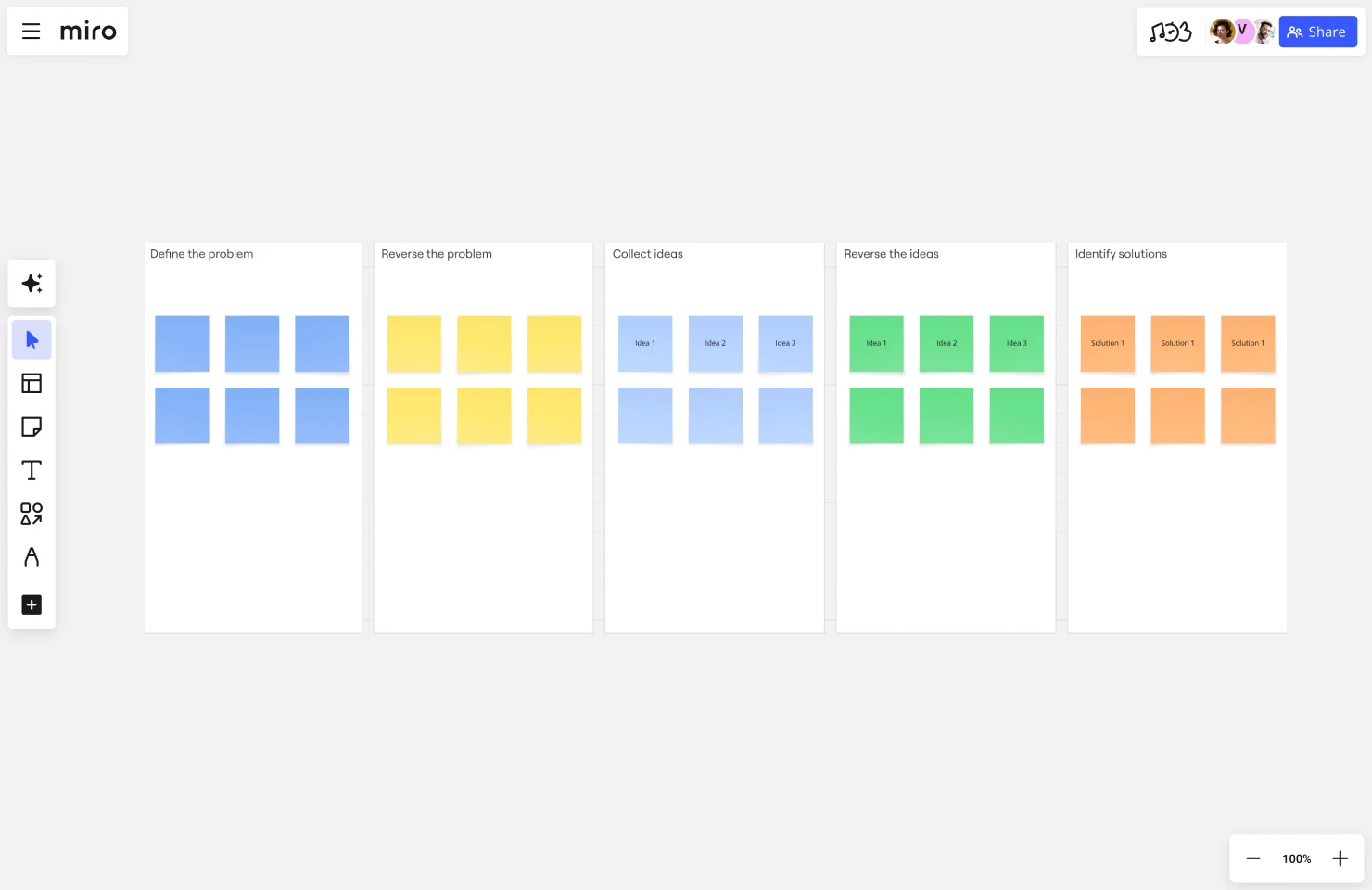
Open Miro and select the Brainstorming template, or create a blank board. Set up your board structure:
- Create distinct zones for each rotation station (3-4 stations works well)
- Add a prominent problem statement at the top
- Include context sections: user data, competitive analysis, constraints
- Set up voting and prioritization frames for later
Pro tip: Use Miro’s frames to define each station clearly. This keeps work organized as teams rotate.
2. Frame your challenge visually
Don’t just write “improve our checkout flow.” Make it specific and visual:
- Post the problem statement: “How might we reduce mobile checkout abandonment from 68% to under 40%?”
- Add screenshots of the current experience with pain points highlighted
- Include user quotes from recent research
- Show competitor approaches for reference
- Define success criteria: what does “good” look like?
The canvas gives everyone a shared context, so the whole team starts with the same understanding.
3. Set up AI assistance
This is where modern charrettes pull ahead. In Miro, activate AI features that will support your session:
- Miro AI for clustering: It’ll automatically group similar ideas as teams generate them
- Miro AI for summarization: Get instant summaries of each station’s work between rotations
- Smart suggestions: AI can recommend related frameworks or templates mid-session
4. Assemble your team
Invite 12-20 participants across functions:
- Product managers who understand user needs and business goals
- Designers who can visualize solutions quickly
- Engineers who know what’s feasible and what’s not
- Marketers who understand positioning
- At least one person from support or success who hears customer pain directly
Divide into 3-4 teams of 4-6 people each. Mix functions - you want diverse perspectives at every station.
5. Pre-session brief
Share board access 24 hours before the session. Add a “Pre-Work” section where participants can:
- Review the problem context
- Post questions or initial observations
- See examples of what good output looks like
This preparation ahead of time means you can start working right away when the live session begins.
During the session: Facilitation that works (90 minutes)
Round 1: Divergent ideation (25 minutes)
Each team starts at their designated station. Use Miro’s timer feature to keep everyone on track.
The Prompt: Generate 8-12 initial concepts that address the challenge.
How it works:
- Start with 5 minutes of silent, individual brainstorming - everyone adds sticky notes simultaneously
- Then 20 minutes of team building - sketch, diagram, create rough wireframes using Miro’s shapes and drawing tools
Station prompts should target different angles:
- Station A: “How might we simplify the path to purchase?”
- Station B: “How might we build trust at critical decision points?”
- Station C: “How might we reduce cognitive load on mobile screens?”
- Station D: “How might we recover abandoned carts?”
Miro advantages in action:
Real-time cursors show who’s contributing. Quieter team members can add stickies without fighting for airtime. The infinite canvas means no one’s idea gets squeezed out for lack of space.
Templates embedded right in the board - need to map a user journey? Customer empathy map? SCAMPER framework? They’re already there. Teams grab what helps without leaving the flow.
Miro AI kicks in automatically: As teams generate ideas, AI starts clustering similar concepts. You see patterns forming in real-time without manual sorting.
Round 2: Build and critique (20 minutes)
Teams rotate clockwise to the next station. They review what the previous team created, then build on it.
The task:
- Add green stickies for improvements and expansions
- Add yellow stickies for concerns or unknowns
- Use connector lines to link related ideas across different parts of the canvas
- Sketch alternative approaches or edge cases
Miro advantages:
Comment threads let teams discuss specific ideas without cluttering the canvas. “@mention” someone from another team who has relevant expertise - they get a notification and can jump in even if they’re at a different station.
Version history shows exactly what each team contributed. If there’s debate later about whose idea it was or what the original thinking was, you have a complete record.
Voting features let teams upvote directions they think are strongest. You start seeing consensus emerge before final prioritization.
Use Miro AI to summarize: Between rotations, ask AI to summarize what changed. It reads the entire station’s canvas and generates a quick brief: “Team 2 added three trust-building mechanisms and questioned the feasibility of real-time inventory updates.”
This keeps everyone oriented as concepts evolve.
Round 3: Convergent refinement (20 minutes)
Teams rotate one more time. Now the task shifts from generation to synthesis.
The task:
- Consolidate ideas into 2-3 strong, developed concepts
- Group similar ideas using Miro’s AI clustering or manual frames
- Flesh out the most promising directions - how would this actually work?
- Create visual representations: user flows, wireframes, service blueprints
Miro advantages:
AI-powered clustering groups similar stickies automatically. Click “Cluster” and watch Miro organize hundreds of ideas by theme. Teams can then focus on development instead of manual sorting.
Smart diagramming turns your rough sketches into clean flowcharts, journey maps, or process diagrams. Sketch the flow, then convert it to polished visuals in seconds.
Rich embedding - teams can pull in images, video clips, existing mockups, competitor screenshots. The concepts become tangible, not abstract.
Frames organize everything: Drag a frame around each major concept. Now you have clear, shareable sections instead of chaotic sprawl.
Synthesis and decision (25 minutes)
All teams regroup at this stage. This is often where charrettes can struggle, with too much information, competing ideas, and no clear next steps. Here’s how to handle it:
Station presentations (15 minutes)
Each station gets 5 minutes to present their final 2-3 concepts. Use Miro’s presentation mode to walk through frames in order.
The team presents:
- What they started with
- How it evolved across rotations
- The final concept(s) they landed on
- Key open questions or concerns
Record reactions and questions in a dedicated “Feedback” section on the board. This way, comments are visible for everyone to reference, instead of being lost in verbal discussion.
AI-powered synthesis:
Here’s where Miro AI really shines. Ask it to:
- Analyze all concepts and identify common themes
- Highlight where different teams converged on similar solutions
- Surface tensions or tradeoffs between approaches
- Suggest which ideas combine well together
You get a summary in seconds, without having to read through hundreds of sticky notes and comments yourself.
Prioritization (10 minutes)
Use Miro’s dot voting feature. Each participant gets 5 votes to distribute across concepts based on:
- Impact: Will this meaningfully reduce abandonment?
- Feasibility: Can we actually build this in our timeline?
- Alignment: Does this fit our product strategy?
Votes appear in real-time. The board updates automatically showing vote counts. You see consensus emerge visually - no need to manually tally.
AI analysis of voting patterns: Miro AI can analyze why certain concepts won - “Concept B received strong support from both design and engineering, suggesting good balance between user experience and technical feasibility.”
Next steps definition (5 minutes)
Don’t end without clear owners and actions. Right there on the board:
- Assign owners to the top 3 concepts
- Create action item cards with due dates
- Link concepts to execution: convert to Miro prototypes, create project boards, or sync to your project management tools
- Schedule a 48-hour follow-up to maintain momentum
The power move: Convert your top concept into a Miro Prototype right there in the session. Teams see their brainstorm idea become an interactive prototype they can click through. What was abstract becomes concrete in minutes.
Or create Jira tickets directly from action items. Or share specific board sections with stakeholders who couldn’t attend. The charrette outputs connect directly to execution - no translation layer.
After the session: Keeping momentum (Ongoing)
24-Hour Follow-Up:
Use Miro AI to generate a session summary:
- Key concepts that emerged
- Decisions made and rationale
- Action items with owners
- Open questions to resolve
Share this with the team and broader stakeholders. The board itself becomes the source of truth - anyone can click through to see the full context behind decisions.
48-Hour Check-In:
Quick sync with concept owners. What progress? What blockers? Update the board with status.
Week 1-2: Development
Teams work in the same Miro board or connected boards. The PM fleshes out requirements in one frame. The designer builds prototypes in another. The engineer adds technical specifications. Everything connects back to the original charrette canvas where the idea started.
This is the difference between charrettes that produce energy and charrettes that produce results: the canvas stays alive. It’s not a one-time brainstorm documented in meeting notes. It’s the living workspace where the idea evolves from concept through launch.
Advanced charrette techniques
Once you’ve run a few standard charrettes, try these variations:
The Lightning Charrette (45-60 minutes)
When you need rapid exploration of a well-defined problem:
- 10-minute rotations instead of 20-30 minutes
- 2 rotations instead of 3-4
- Tighter scope - “three ways to improve onboarding completion” not “reimagine the entire product”
Use Miro’s timer with sound notifications. When the bell rings, teams rotate immediately. The time pressure forces prioritization - teams focus on the strongest 2-3 ideas instead of exploring everything.
Best for: Tactical decisions, feature prioritization, quick validation of hypotheses.
The Asynchronous Charrette (3-5 days)
For global teams across time zones:
- 24-48 hour rotation windows instead of 20-minute roundsTeams contribute during their working hours
- Miro AI generates overnight summaries - APAC team wakes up to see what EMEA and Americas contributed
- Comment threads and @mentions maintain dialogue across time zones
Set clear deadlines for each rotation. “Station A completes initial ideation by EOD Tuesday PT. Station B builds on it by EOD Wednesday CET. Station C refines by EOD Thursday AEST.”
The canvas changes over days rather than just hours. Teams have more time to think deeply, but you still keep the structured rotation that makes charrettes work well.
Best for: Complex problems benefiting from reflection time, distributed teams, initiatives requiring research between rounds.
The Expert Panel Charrette
When you need external validation:
- Rounds 1-2: Internal teams generate and build on concepts
- Round 3: External experts or customers review and refine
In Miro, use guest access to invite experts without requiring them to have accounts. They can comment, vote, and contribute directly on the board.
This works exceptionally well for customer journey mapping or service design where the people experiencing the problem should shape the solution.
The Continuous Charrette
Extend the model beyond a single session:
- Week 1: Initial exploration charrette
- Week 2: Refinement charrette with user feedback incorporated
- Week 3: Feasibility validation charrette with engineering
The same Miro board evolves across multiple sessions. Earlier rounds stay visible so teams see how thinking shifted based on new information. The canvas becomes the complete record of how the idea developed from initial brainstorm through validated concept.
Common mistakes (and how to fix them)
Mistake 1: Vague problem statements
Bad: “Improve the user experience” Good: “Reduce time-to-first-value for new users from 45 minutes to under 10 minutes”
Spend 30 minutes before the session crafting a specific problem statement using “How might we…” framing. Test it with 2-3 participants beforehand.
Mistake 2: Homogeneous teams
If your charrette stations are all PMs or all designers, you’ll get blind spots.
Fix: Intentionally mix functions, seniority levels, and thinking styles. Include at least one person who’s new to the problem - fresh eyes catch assumptions others miss.
Mistake 3: Showing up cold
When participants arrive without context, you waste the first 20 minutes getting everyone oriented.
Fix: Share the Miro board 24-48 hours early. Add a “Pre-Work” section where people review background and post initial questions. The live session becomes building, not briefing.
Mistake 4: Dominant voices taking over
In any group, some people talk more than others. Without structure, the loudest ideas win.
Fix: Start each round with 5 minutes of silent brainstorming. Everyone adds sticky notes simultaneously before discussion begins. Miro’s simultaneous editing means everyone contributes equally - you see ideas from quiet and loud voices side-by-side.
Mistake 5: No follow-through
The session ends with energy and excitement. Two weeks later, nothing’s happened.
Fix: Don’t adjourn without assigning owners and creating action items directly on the board. Convert top concepts into Miro Prototypes or project boards before the session ends. Schedule a 48-hour check-in while you’re all still together.
Mistake 6: Trying to facilitate and document simultaneously
Running the session while also trying to capture everything is impossible.
Fix: Let Miro AI handle documentation. It can summarize each round’s additions, identify themes, and generate session recaps. You focus on facilitating great collaboration.
Getting started with your first charrette
Start here:
1. Pick a real problem - Not a practice run. Choose something your team needs to solve in the next 2-4 weeks where diverse input will improve the outcome.
2. Get the right people - 12-20 participants across functions. If you can’t get cross-functional representation, delay until you can. Homogeneous charrettes produce homogeneous ideas.
3. Set up your Miro board - Use the Brainstorming template. Customize it with your problem statement, context, and station prompts. Share it 24 hours early.
4. Block 2 hours - 90 minutes for the session plus 30 minutes buffer. Make it mandatory. Charrettes fail when people drop in and out.
5. Assign a facilitator - Someone who keeps time, manages rotations, and ensures everyone contributes. This shouldn’t be the most senior person in the room (they might intimidate others from contributing).
6. Run it - Follow the structure: 25-minute initial ideation, 20-minute build round, 20-minute refinement round, 25-minute synthesis and decision.
7. Ship something within 48 hours - A prototype, a spec, a mockup, something tangible. This proves the charrette produced results, not just discussion.
Your second charrette will be better than your first. Your fifth will feel natural. The framework becomes muscle memory for how your team turns ideas into action.
The bottom line
Organizations are implementing AI for individual productivity and wondering why innovation hasn’t accelerated. Because innovation doesn’t happen when people run fast in isolation. It happens when teams align on the right problems, explore solutions together, and converge on approaches worth executing.
Charrettes are how you do this. Not endless brainstorming that produces hundreds of ideas and zero action. Not siloed work that gets thrown over walls. Structured collaboration that takes teams from discovery through delivery, fast.
92% of leaders say visual collaboration platforms are critical to teamwork. 83% are interested in canvas-based workspaces that improve cross-functional collaboration and augment team effort with AI.
You don’t need poster boards and conference rooms. You need a shared canvas where teams think visually, AI expands possibilities, and breakthrough concepts connect directly to execution.
Ready to run your first charrette? Open Miro, grab the Brainstorming template, and invite your team. Two hours from now, you’ll have validated concepts worth building instead of another meeting that should have been an email.
Frequently Asked Questions
How long should a charrette session last?
Most effective charrettes run 90 minutes to 2 hours for the live session. Lightning charrettes can work in 45-60 minutes if the problem is well-defined and the team already has shared context. Longer than 2.5 hours and you hit diminishing returns - energy drops, contributions get repetitive, and people start checking out mentally.
What’s the ideal team size for a charrette?
4-6 people per station, with 3-4 stations total (12-24 total participants). Smaller groups ensure everyone contributes - at 7+ people per station, quieter voices disappear. Multiple stations provide diverse perspectives - with only 2 stations, you don’t get enough variety in approaches.
Can charrettes work for remote teams?
Absolutely. Charrettes on a visual collaboration platform like Miro often work better than in-person sessions because everyone has equal access to the canvas. You avoid issues like people in the back row who can’t see the whiteboard or remote participants stuck watching via webcam. Asynchronous charrettes with 24-48 hour rotation windows work especially well for global teams across time zones.
What’s the difference between a charrette and regular brainstorming?
Charrettes add structure through rotation and iteration. In regular brainstorming, one group generates all the ideas. In charrettes, multiple teams build on each other’s work across timed rounds. This produces more developed, feasible concepts because ideas get refined through multiple perspectives instead of staying at the initial brainstorm level.
How do you prevent groupthink in charrettes?
Start each round with silent, individual ideation before group discussion - everyone adds sticky notes simultaneously for 5 minutes. Rotate teams so fresh perspectives review each station. Mix seniority levels and functions so you don’t have homogeneous thinking. Use “Yes, and…” building rather than “But…” critiquing to keep ideas flowing. Miro’s anonymous voting also helps - people vote based on concept strength, not who suggested it.
When should you NOT use a charrette?
Skip charrettes when the problem needs deep expert analysis rather than broad exploration - if you need a security audit or compliance review, get specialists, not a brainstorm session. Don’t run charrettes when decisions have already been made - fake participation destroys trust. And don’t use them if you can’t commit to executing on the results within weeks - charrettes create energy that dissipates fast without follow-through.
Sources:
All statistics cited in this article come from Forrester Consulting’s “Collaboration is AI’s Biggest Opportunity,” Q3 2025, based on research with 518 engineering, product, design, IT, and line-of-business leaders in organizations across USA, EMEA, and APAC currently integrating or planning to integrate AI into workflows.
Read more
Join our 100M+ users today


