Using Miro for safe and insightful technical diagramming
Across industries, technical diagrams contain sensitive information. This may relate to infrastructure design, data flows, or security models, amongst other things. Either way, the confidentiality of this information is critical.
However, ensuring confidentiality can be challenging when teams need to collaborate on diagrams. Secure collaboration can be especially challenging when sharing across departments and even countries. This can be the case regardless of the project type, from network architecture to wireframing diagrams.
With this in mind, Miro has incorporated security features across its visual tools. The platform is ideal for collaborating on diagrams while meeting security needs. Because of this, many teams use Miro as an alternative to other technical diagramming tools.
Why security matters in technical diagramming
Many diagrams need protection, particularly if they contain sensitive data and intellectual property. Diagrams that contain this information could be displaying anything from cloud architecture to security models.
Miro reassures organizations that they can:
- Protect their intellectual property
- Ensure customer or client confidentiality
- Uphold compliance with legal requirements
This means digital and in-person teams can work in confidence using Miro. Each collaborator knows they can share and collaborate on sensitive diagrams that will stay secure and private.
By supporting both real-time and asynchronous collaboration in a single secure workspace, teams can work together without moving sensitive data across tools.
Key security considerations in diagramming
Given the many options on the market, choosing a technical diagram creation platform isn’t always easy. To make the right choice, teams must understand the risks associated with handling sensitive data on a platform. This way, they can select one that avoids these risks and meets their diagramming security needs.
Key considerations should include:
Data residency
Teams should consider whether:
- The platform’s data storage system meets data residency laws
- There’s a risk of data exposure due to a platform’s multi-location data storage
- It will be easy to uphold data access and performance
- The platform’s security features integrate with the team’s security/compliance strategy
Encryption
Teams should ask how:
- The platform manages data classification
- What type of encryption the platform uses, e.g., in transit or at rest
- The platform runs its key management process for encryption
- The platform protects and rotates keys
- Sensitive the platform’s encryption is across architectural diagrams and user data
- The platform meets GDPR, CCPA, or alternative compliance standards
- The platform’s encryption affects access to, and the recovery of, technical diagrams
Access permissions
Teams should ask whether the platform:
- Can allow all necessary personnel to access shared technical diagrams and sensitive data
- Offers security features that align with the organization’s data governance policies
- Allows admins to grant users the minimum permissions they need to fulfil their tasks
Internal safeguards
Teams should ask:
- Whether the platform has compliance certifications
- How the platform manages user data and access
- How the platform can integrate with the organization’s other security tools
- Whether the platform supports industry-standard protocols
How Miro supports secure technical diagramming
Miro supports secure technical diagramming in various ways. From data residency and storage to internal safeguards, here’s how the platform fulfils its security promise.
Data residency and storage
Miro hosts all data, including production content, backups, and metadata, within the EU. However, customers can also choose data residency in the US or Australia. As such, teams outside of the EU can also meet compliance and governance requirements.
This flexibility means that organizations can store data in a location that meets their needs. Teams can see their regional hosting options in Miro’s Trust Center. Accessing clear documentation on these helps them meet data sovereignty and compliance demands.
Encryption and compliance
Miro complies with GDPR and CCPA. This means organizations in the UK and US can enjoy peace of mind that the platform is compliant with the country’s legislation.
Miro also undergoes regular audits and provides SOC 3 reports through the Trust Center. These reports contain summaries of internal controls relating to security, privacy, and confidentiality. As a result, organizations know they can meet security and regulatory obligations.
Even with large, complex architecture diagrams, Miro maintains fast performance while applying enterprise-grade security features such as SSO and SCIM provisioning.
Access controls designed for security
Miro Enterprise offers features that give admins control over who can view or edit diagrams. These features include:
- Trusted domain policies
- Link access restrictions
- Domain verification
The admin controls mean that only relevant personnel can access sensitive data. On top of this, only designated individuals can update this access at any time. Admins can also create private boards to ensure the utmost confidentiality.
Internal safeguards
Miro’s security features extend well beyond user-facing controls. The platform has its own internal safeguards that also protect customer data.
Only select IP addresses and employees can access production environments. They can also only access these under explicit customer requests and permission. These tight internal access controls keep the risk of internal security breaches to a minimum.
Transparency and compliance you can trust
Miro’s security framework helps teams create technical diagrams while meeting regulatory requirements. Teams can access all policies, certifications, and legal documents in the Miro Trust Center. Miro keeps these resources here to uphold full transparency.
Miro’s Privacy Policy, Terms of Service, and data processing agreement (DPA) also ensures transparency. The company never sells user data, and it offers a bug bounty program via Intigriti to strengthen ongoing security. This means organizations worldwide can trust the platform to put user privacy and accountability first.
Best practices for secure diagramming in Miro
Teams can follow these practical steps to maximize security when diagramming sensitive systems:
- Use private boards for all sensitive diagrams
- Restrict sharing to relevant individuals via enterprise domain policies
- Verify data residency settings
- Audit board access regularly, once a month, or more often if necessary
- Export diagrams only when needed and share these only with trusted recipients
By following these steps, teams can maintain best security practices while collaborating effectively.
Diagram with confidence
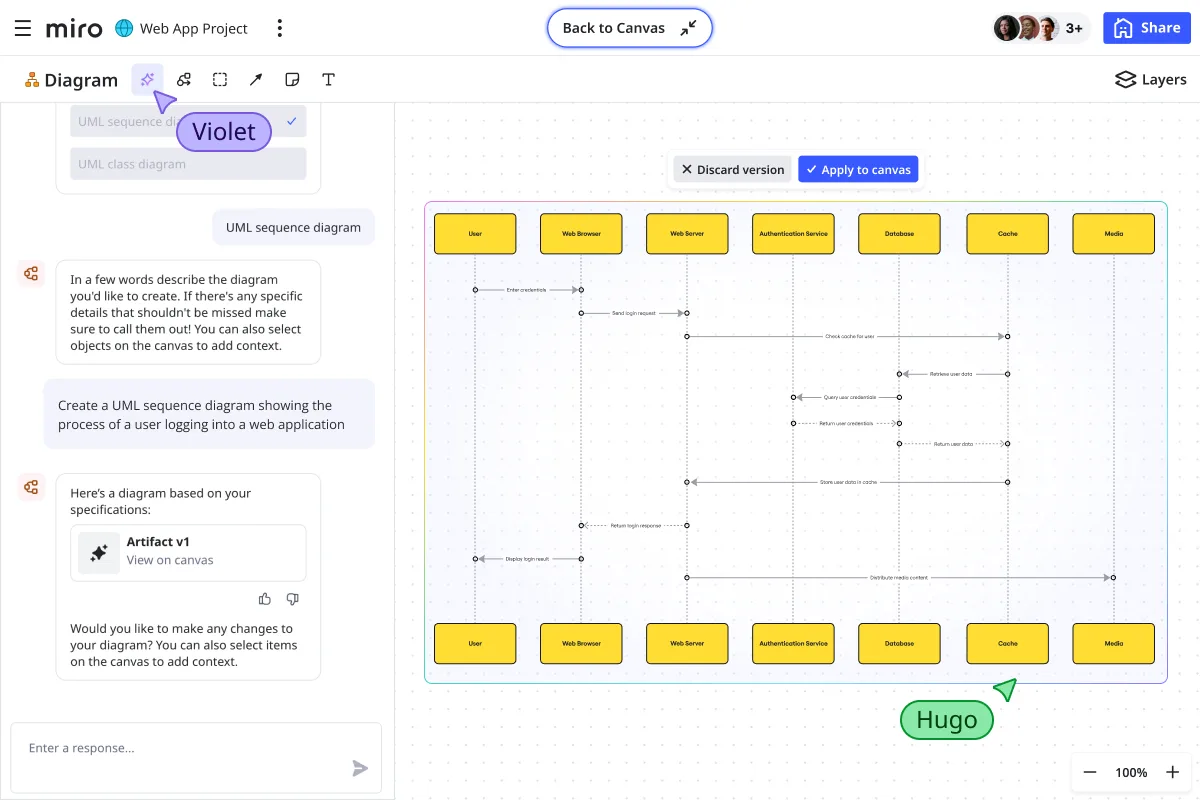
Thanks to Miro’s protection and access controls, secure collaboration on sensitive diagrams is easy. Learn how to create complex technical diagrams securely and collaboratively. Whether your team crafts these from scratch or uses one of Miro’s templates, Miro AI makes it possible to generate diagrams in seconds.
FAQs
What security risks should I consider when diagramming infrastructure?
When diagramming infrastructure, security risks include:
- Exposing sensitive system details
- Sharing diagrams outside your team
- Storing data in regions that don’t meet compliance requirements
With Miro, you can reduce these risks through domain controls and restricted link sharing. It’s also possible to reduce risks with private boards and Miro’s data residency options. These keep information within the right jurisdiction.
How does Miro help identify vulnerabilities in systems?
Miro itself doesn’t scan or flag vulnerabilities in your infrastructure. However, it does provide a secure space for teams to collaborate on threat modeling and architecture reviews.
With shared boards, teams can:
- Map out systems
- Visualize dependencies
- Surface potential weaknesses
Meanwhile, discussions are kept safe with enterprise-grade security controls.
Can I control who sees or edits my Miro diagrams?
Yes. Miro gives you full control over access and editing rights. You can:
- Create private boards
- Restrict access by domain
- Disable public sharing links
- Assign permissions (view, comment, edit) to specific team members
This ensures only the right people can collaborate on sensitive diagrams.
What is security in design?
Security in design is the practice of building security into systems from the earliest stages of planning. It’s often called “secure by design” in technical diagrams. This means considering access controls, data flows, and potential risks as you map out infrastructure.
With Miro, teams can embed these practices into their design process while collaborating securely.
Can anyone at Miro access my technical diagrams?
No. Miro employees cannot view your boards without your explicit request and permission. Access to production environments is limited and strictly controlled.
What if I need extra assurance for external stakeholders?
For extra assurance, Miro offers features like:
- Watermarking on exports
- Advanced sharing restrictions
- The ability to disable public links
These features ensure sensitive information stays under your control.
For organizations with stricter security and governance needs, Miro’s Enterprise Guard provides an advanced layer of controls. It helps you automatically find and secure sensitive data, manage content lifecycles, support legal discovery, and control encryption keys - at scale. These features ensure sensitive information stays under your control while enabling safe collaboration.
Can I create private technical diagrams in Miro?
Yes. You can set boards to private and manage access permissions at any time. This ensures only the people you choose can view or edit sensitive diagrams.
Can Miro handle large and complex technical diagrams securely?
Yes, Miro’s enterprise architecture supports hundreds of collaborators and thousands of diagram elements on a single board. Even at scale, it maintains performance and applies enterprise-grade security features such as SSC, SCIM, and robust permission controls.
What if my client’s firewall blocks access to my Miro board?
If your client’s firewall prevents them from accessing your Miro board, they can resolve this by adding Miro to their list of allowed domains. This ensures that board links, live collaboration, and integrations work without compromising security. Learn how to set this up in the Miro Help Center.
Read more
Join our 100M+ users today


