Table of contents
Table of contents
Collaborative prototyping: Why your team should prototype before designing
Summary
In this article, you'll learn:
- What collaborative prototyping actually means
- Why prototyping before designing reduces rework and speeds delivery
- The real cost of skipping early validation
- How Miro Prototypes makes collaborative prototyping accessible to everyone
- A step-by-step walkthrough using Miro Flows and Sidekicks
- How EPAM Systems cut a six-week process down to 30 minutes
- What Miro’s commissioned research says about prototyping, AI ROI, and what’s holding teams back
Collaborative AI Workflows
Join thousands of teams using Miro to build the right thing, faster.
The build-fast trap is costing your team more than you think
Here’s a scenario product teams know well: engineering ships a feature in record time, the demo looks great, and then the first round of user feedback arrives. It’s clear the team built the wrong thing. Not badly executed, just wrong. The problem was never the execution. It was the absence of shared clarity before a single line of code was written.
AI code generation has made this trap worse, not better. Development that once took months now takes days. But the discovery and definition phases, the parts where you figure out what to build and why, haven’t kept pace. According to Emma Craig, Head of UXR and Content Design at Miro, in her article A new way for product teams to discover and build the right things, while 88% of engineering, product, and design (EPD) leaders say prioritizing the right problems is critical to achieving business goals, only 19% give their companies top marks for turning customer insights into actionable product recommendations.
Speed without shared understanding doesn’t accelerate delivery. It accelerates rework.
That’s where collaborative prototyping changes everything.
What is collaborative prototyping?
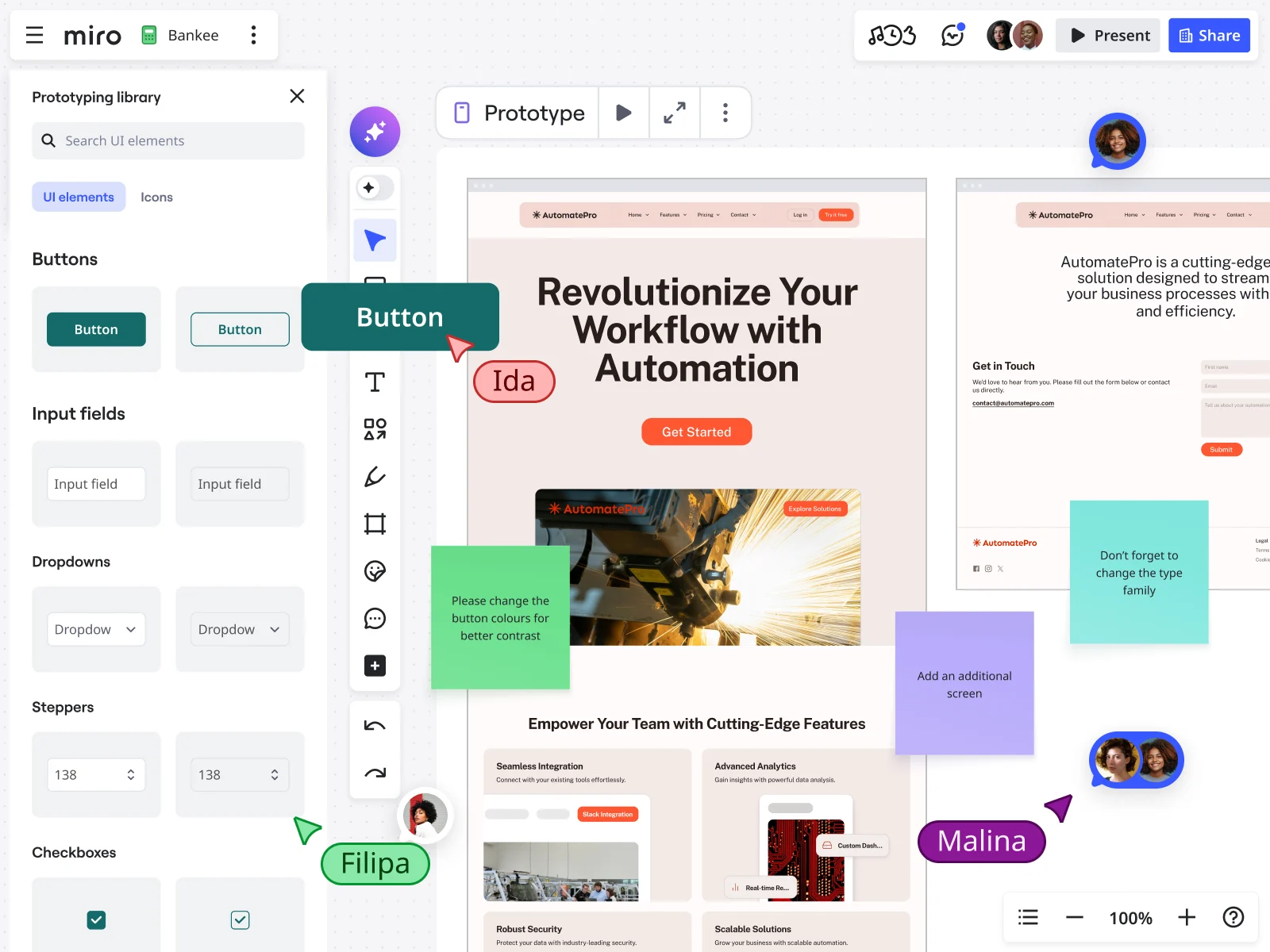
Collaborative prototyping is the practice of building low- to mid-fidelity interactive prototypes together, across product, design, and engineering, before any final design or development work begins. It’s not a handoff. It’s a shared conversation made visual.
Traditional prototyping often happens in a silo. A designer disappears for a week, surfaces a Figma file, and the team reacts. By that point, the designer has made dozens of decisions independently, about user flows, UI patterns, and feature scope, that the rest of the team has had no input on. Misalignment gets baked in early and only surfaces later, when it’s expensive to fix.
Collaborative prototyping flips this. Instead of a designer producing artifacts for others to review, the whole team builds and iterates on a shared visual canvas from the start. Product managers bring brainstorm outputs and problem statements. Engineers flag scope constraints. Designers shape the interaction model. Everyone sees the same thing, in real time, and can push the thinking forward together.
The result isn’t just a faster prototype. It’s a prototype the whole team actually believes in, and a much shorter path to “yes, we’re building the right thing.”
Why prototype before designing?
The instinct on most teams is to move linearly: research, design, prototype, test, build. That feels orderly. But in practice, it’s slow and fragile.
Here’s why prototyping earlier, before high-fidelity design, pays off:
It’s cheap to be wrong in a prototype. A wireframe takes minutes to change. A fully designed screen takes hours. A feature already in production takes weeks and a post-mortem. The earlier you test an idea, the lower the cost of discovering it needs to change.
It creates alignment before assumptions calcify. When teams skip early prototyping, each function fills the gaps with their own assumptions. By the time those assumptions meet in a sprint review, you’ve got misalignment that requires untangling in the middle of delivery.
It keeps the customer’s voice in the room. Teams that prototype early can test concepts with real users before committing design or engineering resources. That feedback loop, from idea to prototype to user in days rather than weeks, is how high-performing product teams consistently ship things customers actually use.
It accelerates design, not bypasses it. Prototyping before design doesn’t replace designers. It gives them better inputs. When a designer picks up a validated concept with clear user feedback already baked in, they’re not starting from a blank page. They’re refining something the team has already pressure-tested.
According to Emma Craig’s findings, some teams today are skipping validation entirely, building features directly into production and hoping for the best. That’s not speed. That’s a bet with no odds in your favor.
The discovery gap is widening
Research in one tool, feedback in another, and plans somewhere else entirely: this kind of fragmentation is one of the most common and most costly problems in product development today.
Emma Craig describes the pattern clearly: feedback scattered across Salesforce, Zendesk, Gong, Slack, support tickets, and sales calls creates massive blind spots. Teams make high-stakes calls without a complete view of what customers actually need. And when insight is fragmented, the customer’s voice fades, replaced by internal assumptions and whoever argued loudest in the last meeting.
Collaborative prototyping is one of the most effective antidotes to this problem. When teams prototype together on a shared canvas, they’re forced to surface their assumptions, reconcile conflicting interpretations of customer data, and build toward a shared understanding of what the product should do and why.
It’s not just about speed. It’s about building confidence: the kind that comes from knowing your team is aligned, your concept has been tested, and your next move is grounded in evidence rather than optimism.
How Miro makes collaborative prototyping accessible to everyone, including non-designers
One of the most persistent barriers to early prototyping is resource dependency. Most teams believe you need a designer to prototype. That assumption keeps prototyping locked behind a six-week procurement queue, a backlog of design requests, or a single person’s availability.
Miro Prototypes removes that dependency entirely. As collaborative prototyping software built for cross-functional teams, it’s designed to work for PMs, engineers, and strategists just as much as it is for designers.
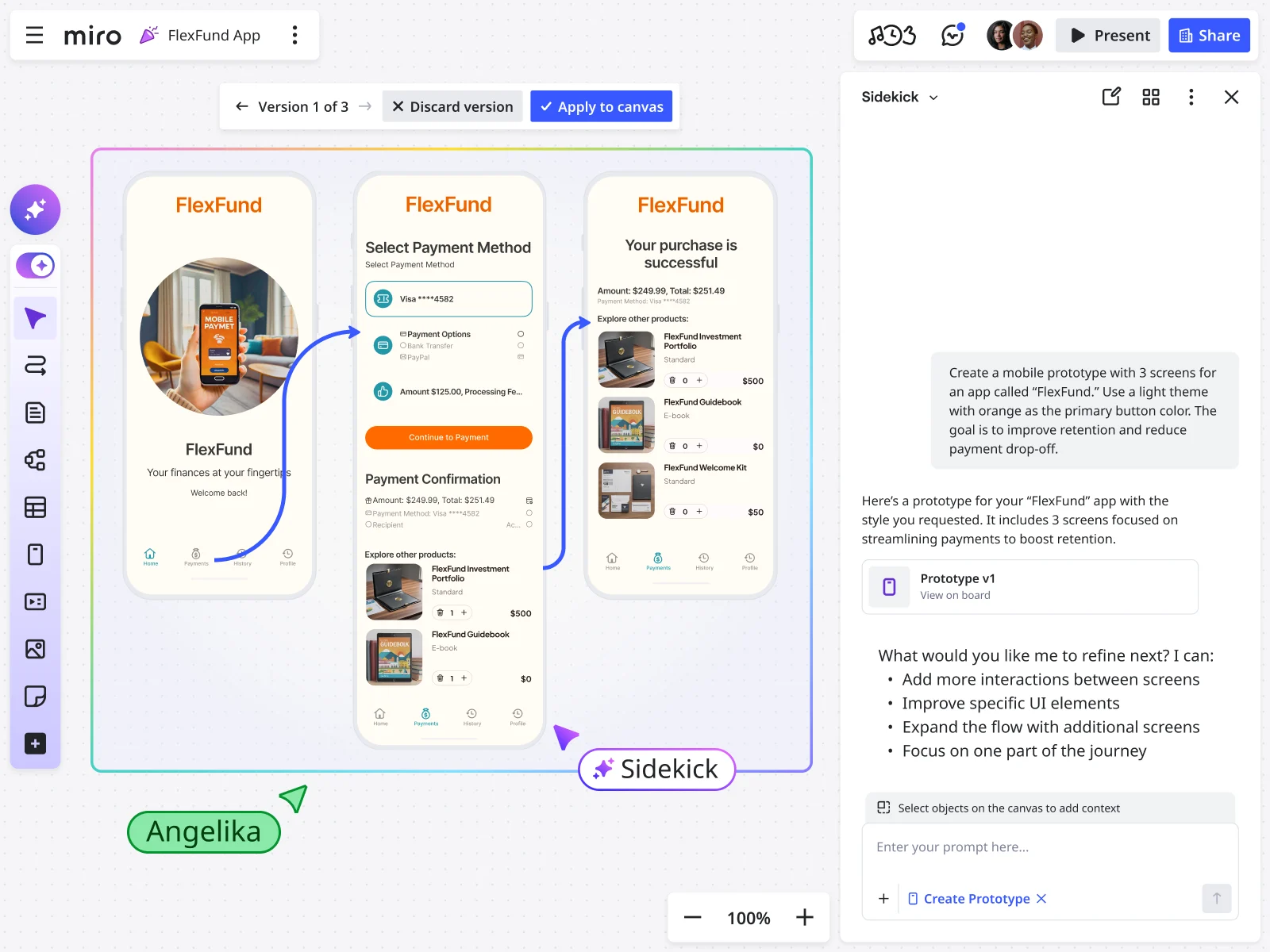
With Miro’s AI-powered canvas, anyone on the team can turn sketches, sticky notes, screenshots, or written prompts into interactive, multi-screen prototypes in minutes, with text prompts generating wireframes, uploaded screenshots maintaining brand consistency, and AI variations letting the team compare multiple directions before committing to one. And because it all lives on the shared Miro canvas, every prototype is immediately accessible, editable, and collaborative, with no handoff required.
This isn’t a compromise on quality. It’s a recalibration of when quality is needed. Early prototypes don’t need to be pixel-perfect. They need to be clear enough to generate useful feedback. Miro Prototypes hits that bar fast.
And when a UX designer does join the process, whether in early stages or later, they’re not starting from scratch. They’re walking into a conversation that’s already been validated, with a team that’s already aligned on direction.
What EPAM Systems did in 30 minutes that used to take six weeks
When Mariana Carril, Director of Product Management at EPAM Systems, was tasked with building an internal product for a global client, a worldwide database interface used across multiple regions, she had no UX designer on her team of two engineers. Traditional approaches would have taken approximately six weeks just to secure and onboard design resources before any design work could begin.
“I would have probably cried a lot first,” Mariana said. “I would have asked for the resource from EPAM or the client… I would have just had to wait and it would take more time.”
Instead, she found Miro Prototypes.
“The moment I found Miro Prototypes, I almost fell to my knees and in tears and that is not being dramatic. I absolutely loved it.”
Using text prompts to generate initial wireframes, uploading screenshots of the client’s existing interfaces for brand consistency, and iterating by feeding client feedback directly back into Miro AI, Mariana had all the screens she needed for the product in under 30 minutes. A process that would have taken six weeks from start to design handoff took half an hour.
When an experienced UX designer eventually reviewed the work, his response confirmed the quality: “You did a really good job.” When Mariana told him it was AI-generated, he was impressed, suggesting only minimal adjustments. Those AI-generated prototypes went straight into production. Mariana exported PDFs and screenshots, added them to Jira tickets, and her engineering team built directly from them.
“All the interface elements were utilized in the final product,” she explained. “We launched production of MVP last week, and we’re going into phase two. The client is thrilled with the mockups and wireframes.”
EPAM’s story isn’t an edge case. It’s a preview of how product development works when collaborative prototyping is built into the process from the start.
A step-by-step walkthrough: collaborative prototyping with Miro Flows and Sidekicks
Here’s how Jesse from Miro’s solutions team runs a full collaborative prototyping workflow, from inputs to production-ready artifacts, using Miro Flows and Miro Sidekicks.
Step 1: Gather your inputs on the canvas
Before running any AI workflow, bring your team’s raw context onto the Miro board. This includes brainstorm outputs (sticky notes work well), embedded documents with accessibility requirements, brand assets, a problem statement with success criteria, and any technical or scope constraints. This shared input layer is what makes the output genuinely relevant, not generic.
Step 2: Set up a Miro Flow for your prototyping workflow
Miro Flows lets you chain together multi-step AI workflows directly on the canvas. In Jesse’s example, the team uses a pre-built template designed to accelerate prototyping, but you can customize flows to match your specific process. The template is configured to take the canvas inputs and generate five artifacts in sequence: a PRD, two prototype variations, an accessibility review table, and a recommendation document comparing the two prototypes.
Step 3: Choose your AI model for each step
One of the more practical features of Miro Flows is per-step model selection. If your team prefers GPT for text generation but Claude for image generation, you can set that at the format level. You can also connect Miro Flows to company knowledge bases, including Amazon Q, Gemini Enterprise, and Microsoft Copilot, to pull in proprietary context without leaving the canvas.
Step 4: Run the flow and review the output
Hit run and Miro Flows executes the full sequence. In Jesse’s walkthrough, a five-step flow completes in about 90 seconds. The output includes a generated PRD, two fully interactive prototype variations (with configurable text, colors, buttons, and screen connections), an accessibility review table comparing the two prototypes against defined criteria, and a recommendation on which direction to move forward with.
Step 5: Iterate in the middle of the flow using Sidekicks
This is where Miro’s approach to collaborative prototyping gets genuinely different. Rather than re-running the entire flow when you want to incorporate new feedback, you can edit artifacts mid-flow and re-run from that point. In Jesse’s example, he uses the Design Prototype Sidekick, a no-code AI agent persona, to review the prototype and PRD on the canvas and generate additional feedback. That feedback becomes a new input, and the flow re-runs from that stage only, reflecting the changes in all downstream artifacts.
“With Miro Flows, it’s really easy to actually edit artifacts in the middle of a flow and then rerun the flow from there to update the downstream artifacts with those changes reflected. If you were doing this in an LLM, you’d have to scroll way up in your chat or potentially even start from scratch.”
Step 6: Share, gather feedback, and align as a team
Because all of this lives on a shared Miro canvas, the whole team, including PMs, engineers, designers, and stakeholders, can see the prompts used, the inputs provided, the model running, and the outputs generated. Feedback happens in real time on the same canvas where the work lives. No screenshots in Slack. No async misalignment. Just a team working together toward the same thing.
What the research says about prototyping, AI, and what’s actually holding teams back
Miro’s Reimagining Product Development with AI report, drawing on commissioned research from both Forrester Consulting and Harvard Business Review Analytic Services (September 2025), puts hard numbers behind what most product teams already feel.
Eighty-three percent of product decision makers agree that AI can significantly improve product development. But agreement on the potential and actual returns are two very different things. The report identifies the core blocker clearly: 76% of EPD leaders agree that most AI tools target individual, not team, productivity, and product leaders rank this as the top factor negatively affecting returns on AI investment, above adoption gaps, training gaps, or fragmented toolsets.
The gap shows up sharply in prototyping specifically. According to Forrester’s data in the report, generating and evaluating product ideas and conducting market research are the steps of product development that need the most improvement, according to product decision makers. Prototyping and validation are falling behind the pace of change, even as delivery accelerates.
The fix isn’t more AI tools. It’s applying AI where teams actually work together. The report finds that 95% of product leaders say visual collaboration platforms are important or critical for their organization’s workflows, and 85% are interested in AI solutions that drive teamwork and collaboration rather than individual productivity. When asked how resources for discovery would change in the next one to two years, 96% of EPD leaders said they planned to increase or significantly increase investment in that area.
Collaborative prototyping, done on a shared canvas, sits exactly at the intersection of all three of those priorities: discovery, visual collaboration, and team-based AI. It’s not a nice-to-have. According to the research, it’s where the ROI on AI actually lives.
What strong product teams do differently
Emma Craig’s research points to three capabilities that separate high-performing product organizations from the rest: unified customer intelligence, rapid visual concepting and testing, and continuous customer-centric alignment. Collaborative prototyping sits squarely in the middle of that framework.
The teams pulling ahead aren’t the ones moving fastest in isolation. They’re the ones who’ve figured out how to move fast together, with shared context, early validation, and a canvas where strategy becomes visible and actionable.
“The winners in this new era will be those who use AI and shared context to discover and validate what matters most to customers, and then accelerate the work that brings those ideas to market,” Craig writes.
Prototyping collaboratively, early, and on a shared canvas is how that plays out in practice.
Ready to prototype before you design?
Miro Prototypes gives your whole team, including PMs, designers, engineers, and stakeholders, a shared space to build, test, and align on ideas before committing design or development resources. Text prompts, image uploads, AI-generated variations, multi-screen flows, and real-time collaboration, all in one place.
Collaborative prototyping FAQs
What is collaborative prototyping? Collaborative prototyping is the practice of building interactive prototypes as a cross-functional team, bringing together product managers, designers, engineers, and stakeholders on a shared canvas before any final design or development work begins. Unlike traditional prototyping, which often happens in a design silo, collaborative prototyping ensures the whole team builds shared understanding early, tests assumptions quickly, and aligns on direction before the cost of change gets high.
Why should teams prototype before designing? Prototyping before high-fidelity design keeps the cost of experimentation low. A wireframe takes minutes to change; a fully designed screen takes hours; a feature in production takes weeks. Early prototyping also forces teams to surface and reconcile conflicting assumptions before they get baked into the work, reducing rework, improving cross-functional alignment, and keeping the product closer to what customers actually need.
Do you need a designer to prototype in Miro? No. Miro Prototypes is built for the whole team, not just designers. Anyone can use text prompts, uploaded screenshots, or brainstorm outputs to generate interactive, multi-screen prototypes in minutes. When a designer does join the process, they’re working from a validated concept with team alignment already in place, which accelerates their work rather than replacing it.
How does Miro Prototypes support real-time collaboration? Everything in Miro Prototypes lives on a shared canvas. Team members can view, edit, and comment on prototypes simultaneously, run AI workflows together, and see the same inputs, prompts, and outputs in real time. There’s no handoff and no version confusion, just one shared space where the whole team can move forward together.
What is Miro Flows, and how does it relate to prototyping? Miro Flows is Miro’s multi-step AI workflow feature. It lets teams chain together a sequence of AI-powered tasks, including generating PRDs, creating prototype variations, running accessibility reviews, and comparing options, directly on the canvas. For prototyping, Flows dramatically compresses the time from initial inputs to reviewable artifacts, and allows teams to edit and re-run specific stages without starting over from scratch.
How does Miro Prototypes integrate with tools like Jira? Prototypes and artifacts created in Miro can be exported as PDFs or screenshots and added directly to Jira tickets. Miro also connects with Jira, Azure DevOps, and other project management systems, so teams can link prototype work to delivery tasks and keep strategy connected to execution throughout the product lifecycle.
Is Miro Prototypes suitable for enterprise teams with security requirements? Yes. Miro is SOC 2 Type II and ISO/IEC 27001 certified, supports data residency in the EU, US, and Australia, and offers enterprise-grade controls including SSO, role-based access, admin-level AI feature management, and audit logs. Enterprise teams can enable or disable AI features at the organization or team level to align with internal compliance policies.
What plans include Miro Prototypes? Miro Prototypes is available across Free, Starter, Business, and Enterprise plans. Some advanced AI features, including Miro Flows, may require the AI add-on or be subject to AI credit usage. Check Miro’s pricing page or speak to your account manager for plan-specific details.
Author: The Miro Team Last updated: March 11, 2026
Read more
Join our 100M+ users today


