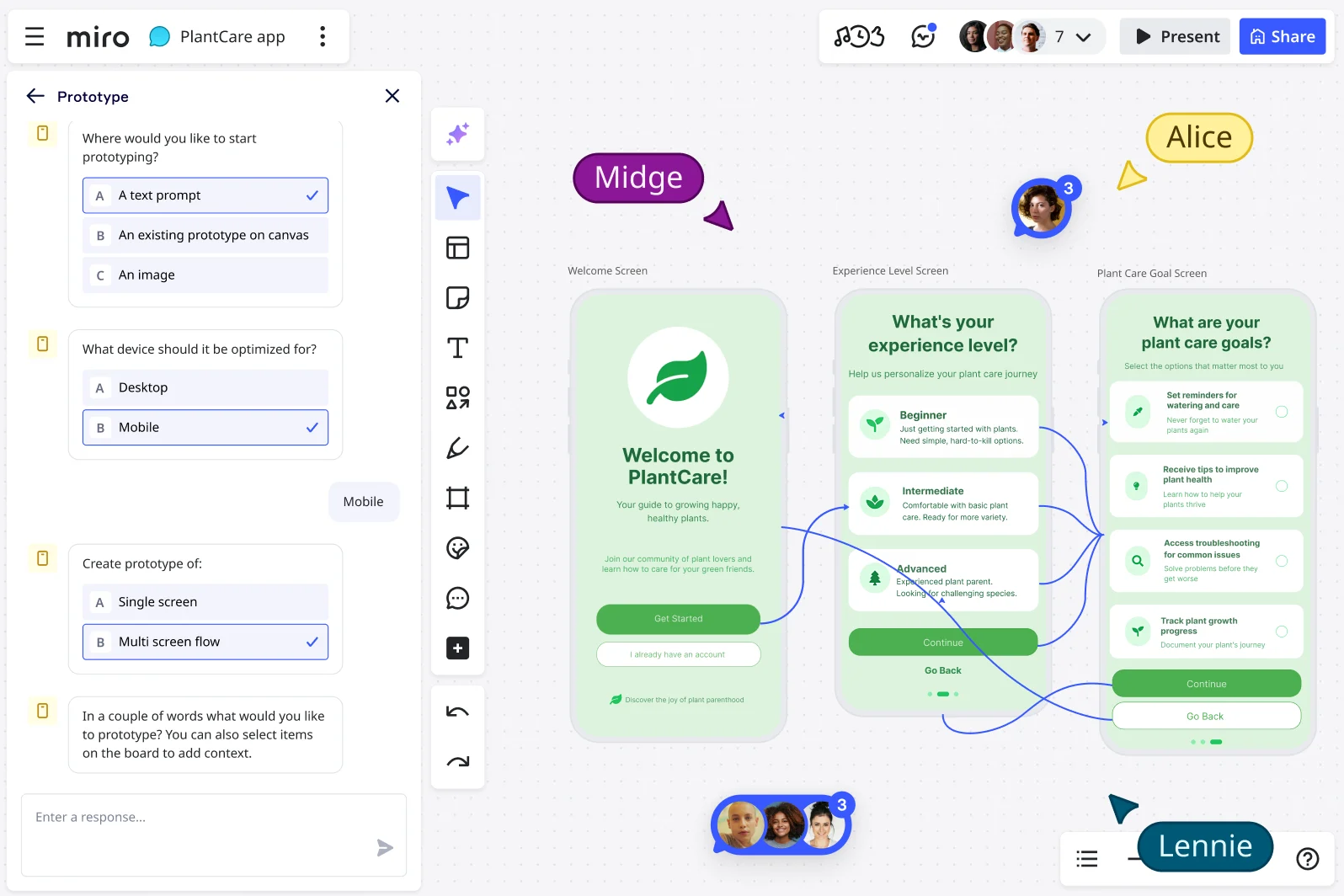
Power your prototyping with seamless integrations
Prototyping is a team effort that relies on design tools, task managers, and communication platforms all working together. Miro connects with over 160 integrations to bring those tools together in one space. Ideas move smoothly from early sketches to delivery, without the friction of switching apps or duplicating work. Teams stay aligned, feedback flows faster, and prototypes evolve into real results without delay.
How connected tools speed up prototyping
Prototyping often means bouncing between design tools, project trackers, and chat apps. Every switch slows teams down and creates silos. With Miro, prototypes, feedback, and tasks all connect in one workspace, so there’s no confusion about what’s current.
Miro’s integrations help make prototypes closer to the final product. You can pull in live data, preview designs across devices, and embed prototypes in a single place. Designers, developers, and stakeholders stay aligned because the same prototype flows through their tools without duplication.
By connecting your tools, handoffs between design and development are streamlined, resulting in faster workflows. Feedback is captured in the right place, insights run deeper, and prototypes move from concept to delivery with less rework.
Integration paths with Miro that transform prototyping
Prototyping is so much easier when your tools work together. Miro connects with the platforms your team already uses, keeping ideas, prototypes, and execution tasks in one place. These integrations reduce repetitive work and make it easier to turn concepts into real outcomes.
Sync ideas into your workflow tools
Miro connects with popular tools like Jira, Asana, Microsoft 365, Google Workspace, Slack, and Zoom. Turn sticky notes into Jira tickets or Asana tasks with two-way sync, so updates stay consistent across platforms. No copying, no missed details.
Bring prototypes into your daily tools
You can embed live Miro boards and prototypes right into tools like Confluence, Notion, or Microsoft Teams. Reviews and feedback happen in the same spaces where teams already collaborate, keeping context front and center. This makes it easier for everyone to see what’s happening and share valuable feedback.
Extend your stack with the Miro Marketplace
With the Miro Marketplace, you can explore hundreds of integrations to improve how your team prototypes. From design to development platforms like GitHub and Azure DevOps, Miro adapts to fit your stack - not the other way around..
Explore data and API integrations
Connect prototypes to live data feeds or APIs to test how designs behave under real-world conditions. This makes early concepts more interactive and closer to the finished product.
Live embeds where collaboration happens
Place prototypes directly into the tools your team uses every day - Confluence, Notion, or Microsoft Teams -for frictionless review. Teams can comment, edit, and explore prototypes without switching apps. This keeps collaboration in context and helps save time.
How integrations improve prototyping workflows
Miro integrations tackle the bottlenecks that slow prototyping down. By cutting down on manual tasks and keeping everyone aligned, teams can spend more time designing and less time managing processes.
Design teams can sync assets and co-create prototypes together. Product teams can embed live prototypes into Confluence or Notion to keep roadmaps aligned with the latest designs. Engineering teams can convert sticky-note requirements into Jira tasks instantly.
Cross-functional teams also benefit from Slack and Zoom integrations. This makes it easy to brainstorm live and present prototypes together. In fact, organizations using Miro-powered workflows saw better team alignment and quicker delivery times.
Challenges and considerations
Miro integrations unlock speed and alignment, but they need clear rules to work smoothly. Avoid duplicating information across tools - choose one system as the source of truth for tasks and decisions. This keeps teams focused instead of second-guessing which version is right. It’s also important to set up security and permissions correctly across connected platforms. That way, sensitive information stays protected and only the right people have access.
Prototype smarter with Miro integrations
When your tools connect through Miro, your board becomes the central hub for prototyping. Design, product, and engineering teams can all work together in one space.
Take advantage of deep syncs, embeddable boards, and a wide range of app integrations to fit your stack. With everything connected, prototypes move faster from concept to delivery.
FAQs
Which integrations are most useful for prototyping?
Some of the most popular integrations for prototyping include Jira and Asana for task management, Confluence and Notion for documentation, Slack and Microsoft Teams for communication, and Zoom for live collaboration. Explore more in the Miro Integrations library.
Can I embed Miro prototypes in other tools?
Yes. You can embed live, interactive Miro boards into platforms like Confluence, Notion, or Microsoft Teams. Simply copy the board’s embed link from the share menu and paste it into the destination tool. This keeps prototypes visible, interactive, and accessible where your team is already collaborating.
Can I sync Miro prototypes with Jira or Asana tasks?
Yes. With two-way integrations, you can turn Miro sticky notes into Jira issues or Asana tasks that stay synced automatically. Updates in Jira or Asana are reflected in Miro, and vice versa, so your prototype feedback and project tasks always stay aligned without manual rework.
Are integrations available on all Miro plans?
Many integrations are available across all plans, while advanced options and admin controls are included in Business and Enterprise subscriptions. Check the Miro Marketplace for details.
Can I build custom integrations for my team?
Yes. With the Miro Developer Platform, teams can create custom apps and integrations using Miro’s SDK and APIs. This allows you to extend Miro’s functionality and connect it with your own internal systems. Learn more on the Miro Developer site.
Does Miro integrate with developer tools?
Absolutely. Miro connects with tools like Jira, Azure DevOps, and GitHub. These integrations streamline handoffs by turning sticky notes or requirements into synced tasks and tickets for engineering teams.
How secure are Miro’s integrations?
Miro integrations follow the same enterprise-grade security standards as the platform itself. All data is encrypted in transit (TLS 1.2+) and at rest (AES-256), and Miro complies with GDPR, CCPA, and SOC 2 requirements. Admins can also control which integrations are enabled to ensure security policies are followed.
Author: Miro Team Last update: October 6, 2025
Join our 100M+ users today


