AI made every individual on your team faster. Now, it’s time for your whole team to move at that pace — and make sure you’re all heading in the same direction. At Canvas 26, we announced new ways to keep your tools, context, and team connected as you build the right things, faster and together.
In case you missed it, you can watch the full Canvas 26 keynote on demand to see how teams can tap into collaborative AI to amplify their impact. TL;DW? Get a recap of the biggest announcements right here. Some of the new capabilities we unveiled are ready to try today. Others are rolling out over the coming months. If you want to be one of the first to try them, sign up to get notified as new features go live.
Here’s a rundown of what’s new and what’s coming: Sidekicks are going agentic, Flows now connect to your tools, Connectors pull in context from Slack, GitHub, Granola, and more, code turns into prototypes your team can align on and refine together, Engage helps you turn your team’s thinking into action, and Talktrack keeps the reasoning behind decisions connected to the work.
Sidekicks just went from assistant to agent
Miro Sidekicks are AI agents that work with you and your team. Now, they can think through complex, open-ended problems alongside you. Talk through what you’re thinking, even if it’s still half-formed. Your Sidekick asks questions to narrow down what you need, builds a step-by-step plan for you to approve, and creates the actual deliverable on the canvas: docs, diagrams, frames, kanbans, timelines, widgets — whatever the work calls for. You stay in the loop at every step, and nothing gets built until you say go.
What makes this different from other AI assistants is the team context. With Connectors, your Sidekick pulls in relevant information from Jira, Slack, GitHub, Confluence, and other tools your team already uses, so you don’t have to explain everything from scratch. And because Sidekicks now remember your preferences and past interactions, they get sharper over time. New voice support makes it easier for people who think better out loud. No need to type everything out — just talk to your Sidekick.
Say you need to plan a workshop. You talk through the goal and the topic. Your Sidekick asks about the audience, time constraints, and desired outcomes. Then, it builds a structured agenda on the board with activities and timelines, and pulls in relevant docs from Confluence. That kind of work used to take half a day. Now, it takes a few minutes.
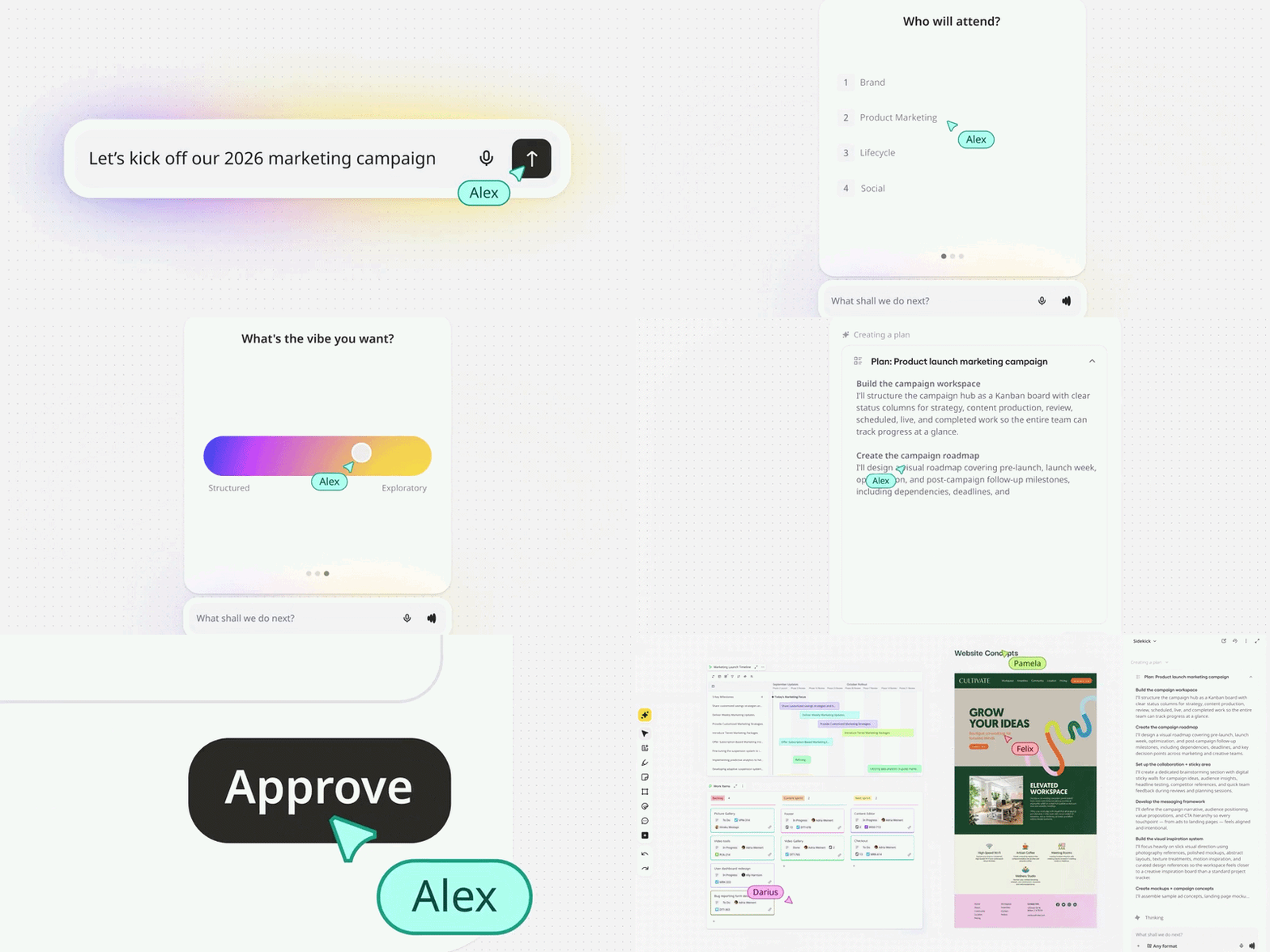
Agentic Sidekicks are coming soon. Sign up to get notified when they’re available.
Build and run AI Flows with your team
Sidekicks are great for ad hoc problem-solving. But a lot of the work teams do every week is repeatable: standups, sprint recaps, stakeholder updates, onboarding checklists. With Miro Flows, you can turn those recurring tasks into AI workflows that live on your canvas.
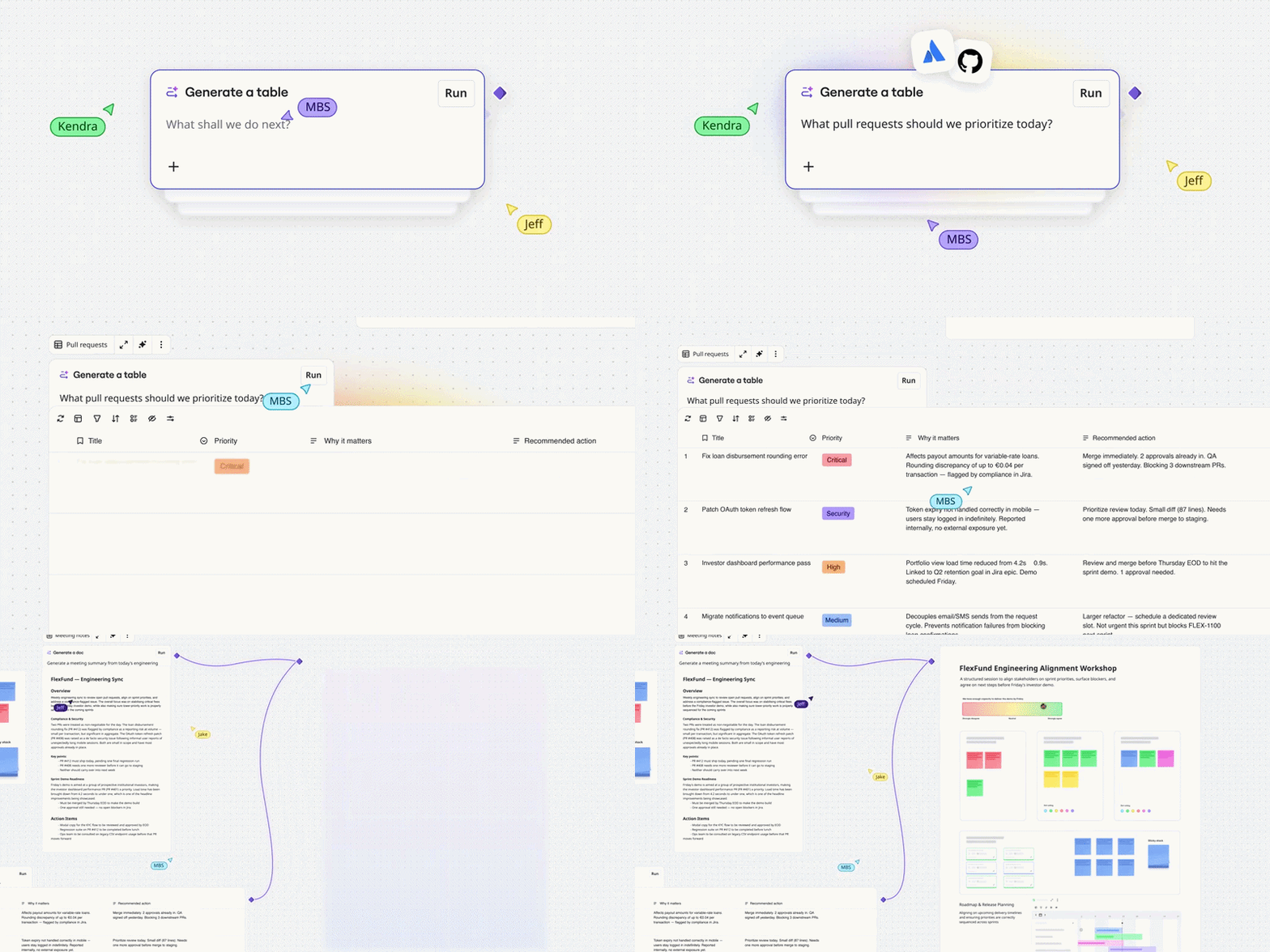
You can now use Flows to generate content on the canvas — like frames, tables, diagrams, widgets — from a single prompt, and pull in context from the tools your team already uses via Connectors (more on those later).
Picture a weekly standup Flow that pulls the latest ticket statuses from Jira, synthesizes updates from a Slack channel, builds a visual board for your team to run through during standup, and posts a summary back to Slack when the meeting wraps. You set it up once, and run it every week. Because every step is visible on the board, your whole team can see how the workflow works, improve it over time, and easily pick up where someone else left off.
For a deeper walkthrough of what’s possible, watch the AI Workflows session from Canvas 26, or join our upcoming Build with AI Workflows webinar on June 17. You’ll see how teams are using AI Workflows to go from AI experiments to connected, automated systems — with real customer examples and a look at what’s next.
Bring context from your tools into Sidekicks and Flows
The context that makes Sidekicks and Flows useful often lives outside Miro: in Slack threads, Jira tickets, GitHub repos, Confluence pages, Granola notes, Amplitude dashboards, and more. Connectors bring that context into your Sidekicks and Flows, and send any decisions you make in Miro back to where work continues, so information moves both ways.
Connect your tools, and your Sidekick or Flow can read from and write to them. A design constraint buried in a Slack thread shows up on the canvas where the whole team can see it. A decision your team makes in Miro updates the Jira ticket without anyone having to copy it over. Connectors are available for Slack, Jira, Confluence, GitHub, Granola, Amplitude, Notion, and more, with plenty more on the way.
This matters because context tends to get trapped in tools that only certain people or teams can access. Connectors flatten that. Your AI works with what your whole team is working on, across your stack and systems, and everyone stays in the loop.
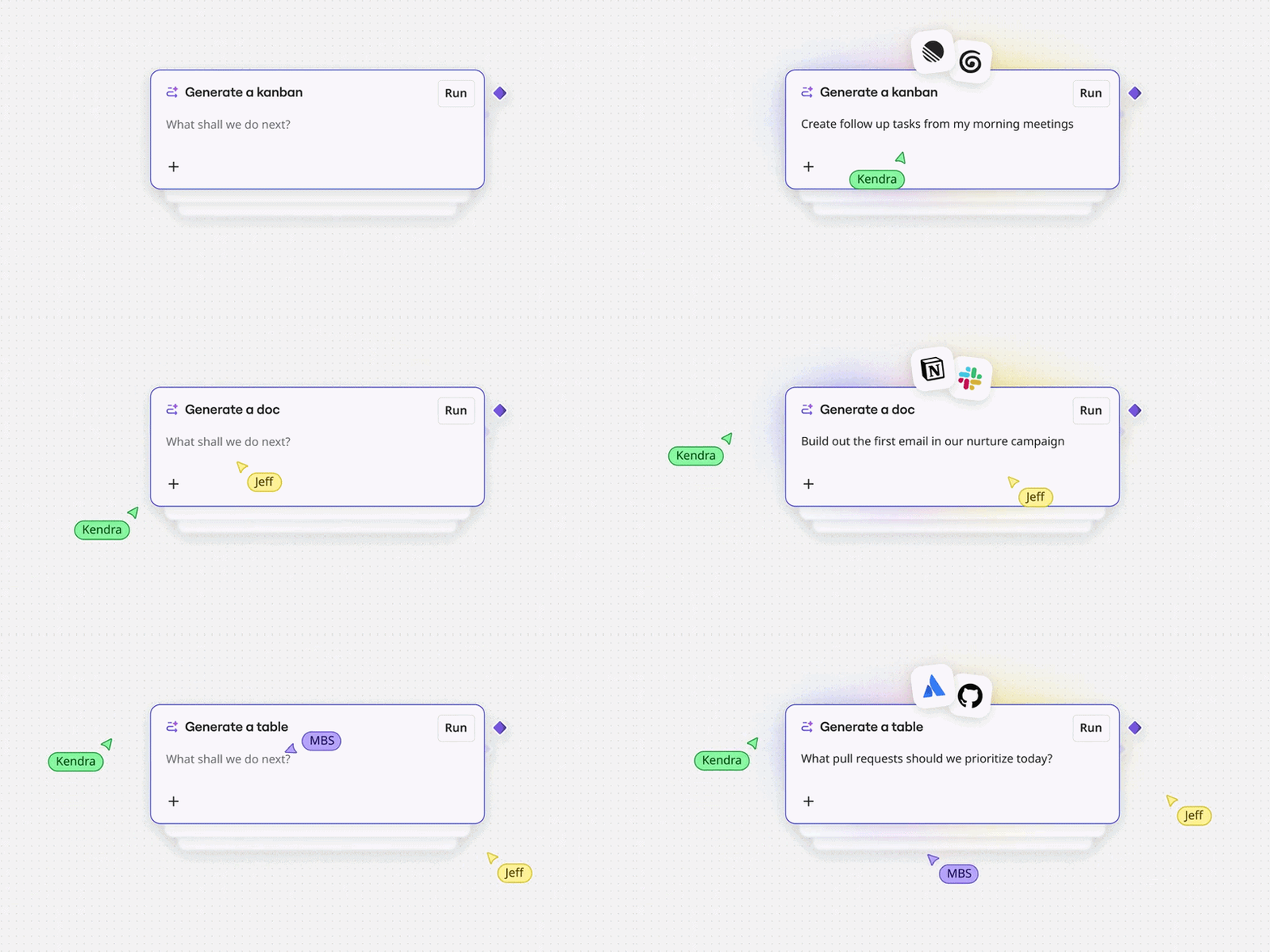
Connectors are coming soon. Sign up to get notified when they’re available.
Turn code into a prototype your team can align on
Thanks to AI coding tools, developers are prototyping features in Claude Code, Cursor, and Replit faster than their teams can keep up. With Miro Prototypes, you can bring that code onto the canvas and turn it into an interactive prototype your whole team can see, react to, and refine.
Your PM spots a missing edge case, your designer flags a brand inconsistency, and your engineering lead suggests a different architecture, all before the first commit. Your team catches issues earlier, alignment happens before the build, and the first PR lands a lot closer to what everyone actually wanted. Watch the Canvas 26 Prototypes session for a full walkthrough of how it works.
The prototype becomes the source of truth your team builds from. From there, you can generate variants, apply your brand styling through Brand Center, and hand off to a coding agent with all the context intact.
Want to dive deeper into prototyping? Join one of our upcoming AI prototyping sessions on June 3 or June 30 to see how teams are using Miro Prototypes to turn ideas and feedback into interactive prototypes that help reach decisions faster.
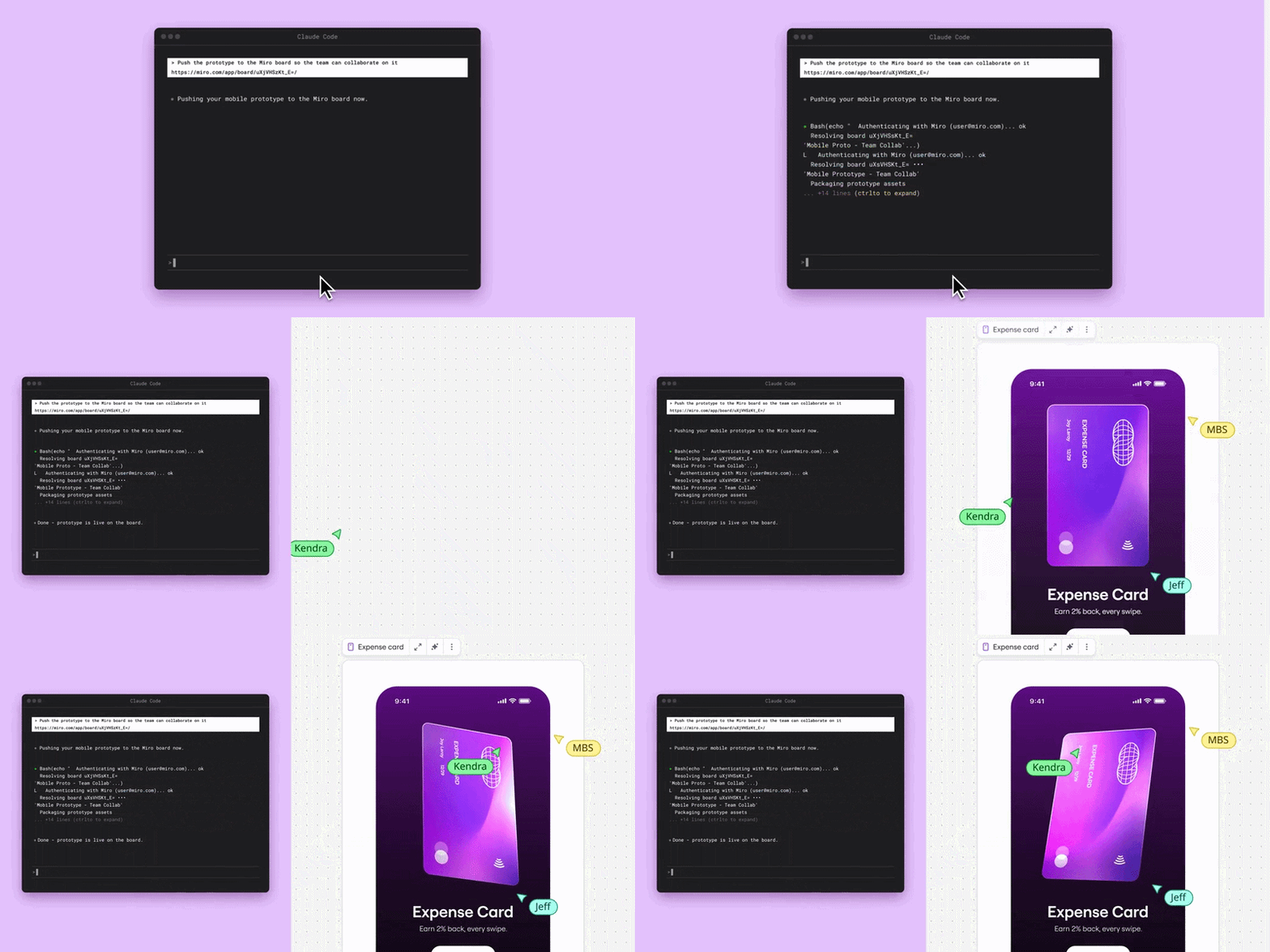
Code to Prototype is coming soon. Start a trial for Miro Prototypes.
Get your team’s input and put it to work
Miro Engage brings live, interactive activities into your meetings and workshops. Think polls, word clouds, ranking, scales, and open-ended questions that anyone can participate in from any device. Participants just scan a QR code and start contributing — no Miro experience needed.
What happens next is what really sets Engage apart. Take what everyone thinks and use AI to turn it into reports, action plans, and clear next steps your team can act on right away. So instead of ending a workshop with a spreadsheet of raw poll results, you walk out with a structured summary the team can build on. That comes in handy for all-hands meetings, retrospectives, stakeholder alignment sessions, design critiques, or any moment where you need everyone’s input and a clear outcome.
Start with the Miro Engage Playground template to see how it works. And good news: we’ve got a lot of new activities rolling out soon, from a 2×2 matrix to quiz and Q&A modes, so watch this space.
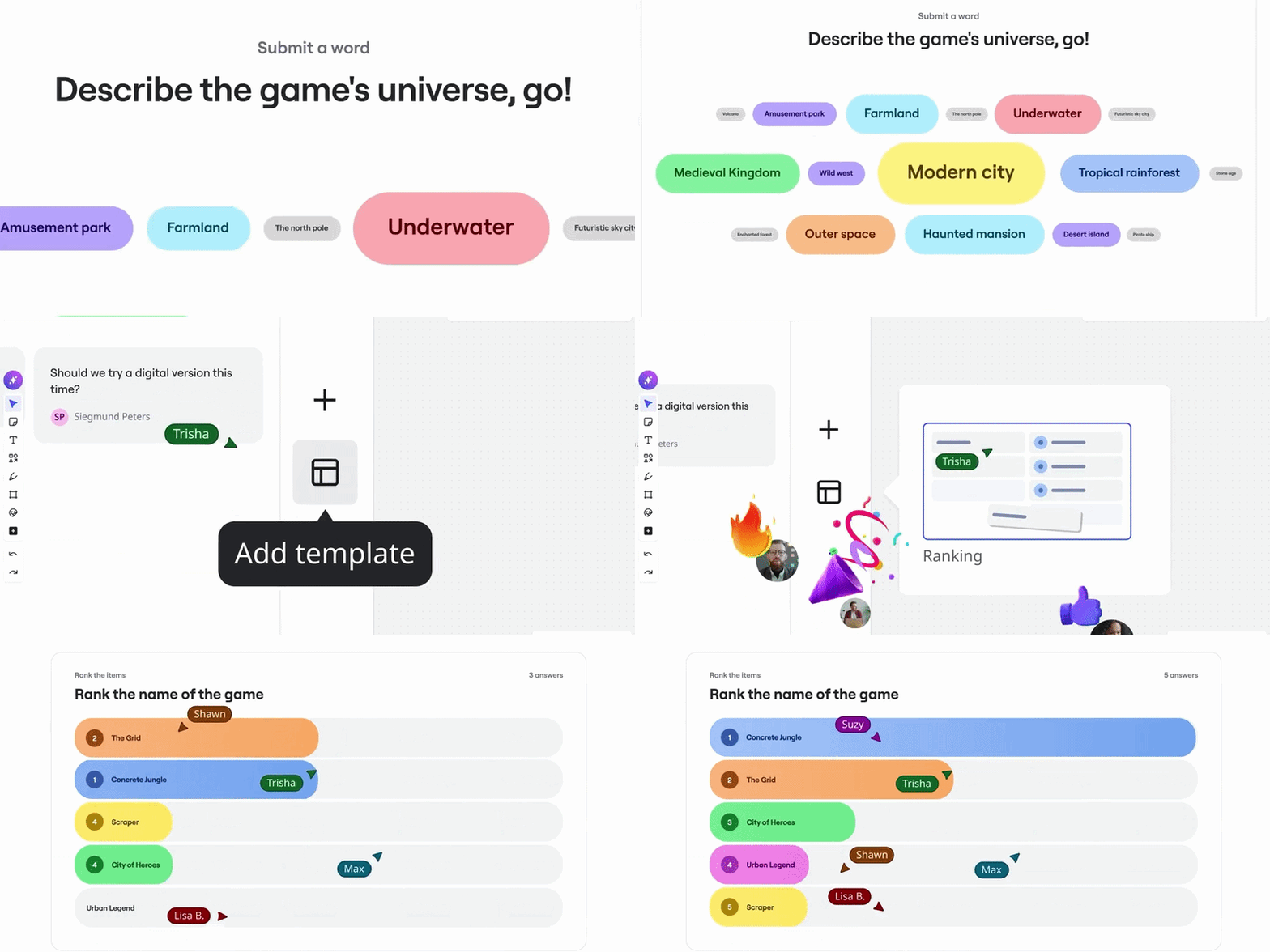
Miro Engage is available now.
Record and share context with Talktrack
When things move fast, the reasoning behind decisions can easily get left behind. Someone could join a project two weeks in and see the work in progress, but miss out on important context that shaped it along the way. With Talktrack, you and your team can record that thinking and keep it connected to the work.
Talktrack’s been around for a while, but it just got a major upgrade. Now, you can record from any tab or tool using the browser extension, not just from inside Miro. Multiple people can record in one session, capturing real back-and-forth instead of a single narrator’s summary. Share recordings to Slack, Notion, or Confluence, or embed them on the board where the work lives. Use AI to generate transcripts, chapters, and summaries, so anyone catching up can scan for the key moments and next steps instead of watching the full recording. Try the Talktrack quick tour template to get a feel for how it works.
Here’s an example of how you might use it. Let’s say your team finishes a design review. One person records a five-minute walkthrough of the decisions, the tradeoffs, and the next steps. That recording lives on the board. When a new engineer joins the project next month, they watch the recording and immediately understand the reasoning, so they can get the job done from a place of clarity.

The updated Talktrack is currently available in beta.
Be among the first to try what’s next
That’s six major announcements from Canvas 26, and we’re just getting started. Some of the capabilities we announced are live and ready to try today. Others are rolling out over the coming months. Whichever one you start with, the goal is the same: make sure the speed AI gives you individually adds up to something bigger when your team works together. Explore everything we announced, watch the keynote, and sign up to get notified as features go live on the Canvas 26 page.
And if you’re already excited for the next one: Canvas 27 is happening on May 25, 2027. Save the date.