Table of contents
Table of contents
Process documentation: Everything you need to know
Summary
In this guide, you will learn:
- What process documentation is and how it captures detailed business process steps
- Why process documentation is important for consistency, training, and operational success
- Different types and formats of process documentation (flowcharts, SOPs, video tutorials)
- How to define the purpose and scope before documenting a process
- Steps and best practices for creating clear, effective process documentation
- Tools and methods to maintain and update process documentation
Collaborative AI Workflows
Join thousands of teams using Miro to build the right thing, faster.
Process documentation: types, best practices, and examples
No matter the industry, businesses rely on many processes to function. From product development to invoicing to recruitment, each department has its unique system for completing tasks and mapping processes.
But how do you ensure team members know the details of these processes? And how do you communicate what their role is in each department?
Process documentation ensures all workflows are clearly defined and communicated. This way, all employees can complete their tasks efficiently and accurately.
Here’s a guide for documenting your processes and why this practice is so important.
What is process documentation?
Process documentation involves creating a detailed guide for completing a process from start to finish. These internal documents are a point of reference for team members to understand how a process should run. By referring to process documentation, anybody can take the correct steps to complete a task or project. This ensures process consistency and sets a standard of work.
Process documentation can take many forms, from text-heavy documents to visual guides. Examples of process documentation include:
- Checklists
- Onboarding documents
- Customer support guides
- Flowcharts
- Training manuals
- Brand guidelines
- Instructional infographics
- Video tutorials
- Process maps
Why is process documentation important?
Process documentation has benefits for everyone involved, from team leaders to individual employees. Here’s why it’s so important to record all your processes.
Reduces time wastage and errors
Process documentation brings clarity, which prevents work from being derailed or performed inefficiently.
If the people responsible for carrying out a process are certain of their role and responsibilities, they are likely to perform better. Outlining each process step prevents any steps from being missed or done incorrectly.
Documenting processes also prevents duplicate work, therefore increasing efficiency. A detailed visual map helps team members understand their roles and responsibilities.
Creates a repository of knowledge
Process documentation is a way to collect all important information about business processes in one place. This repository of stored knowledge lends itself to knowledge sharing. For example, inexperienced software engineers can develop their skills and understanding by accessing technical documentation created by a more senior software engineer.
Documenting processes in one consolidated place also prevents a loss of knowledge. Even if an employee leaves, the remaining team members can still access the useful process documents they created.
Gives employees autonomy
Business processes are often so complex it takes time to really understand how they work. But repeatedly asking how a process works is tedious and inefficient.
With the right process documentation, employees don’t have to rely on their teammates or a manager to explain a process. This promotes autonomy, which in turn, contributes to employee satisfaction.
Keeps team members aligned
Projects are often complex, requiring different teams to complete many different processes. For instance, a product launch involves interdependent tasks and requires different teams to take coordinated steps. Everyone from UX designers to software engineers need to understand the processes of another team and how they work.
Process documentation helps cross-functional teams collaborate to deliver a product to the market efficiently and on time. By keeping teams aligned, these documents promote greater transparency across an organization.
Helps with employee onboarding
When new hires join a team, the number of new processes to grasp can overwhelm them. From organizational structures to software login details, there is much information to take in.
Properly documenting processes makes the transition to a new company and team as smooth as possible. Instead of asking colleagues and managers how everything works, they can easily refer to onboarding documents and training manuals whenever they need. Online documentation is also less intimidating and more efficient than handing over a thick, physical training manual, especially in today’s increasingly remote and hybrid work environments.
Provides clarity and creates consistency
Creating a process guide ensures everyone understands what is expected of them. This prevents ambiguity around who is responsible for what tasks.
Outlining the process from beginning to end helps teams visualize the expected outcomes. They have a clear roadmap of where they are going and why. This clarity is vital for a process to run smoothly and efficiently.
Process documentation is also a way to ensure consistency. If individual employees carry out a process differently, this could result in inconsistent products with varying quality.
Helps identify bottlenecks and improve processes
Process mapping is a way to identify redundancies and areas for improvement. Through experience and observations, teams identify roadblocks in a process or where operations are slowing down. Managers also realize opportunities to make a process more efficient.
Based on this analysis, team leaders create an action plan to capitalize on strong aspects and improve weak areas.
For example, a manager could realize that communicating via email is inefficient. With this process, team members are missing important emails and taking too long to respond. The manager implements a process improvement by introducing a messaging platform instead.
Process documentation solves these problems by creating a single source of truth for how work happens. It speeds up onboarding, reduces errors, enables consistent execution across teams, and provides the foundation for continuous improvement. Importantly, it facilitates a quick feedback cycle where initial documentation can be tested and refined. This iterative loop—document, test, refine—connects the documentation process to sustained improvement, reinforcing that process documentation is not just a one-time task but an ongoing practice.
Types of process documentation
Any document that describes how to execute a process is a form of process documentation. But it’s important to choose the right format to keep your guides easy to understand and effective.
Flowcharts
Flowchart diagrams are popular for process documentation because of their versatility and ease of use. You can use a flowchart for just about any process, from product design to administrative processes. They consist of shapes connected by lines or arrows to show the flow of the process. This helps employees understand the correct order to perform each task.
By looking at a flowchart, anyone should be able to get a high-level overview of how the process works. Using shapes to represent each step helps break down complex processes into an easy-to-understand visual guide. Using the standardized symbols in the Flowchart Template keeps your flowcharts consistent and easy to interpret.
Spaghetti Diagram
Also known as a spaghetti model, the spaghetti diagram is made of different ‘noodles’ that connect a series of steps. This visual representation is particularly useful for showing how the tasks in a process interact with each other.
A Spaghetti Diagram Template can help you visualize how the products, materials, and people in a process are all connected. This way, team members can understand how they fit into the bigger picture.
Process maps
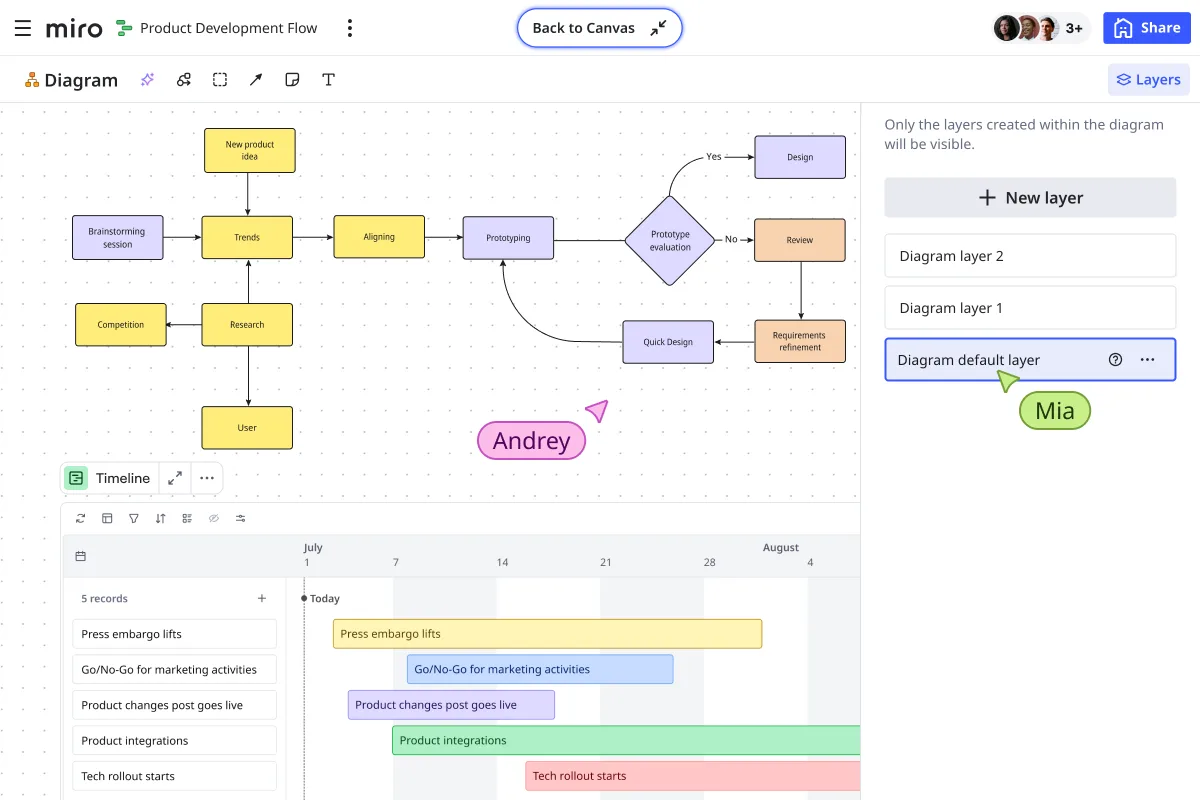
Process mapping brings clarity by breaking down processes into smaller sections. Dividing a project into different stages allows you to visualize how different factors at each stage may affect your work.
Miro’s Process Map Template includes three elements for each stage: objectives, activities, and deliverables. Each of these details provides insight into whether you are on track and effectively performing your task.
Swimlane diagrams

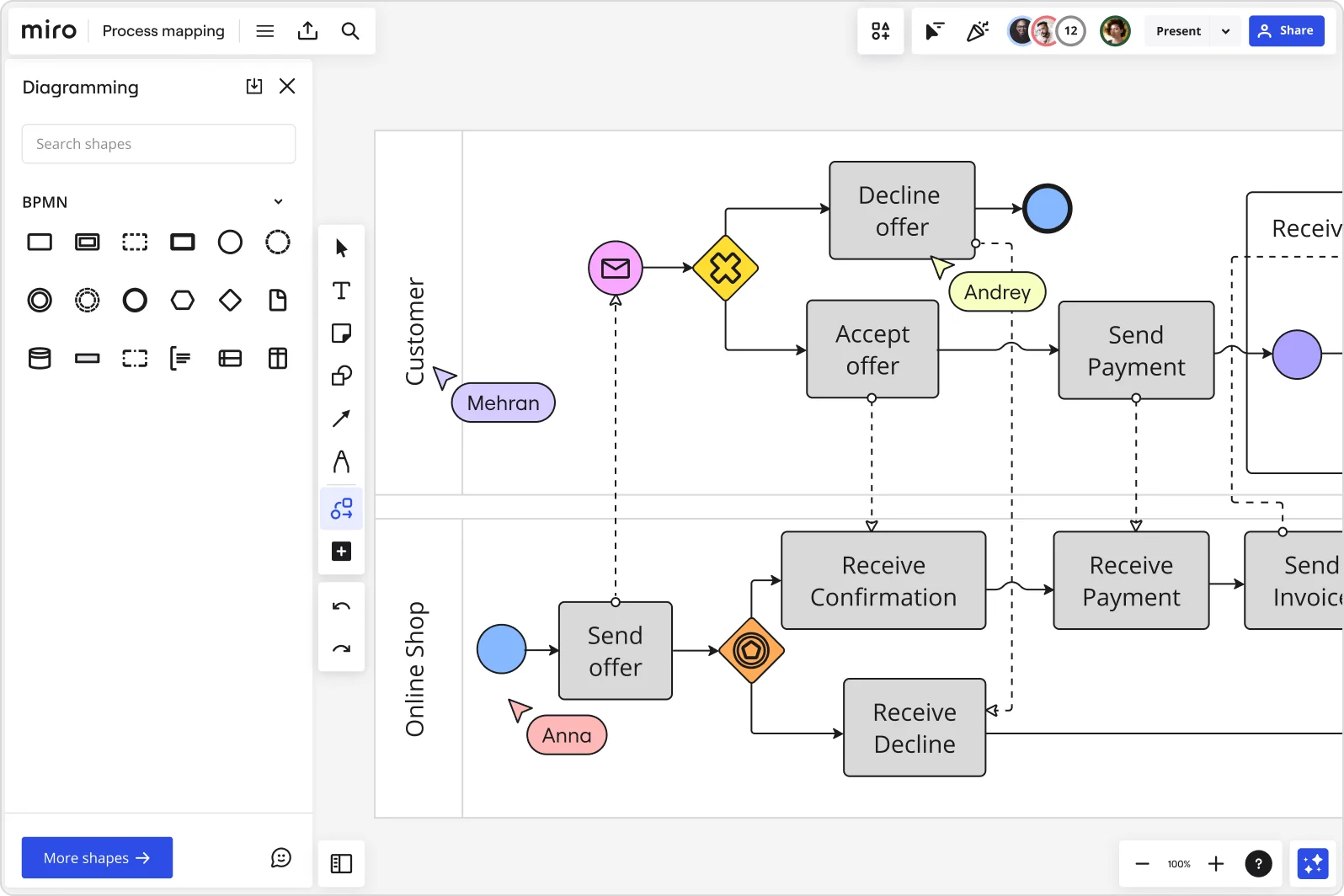
Swimlane diagrams are great for replacing lengthy written processes with visuals. Using the table-like format of the Swimlane Diagram Template, you can document the roles of different teams and how they affect other parts of the process.
This process documentation is great for organizations with many different functions and cross-functional teams. It shows what needs to get done, how this should happen, and who does it.
Standard Operating Procedures (SOPs)
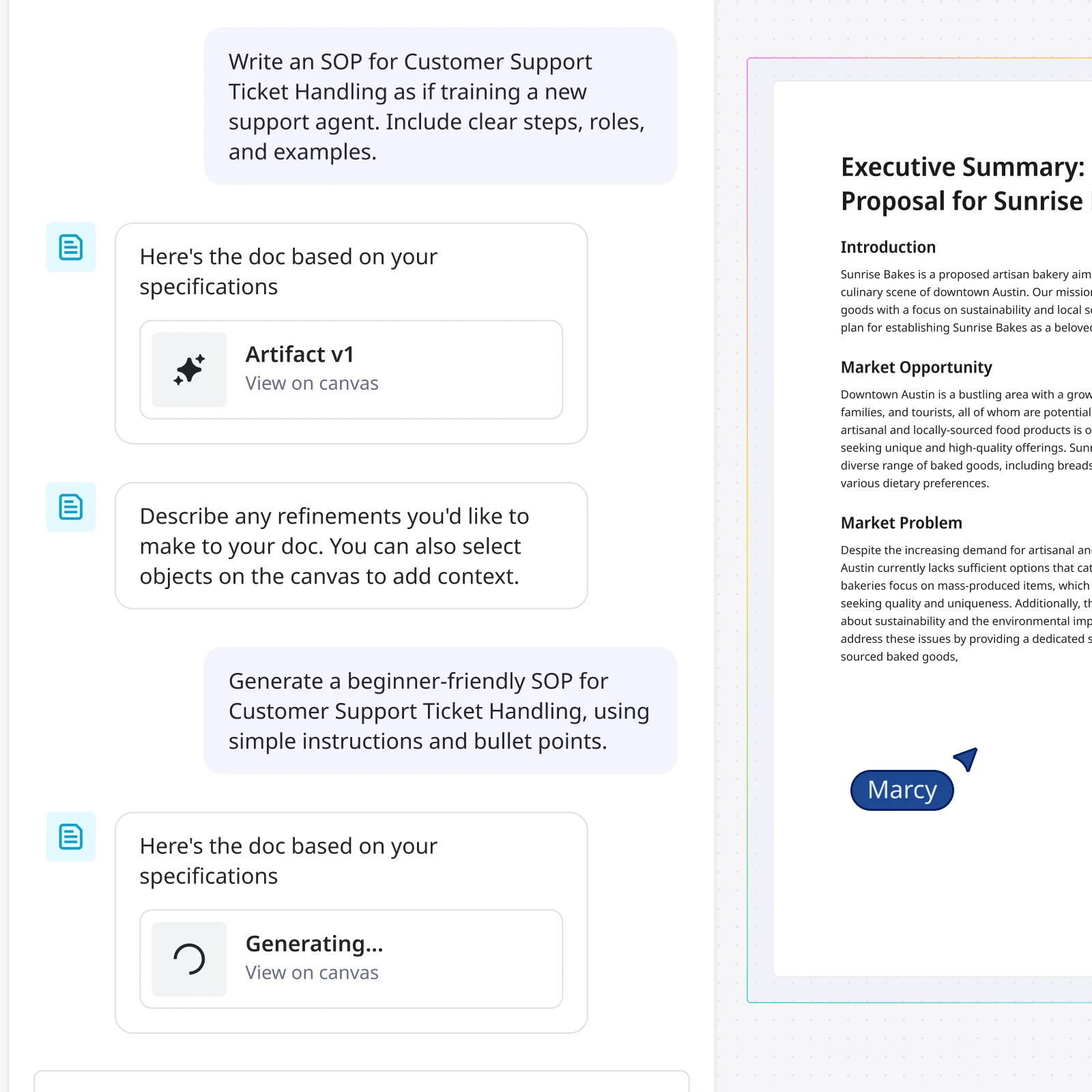
Detailed, step-by-step instructions for routine tasks that need consistent execution. Think: how to process a refund, how to deploy code to production, how to conduct a performance review.
Workflow diagrams
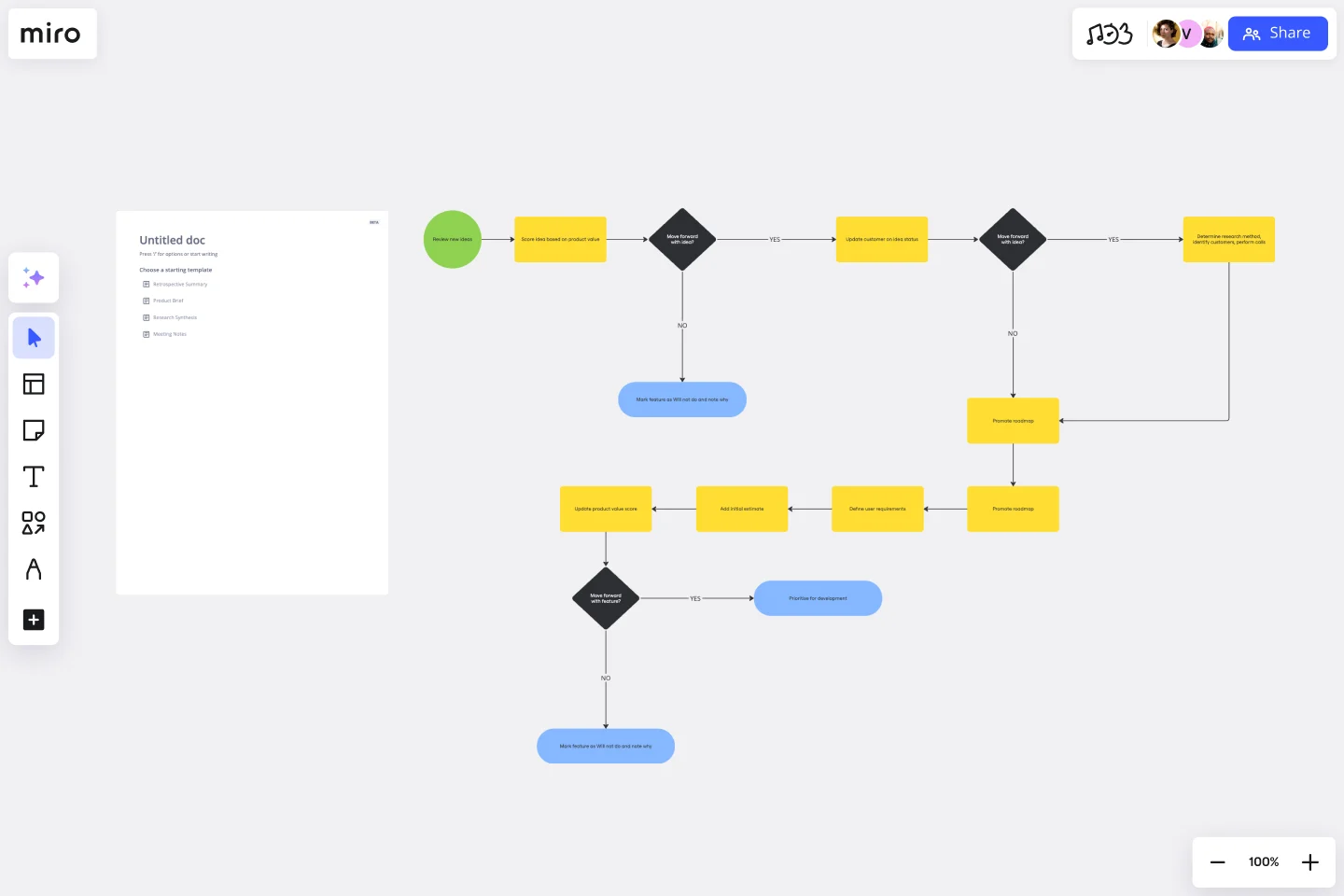
Visual maps showing how information, approvals, or work products move through a process. These make complex processes easier to understand at a glance and help identify bottlenecks. Try Miro's workflow diagram template.
Decision trees
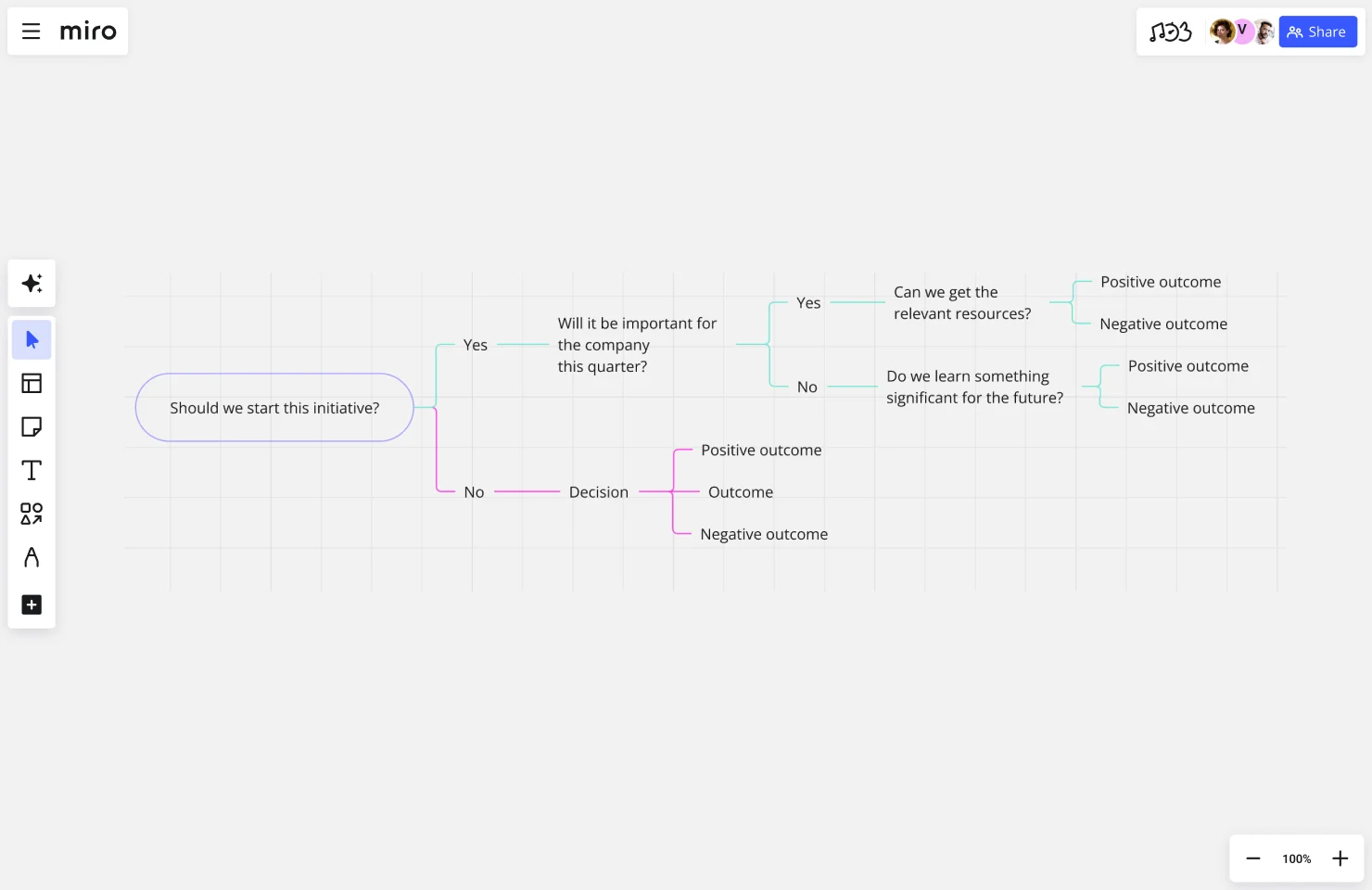
Decision trees that guide people through conditional logic — "if this happens, do that; if something else happens, do this other thing."
Process checklists
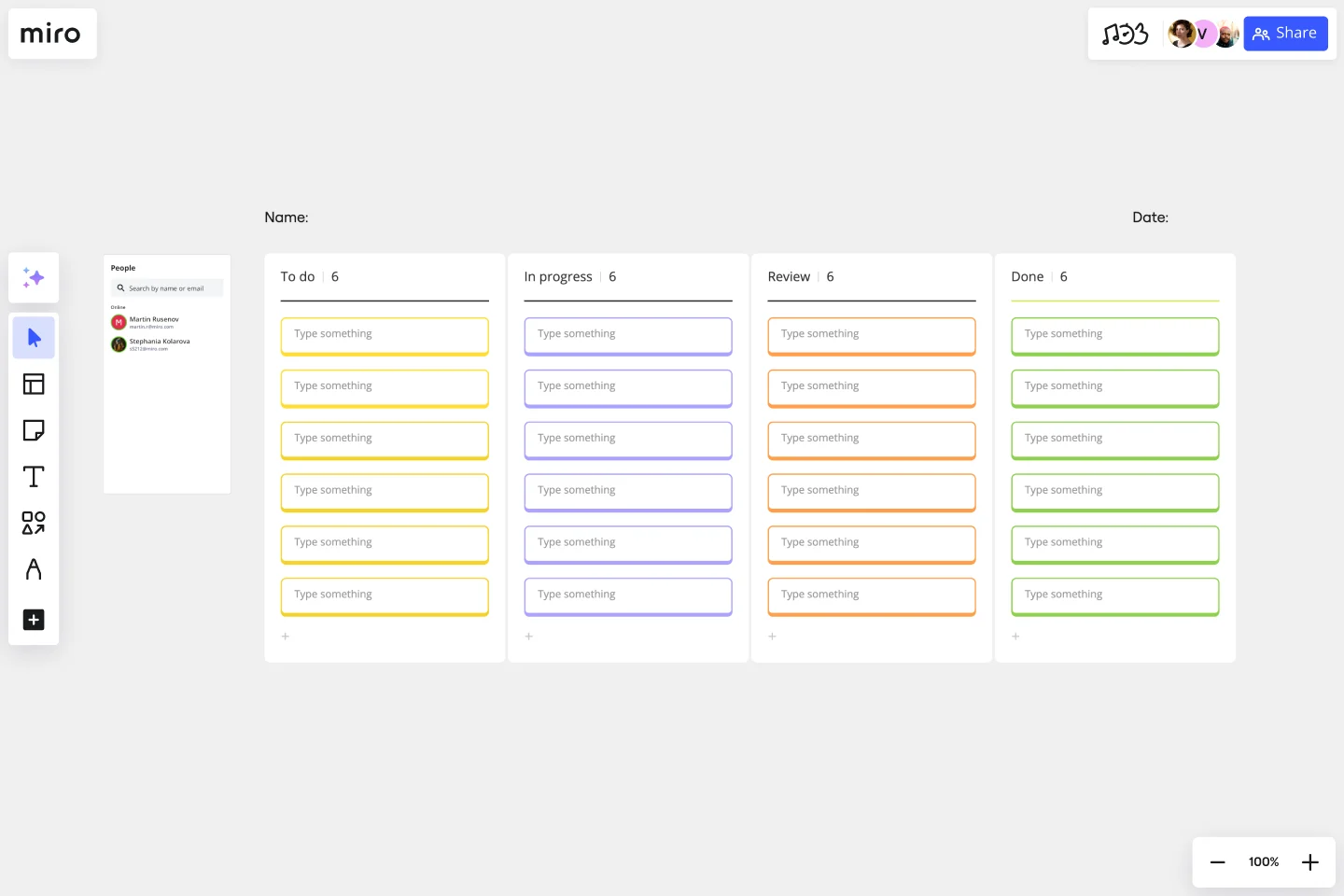
Not all process documentation includes visual diagrams. You can also record a procedure using a process checklist template to ensure that critical steps are not missed. Perfect for processes with many small but important details.
Process documentation example
Let’s look at an example of process documentation in action.
The swimlane diagram below outlines the end-to-end process of a customer making an order.
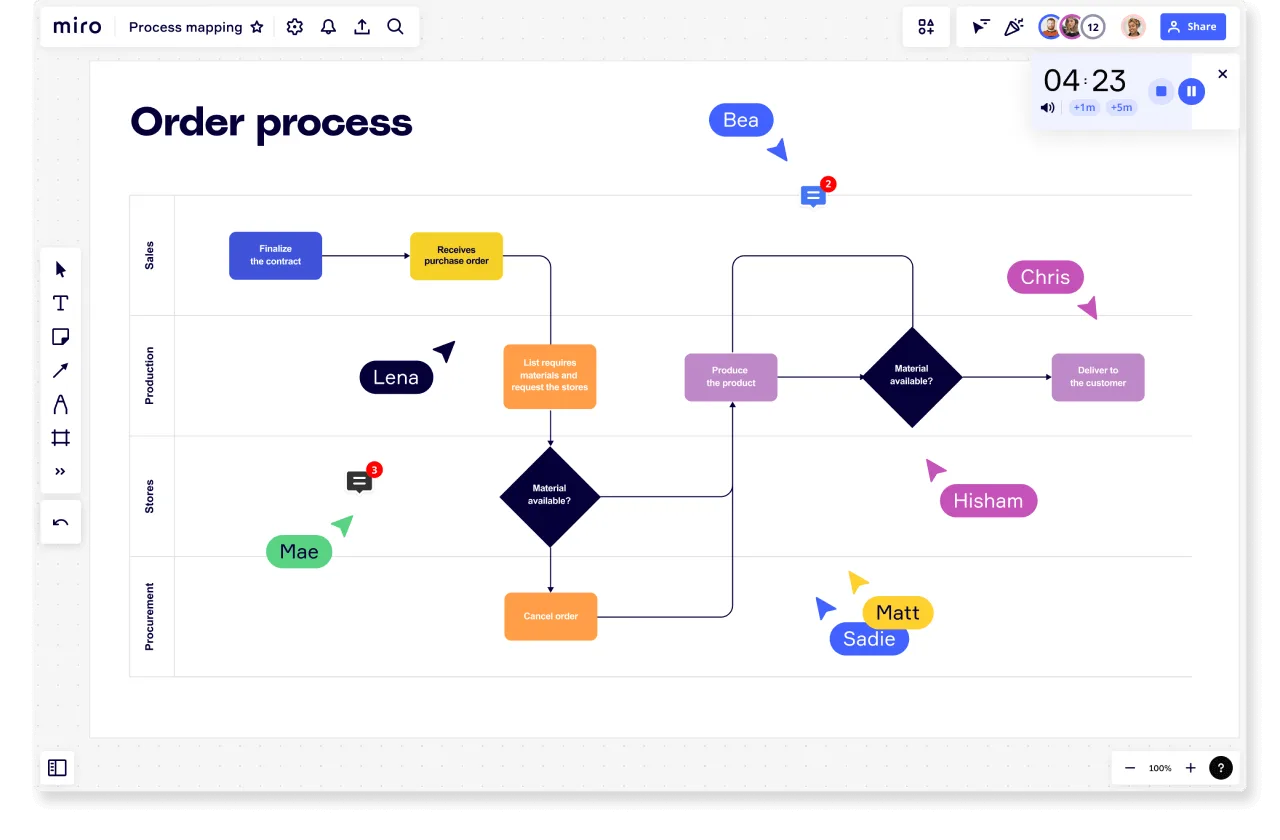
The diagram clearly shows the departments involved in this process:
- Sales
- Production
- Store
- Procurement
The diagram uses rows to divide the set of actions that each team or person is expected to take. For example, Sales is responsible for receiving and canceling an order, while Production is responsible for the materials required to produce and deliver the product. The arrows show how each action follows from one another.
This provides clarity on how to interpret the diagram. It also separates customer actions from business steps.
How to document processes
No matter what process you’re documenting, follow these steps to create a clear guide for your team.
1. Identify and name the process
First, you need to have a clear understanding of the process you are documenting. Give it a name so that you can easily refer to it.
2. Determine the process objective
Why does this process exist? What is the end goal? How does it contribute to the overall business goals?
Defining these objectives will guide you create a document that outlines the process from beginning to end.
3. Choose the correct type of process documentation
Depending on the type of process, some document types will be more suitable than others. A simple process may only need a checklist, while a more complex process is best captured with a flowchart or swimlane diagram.
4. Add the start and end of the process
Establish process boundaries defining when a process begins and ends. This includes the triggers that make the process start and when the process is considered complete.
5. Establish process inputs and outputs
What is the expected outcome of the process? And what is required for the process to begin? Defining the inputs and outputs will help identify the resources needed for the process.
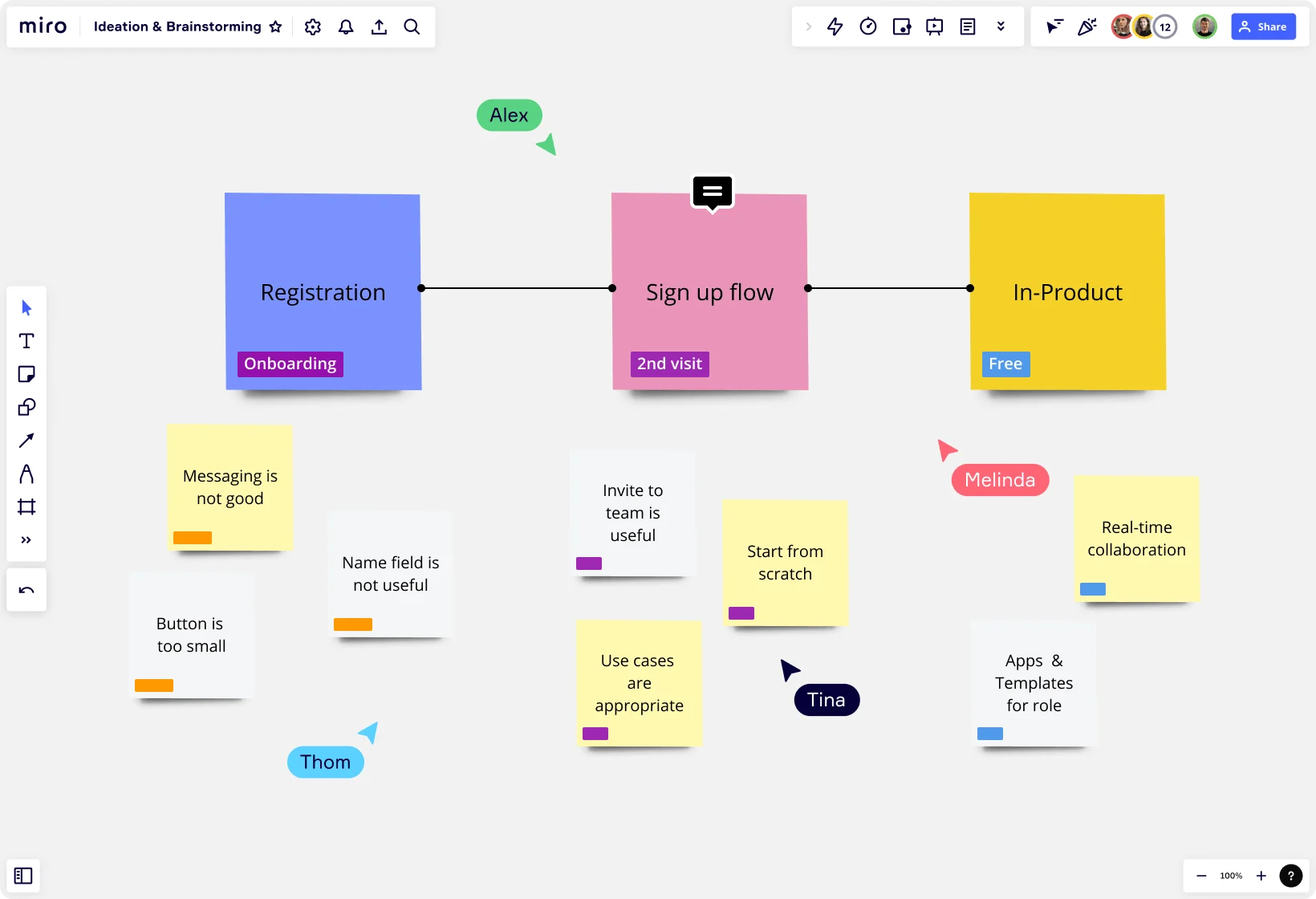
6. Brainstorm all the process steps
Think of all the steps that will transform the inputs into the outputs. At this point don’t worry about putting the steps in order. Invite your team to a collective brainstorming session so they can share their experience and observations around the process. Using an online brainstorming tool will help you capture these collaborative ideas.
7. Put the steps in order
Turn your brainstormed list of ideas into a set of sequential steps. Map the steps onto your diagram in the order they must be performed.
8. Identify who is involved with roles and responsibilities
Decide which team members will be responsible for which process tasks. Clearly label each person’s role so that they know what is expected of them throughout the entire process. This also allows for other team members to follow up with the correct individual or department on anything ambiguous or confusing.
9. Share and collaborate
Share your documentation with your team to gather feedback on how the process documentation looks. Does it make sense? Is it easy to understand? Are there any steps missing? You can mention individual team members so that they can provide their input directly on the document.
Tips to create process documentation in Miro
Building useful process documentation doesn't require specialized training. Here's a practical approach when using Miro:
1. Start with processes that hurt
Don't try to document everything at once. Focus first on processes where lack of documentation causes real pain — frequent bottlenecks, high error rates, or workflows that only one person knows how to execute.
2. Map the current state
Before documenting how things should work, capture how they actually work today. Talk to the people who execute the process daily. Watch them work. Identify pain points, workarounds, and areas where the official process diverges from reality.
3. Use Miro's AI to jumpstart your documentation
Instead of starting from a blank canvas, use Miro's Create with AI feature to generate process documentation templates based on your specific needs:
- Open Miro and click Create with AI above the creation bar
- Select the Diagrams or mindmap format option
- Describe your process in natural language — for example: "Create a customer onboarding workflow that includes account setup, welcome email, product demo scheduling, and first check-in"
- Miro AI generates a visual starting point with relevant shapes, connections, and structure
- Refine the generated diagram by adding specific details, responsibilities, and decision points
This approach cuts documentation time significantly while ensuring you don't miss critical steps or components.
4. Make it visual and scannable
Dense text documents don't work. Use visual elements — flowcharts, swim lanes, color coding — to make processes easy to understand at a glance. Break complex processes into digestible chunks with clear section headers.
In Miro, you can drag sticky notes to capture individual steps, connect them with arrows to show flow, and use frames to group related activities. Add images, icons, and color to highlight important information.
5. Identify owners and decision points
For each step, make clear who's responsible and what decisions need to happen. Ambiguity around ownership is where most process breakdowns occur.
6. Test with real users
Your documentation works when someone unfamiliar with the process can successfully follow it. Have a team member who doesn't usually do this work try to execute the process using only your documentation. Watch where they get stuck or confused.
7. Build in a review cycle
Processes change. Technology changes. Teams change. Set a regular cadence (quarterly works for most teams) to review and update your process documentation. Assign clear ownership for keeping each document current.
Tools and features in Miro for process documentation
Miro's visual workspace gives teams everything they need to create, share, and maintain process documentation that actually gets used:
Miro AI: Generate process documentation templates instantly by describing your workflow in natural language. Miro AI creates structured diagrams with relevant shapes and connections you can customize.
Pre-built process templates: Access dozens of ready-made templates for common processes — customer journey maps, workflow diagrams, swim lane diagrams, value stream maps. Start with proven formats rather than building from scratch.
Collaborative canvas: Multiple team members can contribute to documenting a process simultaneously. Gather input from everyone who touches the workflow, not just whoever writes the documentation.
Comments and feedback: Stakeholders can leave contextual comments directly on specific process steps. Clarifying questions, suggested improvements, and approvals happen right where the work is.
Presentation Mode: Walk teams through documented processes in Presentation Mode, highlighting specific sections and facilitating discussion without switching tools.
Version history: Track changes to process documentation over time. See what's evolved, roll back if needed, and maintain an audit trail of how workflows have changed.
Integration with your workflow tools: Connect Miro with the tools your team already uses — Jira, Slack, Microsoft Teams, Google Drive. Keep process documentation close to where work happens rather than isolated in a separate system.
Access controls and sharing: Control who can view, comment on, or edit process documentation. Share specific boards with external partners while keeping internal processes private.
Process documentation best practices
Follow these tips to get the most out of your process documentation:
Continually review and update
Auditing and monitoring your process maps is a key part of ensuring their success. Instead of remaining static documents, process documents should be updated as your business and team grow. Any changes to a process should be reflected in your documentation so the information remains useful and relevant.
Keep it simple and easy to understand
Having a process document that no one understands is pointless. A key purpose of these documents is to turn complex processes into visuals your team can easily understand. They should be simple enough for your team to interpret but still include all the necessary steps.
Keep your guide clear and simple by creating different documents for different processes. Squeezing several processes onto one diagram will make your documents overly complex and difficult to follow.
Ask for input from those involved in the process
Team leads are often responsible for documenting a process, but it’s unlikely they are actively involved in each step. They may not know the intricacies of a process or how complex some steps are. To prevent inaccuracies, everyone should be involved in mapping the process.
Make the documentation easily accessible
Storing your process documentation online ensures accessibility. Physical, printed documents are more likely to be lost and are more difficult to update.
Use the right process documentation tools
Documenting complex processes isn’t always easy, but choosing the right documentation software will help. Miro’s platform allows you to add details to your documents from colorful notes to graphics and links. It also helps your team use consistent symbols and shapes, no matter who is documenting the process. This consistency makes it easier for everyone to follow.
Process documentation in action: How La Mobilière transformed their planning and development workflows
La Mobilière, one of Switzerland's leading insurance companies, faced a challenge familiar to many large organizations: coordinating complex development workflows across 1,500 specialists working in distributed agile teams.
Their product development process involved eight development teams plus testing teams, all needing to stay aligned on workflows, dependencies, and documentation. Frequent team changes and the complexity of coordinating hundreds of distributed workers made maintaining up-to-date process documentation particularly challenging.
The stakes were high. Any missteps in their digital solution development could negatively impact both internal processes and customer experience. Missing go-live dates or creating misalignment could hurt La Mobilière's reputation and employee satisfaction.
The old way: Physical documentation that became instantly outdated
Before adopting digital process documentation, La Mobilière's teams relied on physical PI Planning sessions with printouts. "Before, preparing physical PI Planning with printouts took a lot of time, and we did nothing with them afterwards," explains Olivier Fischer, Release Train Engineer at La Mobilière.
The process was time-consuming, error-prone, and the documentation rarely stayed current after the initial planning session.
The transformation: Miro as the central source of truth
La Mobilière piloted Miro for a 4-month product increment focused on creating a digital insurance contract management process. They used Miro's visual workspace to document every step of their development workflow:
- User Story Mapping to document user stories, explain the product, prioritize work, and plan releases
- The Planner app to prepare and run PI Planning sessions, organize sprints, and manage team capacity
- Dependencies visualization to define and map out dependencies, tasks, and responsibilities across teams
- Pre-built templates from Miro's gallery to standardize their documentation approach
The Miro board became their single source of truth for communication and documentation — replacing scattered physical documents with a living, visual workflow that everyone could access and update.
The results: 3 days saved and fewer errors
The impact was immediate and measurable:
- Time savings: "With Miro, we save easily up to 3 days when setting up the Planner and we actually work with it after the planning, too."
- Reduced errors: The improved documentation and clearer workflows led to fewer mistakes throughout the development process
- Better structure: Teams gained more comfort and clarity at all project stages
- Easier updates: "What we really liked was that it was so easy to update the card, epic, or story, rather than to go back and refresh, all done from a single board, drag and drop," noted a Scrum Master at La Mobilière
By making their process documentation visual, collaborative, and continuously accessible, La Mobilière transformed how their distributed teams understand and execute complex workflows.
Read the complete La Mobilière story
Document processes effectively with Miro
Process documentation is a process in itself. It should be an ongoing activity to promote team alignment and business growth.
But keeping up with process documentation can be tricky, especially if your business relies on many complex processes. Miro provides an intuitive platform to capture and share all your processes in one centralized location. With Miro, teams can stay current and can perform their jobs accurately and efficiently.
Explore our library of process and workflow templates, the perfect starting point for collaborative process mapping and effective documentation.
Process Documentation Frequently Asked Questions
How much does it cost to use Miro for process documentation?
Miro offers a free plan that includes unlimited team members and three editable boards — enough to start documenting your core processes. View detailed pricing.
Can I collaborate on process documentation with people outside my organization?
Yes. Miro lets you share boards with external collaborators like contractors, partners, or consultants. You control their permission level — they can view only, comment, or have full editing access. External collaborators don't count against your license count on paid plans.
Is my process documentation secure in Miro?
Miro provides enterprise-grade security including SOC 2 Type II certification, ISO 27001 compliance, and data encryption both in transit and at rest. Enterprise plans offer additional security features like single sign-on (SSO), advanced access controls, and data residency options. Read more about Miro's security.
What integrations does Miro offer for process documentation workflows?
Miro integrates with 100+ tools including Jira, Slack, Microsoft Teams, Google Workspace, Asana, Notion, and Confluence. You can embed Miro boards directly in these tools, sync data bidirectionally, and trigger automations based on board changes. Explore all integrations.
How does Miro's community support teams building process documentation?
Miro's community includes thousands of templates created by other users, discussion forums where you can ask questions, regular webinars on best practices, and a Miroverse of community-contributed resources. The Miro Community is a great place to learn from teams who've solved similar documentation challenges.
Can Miro handle complex, enterprise-scale process documentation?
Yes. Enterprise customers use Miro to document processes across thousands of employees. Features like board templates, centralized asset libraries, admin controls, and audit logs support governance at scale. Enterprise plans also include dedicated support and training resources.
What if our team hasn't documented processes before — where should we start?
Start with one painful process. Pick something that breaks often, creates bottlenecks, or only one person knows how to do. Document that single workflow using Miro's AI-powered templates to get started quickly. Once you see the value, expand to other processes. Don't try to document everything at once.
Start documenting smarter, not harder
Process documentation doesn't have to be a chore that produces binders nobody reads. When you make it visual, collaborative, and connected to where work actually happens, documentation becomes a living asset that helps teams move faster and work better.
The teams that win aren't the ones with perfect processes — they're the ones who make their processes visible, learnable, and improvable.
Ready to turn your team's tribal knowledge into clear, visual process documentation? Sign up for Miro and start transforming the way your team works.
Author: Miro Team
Last update: December 9, 2025