The new year always comes with big plans. Q1 goals. Project kick-offs. Strategy sessions that make anything feel possible. But turning all that energy into momentum? That takes all hands on deck. You’ve got to get everyone on the same page and actually involved in the conversation.
Our January updates are built for exactly that. Whether you’re running a 20-person retro or a 2,000-person town hall, aligning your AI with your company’s real knowledge, or just keeping your project tracker in order, January is all about bringing people into the work.
Here’s what’s new in Miro this month.
Bring everyone into the conversation with Miro Engage
We’ve all been in those meetings where half the room is on mute and just a few people carry the conversation. Miro Engage (Beta) changes that. It’s a dedicated audience engagement tool built right into Miro, making it easy to turn passive attendees into active participants — whether you’re running a small workshop or a company-wide all-hands.
Here’s how it works:
- Run live activities that spark real input. Add polls, Q&A, and word clouds to your session. As responses roll in, they pop up on screen in real time, so everyone feels invested in the conversation.
- Let anyone join, from any device. Participants scan a QR code and they’re in. No Miro account or skills needed.
- Plan, run, and debrief, all in one place. All the responses land right on your board, ready to be organized. With AI built in, you can instantly surface themes, sum up key takeaways, and identify next steps, minutes after your session ends — or even during the session itself.
Think retrospectives where people actually pitch in. Training sessions where you know what’s landing as you teach. Client workshops where you walk out with buy-in, not follow-ups. And town halls where leadership hears what’s really on people’s minds.
Miro Engage is free to try while in beta, so there’s no better time to bring it to your next session. Explore the Miro Engage Playground to try it out for yourself, and find out more in this article.
Miro Engage is currently in beta and free to try. Pricing is subject to change in the future.
AI Workflows, now available for Enterprise
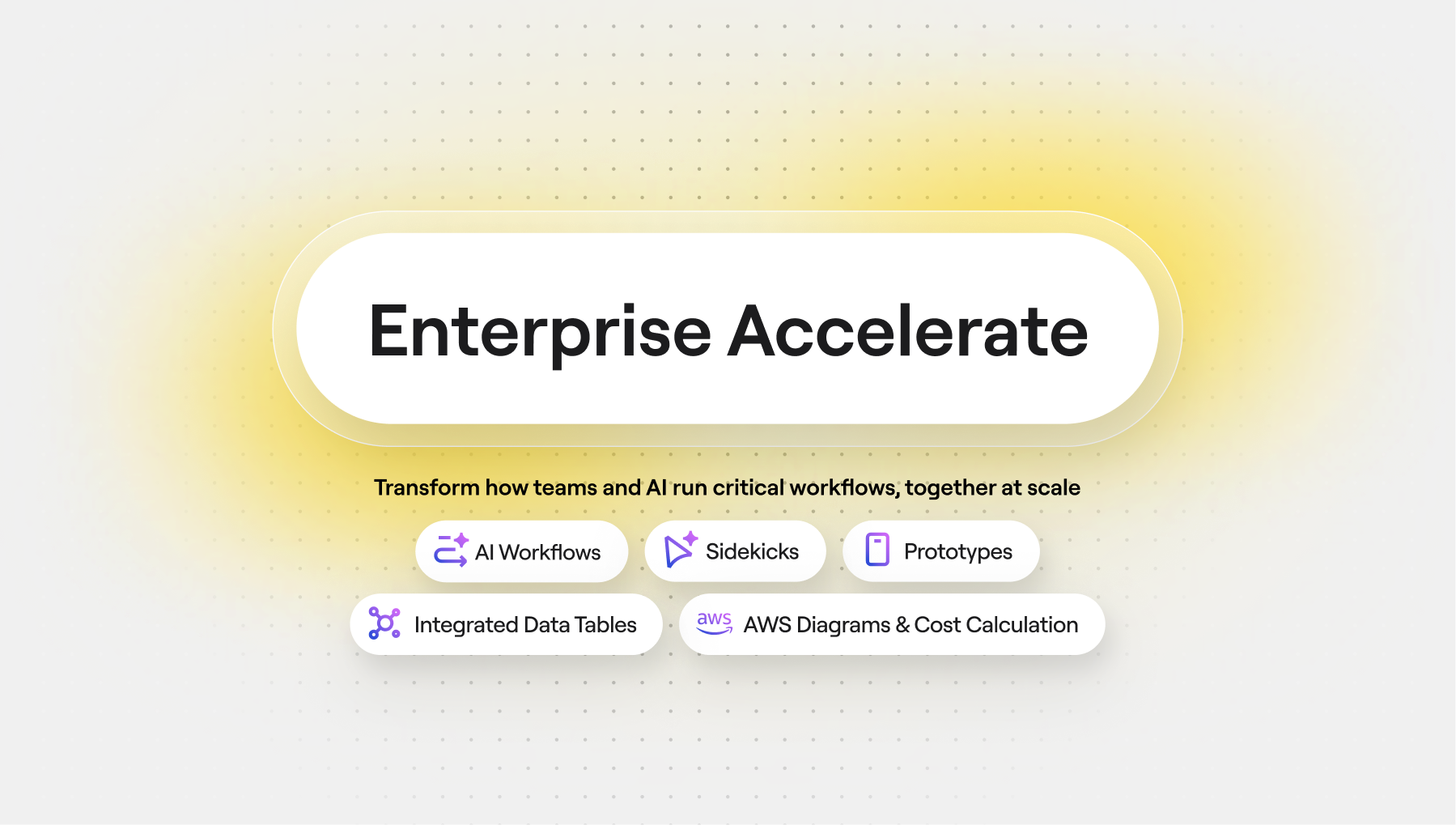
Following Canvas 25, we released Flows and Sidekicks in beta, and the response has been incredible. Teams are building collaborative AI workflows that turn hours of work into minutes — automating repetitive processes and creating deliverables like strategy docs, prototypes, and diagrams. Sidekicks are jumping in as expert collaborators for tasks like competitive analysis and content review The results speak for themselves: innovation cycles are shrinking from weeks to hours, and some teams have already cut delivery time and costs by more than 50%.
Flows and Sidekicks are now out of beta and part of AI Workflows, available as a paid product on Enterprise plans. Use them to create, save, and share collaborative AI workflows across your organization — like turning your best PM’s discovery process or your top designer’s workshop format into reusable templates everyone can run.
If you’re on an Enterprise plan, reach out to your admin to request access. Not on Enterprise? Stay tuned for more updates coming soon.
Curious to see what’s possible? Explore the AI Playbooks library for real examples of how teams are putting Flows and Sidekicks to work across research synthesis, planning and strategy, product development, and more.
Kickstart your next AI workflow with Flows templates
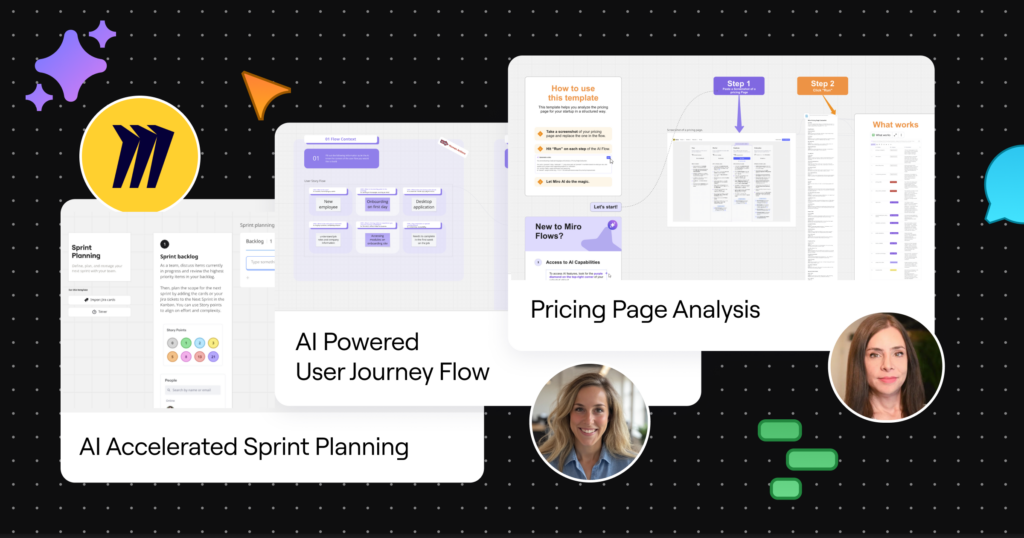
Speaking of Flows, there’s a growing collection of ready-to-run Flows templates in Miroverse. Some are made by our team, others by the Miro community, and all help your team hit the ground running with collaborative AI workflows.
Whether you’re planning a sprint, mapping user journeys, or improving the pricing page on your website, skip the setup and start strong with a template. And if you’ve built a Flow that works wonders for your team, you can submit it to Miroverse for others to use.
Ground AI work in your company’s knowledge
Out of the box, AI doesn’t know your product roadmap, your brand guidelines, or what your top client actually cares about. So you often end up with generic outputs that miss the mark, and waste time digging for context to make them better.
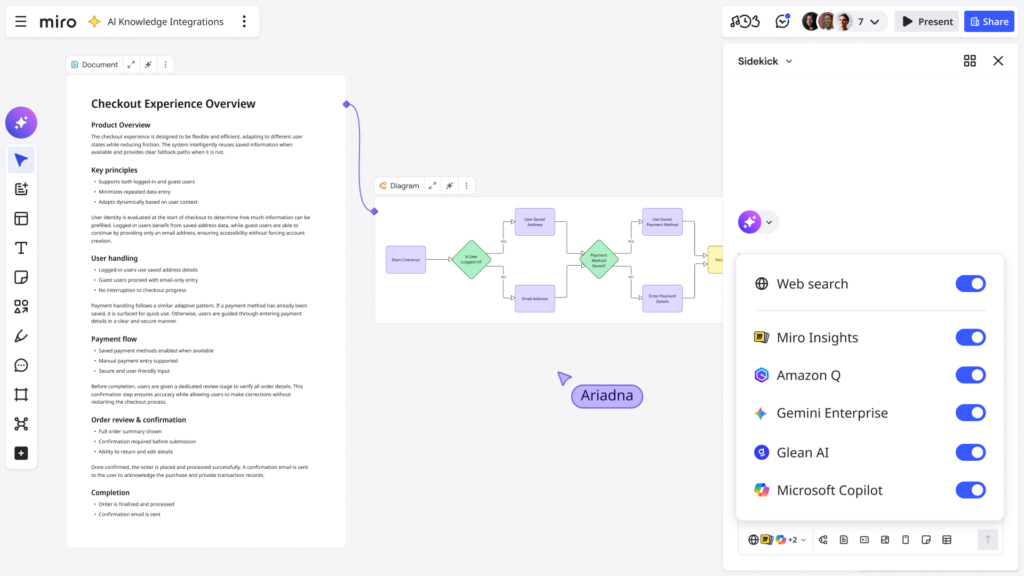
The good stuff is buried in spreadsheets, chat threads, and wikis. Now, you can bring them all to the canvas, so everything you create with AI is grounded in your company’s knowledge. Connect the AI tools your team already uses, like:
- Microsoft Copilot: Pull in context from SharePoint docs, Teams conversations, and Microsoft 365
- Gemini Enterprise: Tap into your Google Docs, Drive, and Gmail
- Amazon Q: Access your AWS docs, internal wikis, and enterprise repositories
- Glean: Search across all your connected systems in one place
Instead of generic suggestions, you get AI outputs that actually reflect your company’s standards, terminology, and context. Find out how to connect your AI tools in this article.
AI knowledge integrations are currently available on Business and Enterprise plans.
Resize precisely with pixel dimensions
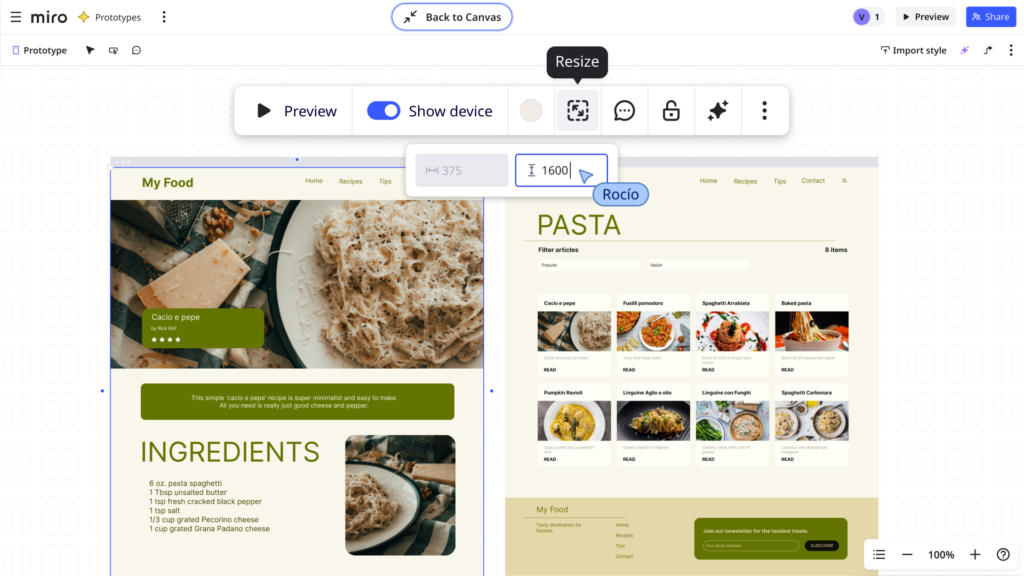
When you’re laying out a diagram, refining a prototype, or polishing a slide, sometimes you need pixel-perfect control. Now, you can resize elements using precise width and height values when working in Focus mode on diagrams, prototypes, and slides.
This applies to text, images, icons, shapes, and components. No more eyeballing it. Just type in the dimensions you need to keep your layouts tight and consistent.
Prototypes focus mode requires the Miro Prototypes add-on, available for Starter, Business, and Enterprise plans.
Build prototypes that look like the real thing
The closer your prototype looks to the real thing, the sharper the feedback you’ll get. This month, we’ve made some small but mighty improvements to the Prototyping library and workflow to help you build richer, more realistic prototypes.
- 600+ new icons: Find what you need faster with an expanded icon set in the Prototyping library and an improved browsing experience.
- Updated mobile frames: The default mobile frame dimensions match today’s smartphone proportions, so your prototypes look realistic in preview.
If you’re using Miro Prototypes, you also get:
- Show/hide connectors: Control whether connectors are visible when building or presenting. Show them to review flows, hide them to focus on the UI.
- Advanced components: Take a look at the new Advanced tab in the Prototyping library with 76 components — like calendars, tables, dialog modules, navigation bars, and more — in both light and dark variants.
- 20 new prototype templates: Explore interactive flows across apps, websites, dashboards, and mobile experiences. Great for experimenting with interaction patterns or learning your way around Miro’s prototyping tools.
- Import styles in Focus mode: Apply colors directly from an image while working in Prototype Focus mode to stay on brand without breaking your flow.
Miro Prototypes is available as an add-on for Starter, Business, and Enterprise plans.
Tables your whole team can work in
The more complex your table, the more you need to stay organized, search for what you need, and undo the occasional mistake. Our latest Miro Tables updates help with all three.
- Comment on rows: You can now leave comments directly on rows within tables. Keep feedback in context, tag teammates, and resolve threads right on the spot.
- Search your table: No more scanning rows manually. Just search for what you need directly in your table. Yes, that goes for Timeline and Kanban views, too.
- Version history: Accidentally delete something? You can now restore a table to any version from the last 90 days. Tables auto-save, so you’ve got a safety net.
Share Spaces with more control
When more people need visibility into and access to a project, you need more control over who can do what. You can now share Spaces with an entire team using two additional access levels: Can Comment and Can Edit.
Whether you use Spaces to organize Miro content by team, project, or anything else that makes sense, this makes it easier to invite people to collaborate without handing over the keys.
Upload and play videos right on your board
You asked, we delivered. You can now upload and play video files directly in Miro. Whether you’re sharing a product demo, design concept, or a user interview clip, just drag and drop it right on the canvas. We currently support MP4, MOV, and WebM files up to 150MB. A simple update, but it makes presenting or collaborating async a lot richer. Find out more in this article.
Available on Starter, Business, and Enterprise plans. Users on Free plans can view and play videos, but uploading requires a paid plan.
New diagram shape packs for engineers
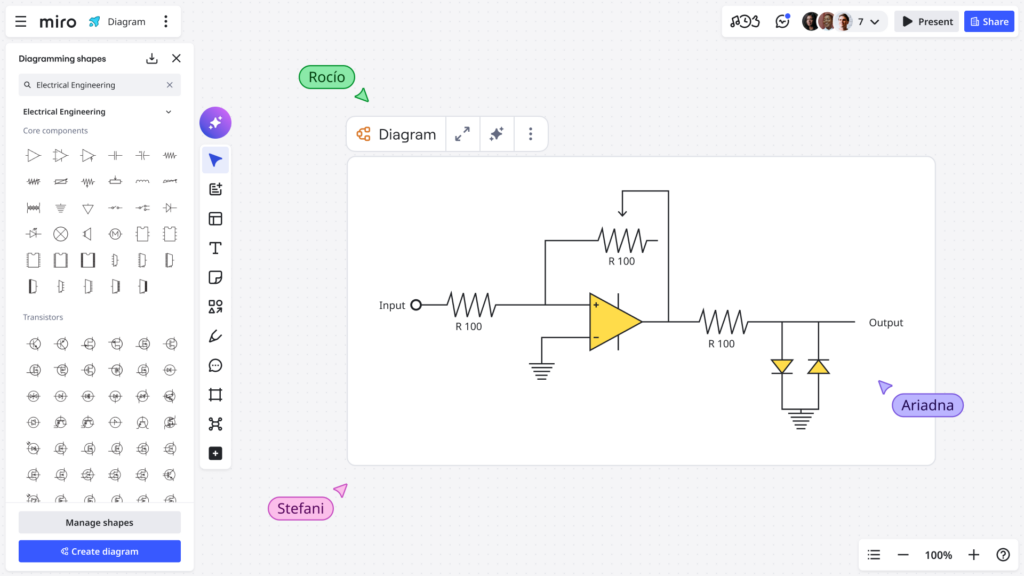
Engineers, this one’s for you. We’ve added two new shape packs to Miro Diagrams:
- Electrical Engineering shapes: A complete set for circuit diagrams and electrical schematics.
- Process Engineering shapes: 210 shapes for chemical, petroleum, manufacturing, and process industries. Use them to build precise P&ID diagrams and other technical schematics.
What’s next
And that’s a wrap on our January updates. From Miro Engage to collaborative AI Workflows and all the additional refinements in between, this month is all about getting everyone involved in the work as you ramp up for a great year ahead.
Got a feature you’d love to see in Miro? Head to our Community forum and add it to the product wishlist. Some of today’s updates started there!