Mermaid タイムライン エディター
複雑なプロジェクトのマイルストーン、製品ロードマップ、歴史的な出来事を、数秒で見やすいタイムラインにできます。左側にシンプルな Mermaid 構文を記述すると、右側に洗練されたタイムラインが即座にレンダリングされます。完全に共同作業可能な Miro のビジュアルボードが必要ですか?登録して Miro の Mermaid 機能をお試しください。
Syntax cheatsheet
timelineRequired first line — declares the diagram type.title My titleOptional title, appears above the timeline.section Group nameGroups the following entries under a heading.2024 : Event textA time period paired with an event.: More textContinue previous time period with another event.
Start typing to see your timeline.


Mermaid コードから数秒で生成されるタイムライン
Mermaid の構文を Miro に貼り付けるだけで、チームで並べ替え、スタイル変更、微調整できる、きれいで編集可能なタイムライン図を瞬時に生成できます。プロジェクトのロードマップや製品のマイルストーンをリアルタイムで可視化し、コードを唯一の情報源として保ちながら、文書やリポジトリに書き直すことなくそのままエクスポートできます。
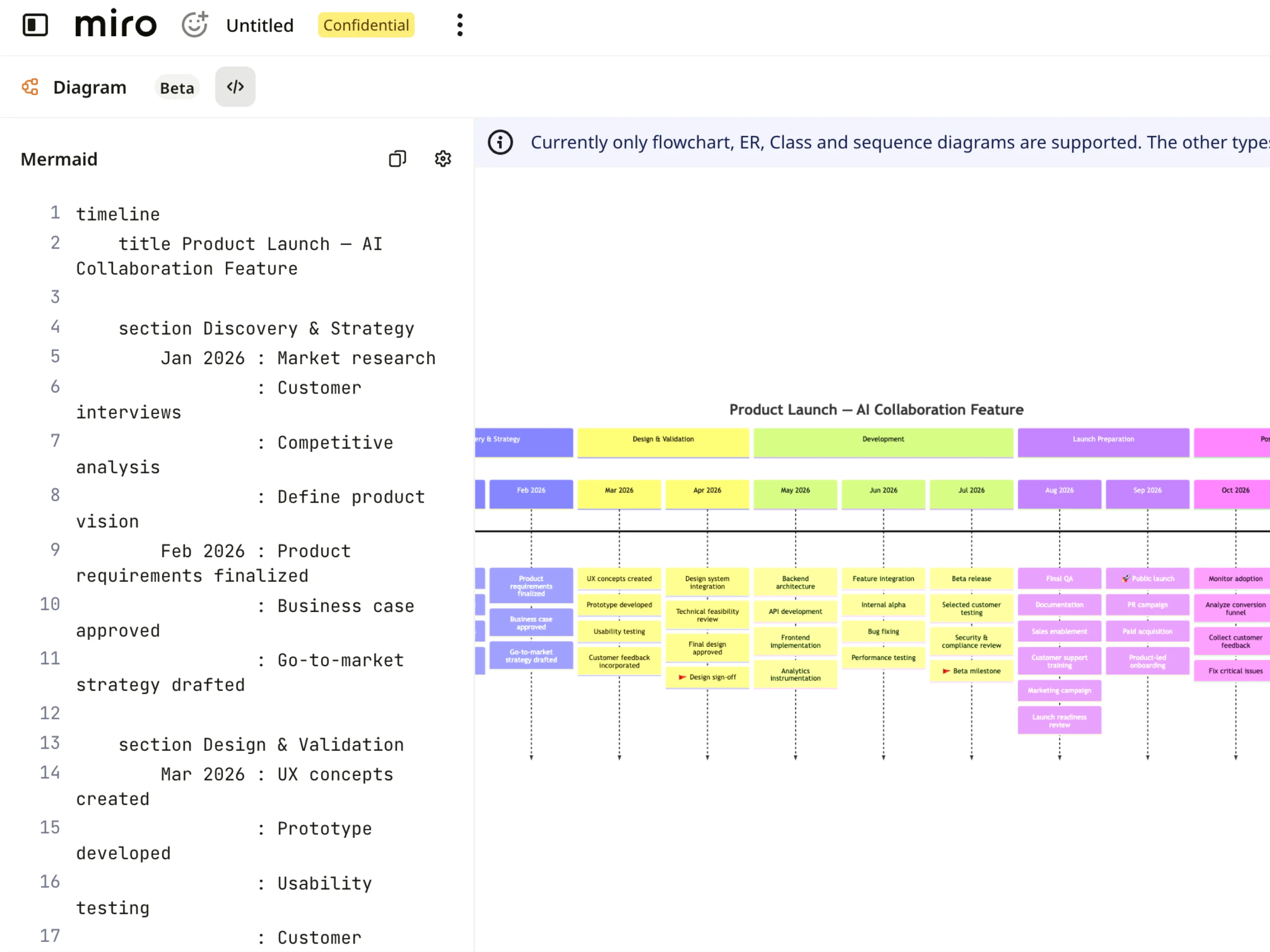
タイムラインを一目で把握
Mermaid タイムラインはカード、マイルストーン、フェーズが視覚的にわかりやすく表示されるため、コードの行を解析しなくてもスケジュール、日付、依存関係を把握できます。特定の四半期やスプリントに拡大してプロジェクトのマイルストーンを順に追い、製品のロードマップを部門横断チームにとって明確で読みやすい状態に保てます。
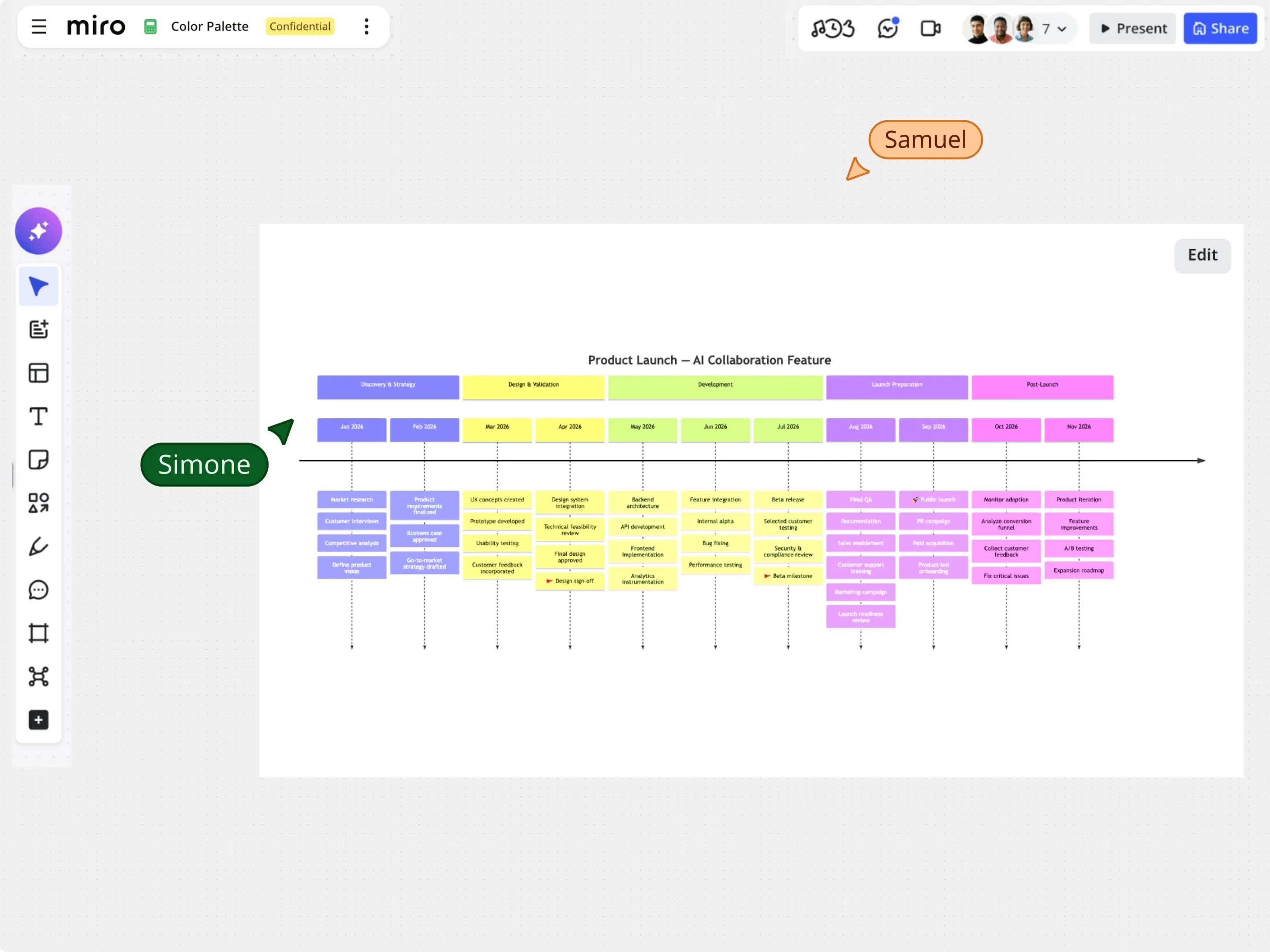
Mermaid コードをそのままに、タイムラインの視覚編集
サンプルのタイムラインテンプレートから開始するか、既存の Mermaid コードを貼り付け、キャンバス上でドラッグ&ドロップ、自動整列、スタイル設定を使ってスケジュールを直接調整できます。マイルストーン、セクションのラベル、イベントの日付を視覚的に変更しつつ、基になっている Mermaid タイムラインのコードを完全に同期した状態で保持できます。
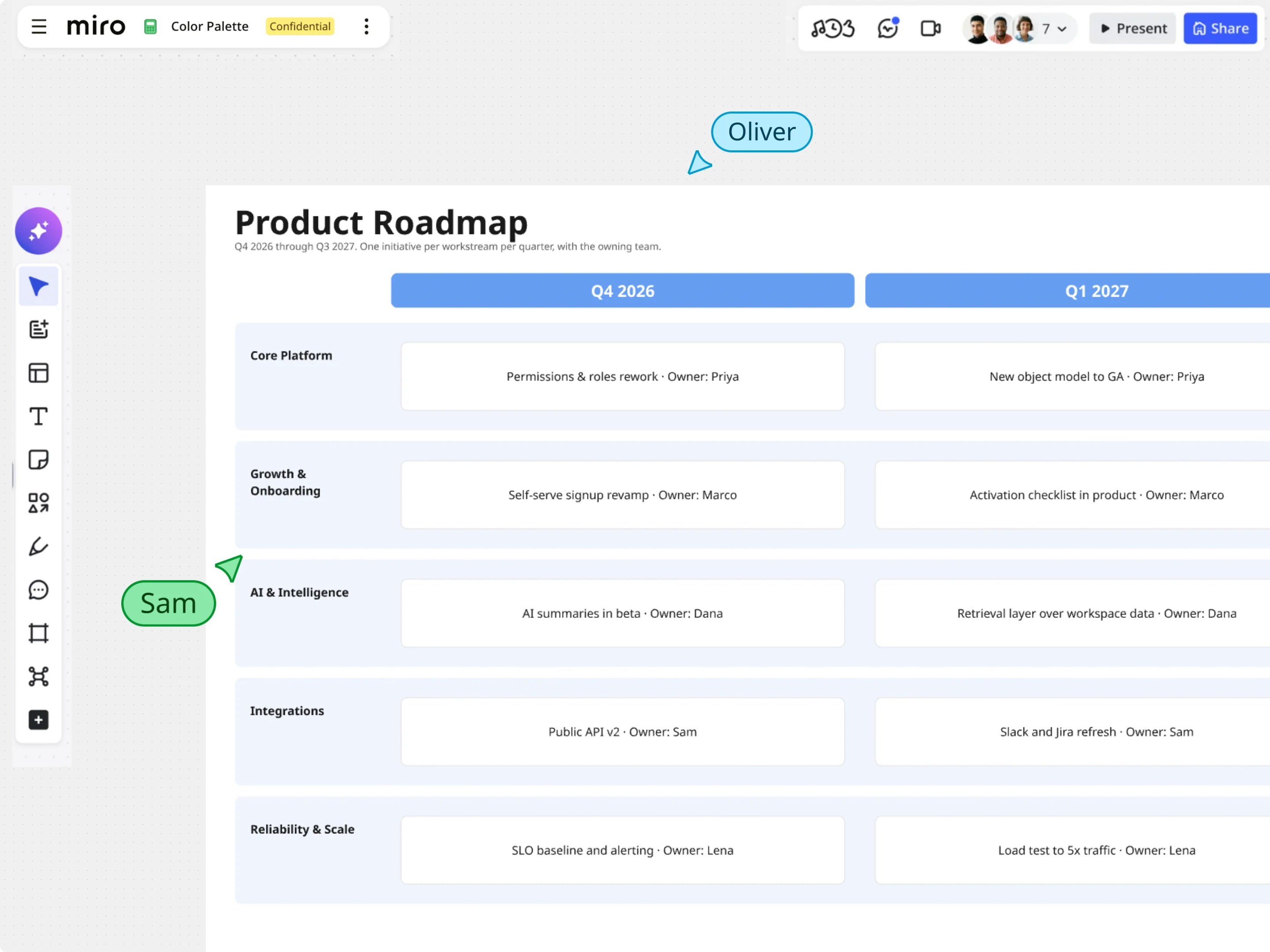
Mermaid で作るインタラクティブなロードマップとボード
Mermaid のタイムラインをレンダリングした後は、Miro の豊富なビジュアルツールで計画をさらに進められます。タイムライン表示を付箋、データを含むフレーム、タスクウィジェットと組み合わせることで、依存関係を可視化し、クリティカルパス上のリスクを強調し、プロジェクトスケジュールを一つのキャンバス上でまとめて提示できます。