Mermaid Timeline Editor
Turn complex project milestones, product roadmaps, and historical events into clear, visual timelines in seconds. Write simple Mermaid syntax on the left and watch a polished timeline render instantly on the right. Need fully collaborative Miro visual boards? Sign up and try Miro’s Mermaid features.
Syntax cheatsheet
timelineRequired first line — declares the diagram type.title My titleOptional title, appears above the timeline.section Group nameGroups the following entries under a heading.2024 : Event textA time period paired with an event.: More textContinue previous time period with another event.
Start typing to see your timeline.


Turn Mermaid code into clear timelines in seconds
Paste your Mermaid syntax into Miro and instantly get a clean, editable timeline diagram you can rearrange, restyle, and refine with your team. Map out project roadmaps and product milestones in real time, keep the code as your source of truth, and export back to your docs and repos without rewriting anything.
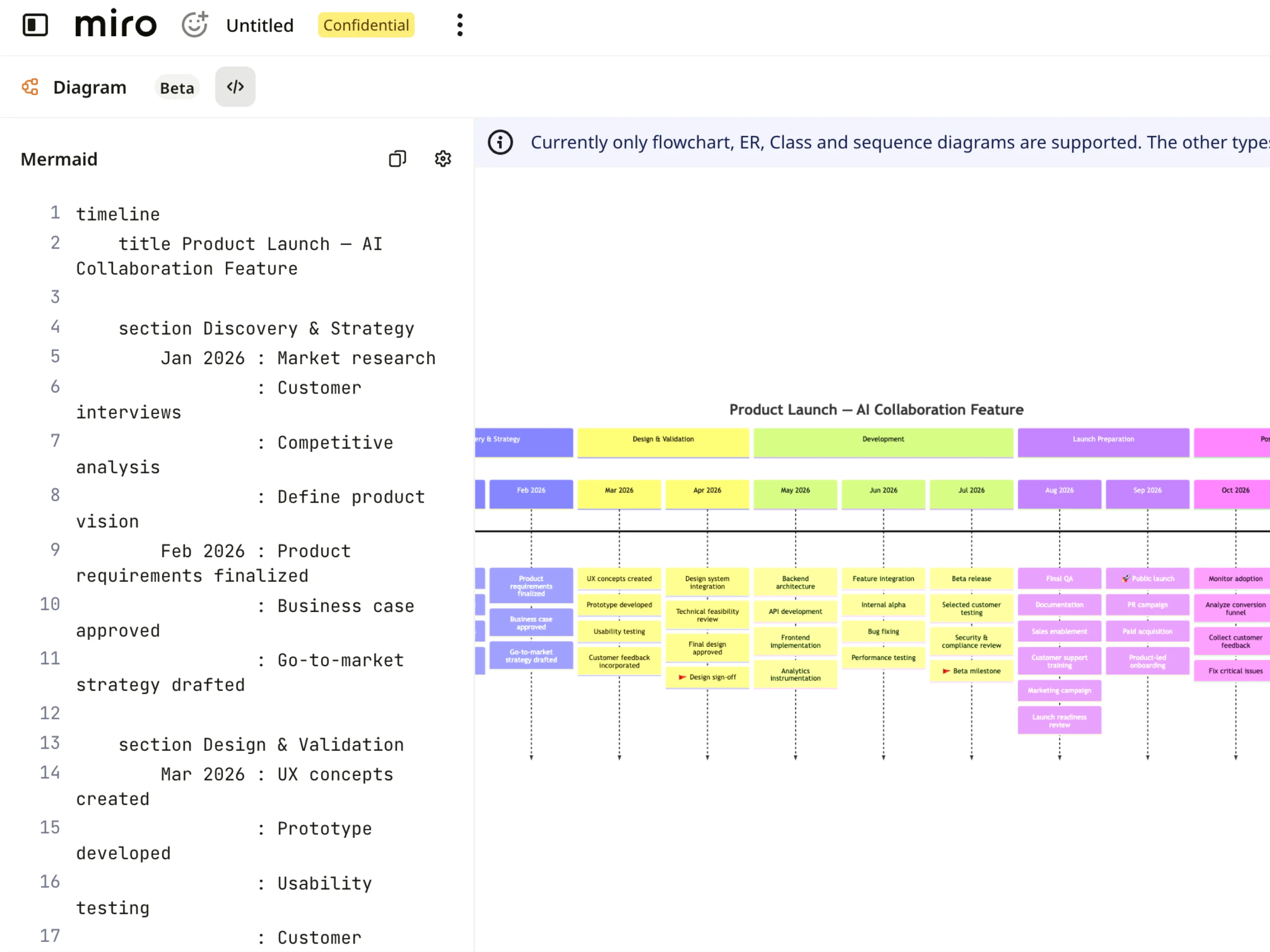
Understand your timelines at a glance
Each Mermaid timeline renders as clear visual cards, milestones, and phases, so you can track schedules, dates, and dependencies without parsing lines of code. Zoom into specific quarters or sprints, follow project milestones step by step, and keep product roadmaps clear and readable for cross-functional teams alike.
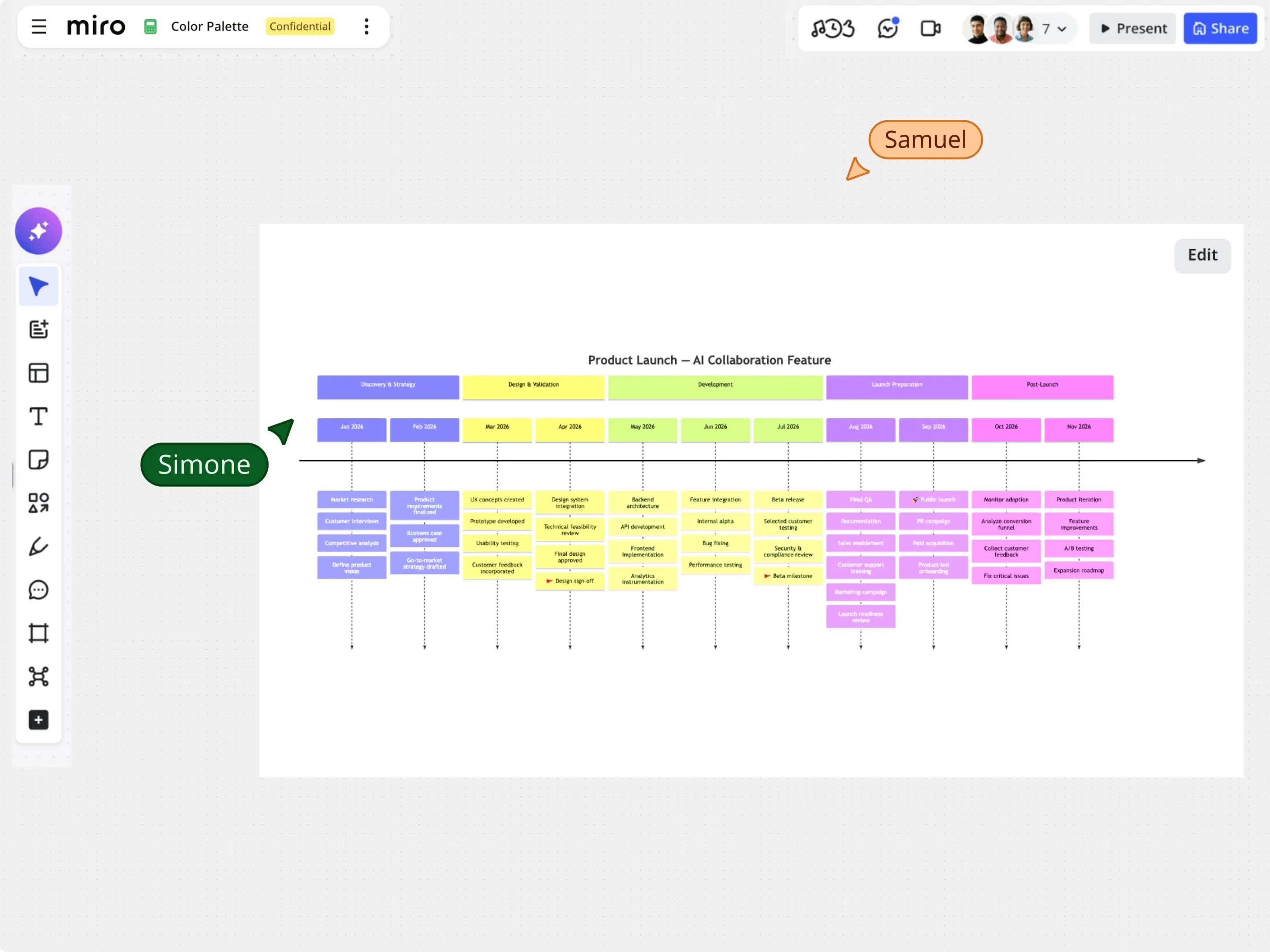
Edit timelines visually without losing your Mermaid code
Start from sample timeline templates or paste existing Mermaid code, then refine your schedule directly on the canvas using drag-and-drop, auto-alignment, and styling controls. Adjust milestones, section labels, and event dates visually while keeping the underlying Mermaid timeline code perfectly in sync.
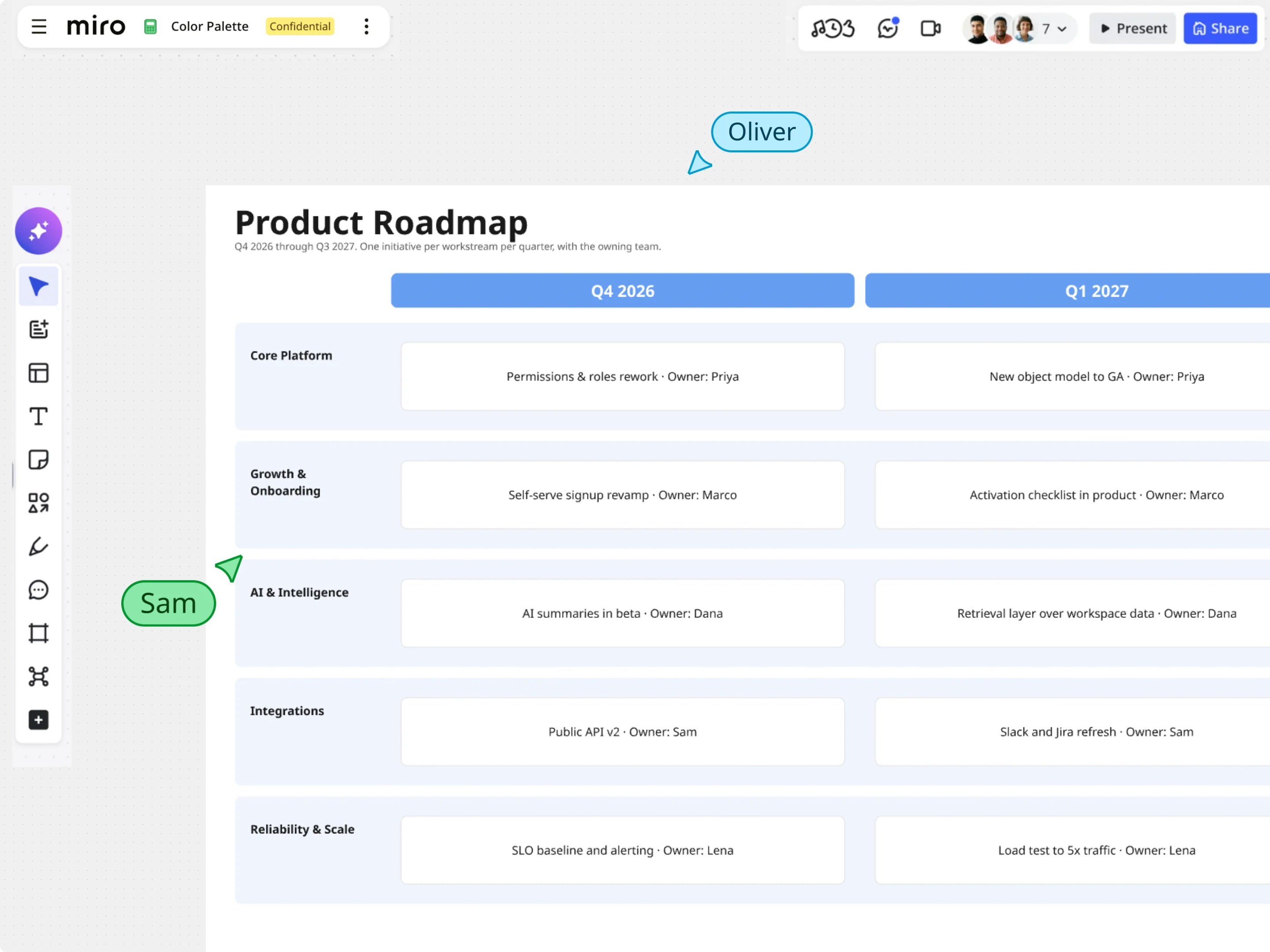
Turn Mermaid into interactive roadmaps and boards in Miro
Once your Mermaid timeline is rendered, use Miro's rich visual tools to take your planning further. Combine timeline views with sticky notes, data-rich frames, and task widgets so you can map dependencies, highlight critical path risks, and present project schedules on one unified canvas.