Table of contents
Table of contents
By signing up, you agree to Miro's Terms of Service and Privacy Policy.
What is brainstorming? A complete guide to turning ideas into action
Summary
Most brainstorming sessions produce scattered ideas and little action. This guide shows you how to run structured sessions that move teams from problems to solutions fast.
What you'll learn:
- What brainstorming actually is — and when to use it versus when other approaches work better
- Core techniques that produce results — mind mapping, rapid ideation, reverse brainstorming, SCAMPER, starbursting, brainwriting, and affinity mapping
- How to run effective sessions — from preparation through facilitation to turning ideas into concrete next steps
- Common mistakes that kill momentum — and practical fixes for mixing generation with evaluation, letting loud voices dominate, and leaving without clear ownership
- Questions that deepen thinking — specific prompts for understanding problems, expanding ideas, building collaboratively, and creating action
- Mental models for better decisions — first principles thinking, second-order thinking, inversion, opportunity cost, and pre-mortem analysis
- How AI accelerates brainstorming — using Miro's AI and Sidekicks to jumpstart ideation, organize thinking, and facilitate sessions
- From ideas to execution — validation strategies, prioritization frameworks, and proven workflows for shipping what matters
Bottom line: Brainstorming isn't about generating more ideas. It's about generating better ideas faster, then actually building them. This guide gives you the frameworks, techniques, and tools to make that happen.
AI workflows
See how Damir, Miro's Head of Product AI, uses two AI workflows to keep his team aligned as they build.
Stuck staring at a blank screen while your team waits for the next breakthrough? You're not alone. Most brainstorming sessions end with scattered sticky notes, half-baked ideas, and that nagging feeling you just burned an hour everyone will never get back.
Here's the thing: brainstorming isn't broken. The way most teams approach it is.
Real brainstorming isn't about filling a whiteboard with random thoughts and hoping something sticks. It's a structured practice that transforms how teams identify problems, generate solutions, and make decisions together. When done right, brainstorming moves you from "we need ideas" to "here's exactly what we're building next" — fast.
This guide breaks down what brainstorming actually is, why it works (and when it doesn't), and how to run sessions that produce results your team can act on immediately.
What is brainstorming?
Brainstorming is a collaborative ideation method where teams generate, develop, and evaluate ideas to solve specific problems or explore new opportunities. The practice combines individual thinking with group interaction to surface diverse perspectives and push past obvious solutions. This leads to more effective meetings, ensuring they remain focused and deliver tangible results.
The concept emerged in 1953 when advertising executive Alex Osborn published "Applied Imagination," introducing four core principles:
- Defer judgment — Separate idea generation from evaluation
- Encourage wild ideas — Unconventional thinking often leads to breakthrough solutions
- Build on others' ideas — Combine and improve concepts collaboratively
- Go for quantity — More ideas increase the likelihood of finding great ones
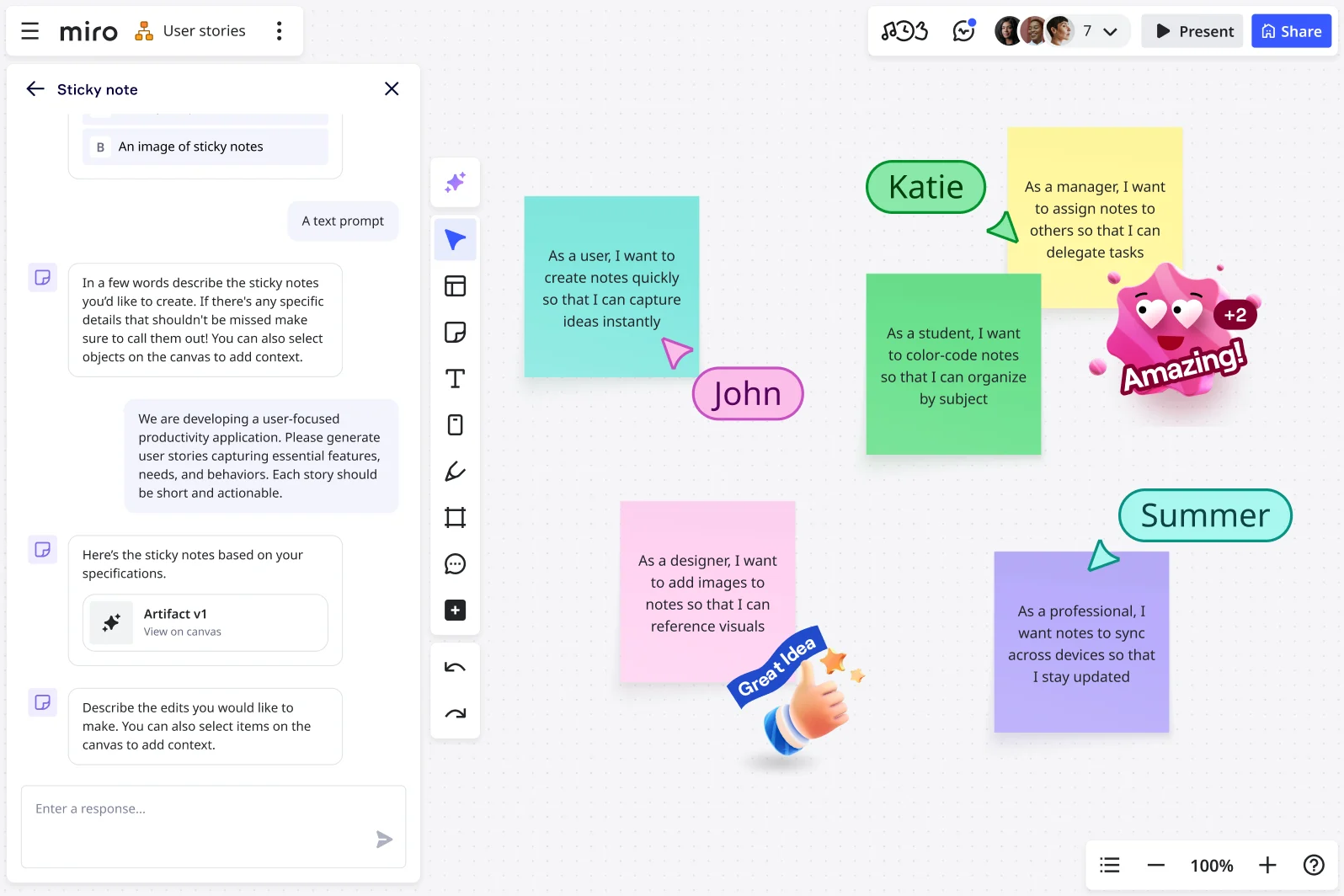
While Osborn's original framework focused on in-person sessions with physical materials, like clustering around newsprint, the fundamental principles remain relevant. Back then, teams collaborated face-to-face; today, they swipe across continents, brainstorming across time zones, blending synchronous and asynchronous collaboration. They use AI to accelerate the process from initial concept to validated solution.
The
goal stays consistent: help teams move from "what problem are we solving?" to "here's what we're doing about it" as efficiently as possible.
Why brainstorming matters for agile teams
Brainstorming isn't just about generating ideas — it's about making better decisions faster. Teams that brainstorm effectively spend less time second-guessing direction and more time shipping work that matters.
Diverse perspectives beat individual brilliance
When engineers, designers, product managers, and marketers contribute to the same problem, you catch blind spots early. The designer spots UX implications the engineer missed. The product manager connects an idea to c
ustomer feedback from last quarter. This cross-functional input prevents expensive pivots later. Creating a space where every voice feels welcome fosters this kind of open exchange, ensuring that all team members feel safe to share their insights and ideas without fear of judgment. Psychological safety is key to facilitating candid discussions that lead to more comprehensive solutions.
Structured ideation surfaces non-obvious solutions
Without a framework, teams default to the first workable idea or the loudest voice in the room. Brainstorming techniques force you past obvious answers. That's where you find the approaches that actually differentiate your product.
Collaborative problem-solving builds team momentum
Teams that ideate together align faster. When everyone contributes to the solution, you skip the "I wasn't consulted" friction that slows execution. People support what they help create.
Faster progression from problem to solution
Good brainstorming compresses discovery timelines. Instead of weeks of back-and-forth, you map the problem s
pace, generate options, and converge on direction in days. This velocity compounds — ship faster, learn faster, iterate faster.
The teams moving fastest aren't skipping brainstorming. They're doing it better. They're using structured techniques, asking sharper questions, and cutting time spent on low-value ideas so they can focus on the concepts worth building.
When to brainstorm (and when not to)
Brainstorming works best for specific types of challenges. Understanding when to use it — and when other approaches work better — saves time and improves outcomes.
Use brainstorming when you need to:
Identify and frame problems worth solving. Before jumping to solutions, teams need to understand what they're actually trying to fix. Brainstorming helps surface the real problem beneath surface-level symptoms.
Generate multiple solution approaches. When facing complex challenges with no obvious answer, brainstorming reveals diverse approaches you wouldn't discover alone.
Make decisions with incomplete information. Most teams don't have perfect data. Brainstorming helps evaluate trade-offs, surface assumptions, and align on direction despite uncertainty.
Align cross-functional teams on direction. When engineering, product, design, and marketing need to move together, collaborative ideation builds shared understanding faster than email threads.
Break through creative blocks. When teams feel stuck repeating the same approaches, structured brainstorming techniques force fresh perspectives.
Skip brainstorming when you:
Already know the solution. If one clear path exists, validate it and move forward. Don't waste time generating alternatives to check a process box.
Need deep expertise on a technical problem. Some challenges require specialized knowledge, not diverse perspectives. Let the experts solve it.
Face time-critical execution decisions. When the building is burning, make the call. Brainstorm the prevention plan later.
Haven't done basic research. Brainstorming without context produces shallow ideas. Talk to users, review data, understand the landscape first — then ideate.
The best teams recognize brainstorming as a tool, not a ritual. They use it strategically for problems that benefit from collaborative exploration, and they move quickly when situations call for different approaches.
Core brainstorming techniques that actually work
Different challenges need different brainstorming approaches. These techniques help teams generate ideas, structure thinking, and converge on solutions worth pursuing.
Mind mapping
Mind mapping helps teams visually organize thoughts around a central concept, revealing connections between ideas that linear lists miss.
When to use it: Early-stage problem exploration when you need to understand how different aspects of a challenge relate to each other.
How it works:
- Place your central topic or problem in the middle of your workspace
- Branch out with major themes or categories related to the central idea
- Add sub-branches with specific ideas, examples, or questions
- Connect related concepts across different branches to surface insights
Why it works: Mind maps match how teams actually think — associatively rather than linearly. They help remote teams see the same mental model simultaneously, preventing the "wait, are we talking about the same thing?" confusion that wastes meeting time.
Pro tip: Use Miro's mind map templates to start quickly, then let AI suggest additional branches based on your initial ideas. This surfaces perspectives your team might have missed.
Rapid ideation
Rapid ideation uses time constraints to push past obvious solutions and generate volume before evaluating quality.
When to use it: When your team keeps circling back to the same safe ideas or when you need to fill the pipeline with options fast.
How it works:
- Set a specific challenge or prompt
- Give each participant 5-10 minutes to generate as many ideas as possible individually
- Share all ideas without discussion or judgment
- Group similar concepts and identify patterns
- Select the most promising directions for deeper exploration
Why it works: Time pressure short-circuits the internal editor that kills ideas before you voice them. Separating generation from evaluation produces both more ideas and better ones.
Pro tip: Run rapid ideation asynchronously when teams span time zones. Everyone gets thinking time without schedule coordination. Miro's AI can jumpstart individual ideation by suggesting starting points based on your prompt.
Reverse brainstorming
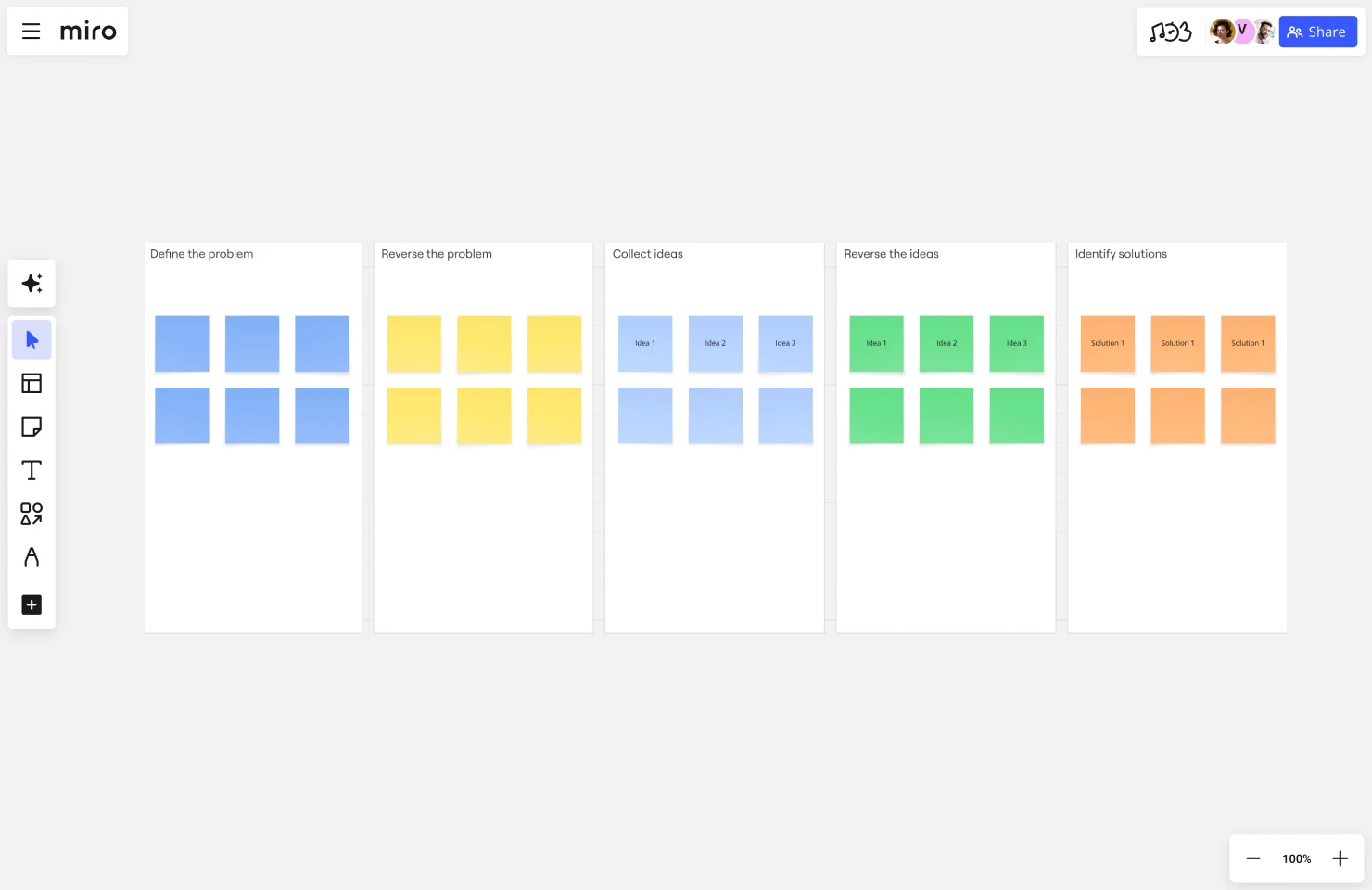
Reverse brainstorming flips the problem: instead of asking "how do we solve this?" you ask "how could we make this worse?" Then invert those ideas into solutions.
When to use it: When traditional brainstorming produces obvious answers or when teams struggle to identify root causes of problems.
How it works:
- Define your problem or goal
- Reverse it: "How could we guarantee this fails?" or "What would make this problem worse?"
- Generate ideas for causing the opposite outcome
- Review each negative idea and flip it into a potential solution
- Evaluate which inverted solutions address your actual challenge
Why it works: It's easier to spot what could go wrong than what could go right. This technique reveals hidden risks and unconventional solutions your team wouldn't reach through direct ideation.
Pro tip: Especially valuable for product teams working on user experience. "How could we make users abandon this feature?" quickly surfaces friction points your positive framing missed.
SCAMPER
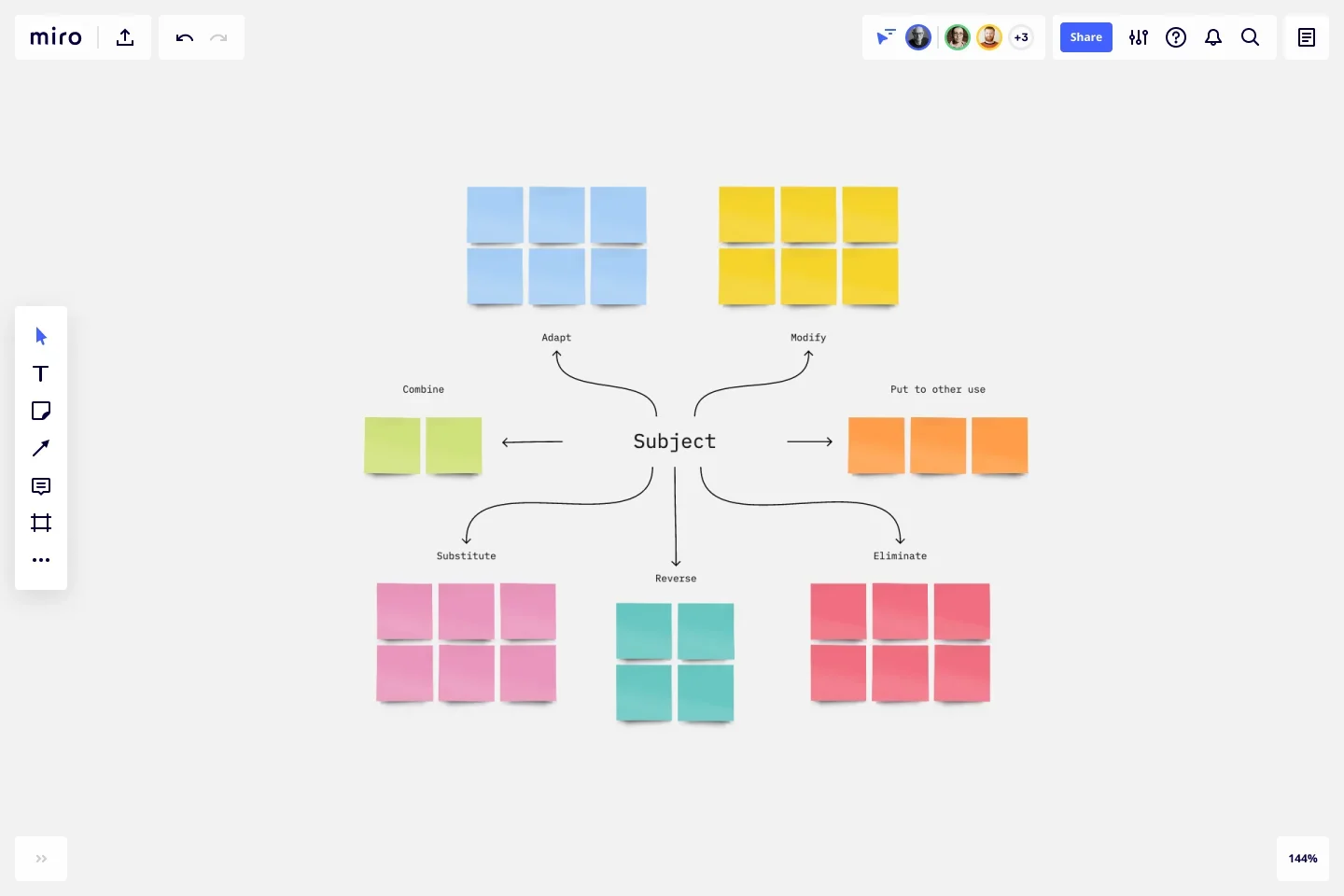
SCAMPER provides seven specific lenses for transforming existing ideas, products, or processes: Substitute, Combine, Adapt, Modify, Put to another use, Eliminate, Reverse.
When to use it: When improving existing products, iterating on current solutions, or adapting successful approaches from other contexts.
How it works:
- Choose a product, feature, process, or idea to improve
- Apply each SCAMPER prompt systematically:
- Substitute: What could we replace? (Materials, components, people, processes)
- Combine: What could we merge? (Features, products, steps, teams)
- Adapt: What could we copy or adapt from elsewhere? (Other industries, use cases, competitors)
- Modify: What could we change? (Size, shape, format, frequency)
- Put to another use: How else could we use this? (New audiences, contexts, purposes)
- Eliminate: What could we remove? (Features, steps, assumptions, constraints)
- Reverse: What could we flip or rearrange? (Sequence, roles, relationships)
- Capture ideas generated from each lens
- Identify promising modifications worth testing
Why it works: SCAMPER forces systematic exploration rather than random ideation. The structured prompts help teams discover improvements they'd miss through open-ended brainstorming.
Pro tip: Focus on one or two SCAMPER lenses per session rather than trying to apply all seven. Going deep on "eliminate" or "reverse" produces better ideas than shallow passes through every option.
Starbursting
Starbursting generates questions rather than answers, helping teams thoroughly explore a problem, idea, or opportunity before committing to solutions.
When to use it: Early in product development when you need to understand a problem space completely, or when evaluating a proposed solution before building it.
How it works:
- Place your idea, problem, or opportunity in the center of a star diagram
- Create six points representing: Who, What, Where, When, Why, How
- Generate as many questions as possible for each point
- Group related questions and identify patterns
- Prioritize which questions must be answered before moving forward
Why it works: Teams often jump to solutions before understanding the problem. Starbursting forces comprehensive exploration of context, constraints, and implications.
Pro tip: Use starbursting before building features. "Who needs this?" and "Why now?" reveal whether you're solving the right problem. Miro's AI Sidekicks can help generate additional questions your team might have overlooked for each dimension.
Brainwriting (6-3-5)
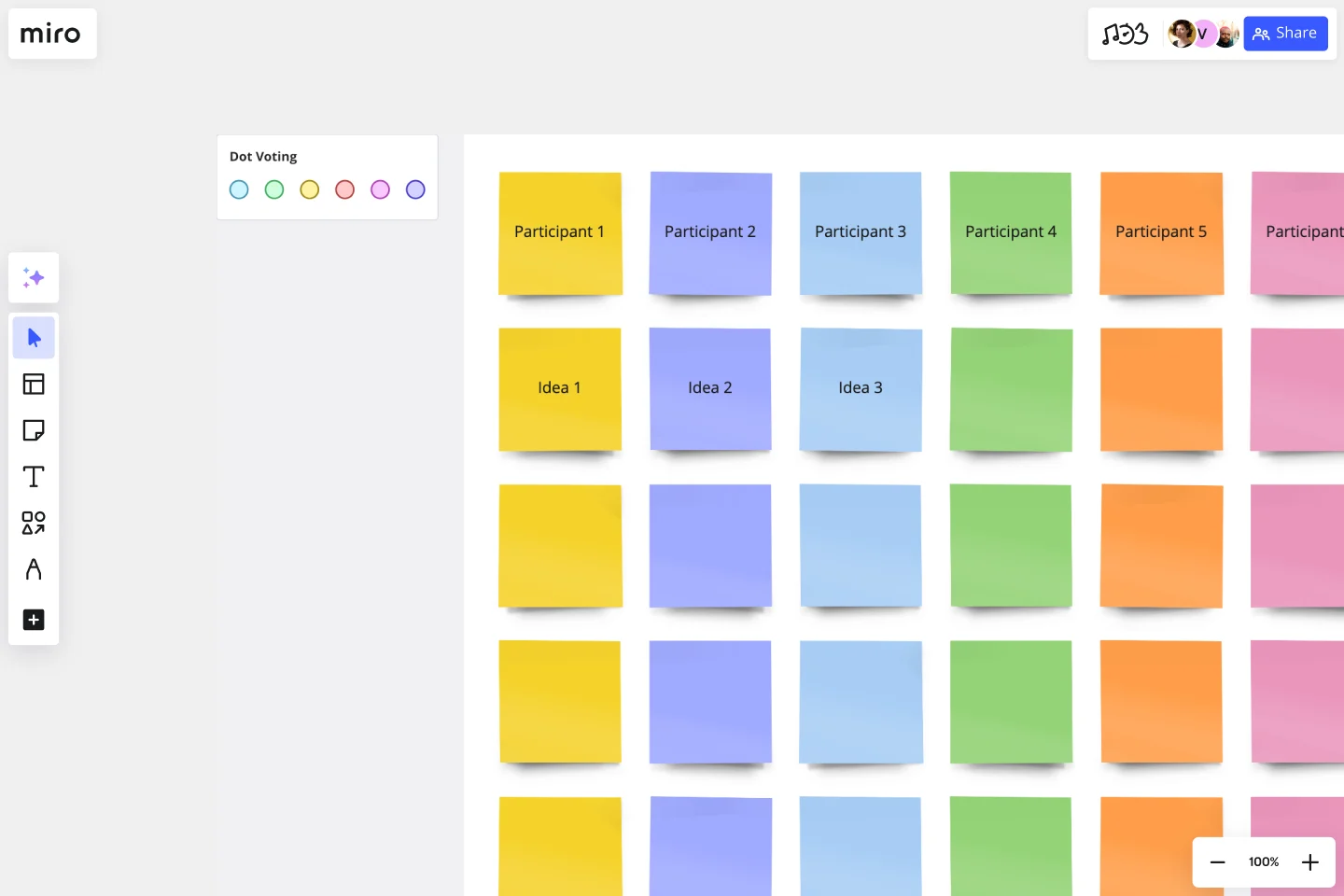
Brainwriting removes the "loudest voice wins" dynamic by having participants write ideas simultaneously and build on each other's thinking in rounds.
When to use it: When your team includes both vocal and quiet contributors, when working asynchronously, or when you want to ensure every perspective gets considered equally.
How it works:
- Six participants each write three ideas in five minutes
- Pass your ideas to the next person
- Each participant reviews the ideas they received and adds three more related ideas or improvements
- Repeat for 5-6 rounds
- Review all ideas and identify the strongest concepts
Why it works: Written contribution equalizes participation. Introverts contribute as fully as extroverts. Building on others' ideas in writing produces combinations you wouldn't reach through discussion.
Pro tip: Adapt the timing for async collaboration. Give each participant 24 hours to add their round of ideas. This works across time zones and gives everyone thinking time. Miro boards make this seamless — no complicated file passing required.
Affinity mapping
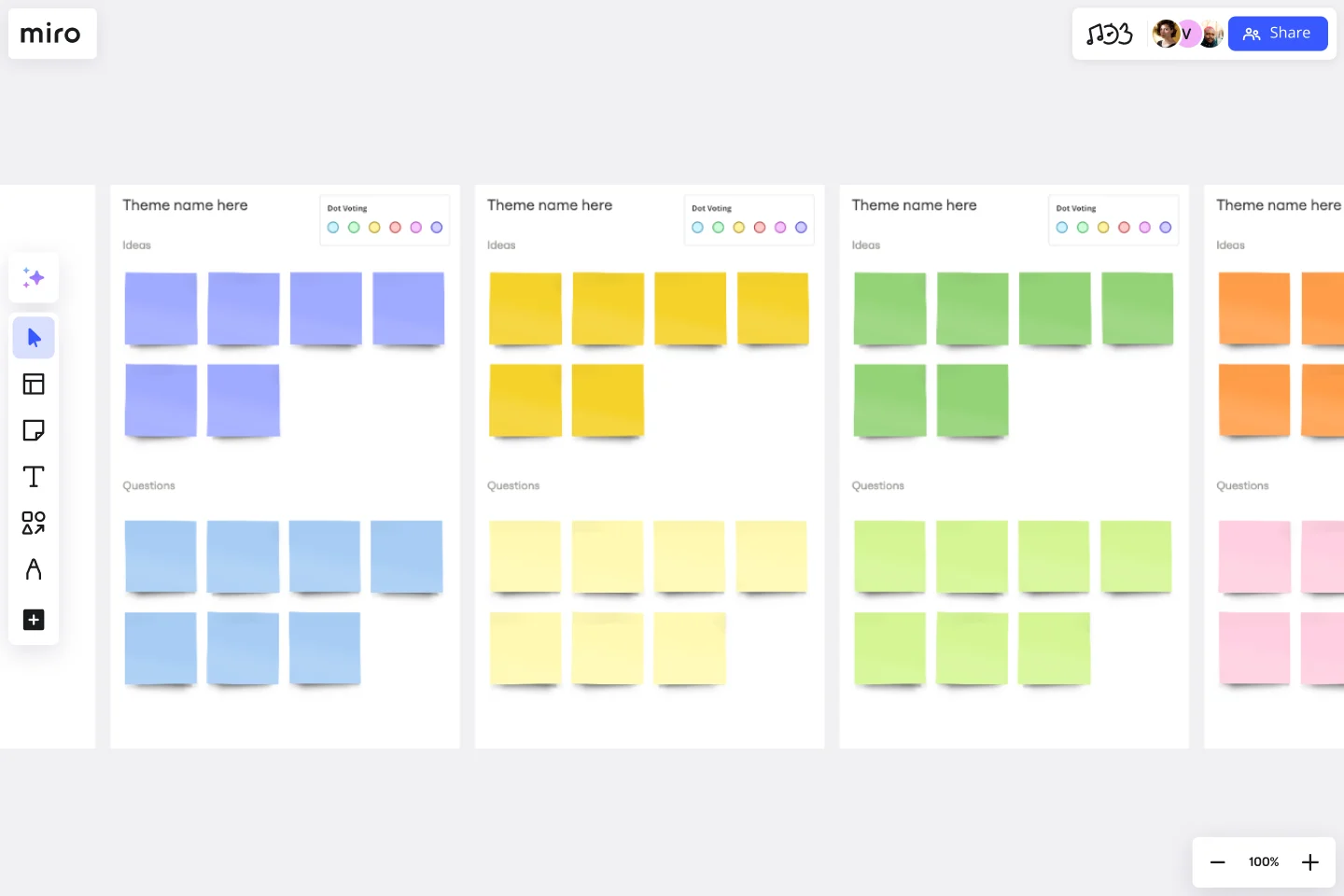
Affinity mapping helps teams organize large volumes of ideas, feedback, or data into meaningful categories that reveal patterns and priorities.
When to use it: After research, ideation, or discussion generates more information than your team can process linearly. Essential for making sense of user research, feature requests, or brainstorming output.
How it works:
- Gather all ideas, observations, or data points (typically on sticky notes)
- Have team members silently group related items together
- Let natural clusters emerge without predefined categories
- Name each cluster based on the common theme
- Identify relationships between clusters
- Determine which clusters represent priority areas
Why it works: Pattern recognition beats predetermined categories. Teams discover the actual themes in their data rather than forcing information into expected buckets.
Pro tip: Use Miro's clustering features to group similar sticky notes automatically based on content. This handles the initial sorting so your team can focus on validating clusters and identifying insights.
How to run a brainstorming session that produces results
Most brainstorming sessions fail before they start. No clear problem, wrong people in the room, and zero structure for moving from ideas to decisions. Here's how to run sessions that produce work your team can actually act on.
Before the session: Set up for success
Define the specific problem or opportunity. Vague challenges produce vague ideas. "Improve the onboarding experience" generates scattered thoughts. "Reduce drop-off between signup and first project creation" gives your team a target.
Write your challenge as a clear question:
- "How might we help new users complete their first project within 10 minutes?"
- "What would make customers choose our solution over building in-house?"
- "How can we reduce support tickets related to the checkout flow?"
Determine who should participate. Include people with different perspectives on the problem — not just the same team that always works together. The engineer building the feature sees different constraints than the support rep handling customer questions about it.
Aim for 5-8 participants. Smaller groups move faster. Larger groups need more structure to ensure everyone contributes.
Share context before you meet. Send the problem statement, relevant research, and what success looks like 24 hours ahead. Don't spend the first 20 minutes of your session getting everyone up to speed.
Include:
- The problem you're solving and why it matters now
- Research, data, or customer feedback that provides context
- What you're NOT trying to solve (boundaries prevent scope creep)
- What good solutions might look like (without prescribing specific ideas)
Choose the right technique. Match your approach to your goal. If you're exploring a new problem space, start with mind mapping or starbursting questions. If you're iterating an existing feature, use SCAMPER. If you have a team that struggles with dominant voices, try brainwriting.
Set up your workspace. If you're working in Miro, create your board structure before the session:
- Clear sections for different activities (individual ideation, group discussion, voting)
- Relevant templates already in place
- Timer visible so everyone sees time constraints
- Instructions for each activity written out (reduces time spent explaining)
During the session: Facilitate for outcomes
Start with individual ideation. Give everyone 5-10 minutes to generate ideas alone before group discussion. This prevents the first vocal person from anchoring everyone else's thinking.
Use Miro's AI to help participants jumpstart their individual thinking. Rather than staring at a blank board, they get AI-generated starting points based on the problem statement, then build from there.
Generate without judgment first, evaluate later. The biggest mistake in brainstorming is mixing generation and criticism. When someone shares an idea and the immediate response is "but that won't work because..." you've just told everyone to self-censor.
Spend time purely generating before any evaluation. Quantity matters here — aim for volume. Obvious ideas and wild ideas both belong in this phase.
Build on ideas rather than starting from scratch. "Yes, and..." beats "yes, but..." every time. When someone shares a concept, the next person should extend it: "That makes me think we could also..." or "What if we combined that with..."
This builds momentum and produces stronger ideas through iteration. Miro's Sidekicks can suggest connections between ideas that participants might miss, helping the group build more effectively.
Use constraints to focus thinking. "Come up with any idea" produces mediocre results. "Come up with ideas that require zero engineering resources" or "ideas we could test with 10 users next week" forces creative problem-solving within real constraints.
Add constraints progressively rather than all at once. Start open, then add constraints as you narrow toward feasibility.
Visualize relationships and patterns. As ideas accumulate, start organizing them. Group similar concepts. Connect related ideas. Identify which suggestions address different aspects of the problem versus which ones compete as alternatives.
This transition from generating to organizing helps teams see what they've actually produced and where the strongest thinking clusters.
Converge on actionable directions. Brainstorming without decision-making just postpones the hard conversation. Before ending your session:
- Identify the top 3-5 ideas worth exploring further
- Assign next steps to specific people
- Define what validation or research happens next
- Set a deadline for deciding which direction to pursue
Use dot voting or another prioritization method to build consensus quickly. Each participant gets 3-5 votes to distribute across ideas. Votes reveal which concepts have broad support versus ideas only one person loves.
Capture everything clearly. Ideas that exist only in memory or scattered notes don't ship. Document decisions, next steps, and parking lot items (ideas that aren't immediate priorities but shouldn't be lost).
Your Miro board becomes the source of truth. Share it immediately after the session so everyone knows what happens next.
After the session: Turn ideas into action
Assign clear ownership. Someone must own each next step. "The team will research that" means it won't happen. "Alex will interview 5 customers about this by Friday" creates accountability.
Validate before building. Most brainstormed ideas need testing before full development. Talk to users, create prototypes, or run small experiments before committing resources.
Share outcomes with stakeholders. Loop in people who weren't in the session but need context. A quick summary — the problem, options considered, direction chosen, next steps — prevents re-litigation later.
Review what worked. After a few brainstorming sessions, assess what's producing results. Which techniques help your team generate better ideas? What preparation makes the biggest difference? What slows you down?
Good brainstorming is a skill. Teams improve by trying approaches, evaluating outcomes, and refining their process.
Common brainstorming mistakes (and how to fix them)
Even structured brainstorming fails when teams make these mistakes. Here's what to watch for and how to correct course.
Mixing generation and evaluation too early
The mistake: Someone shares an idea and the immediate response is "That won't work because..." or "We tried something similar and it failed." The session stalls as people defend or critique concepts instead of generating more options.
Why it happens: Teams want to be efficient. Evaluating ideas as they emerge feels faster than generating a big list first. It's not. Early criticism makes participants self-censor, and you lose the ideas people don't voice because they're pre-judging feasibility.
The fix: Enforce separate phases. Generate for 15-20 minutes with zero evaluation. Every idea goes up regardless of perceived quality. Then transition explicitly: "Now we're moving to evaluation." This simple separation produces both more ideas and better ones.
Letting the loudest voice dominate
The mistake: One or two people drive the entire conversation while others barely contribute. The same voices that always speak up are the only ones heard. You're getting a fraction of your team's thinking.
Why it happens: Some people process out loud. Others need time to think. Without structure favoring the latter, verbal processors fill all available space.
The fix: Use written contribution techniques like brainwriting or start every session with individual silent ideation. Require everyone to generate and post ideas before discussion begins. Call on quieter participants directly: "Jamie, what's your take on this?" Make space for the perspectives you're missing.
Solving without understanding the problem
The mistake: Teams jump straight to solutions without exploring the problem space. You generate ideas, pick one, build it — and realize later you solved the wrong problem.
Why it happens: Solutions feel productive. Analyzing problems feels slow. But building the wrong thing is slower than spending time upfront ensuring you understand what you're actually solving.
The fix: Start every brainstorming session with problem exploration before solution generation. Use starbursting to generate questions. Create "How might we..." problem statements from multiple angles. Only move to solutions after the team aligns on what problem you're tackling.
Having the wrong people in the session
The mistake: You're brainstorming a customer-facing feature with only engineers, or solving a technical architecture problem with only marketers. Missing perspectives means missing critical considerations.
Why it happens: Teams default to brainstorming with whoever's available or whoever always works together. But the people most familiar with the work aren't always the people with the most relevant perspectives.
The fix: Map your problem to the perspectives needed before scheduling. Customer experience problems need someone who talks to customers regularly. Technical feasibility questions need engineering input. Cross-functional challenges need cross-functional participants. Better to wait for the right people than run a session missing critical viewpoints.
Brainstorming without constraints
The mistake: "Come up with any idea to improve the product" produces unfocused suggestions that range from tiny tweaks to complete rebuilds. Without boundaries, teams waste time on options that were never realistic.
Why it happens: It feels limiting to add constraints. Teams want maximum creative freedom. But constraints actually improve creative output by forcing focus.
The fix: Define constraints upfront. Time constraints ("solutions we could test in two weeks"), resource constraints ("no additional engineering"), scope constraints ("focusing only on the mobile experience"), or customer constraints ("solutions for enterprise customers specifically"). Constraints aren't limits on creativity — they're guideposts that direct creative energy toward useful ideas.
Leaving without next steps
The mistake: The session ends with a board full of ideas and no clarity on what happens next. Days pass. The momentum dies. Ideas stay ideas.
Why it happens: Teams assume the obvious next steps are obvious to everyone. They're not. Or they run out of time after ideation and skip deciding what to do with the output.
The fix: Reserve the last 15 minutes of every brainstorming session for convergence. Vote on top ideas. Assign specific owners to next steps. Define what "moving forward" actually means — research, prototype, spec, build? Set deadlines. Document decisions in a visible place. If you can't decide in the session, schedule the decision meeting before you close.
Questions to ask during brainstorming sessions
The right questions redirect thinking, surface assumptions, and push teams past surface-level ideas. Use these at different stages to deepen exploration and improve outcomes.
Questions for understanding the problem
Before generating solutions, understand what you're solving:
- What problem are we actually trying to solve here?
- Who experiences this problem most acutely?
- What evidence do we have that this problem matters?
- What assumptions are we making about this problem?
- What would change if we solved this well?
- What happens if we don't solve this at all?
- How do we know this is the right problem to focus on now?
These questions prevent building solutions to misunderstood or misidentified problems.
Questions for expanding thinking
When ideas feel safe or obvious, these prompts push further:
- What would we try if we knew we couldn't fail?
- How would [competitor/another industry/successful company] approach this?
- What's the simplest version of this idea?
- What's the most ambitious version?
- What would solving this look like from the customer's perspective?
- What rules or constraints are we accepting that we shouldn't?
- What adjacent problems does this solution also solve?
Use these to escape default thinking patterns and generate less conventional approaches.
Questions for building on ideas
Transform individual concepts into stronger collaborative solutions:
- What could we add to this idea to make it more valuable?
- What could we remove to make it simpler?
- How could we combine this with another idea we've discussed?
- What would make this idea easier to implement?
- What's the first step to test whether this would work?
- What perspective are we missing on this approach?
- If we couldn't do it this way, what else might work?
These questions create the "yes, and..." momentum that produces breakthrough ideas through iteration.
Questions for evaluation and prioritization
When narrowing from many options to focused direction:
- Which ideas directly address our core problem?
- What evidence would we need to validate this direction?
- What's the smallest version we could test?
- What could go wrong with this approach?
- What would success look like three months from now?
- Which idea gives us the most learning even if it doesn't fully solve the problem?
- What resources does each option require?
- Which options are we most confident in versus most uncertain about?
Use these to converge on ideas worth pursuing further without losing valuable concepts to explore later.
Questions for creating action
Transform selected ideas into concrete next steps:
- What do we need to learn before deciding whether to build this?
- Who should we talk to validate this direction?
- What's the first thing we'd build or test?
- Who owns moving this forward?
- What does success look like for the next milestone?
- What could block progress on this?
- When do we review progress and decide next steps?
These questions bridge brainstorming to execution, ensuring ideas progress beyond documentation.
Mental models that improve brainstorming outcomes
Mental models are frameworks for thinking about complex problems. They help teams structure brainstorming, avoid cognitive traps, and make better decisions with incomplete information. Here are models particularly valuable for collaborative ideation.
First principles thinking
First principles thinking breaks problems down to fundamental truths, then builds up solutions from there rather than reasoning by analogy.
How to apply it: When brainstorming, ask "What do we know is definitely true about this problem?" Strip away assumptions inherited from past solutions or industry norms. Then ask "Given only these facts, what could we build?"
Example: Instead of "how do we improve our onboarding flow like competitors do," ask "what does a new user absolutely need to accomplish to get value from our product?" Build from that foundation.
Why it works: Teams often brainstorm constrained by precedent. First principles thinking reveals possibilities hidden by "this is how it's always done" thinking.
Second-order thinking
Second-order thinking asks "and then what?" — looking beyond immediate outcomes to subsequent consequences of decisions.
How to apply it: During evaluation phases, ask "If we implement this idea, what happens next? And then what happens after that?" Map second and third-order effects of promising ideas.
Example: "We could reduce support volume by hiding the advanced settings" → "Then users can't customize their experience" → "Then power users churn to competitors offering more control."
Why it works: Ideas that seem great in isolation create problems downstream. Second-order thinking catches these before you build them.
Inversion
Inversion flips problems: instead of asking "how do we succeed?" ask "how would we guarantee failure?" Then work backwards to identify what success requires.
How to apply it: This is reverse brainstorming (described earlier) formalized as a mental model. Identify all the ways something could fail, then avoid those failure modes.
Example: "How could we make sure customers abandon this feature?" reveals friction points your positive framing missed.
Why it works: It's often easier to identify what could go wrong than what could go right. Avoiding stupidity is sometimes more valuable than seeking brilliance.
Opportunity cost
Every choice means saying no to alternatives. Opportunity cost asks "What are we giving up by pursuing this direction?"
How to apply it: When evaluating ideas, explicitly name what choosing option A means you're not doing. "If we build this feature, we're not building these other features" or "If we invest in this channel, we're not exploring these others."
Example: "Building this enterprise feature means we're not improving the free trial experience this quarter" makes trade-offs visible rather than implicit.
Why it works: Teams often compare ideas to the status quo rather than to each other. Naming opportunity costs forces more honest prioritization.
The 80/20 rule (Pareto principle)
Roughly 80% of effects come from 20% of causes. In brainstorming, this means a small number of ideas typically deliver most of the value.
How to apply it: After generating many ideas, identify which small subset would deliver most of the impact. Focus your evaluation and testing energy there.
Example: You generate 50 feature ideas. Rather than shallow analysis of all 50, do deep validation on the 5-10 most likely to move core metrics.
Why it works: Evaluating everything equally wastes time on ideas that were never going to be priorities. Concentrate effort where returns are highest.
Divergent and convergent thinking
Brainstorming requires two distinct modes: divergent thinking (expanding options) and convergent thinking (narrowing to decisions). Mixing them creates problems.
How to apply it: Structure sessions with explicit phases. "For the next 20 minutes we're diverging — generating as many options as possible with no evaluation. Then we'll converge — narrowing to the strongest directions."
Example: Mind mapping and rapid ideation are divergent techniques. Dot voting and prioritization matrices are convergent techniques. Use them in sequence, not simultaneously.
Why it works: Teams naturally want to converge (make decisions) quickly. Forcing divergent phases first ensures you're deciding among strong options, not just the first workable ideas.
Pre-mortem analysis
Before committing to an idea, imagine it failed. Then work backwards to identify what caused the failure.
How to apply it: After selecting promising directions, ask "It's six months from now and this completely failed. What went wrong?" Generate failure scenarios, then identify which risks are manageable versus which indicate fatal flaws.
Example: "We launched this feature and no one used it. Why?" might reveal "We never validated demand" or "We built for enterprise but our users are small businesses."
Why it works: Pre-mortems surface risks people are reluctant to voice when everyone's excited about an idea. It's easier to discuss problems with a hypothetical failed project than the current enthusiastic plan.
How AI improves brainstorming speed and quality
AI doesn't replace human creativity in brainstorming. It removes friction, surfaces blind spots, and helps teams focus energy where it matters most — evaluating ideas and making decisions rather than generating initial concepts.
AI accelerates idea generation
Most brainstorming sessions start slow. Participants stare at blank boards, eventually posting obvious ideas, gradually building to more interesting territory. This warm-up period wastes the first 15-20 minutes.
Miro's AI eliminates cold starts. Describe your problem or goal, and AI generates initial concepts immediately. These aren't final answers — they're starting points your team builds on, modifies, or reacts against.
Example: Your team needs to brainstorm ways to improve user onboarding. Instead of silence and sticky notes, the AI suggests 15 approaches in seconds based on your product context. Now your team evaluates, combines, and extends those concepts rather than starting from zero.
This shifts how teams spend session time. Less "what should we think about?" More "which of these directions should we push further?"
AI surfaces perspectives you'd miss
Teams unconsciously operate within mental models shaped by their experience. Product managers think about metrics, designers think about experience, engineers think about implementation. Everyone has blind spots.
AI suggests ideas from angles your team wouldn't naturally explore. Not because AI is smarter, but because it isn't locked into your team's specific context and assumptions.
Example: Your team brainstorms features for enterprise customers because that's who you usually build for. AI suggests approaches oriented toward small businesses or individual users. You reject most of them — but two spark discussions that lead to features supporting both segments better.
Use AI as the "what if we thought about it differently" voice in the room. It helps teams escape the echo chamber of their own expertise.
AI helps structure and organize thinking
As brainstorming sessions progress, boards fill with ideas. Patterns emerge but remain implicit. "These three concepts are similar" or "this cluster addresses the same underlying problem."
Miro's AI capabilities can automatically cluster related ideas, identify themes, and surface connections between concepts participants posted separately. This organization happens instantly rather than spending 10 minutes manually grouping sticky notes.
Example: After rapid ideation, you have 60 ideas scattered across a board. AI clusters them into themes: "Ideas focused on reducing friction," "Ideas requiring user research," "Quick wins needing minimal engineering," "Long-term strategic directions." Now your evaluation and prioritization work from these organized clusters rather than the overwhelming original list.
This matters especially for remote teams. When collaborating asynchronously, automatic organization ensures everyone sees the same structure rather than each person interpreting the chaotic board differently.
AI facilitates sessions more effectively
Running productive brainstorming requires active facilitation. Keeping time, ensuring everyone contributes, capturing ideas, organizing thinking, transitioning between activities — all while participating in the discussion yourself.
Miro's Sidekicks act as session facilitators. They can suggest additional questions to explore, prompt quieter participants to contribute, identify when the team should move from generating to evaluating, and summarize discussion themes.
Example: Your brainstorming session explores a complex product problem. As the team generates ideas, Sidekicks notices several concepts depend on unvalidated assumptions about user behavior. It suggests starbursting questions to explore those assumptions before moving forward. The team spends 10 minutes on questions, realizes they need research before deciding, and adds research tasks to the backlog — avoiding building on shaky foundations.
This allows the human facilitator to focus on guiding strategic direction rather than tactical session management.
What AI doesn't replace
AI improves brainstorming efficiency but doesn't substitute for human judgment in areas that matter most:
Decision-making. AI suggests options but teams must decide which directions align with strategy, resources, and priorities.
Expertise and context. AI doesn't know your specific users, product constraints, competitive landscape, or organizational dynamics. Teams provide the context that makes ideas viable or irrelevant.
Evaluation and validation. AI can't tell you whether an idea will work. Teams still need to prototype, test with users, and validate concepts before building.
Creative judgment. The "interesting" ideas worth exploring further versus the "technically correct but unexciting" suggestions require human creative assessment.
Building on ideas. The collaborative iteration that turns decent concepts into breakthrough solutions happens through team discussion, not AI suggestion.
Use AI for speed, breadth, and organization. Use your team's expertise for depth, judgment, and strategic direction.
From brainstorming to action: Shipping ideas that matter
Generating ideas is easy. Shipping the right ones is hard. The gap between "we brainstormed" and "we built something customers value" kills most good thinking. Here's how to close it.
Validate before building
Most brainstormed ideas sound better in the session than they work in practice. Test concepts before committing resources.
For product ideas: Create prototypes or mockups. Show them to users. Watch how they interact. Listen to questions they ask. Five user conversations reveal whether an idea solves a real problem or just seemed clever in the brainstorm.
For process changes: Run a small experiment. Try the new approach with one team for one sprint. Measure what improves, what breaks, and what unexpected issues emerge. Fix problems before company-wide rollout.
For strategic decisions: Map implications. What resources does this require? What else can't you do if you pursue this direction? What assumptions must be true for this to work? Turn those assumptions into hypotheses you can test.
The best teams treat brainstorming output as hypotheses, not decisions. They validate cheaply before investing heavily.
Prioritize ruthlessly
Your brainstorming session generated 20 promising ideas. You have resources to pursue three. How do you choose?
Consider impact and effort. High-impact, low-effort ideas go first. High-impact, high-effort ideas need more evaluation. Low-impact ideas go in the backlog regardless of effort.
Consider learning value. Sometimes the idea you're least certain about teaches you most. If testing an uncertain concept answers questions that affect multiple other decisions, prioritize learning over obvious wins.
Consider strategic alignment. Ideas that advance your core strategy beat clever concepts that distract from it. "This would be cool" isn't enough. "This moves us toward our goal of X" justifies investment.
Use simple frameworks like 2x2 matrices (impact vs. effort) or weighted scoring (rate each idea on impact, feasibility, strategic fit). Don't overthink it — any prioritization method beats building based on who argued most passionately in the session.
Assign clear ownership
Ideas without owners don't ship. Someone must wake up tomorrow knowing this is their responsibility.
Assign a person, not a team. "Engineering will prototype this" means it won't happen. "Sarah will prototype this by Friday" creates accountability.
Define what done means. "Research this idea" is vague. "Interview 5 customers about this problem and summarize findings" is specific.
Set deadlines. "Eventually we'll test this" becomes never. "We'll decide by end of Q2 whether to build this" forces progress.
Create visibility. Put next steps somewhere everyone can see them. Update progress regularly. Nothing kills execution faster than ideas disappearing after the brainstorming session ends.
Accelerate from ideas to execution
The teams that ship fastest have eliminated friction between ideation and implementation. They've built workflows that turn brainstorming outputs directly into work their teams can execute.
GitHub's product team demonstrates what this looks like at scale. When they launched their "AI for Everyone" program to help employees adopt AI tools across the organization, they needed to move quickly from workshop insights to actionable implementation.
Alexandra Yanes, Senior Product Manager for People Systems at GitHub, explains how AI-powered collaboration transformed their timeline: "This is something that we typically do after a workshop, either a summary or turn something into a PDR, it could take a few hours actually to create and kind of synthesize all of these different things."
By using Miro AI to automatically synthesize workshop feedback and theme insights, GitHub's teams reclaimed those hours. They immediately converted brainstorming outputs into GitHub issues with proper acceptance criteria. The result? Teams moved from ideation to backlog in under a day instead of weeks.
This acceleration matters because momentum drives adoption. The faster teams see valuable output from their brainstorming sessions, the more they trust the process and lean into collaborative ideation for future challenges.
Build iteratively
Don't try to build the fully-realized version of an idea first. Build the smallest thing that tests whether the core concept works.
For features: Ship the simplest version that delivers value. Get it in users' hands. Learn what works and what doesn't. Iterate based on actual usage rather than brainstormed assumptions.
For processes: Start with the core workflow change. Add sophistication only after confirming the basic approach improves outcomes.
For strategies: Test with one segment, channel, or region before company-wide rollout.
Small iterations let you fail fast and cheap when ideas don't work. They also let you double down quickly when ideas exceed expectations.
Review and learn
Most teams brainstorm, execute, then never look back. The best teams close the loop.
After shipping: Review what worked versus what you expected. Which brainstormed assumptions were right? Which were wrong? What did you learn that should inform future sessions?
After a few months: Look at the ideas you prioritized. Did you pick the right ones? What went to backlog that should have been priority? What did you build that didn't matter?
Update your process: Which brainstorming techniques produced the best ideas? Which validation approaches caught problems early? What slowed you down unnecessarily?
Teams that review outcomes improve their brainstorming process. Teams that don't keep making the same mistakes — generating ideas but not shipping value.
Start brainstorming better
Brainstorming isn't about filling whiteboards. It's about moving teams from problems to solutions faster, with better ideas and stronger alignment.
The techniques, mental models, and practices in this guide work — but only if you use them. Pick one approach for your next session. Try it. See what improves. Refine your process. Then try another.
Great brainstorming is a skill your team builds through practice. Start simple. Get structured. Learn from outcomes. Improve incrementally.
Ready to run your next brainstorming session? Start with a Miro board. Bring your team together. Use AI to jumpstart thinking. Let Sidekicks help facilitate. Focus your energy on the work that matters — evaluating ideas and making decisions.
Your next breakthrough isn't hiding in more ideas. It's hiding in better brainstorming.
Get started with Miro's brainstorming templates →
Collaborative AI Workflows
Boost ideation with Miro's brainstorming tool. Try it free!
Frequently asked questions about brainstorming
What's the difference between brainstorming and ideation?
Brainstorming is a specific ideation technique focused on generating ideas collaboratively through structured group sessions. Ideation is the broader term for any process of forming and developing ideas — which can include brainstorming, individual thinking, research synthesis, or other creative methods. Think of brainstorming as one tool in your ideation toolkit.
How do I brainstorm effectively with remote teams?
Remote brainstorming works best when you combine synchronous and asynchronous collaboration. Start with individual async ideation so everyone contributes regardless of time zone, then bring the team together for real-time discussion and decision-making. Use visual collaboration tools like Miro to maintain a shared workspace where everyone can see ideas develop. Enable video to maintain connection, use written techniques like brainwriting to equalize participation, and use AI to handle facilitation tasks like clustering ideas and suggesting connections.
Is my brainstorming content secure in Miro?
Yes. Miro provides enterprise-grade security including SOC 2 Type II compliance, ISO 27001 certification, data encryption at rest and in transit, SSO and 2FA authentication, role-based access controls, and audit logs. You control who accesses your boards and can set granular sharing permissions. For organizations with advanced security requirements, Miro Enterprise Guard adds features like sensitive data discovery, intelligent guardrails, and encryption key management. Learn more in our Trust Center.
Can I integrate Miro with the tools my team already uses?
Miro integrates with 100+ tools across your workflow including Slack, Microsoft Teams, Jira, Azure DevOps, Google Workspace, Asana, Monday.com, Zoom, and many more. These integrations let you embed Miro boards in your communication tools, sync tasks between Miro and project management platforms, and connect brainstorming outputs directly to your delivery systems. Enterprise customers can also build custom integrations through Miro's API.
How does AI improve brainstorming in Miro?
Miro AI helps teams brainstorm faster and more effectively through several capabilities. Our AI generates initial ideas based on your problem statement, eliminating cold starts. AI automatically clusters related concepts to surface patterns in your thinking. Sidekicks act as session facilitators, suggesting questions to explore and identifying when to transition between activities. AI can also convert brainstorming outputs into other formats — turning sticky notes into documents, tables, or diagrams. The result: less time generating and organizing, more time evaluating and deciding.
What does Miro cost for brainstorming?
Miro offers a free plan that includes unlimited team members and core brainstorming features. Paid plans start at $8/user/month (billed annually) and add capabilities like unlimited boards, advanced facilitation features, integrations, and guest access controls. Business and Enterprise plans include AI features, advanced security, admin controls, and premium support. All plans include access to Miro's template library and core brainstorming techniques. See pricing details.
Where can I find brainstorming templates and examples?
Miro's template library includes dozens of ready-to-use brainstorming templates for mind mapping, brainwriting, affinity mapping, SWOT analysis, and more. Each template includes instructions and example content to help your team get started immediately. The Miro Community also shares templates, techniques, and facilitation tips from thousands of teams worldwide. You can browse examples, ask questions, and learn how other organizations run effective brainstorming sessions.
Can I brainstorm with people outside my organization?
Yes. Miro supports collaboration with external stakeholders, customers, partners, and contractors. You can invite guests to specific boards without requiring them to create accounts or join your organization. Set permissions to control what guests can view or edit. This makes Miro ideal for customer co-creation sessions, agency collaboration, cross-company workshops, and any brainstorming that involves external participants. Enterprise plans include advanced guest access controls and audit capabilities.