Most projects start out messy. You’ve got screenshots of things you like, a bunch of links you’ve been saving, and data that needs organizing. The question is, how quickly can you turn that into something useful your team can run with?
This month’s Flows updates handle that. Drop what you’ve got into a Flow, and you can skip straight to the important part — building, deciding, and refining together. Screenshots become working prototypes. Links turn into structured research. A half-baked plan turns into a tracker your team can start working from immediately. And since you’re not getting stuck in the messy middle, you have the space to think bigger, explore more directions, and try things you wouldn’t have had time for. That’s the power of AI workflows.
Let’s take a look at what’s new.
Miro Flows: Turn rough ideas into real momentum
A powerful AI workflow isn’t just fast — it works with what you have and gives you back something useful. Our latest Flows updates do exactly that. Watch Damir from our product team break them down.
Turn screenshots into working prototypes
You can now take a screenshot of any website or app, drop it onto the canvas, and turn it into a working prototype with one click. From there, you can riff on it right on your board, and generate variants including different layouts and components, through a Flow and with a Sidekick. No more exporting, requesting mockups, and waiting. Your team goes from inspiration to interactive prototype in minutes.
Miro Prototypes is available as an add-on for Starter, Business, and Enterprise plans.
Pull in content from any link
You know all those tabs you keep open — the competitor pages, pricing tables, research articles? Drop the links onto your board, then run a Flow or bring in a Sidekick to pull in the content and structure it into whatever you need: a competitor analysis, research report, or pricing comparison between vendors. What used to be an afternoon of copy-pasting becomes usable research in minutes. If the link’s on your board, your Flow can pick it up.
Keep your table structure intact
Running a Flow on a Miro Table? You can now lock your table structure so your columns carry over. Whether you’re enriching a feature list, expanding a rough plan into a detailed tracker, or running data through an AI workflow, your data stays structured how you want it.
Note: Flows availability and usage limits vary across plans. Check your plan details for specifics.
Find anything in seconds with AI search
When your team works across dozens of boards and Spaces, finding the right one shouldn’t be the hard part. With AI search, you can simply describe what you’re looking for — who you worked with, when you worked on it, or what the project was about. Try something like “the diagram I worked on last week with Alex” or “the onboarding flow we mapped out last month.”
AI search doesn’t just surface boards you’re looking for; it also suggests relevant AI-powered templates for tasks like running retrospectives or drafting PRDs — so you can jumpstart new projects without starting from scratch. Find out more about how it works in this article.
Note: AI search doesn’t consume AI credits. It’s available for all organizations that have Miro AI enabled.
Pick up where you left off with Sidekicks
Want to pick up where you left off with a Sidekick? Now, they save your conversation history. Come back to a board, and your past prompts and outputs are still there — making it easy to can continue the chat, revisit AI-generated assets, and build on what you started.
Bring handwritten ideas into Miro with reMarkable
If you use a reMarkable tablet, you can now tap “Send to Miro” to bring your handwritten notes and sketches straight to a Miro board. Miro AI converts them into digital text, diagrams, sticky notes, and documents — so ideas that start on paper end up on the canvas, where your team can build on them together.
Whether you’re sketching out ideas on your commute, drawing out architecture flows between meetings, or capturing notes you’ll share with your team later — one tap sends it all to Miro, so you’re ready to collaborate. Connect it in the Marketplace.
Note: This integration requires a reMarkable Connect subscription and a reMarkable tablet.
Present with fewer distractions
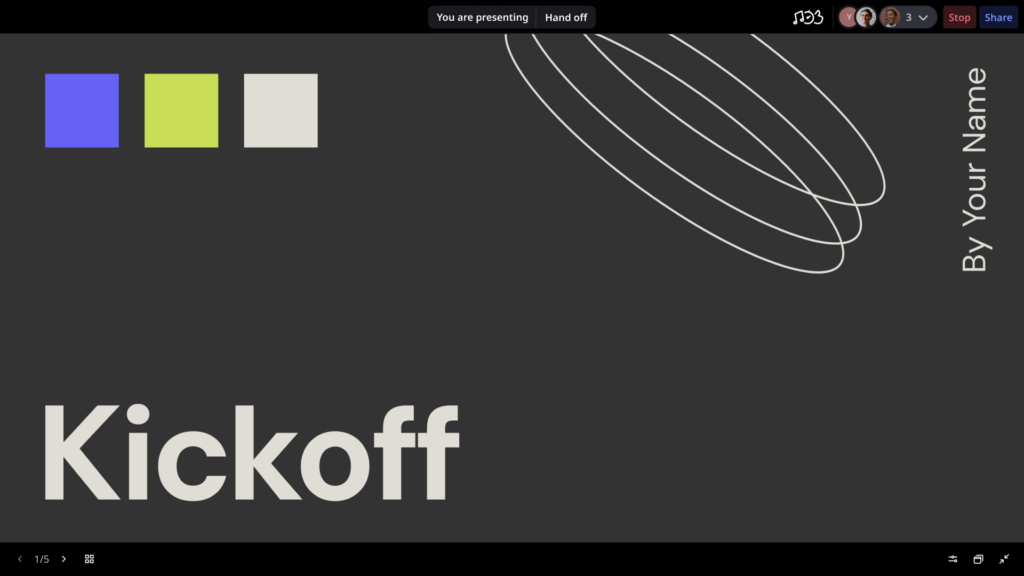
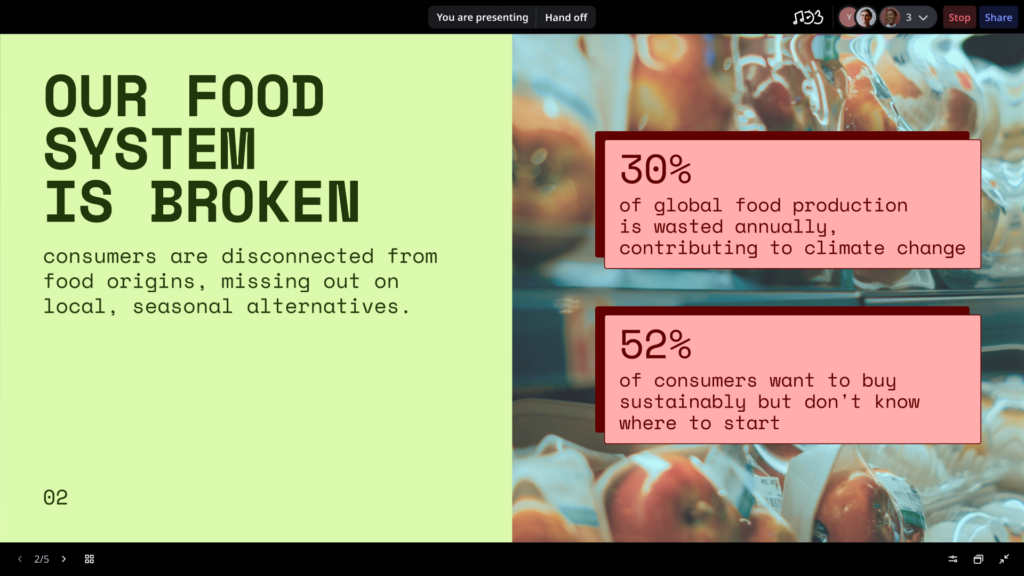
Running a sprint review, presenting a research readout, or walking stakeholders through a project plan? Great timing, since Presentation Mode just got a refresh.
Presenting your work in Miro now feels calmer and more focused. Fewer on-screen distractions so your audience stays engaged with the content. Smoother handoffs when it’s someone else’s turn to present. And if you pan away to explore the canvas mid-session, you can snap right back to the slide you were on.
Never miss a task assignment in Tables
When someone assigns you to an item in a Miro Table, you now get notified via email and in your in-product feed. These emails are batched into a digest so you’re not drowning in individual messages — just one clean summary with everything that’s new on your plate.
Live webinar: From visual context to code with MCP
Your team already creates rich technical context in Miro — architecture diagrams, specs, system designs, decisions. What if your AI coding tools could read all of that and write code that reflects it? Miro’s MCP server makes that possible.
Join us on March 31 for a live demo of how Miro engineers use MCP in their daily workflows. You’ll find out how to visualize your codebase by generating diagrams and summary documents; onboard faster by getting up to speed in minutes instead of days; and push requirements and specs from Miro into your AI coding assistants like Cursor, GitHub Copilot, and more. Register for the webinar here.

Miroverse community template gallery
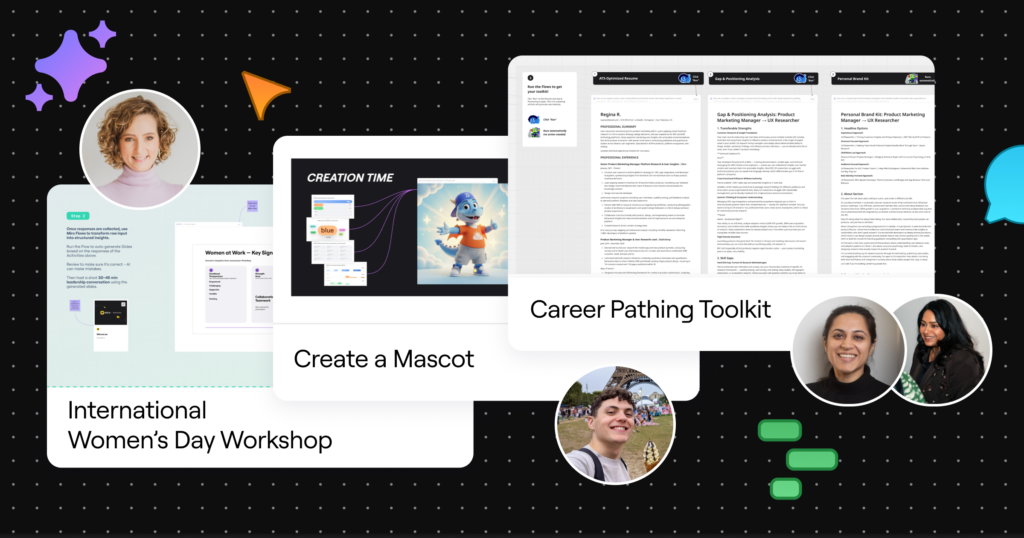
Check out new AI-powered Flows templates, created by and for the Miro community.
- Sneha and Naimeesha’s Career Pathing Toolkit translates your current and dream-state careers into a practical transition kit — so you can map out your next move with clarity.
- Ben Stein’s Create a Mascot is a lighthearted icebreaker and a fun way to get your team started with Miro Engage and Flows.
- Carolina Poll’s Women’s History Month Workshop helps leaders facilitate meaningful conversations about equity, leadership development, and inclusion to drive real impact throughout March and beyond.
Have your own ideas? Publish a template to Miroverse and share your expertise with 100M+ Miro users worldwide.
Registration is live for Canvas 26
You’ve just read about collaborative AI workflows. Want to go even deeper?
At Canvas 26, you’ll go behind the scenes with leading product, design, and engineering teams already making collaborative AI part of their daily work — and bring their strategies and workflows back to your team. Connect with peers tackling the same challenges you are, hear candid insights about what’s actually driving results, and get a first look at Miro’s latest innovations.
Canvas 26 is happening in person in San Francisco, London, Sydney, and Tokyo. Save your spot now.
That’s a wrap on our March updates. When the prep work takes care of itself, your team gets to focus on what they do best. Give these updates a try, and see what your team builds with them.