
Table of contents
Table of contents
What is a Kanban card? A quick guide for Agile teams
Summary
In this guide, you will learn:
- What Kanban cards are: visual task representations for efficient work management
- How Miro’s Kanban tool offers a flexible, AI-powered visual canvas with collaboration for Agile teams
- Key features of Miro’s Kanban boards including integrations to sync tasks
- Steps to create and customize your own Kanban board using Miro’s templates
- Best practices for maintaining Kanban boards: regular updates, stakeholder feedback, and limiting WIP
- How Miro simplifies Kanban management for remote and cross-functional teams with easy access and updates
Kanban cards are the cornerstone of visual project management systems. They help teams organize tasks, track progress, and simplify workflows. Whether you’re managing a complex Agile project or just trying to stay on top of your daily tasks, Kanban cards offer a practical and visual way to stay productive. In this guide, you’ll discover what a Kanban card is, how it works, and why it’s a must-have for any team.
What is a Kanban card?
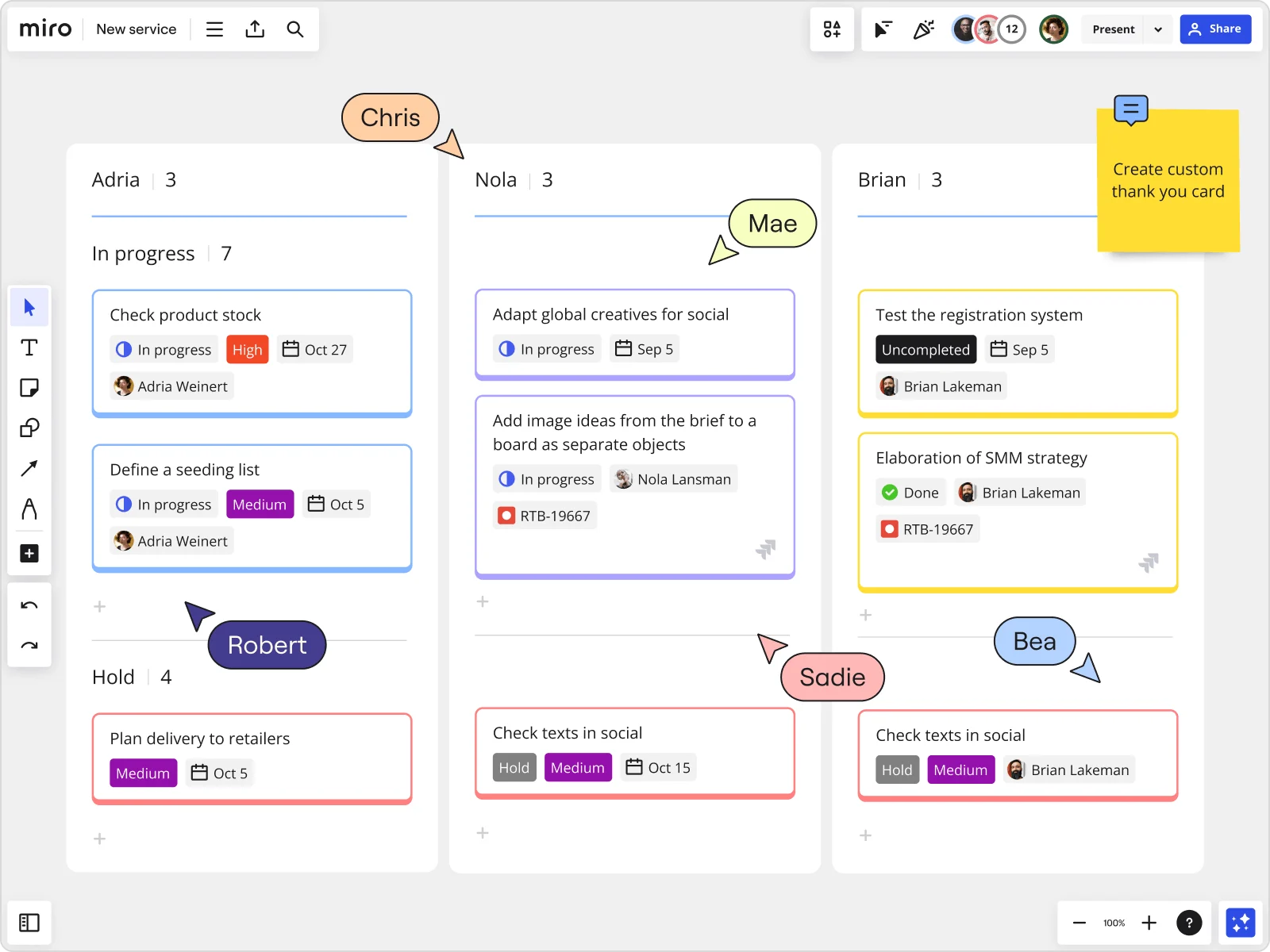
A Kanban card is a visual representation of a task or work item. Each card captures essential details like the task’s title, description, assignee, and deadlines. These cards live on a Kanban board, moving through columns that represent different workflow stages, such as “To Do,” “In Progress,” and “Done.”
Kanban cards originated in manufacturing but have become a go-to tool in Agile project management. They make it easy for teams to visualize work, prioritize tasks, and collaborate effectively.
Benefits of using Kanban cards
Kanban cards offer significant advantages for teams aiming to stay productive and collaborative:
Improved visibility
Kanban cards make work visible. Teams can see the status of tasks at a glance, making it easier to identify progress and address bottlenecks.
Enhanced collaboration
With all task details accessible on Kanban cards, teams can reduce miscommunication. Everyone knows what’s happening, who’s responsible, and what’s next.
Greater flexibility
Kanban cards are dynamic, allowing teams to adapt to changing priorities. Reorganizing tasks is as simple as moving cards on a board.
Simplified task management
By breaking down work into manageable tasks, Kanban cards help teams focus, prioritize, and stay organized—even on complex projects.
Types of Kanban cards
Different types of Kanban cards cater to specific project needs. Here’s a look at the most common ones:
Task cards
Task cards represent individual tasks and include vital information like descriptions, deadlines, and team member assignments. They ensure clarity on what needs to be done and who is responsible.
Information cards
Information cards hold important reference materials, like guidelines, project milestones, or reminders. They help the team stay aligned without digging through emails or shared drives.
Priority cards
Priority cards highlight tasks that need immediate attention. They help teams focus on high-impact work and ensure critical tasks are completed first.
Problem cards
Problem cards flag issues or bottlenecks in the workflow. By identifying challenges early, teams can address them quickly and avoid delays.
How do Kanban cards work?
Kanban cards streamline workflows by providing a visual system to manage tasks. Here’s how they work:
Visualizing tasks
Every Kanban card represents a specific task. Cards are arranged on a Kanban board, which is divided into columns like “To Do,” “In Progress,” and “Done.” This setup gives teams a clear picture of ongoing work and what’s next.
Tracking progress
As work progresses, cards move across the board from one column to the next. For example, a task might start in “To Do,” shift to “In Progress” when work begins, and finally land in “Done” upon completion. This flow helps teams stay organized and on track.
Facilitating collaboration
Kanban cards centralize task information, making it easy for team members to communicate updates, assign responsibilities, and flag issues. This transparency keeps everyone aligned and working efficiently.
Kanban cards fields: Building blocks of effective task management
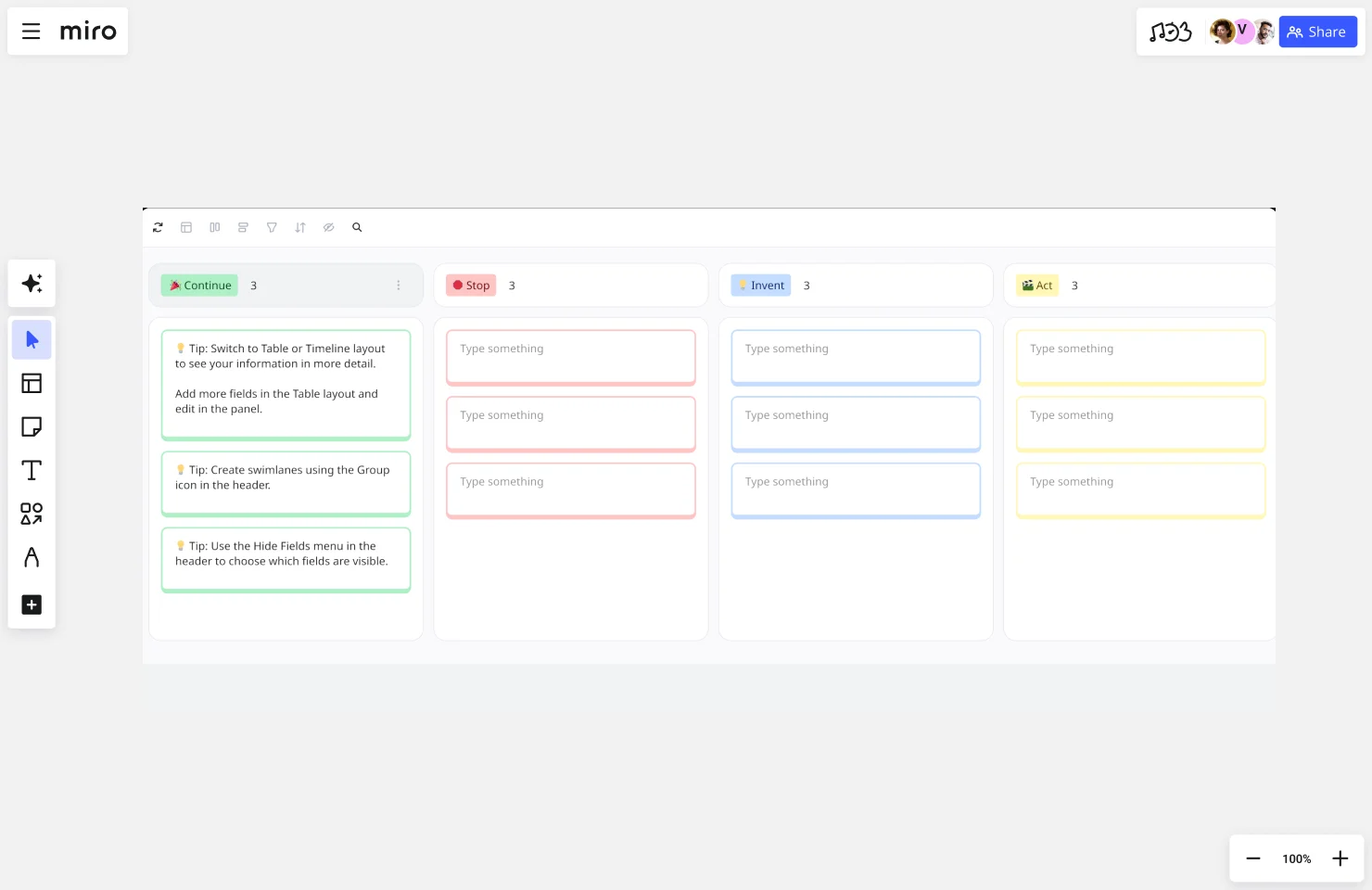
Every Kanban card contains information that helps teams track, prioritize, and complete work. Understanding which fields are essential and which are optional helps you design a Kanban system that captures the right level of detail without creating unnecessary overhead.
Mandatory Kanban card fields
These core fields should appear on every Kanban card to ensure basic functionality and team alignment.
Task title or description
The most critical field on any Kanban card is a clear, concise title that describes the work item. This should be specific enough that team members immediately understand what needs to be done.
Best practices for task titles:
- Use action verbs to make tasks actionable ("Review design mockups" rather than "Design mockups")
- Keep titles under 50 characters when possible for quick scanning
- Include the outcome or deliverable ("Complete user research report")
- Avoid jargon or abbreviations that might confuse team members
Assignee or owner
Every Kanban card needs someone responsible for moving it forward. The assignee field identifies who's currently working on the task or who should pick it up next.
In Miro, you can assign team members directly to cards, making it instantly clear who owns each work item. This prevents tasks from falling through the cracks and creates accountability within the team.
Assignment considerations:
- Assign one primary owner rather than multiple people to avoid diffusion of responsibility
- Change assignees as work moves between stages (from designer to developer, for example)
- Use visual indicators like profile pictures to make assignments immediately visible
Current status or column
While the card's physical location on the board indicates its status, explicitly noting the current stage helps with reporting and ensures everyone interprets the card's position consistently.
This becomes especially important in digital Kanban tools where cards might be filtered, searched, or viewed outside the context of the full board.
High-value optional fields
These additional fields aren't strictly necessary but provide significant benefits for most teams.
Priority level
Priority indicators help teams focus on the most important work first. Common priority systems include:
- High/Medium/Low: Simple three-tier system
- P0/P1/P2/P3: Numbered priorities common in engineering teams
- Color coding: Red for urgent, yellow for medium, green for low priority
- MoSCoW method: Must have, Should have, Could have, Won't have
Priority fields become especially valuable when your board contains more work than your team can complete simultaneously. They guide daily decisions about which tasks to tackle next.
Due date or deadline
For work with time constraints, adding due dates creates urgency and helps teams plan their capacity. Due dates work best when they're realistic and necessary — too many artificial deadlines train teams to ignore them.
When to use due dates:
- External commitments with real consequences
- Dependencies blocking other teams
- Time-sensitive opportunities (product launches, events, seasonal content)
When to skip due dates:
- Work that simply needs to progress through your normal flow
- Tasks where quality matters more than speed
- Backlogs of future work that hasn't been scheduled yet
Estimated effort or story points
Effort estimates help teams understand how much work a card represents. This information supports capacity planning, helps identify cards that might need to be broken down, and enables teams to predict completion times.
Different teams use different estimation approaches:
- T-shirt sizes (XS, S, M, L, XL): Quick, relative sizing
- Story points: Abstract units representing complexity and effort
- Hours or days: Time-based estimates
- Complexity ratings: Focus on technical difficulty rather than time
Card type or work category
Categorizing cards by type helps teams track different kinds of work flowing through their system. Common categories include:
- Features, bugs, and technical debt in software development
- Content pieces, campaigns, and requests in marketing
- Strategic initiatives versus operational work
- Customer-facing improvements versus internal improvements
Type indicators help teams ensure they're balancing different kinds of work rather than focusing exclusively on one category.
Specialized optional fields
These fields serve specific purposes and make sense for some teams but not others.
Blocker or impediment status
When cards get stuck, marking them as blocked and documenting the reason helps the team address obstacles quickly. This visibility turns blockers from silent productivity killers into explicit problems the team can solve.
In Miro, you can add visual indicators or tags to highlight blocked cards, making them impossible to miss during standups or planning sessions.
Dependencies or related cards
Some work items depend on other tasks being completed first. Documenting these dependencies helps teams sequence work appropriately and identify critical paths.
Dependency documentation methods:
- Link related cards using Miro's connection lines
- List prerequisite tasks in card descriptions
- Tag cards that must be completed before others can start
- Create visual indicators showing dependency relationships
Customer or stakeholder
For teams working on multiple projects for different customers or stakeholders, noting who requested or will benefit from each task helps with prioritization and communication.
This field becomes especially valuable during demos or reviews when you want to show customers their specific work items.
Business value or impact
Some teams track the expected business impact of each work item to prioritize high-value tasks. This might include:
- Revenue potential
- Number of users affected
- Strategic alignment scores
- Risk reduction levels
Original request date
Tracking when work entered your system helps identify items that have been waiting too long and reveals patterns in how quickly work moves through your process.
Tags or labels
Flexible tagging systems let teams categorize work across multiple dimensions simultaneously. A single card might have tags for the platform it affects, the type of customer it serves, and the team component it relates to.
In Miro, you can use colored labels, emoji tags, or custom fields to create categorization systems that match your team's needs.
Choosing the right fields for your team
More fields aren't always better. Each additional piece of information requires time to enter and maintain, and too many fields can make cards cluttered and difficult to scan quickly.
Questions to guide your field selection:
Does this field help us make better decisions? If the information influences prioritization, assignment, or sequencing decisions, it's probably worth capturing.
Will we actually maintain this field? Data that gets entered once and never updated creates more confusion than value. Only track information your team will realistically keep current.
Does this field serve reporting needs? If stakeholders need certain metrics or your team tracks specific data points, add fields that make this reporting possible without creating separate tracking systems.
Can visual design replace explicit fields? Sometimes, color coding, card size, or position can communicate information more efficiently than text fields.
Using Miro's Kanban features for card fields
Miro provides several ways to add and display information on Kanban cards:
Custom fields: Create structured fields that appear on every card in consistent formats. This ensures data consistency and makes cards easy to scan.
Rich text descriptions: Add detailed information, checklists, and formatting within card descriptions for context that doesn't need to appear on the card face.
Attachments and links: Connect cards to relevant documents, designs, code repositories, or other resources team members need to complete the work.
Comments and mentions: Track discussions and decisions related to specific cards, creating a history of how work evolved.
Visual indicators: Use Miro's styling options — colors, shapes, icons, stickers — to create visual systems that communicate information at a glance without requiring team members to read text.
Evolving your card structure over time
Your Kanban card fields don't need to be perfect from day one. Start with the mandatory basics and add fields as you discover needs through actual use.
Watch for signs you might need additional fields:
- Team members repeatedly ask the same questions about cards
- Difficulty prioritizing or sequencing work
- Confusion about who should work on tasks
- Challenges in generating reports or metrics that stakeholders need
Similarly, remove fields that aren't adding value:
- Information that never gets updated after initial entry
- Data that nobody references when making decisions
- Fields that made sense initially but aren't relevant anymore
The goal is a card structure that captures essential information efficiently, supporting your team's workflow without creating unnecessary administrative work. Keep refining your approach based on what actually helps your team ship great work.
Best practices for using Kanban cards
Maximize the effectiveness of Kanban cards with these simple tips:
Keep details clear and concise
A Kanban card should include only the most important information. Avoid clutter to ensure quick understanding.
Use visual cues
Color-coding cards based on priority, task type, or team member can make boards more intuitive and easier to navigate.
Limit work in progress (WIP)
Setting WIP limits prevents teams from taking on too much at once. This keeps the workflow smooth and manageable.
Regularly update boards
Review and update cards consistently to ensure your Kanban board reflects the current state of your workflow.
Tools and software for Kanban cards
Kanban card systems are easier to manage with the right tools. Here are a few options to consider:
Miro
Miro’s innovation workspace features an AI-powered visual canvas that makes it simple to create and manage Kanban cards. With customizable templates and real-time collaboration, Miro is perfect for Agile teams.
Trello
Trello’s intuitive interface is ideal for smaller teams or personal use. It lets you set up Kanban boards quickly and customize them to fit your needs.
Jira
Jira offers advanced functionality for teams managing complex projects. Its Kanban card system integrates seamlessly with Agile workflows and includes robust reporting features.
Pro tip: Miro offers plenty of templates that come with a two-way Jira integration, allowing you to easily pull existing cards. Save time on setting up your Kanban board and unify your workflows using one of our Agile templates.

Real-world applications of Kanban cards
Kanban cards are versatile and widely used across industries. Here are a few examples:
Software development
Development teams use Kanban cards to track tasks like coding, testing, and bug fixes. The visual system helps prioritize work and maintain momentum.
Manufacturing
In manufacturing, Kanban cards ensure a steady flow of materials and production tasks. They help teams manage inventory and avoid delays.
Marketing campaigns
Marketing teams use Kanban cards to coordinate campaign tasks, from content creation to social media scheduling. This system keeps deadlines on track and ensures smooth collaboration.
Simplify your workflow with Miro
Kanban cards are important for efficient project management, and Miro makes them easier than ever to use. With an AI-powered visual canvas, Miro helps teams create and manage Kanban cards for any project. Collaborate in real time, customize your boards, and keep your team aligned no matter where they work.
Sign up for Miro to get started.
Author: Miro Team Last update: January 27, 2026
Read more
Join our 100M+ users today


