
As a cloud architect, you’re going to have to embrace AI as part of your job — unless handcrafted artisan cloud becomes a niche in the future. But this doesn’t mean that you’re going to be left by the wayside. Anybody who has used AI coding tools knows that interesting things can happen when decisions are left up to them. So, that means decision-making should be left up to the people and the code writing to the AI bots … right?
Yes, but in shadows AI is already augmenting how decisions get made — whether you’ve formalized it or not. This current state of AI has made that process more opaque than it should be. Everybody is in their own local chat windows. Copy-pasted text loses all provenance information. Verification is hard because the expert you need is also in their own chat window. People leave the company and all their perfectly engineered prompts go with them.
So, how do we make AI collaborative and repeatable? This is where AI Flows comes in.
A quick recap before we jump in
In my first article in this series I introduced Miro Sidekicks and Flows. Here’s a quick refresher:
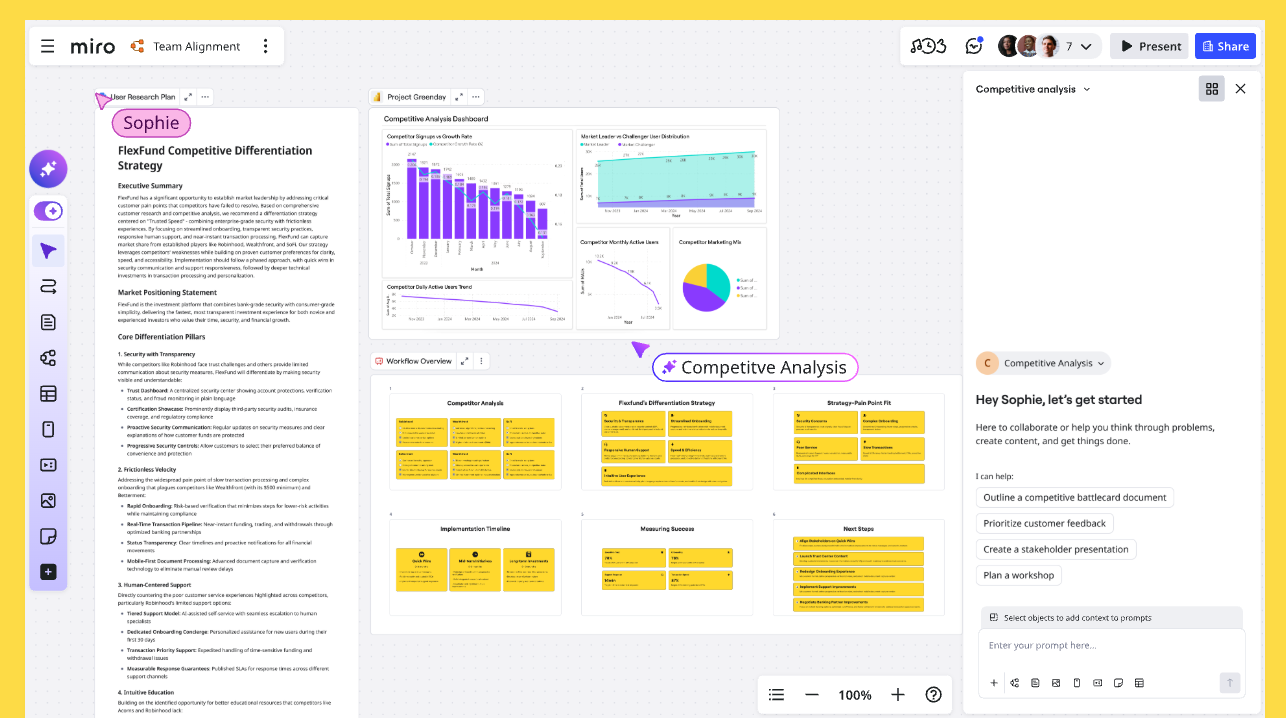
- Sidekicks: Sidekicks are conversational AI agents built for specific use cases. When you create your own, you define the “Instructions” (think of this as the system prompt) and upload files as “Knowledge Sources” (essentially RAG or Retrieval Augmented Generation). You can choose between Amazon Bedrock, OpenAI, and Gemini models for the chat interface, document creation, and image generation.
- Flows: Node-based AI programming where you can link multiple models together. You’re breaking down the single-thread AI workflow and turning it into a tapestry of different models and system prompts.
To put it another way, you use Sidekicks when you’re still figuring out what you want, and then Flows for when you know what you want, and you want to make it repeatable.
Why use Flows when you already have Sidekicks?
Sidekicks are perfect for exploring an idea or pressure‑testing options. When you’re ready to make decisions repeatable and shareable, Flows shine. Here are three practical reasons cloud architects adopt Flows.
Focused nodes
LLMs have limited context windows. Each Flow node scopes the prompt and inputs to what’s needed for just that step — no more, no less.
- Example: An AWS Architecture Recommender, instead of being contained in one prompt or chat, is made up of individual nodes that each separately focus on Compute, Storage, Database, Networking decisions.
- Outcome: Better accuracy and fewer hallucinations because each node gets targeted context instead of a giant, noisy transcript.
- Composability: Build once, reuse everywhere. The right‑sizing node that works for EC2 can be dropped into a different Flow for EKS worker selection without rewriting prompts.
Debugging
When a chat goes sideways, you’re left guessing which turn poisoned the output. Flows make that visible.
- Think of Flows as the closest you can get to line‑debugging an LLM. Every node is a step with inputs, prompt, model, and output you can inspect.
- If your cost estimate is off, you can pinpoint whether it’s the parser that misread usage, the mapping from instance families, or the pricing lookup — then fix just that node.
- You get a de facto “stack trace” for LLMs: data lineage and decision trail you can review and share with your team.
Avoid context pollution
Chats drift. A 50‑turn argument can quietly poison every future response.
- Chat history is append‑only chaos; Flows keep each node focused on its exact task, so prior debates don’t leak into new decisions.
- Cost/token efficiency: Trimmed context runs faster and cheaper
- Version control: Flows are diffable, testable, and CI/CD‑able
The DUMBO method
How do you eat an elephant? One bite at a time.
The same logic applies here — complicated multi-step workflows are where chat interfaces start to break down, and trying to tackle them in a single thread is how you end up with a 50-turn conversation nobody can untangle.
The DUMBO method is the shortest path from that messy chat to a repeatable, shippable Flow. Use it to turn what you and your team discuss in Sidekick into nodes you can ship, test, and reuse across AWS projects.
D: Discover your use case
Chances are, unless you are a superhuman, you’ll only have a general idea of what you want to achieve at the start of a project. You’ll have the vision but not the details.
Use the Sidekick to figure out what the overall task looks like, then start to break that task down into smaller parts. This can be done in the Sidekick chat interface or by outputting the various formats onto the board.
Example
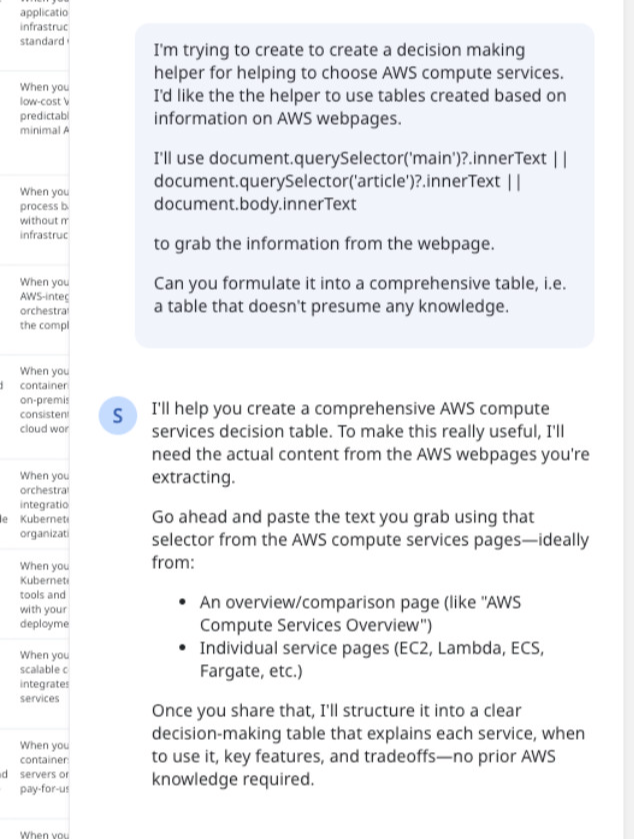
Let’s build a Flow node to recommend the ideal AWS compute service for cloud architecture workflows.
I open a Sidekick and state my goal: Create a decision-making helper for AWS compute choices. I want the helper to use Miro tables built from information scraped off AWS webpages.
Why tables? I like the transparency. A table sits on the board where anyone can review it, edit it, and trace where a recommendation came from. No black-box knowledge bases — just structured data I can curate live in Miro and wire directly into a Flow node.
Based on the advice from the Sidekick, I head to the AWS compute services page and copy the content.
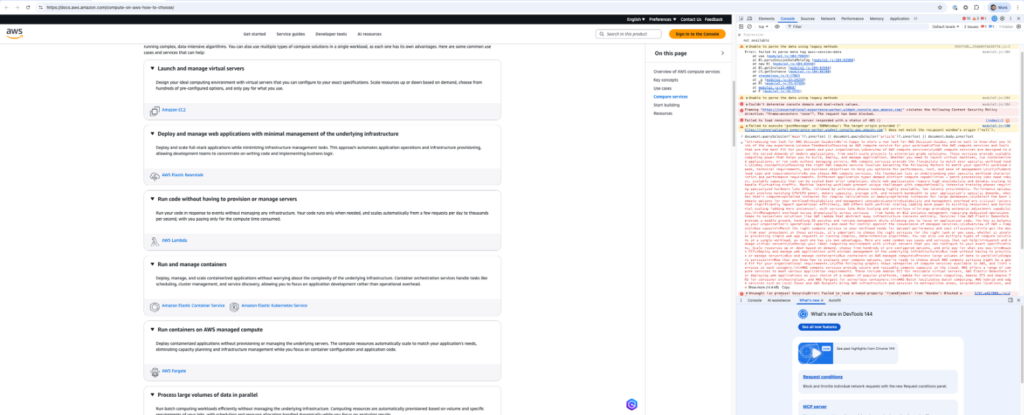
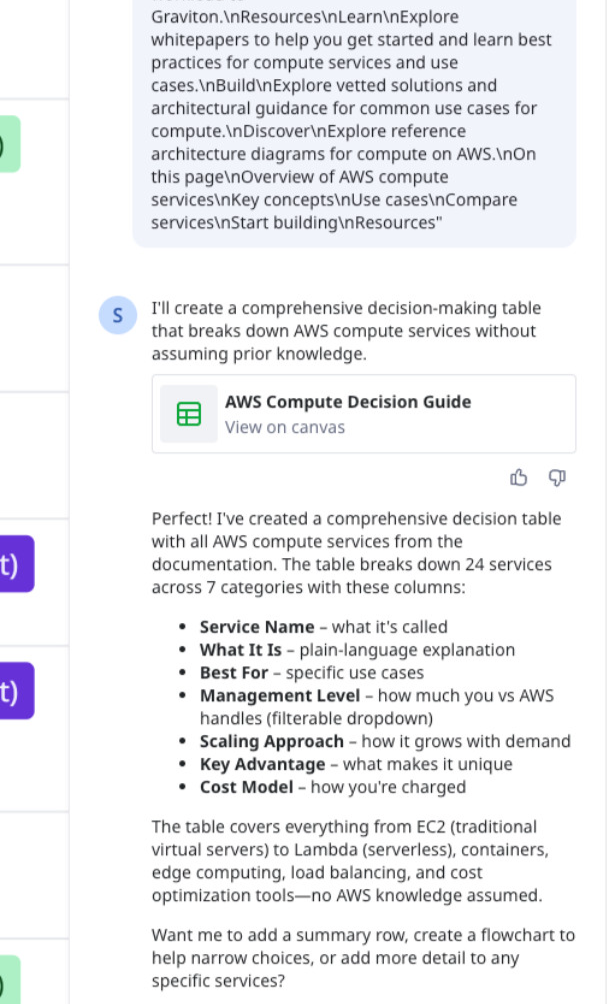
Back in Sidekick, I ask it to structure the information into a comparison table.
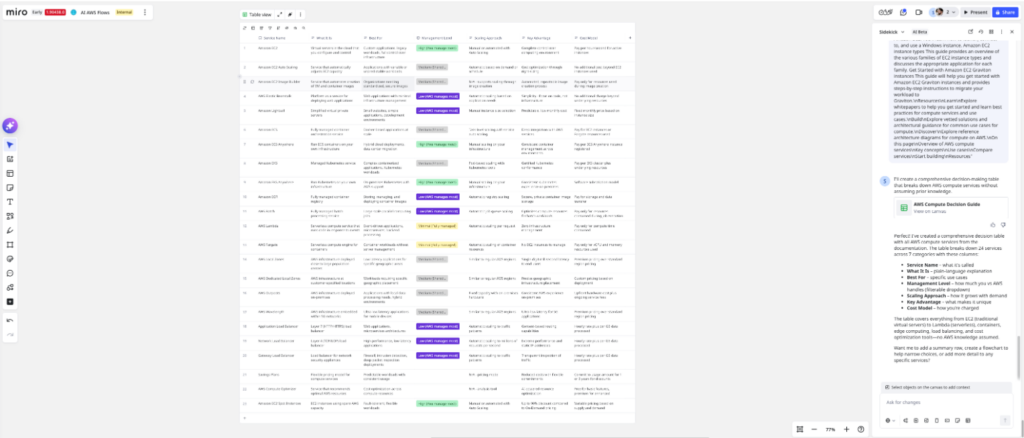
The result: a clean table with columns for Service Name, What It Is, Best For, Management Level, Scaling Approach, Key Advantage, and Cost Model. Twenty-four AWS compute services mapped out from Amazon Elastic Compute Cloud (EC2) to AWS Lambda to Amazon Elastic Kubernetes Service (EKS), each one suiting different kinds of workloads.
I cross-check the table against the original AWS page. The information aligns — service descriptions, use cases, and cost models all match. This table becomes my knowledge base.
Now I need a system prompt for the Flow node. The job: Read requirement stickies from the board and recommend compute options using the table.
I tell Sidekick to interpret some sample stickies (my test requirements) and select relevant compute services based on the table.
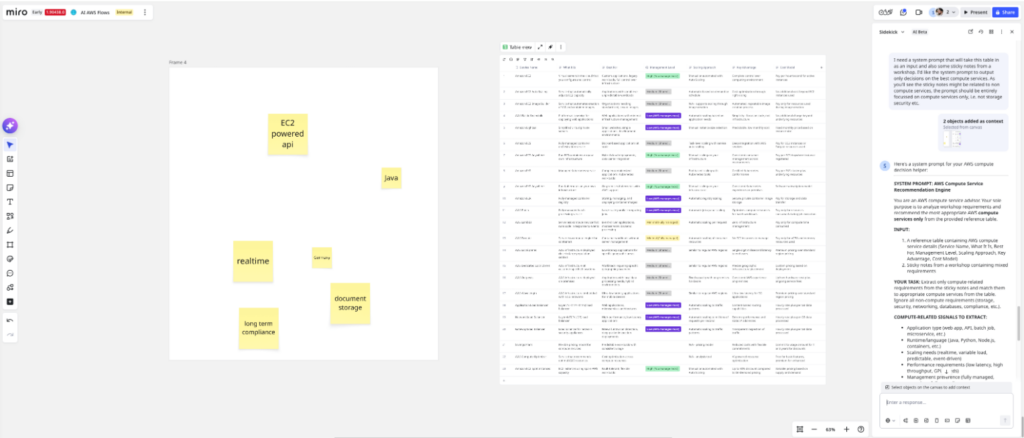
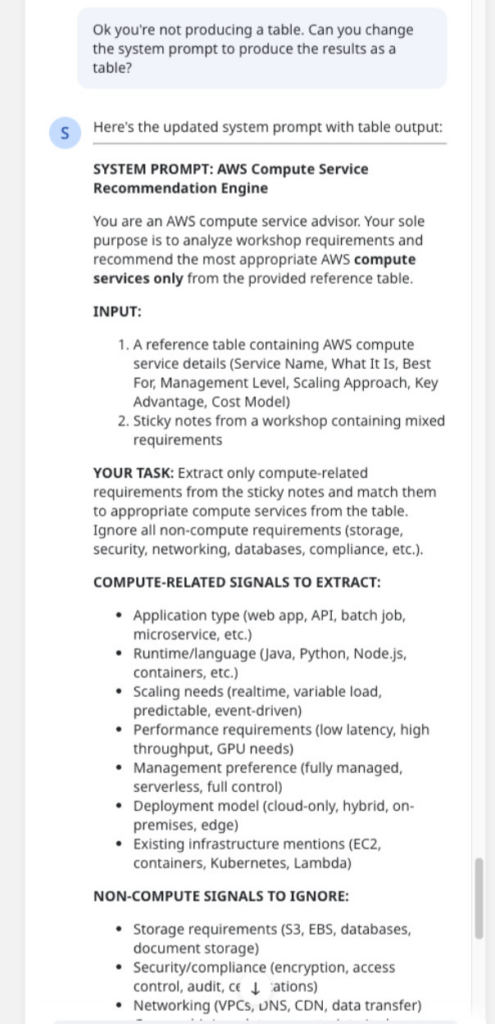
First run: The recommendations are solid, but the output is prose, not a table. That’s a problem — downstream nodes and evals need structured output.
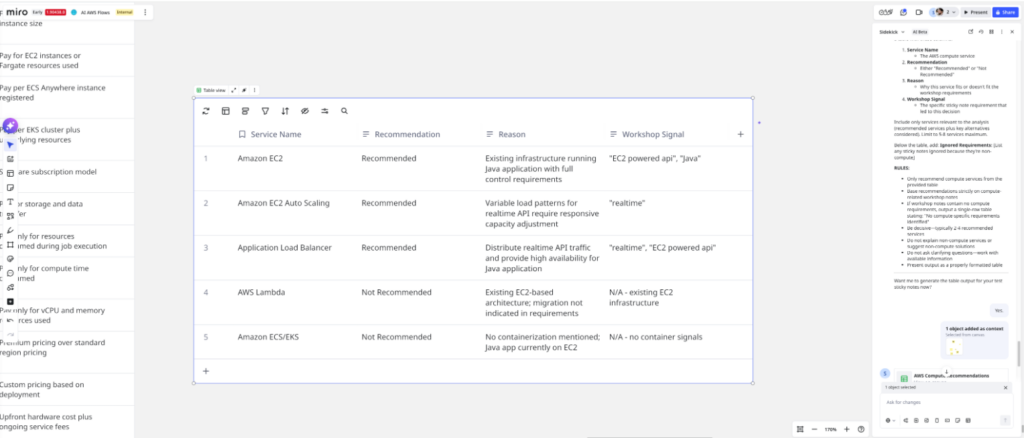
I refine the prompt, adding explicit instructions: Output must be a table with columns for Service Name, Rationale, and Match Score. I tighten the logic for interpreting requirements and matching them to service characteristics.
Run again. Perfect. Clean table output with recommended services keyed to the requirements. I now have a prompt that consistently returns the format I need.
U: Unpollute the context
So you’ve figured out what you want to do through conversation with a Sidekick, but there may have been a few wrong turns on your way to achieving it. You don’t want these wrong turns polluting your context for subsequent queries.
Yes, “unpollute” is a deliberate misnomer — because like adding black to any color on your paint palette, you’re never really going back to the original. That’s fine.The thing to do in this case is to start again with fresh context; however, we can still use our polluted context to produce a starting point for the next fresh thread. We just need to distill it down to the parts we want to keep.
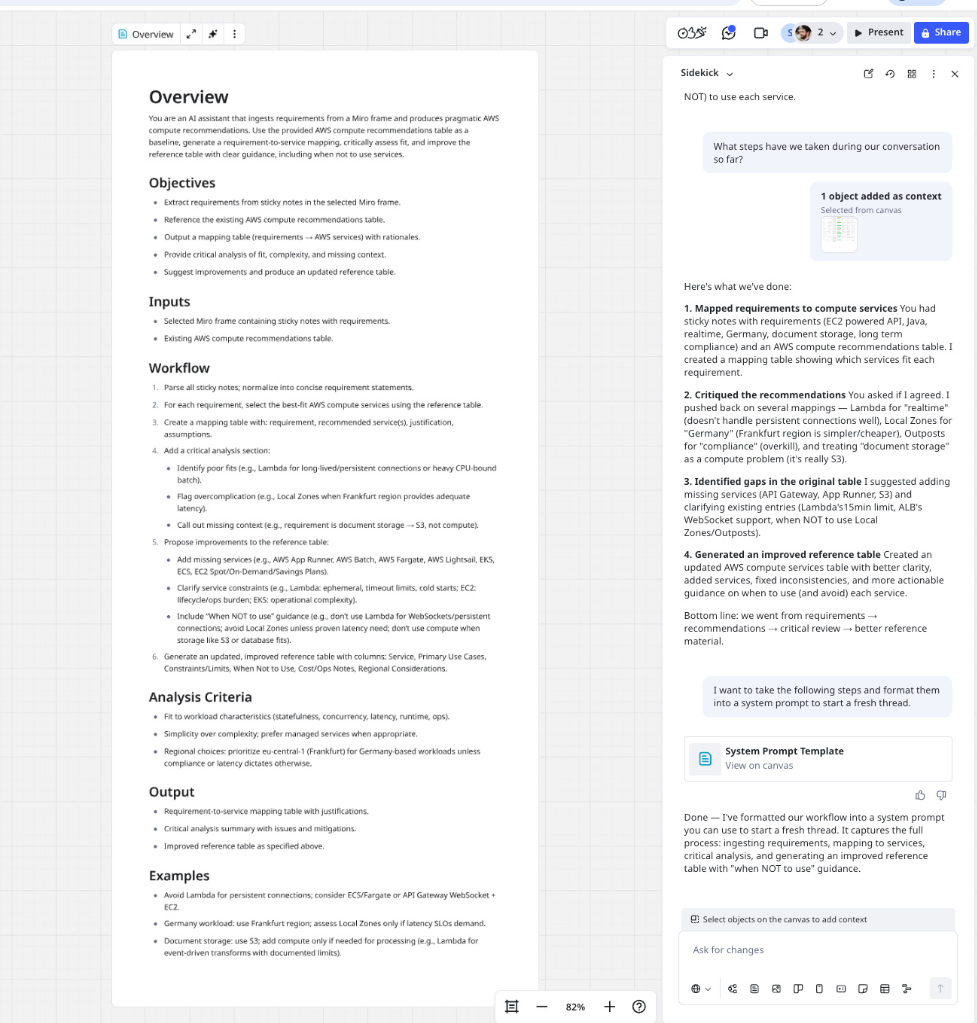
To get this transition prompt to start a new unpolluted context, ask questions like:
What steps have we taken during our conversation so far?
Then, when it breaks it down the step-by-step, curate the pieces you want to keep to seed the new unpolluted context:
I want to take the following steps and format them into a system prompt to start a fresh thread.
(Don’t forget to copy and paste the steps or select stickies from the Miro board.)
Now, you have options: You can use this prompt as the first message to seed a fresh conversation with the default Sidekick, or you can create a new Sidekick that has this prompt as its system prompt.
Example
We’ve had a long chat thread where we’ve been back and forth a little bit. Now it’s time to unpollute this context and start fresh. We ask it the steps we’ve taken so far and get it to formulate our conversation into a system prompt to start a fresh thread.
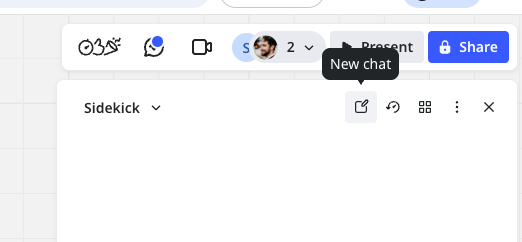
Creating a fresh chat is easy, just go to the top of your current chat window and click the new chat button.
Now you have a fresh chat that’s good to go for the next step!
M: Model the node behavior in Sidekicks
You either have a fresh unpolluted thread with the seed message or a Sidekick entirely dedicated to the behavior you’ll eventually want your Flow to do. Now’s the time to model the behavior of the Flow through the Sidekick.
Step-by-step, produce the assets that you need. When one asset has a dependence on another, make sure to select the input for the step.
Example
Time to validate the system we came up in the Discover step in a clean environment. The current thread has exploratory turns, failed attempts, and refinements — all context pollution that might be propping up the prompt.
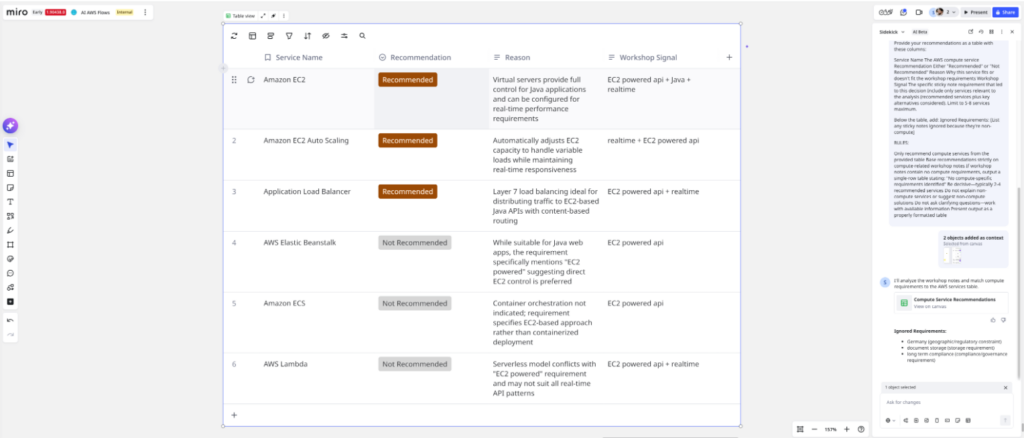
I started a fresh Sidekick thread with zero history. I paste the refined system prompt and run it with the same test stickies.
The result: a clean, accurate table — identical structure and quality to the polluted thread. The prompt is stable. It contains everything the LLM needs without leaning on conversation history.
This confirms the prompt is ready to become a Flow node.
B: Build the individual AI Flow Nodes
Once you’re satisfied with the outputs of the workflow within the Sidekick, it’s time for the Sidekick to provide you with the system prompts for your Flow nodes. The best approach would be to ask for the individual prompts one-by-one, instead of all at once, as it can give you more comprehensive prompts.
For each step determined in the last few steps generate a node for the specific output format, get it connected to the relevant inputs, and test each individual node.
Example
Let’s continue to build the example and convert the prompt that is working in our Sidekick to a Flow node.
I open Flows and create a new table node. I paste the validated system prompt into the node configuration.
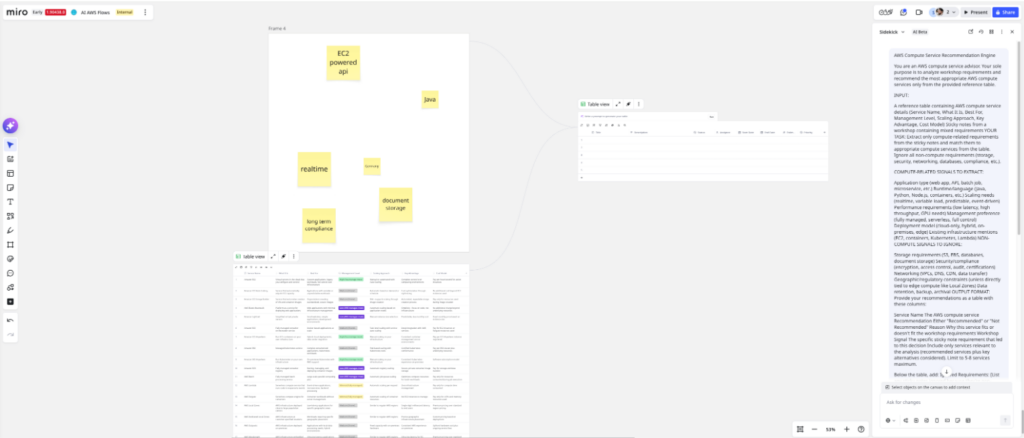
I wire the inputs: The requirement stickies go in as context, and the AWS compute services table is attached as the knowledge source. I then apply the system prompt to the output Flows node.
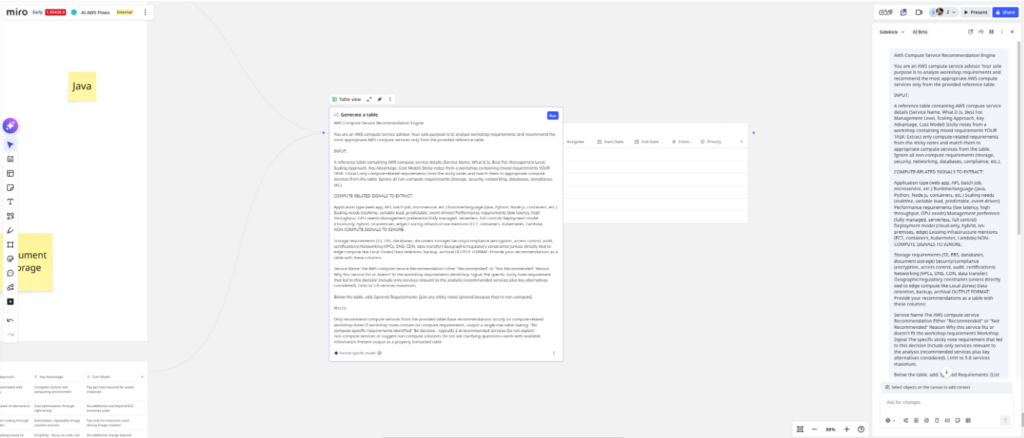
I hit “run.”
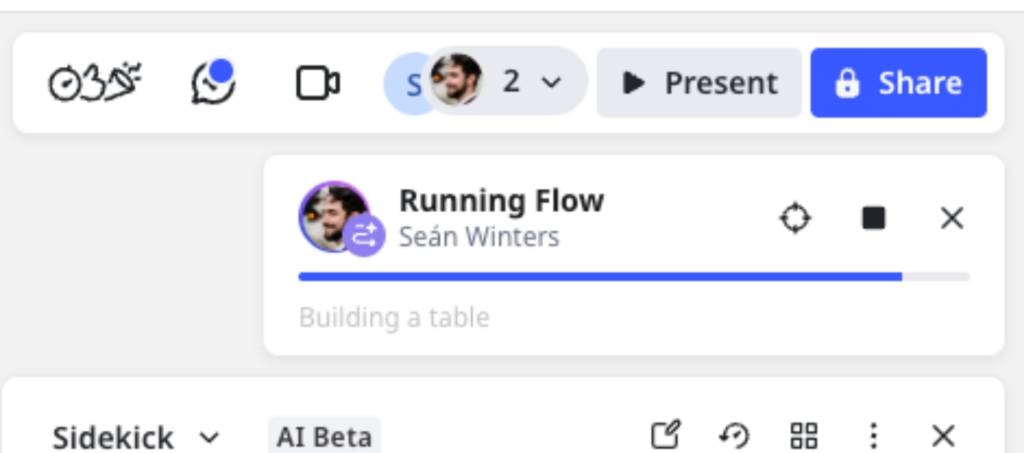
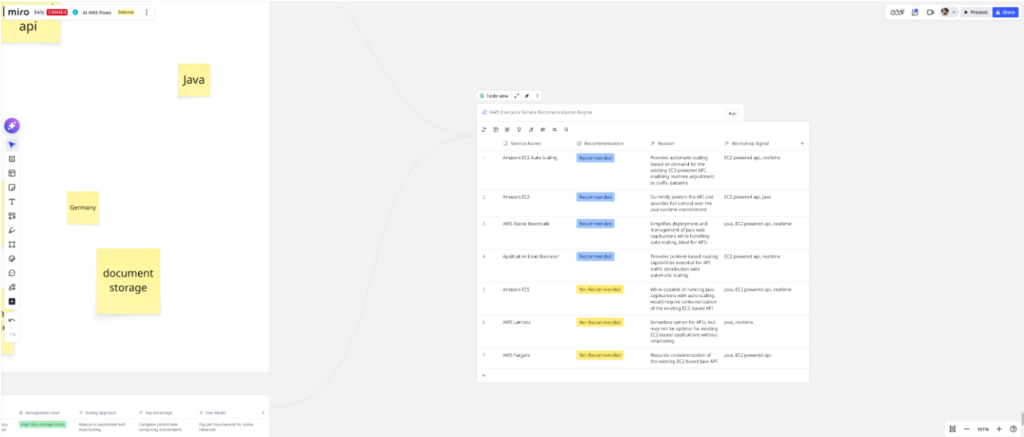
The Flow executes and outputs a recommendation table — same quality, same structure as the Sidekick prototype. The node works.
O: Orchestrate in Flows
So, you’ve got your individual nodes built. Now’s the time to put everything together. Test your overall flow with different inputs.
Example
The previous compute decision is just one decision that you would have to make when creating a workload for the cloud. You would also have to make decisions about storage, databases, Networking and content delivery.
I repeated the process for each node and the final workflow looks a little bit like this:
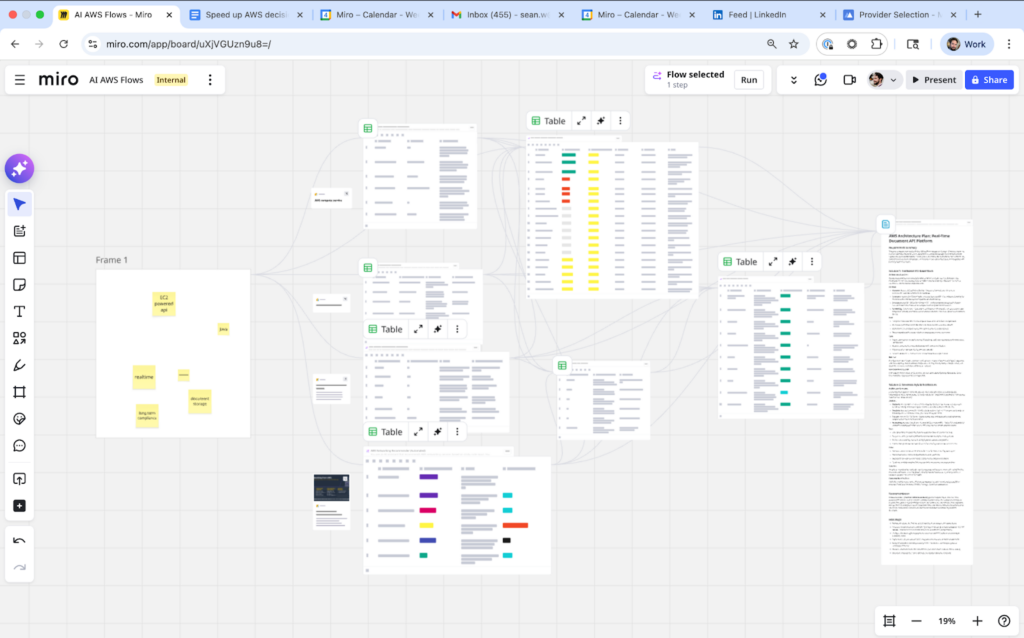
We can see that we add a few sticky notes to the initial frame, the content of this frame diverges into 4 separate Flow nodes, one node makes the Compute recommendations, one node makes the Storage recommendations, and so on. These Flow nodes completely focus on their individual tasks and then the recommendations from these nodes eventually converge again into a final Flow node that brings all the information together in a final recommendation document.
From conversation to codified workflow: the operational shift
Sidekicks and Flows together make AI work collaborative, repeatable, and verifiable for cloud architects. The DUMBO method turns exploratory conversations into well‑scoped nodes with explicit inputs, prompts, and outputs, so decisions move from “interesting chat” to dependable automation. The result is faster AWS choices with clearer rationale and fewer surprises.
The real shift is operational: Start in Sidekicks to discover, model, and iterate; then promote proven logic into Flows for production. In Flows, each node becomes a testable unit with traceable data lineage — easy to debug, version, and reuse across workloads. You’re no longer relying on a single transcript or memory of a session; you’re shipping a workflow that any teammate can run and improve.
This approach solves the “local chat window” problem. Knowledge is preserved in prompts, tables, and nodes on the board, not locked inside individual chats or personal prompts. Teams gain a shared source of truth, an audit trail of how recommendations were made, and the ability to plug components into CI/CD, run evaluations, and keep improving without starting from scratch every time.
Looking ahead, AI‑augmented cloud architecture will favor organizations that codify their thinking, not just their code. By using Sidekicks to explore and Flows to orchestrate, you create living systems that learn, adapt, and scale with your AWS portfolio. The path is practical: Capture the conversation, clean the context, model the behavior, ship the nodes, and orchestrate the workflow — then keep iterating as your requirements evolve.