← Back
  • Miro Card Org Chart Illustration #1
Miro Card Org Chart

Miro Card Org Chart

by Miro Labs
  • Stars5.0 (3)
Log in to rate
Connect →
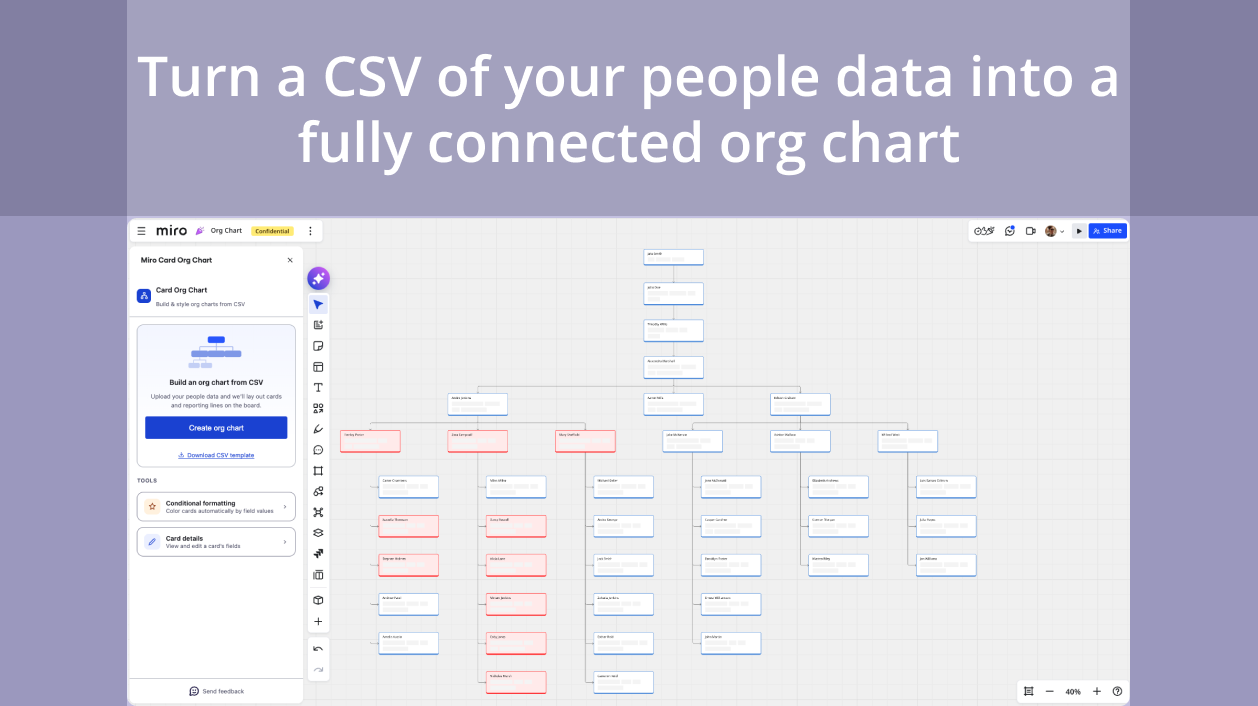
Build an entire reporting structure in Miro straight from a CSV — a card for every person and a connector for every reporting line, laid out automatically and neatly on the canvas.

Highlights

  • CSV columns are auto-matched and your hierarchy is validated before anything hits the board, so you start with a clean chart.
  • Keep it living: color-code teams by department, location, or any field with conditional formatting.
  • Edit anyone's details right from the panel.
  • Vertical or horizontal layout supported.
* Note that any information provided by a third party application provider, including pricing and payment details as applicable, is subject to change and should be verified with the provider.

Categories

FreeVisual assetsStrategy & planning

Pricing

Free

Verify pricing details with the developer*

Permissions

  • Read and modify boards users have access to

About the developer

Miro Labs

United States

Miro's new product incubation program with you - where inspiration and innovation come together to create the next big thing. Designed to make experimental investments in collaboration apps and product experiences, Miro Labs is our community's creative space to shine.

Support

Visit website

Other apps

Smart Diagrams

by Appgami
  • Stars3.6 (5)
  • Users35K
Easily create eye-catching Diagrams, SmartArt and Infographics in Miro

MeasureMint

by MeasureMint
  • Stars5.0 (2)
  • Users< 100
Professional measurement and calibration tool for architects, engineers, designers, and construction professionals. Scale on Miro - Measure on Miro.

Dot. Connect the Ideas.

  • Stars5.0 (1)
  • Users< 100
The intelligent furniture catalog for Miro. Drag, drop, and ideate with Dot. Visual intelligence for today's commercial interiors.

Guru

by Guru
  • Users< 100
Bring Miro Boards into Guru for instant Q&A

Custom Cards

by Ferrisaurus Software
  • Stars3.0 (1)
  • Users2K
Add more structure to your Miro cards. Create card templates with up to 15 custom fields to make filling out cards easy. Mark your custom fields as required or optional; radio buttons or a space for text.

Planning Poker

by Gorazdo.studio
  • Stars4.1 (21)
  • Users78K
Run sprint planning sessions in Miro

Drawify Images

by Drawify
  • Stars3.8 (8)
  • Users17K
Create engaging boards by using hand-drawn illustrations

Google Images

by Miro Labs
  • Stars4.5 (6)
  • Users750K
Search Google Images and directly use them on your board